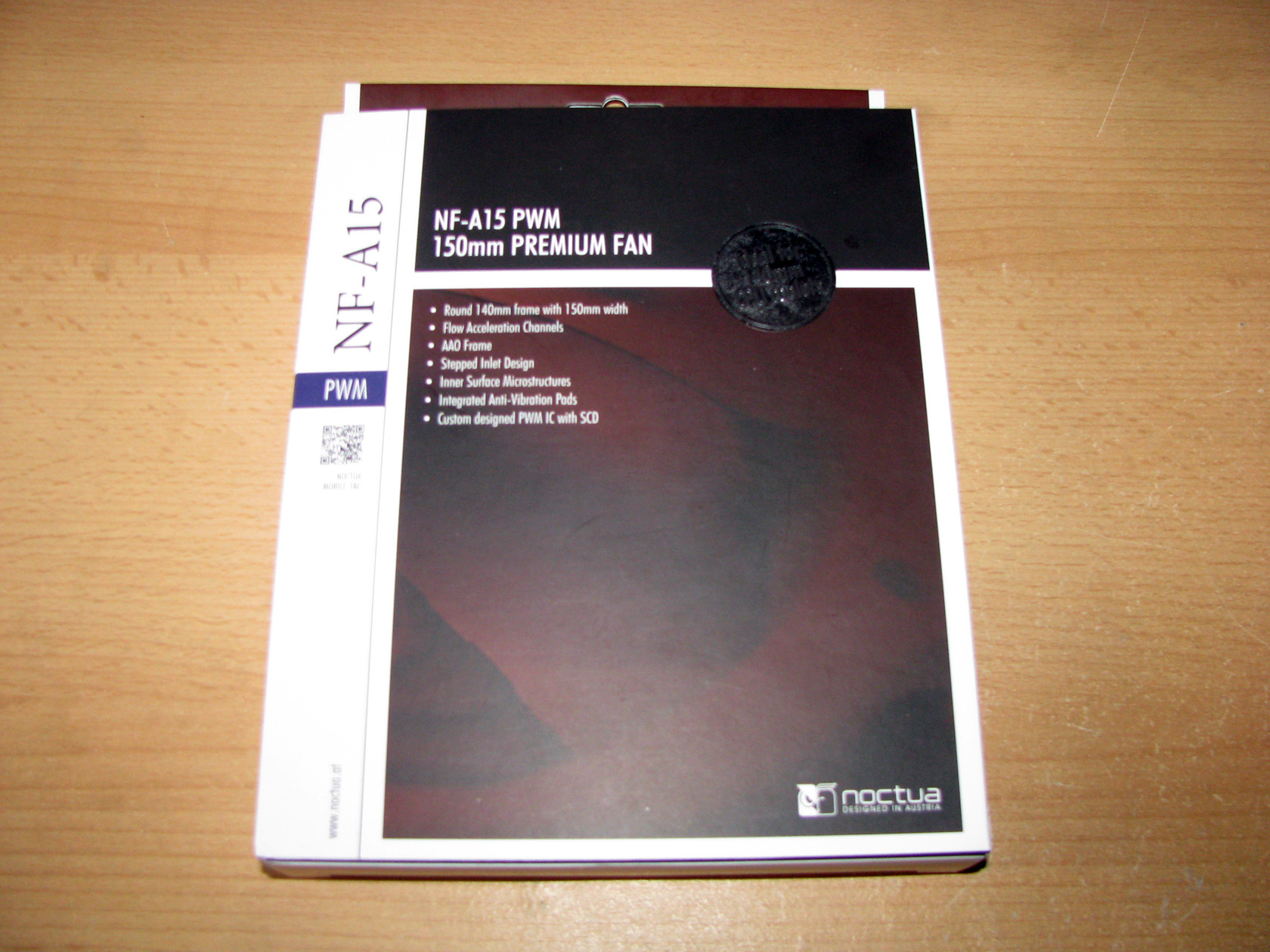
The model arrived in absolutely the same package in terms of appearance and structure as all of the latest products offering a huge carton box painted in the typical for Noctua colours – white/black and brown with front flap covereing a see through cut, through which you can see the shape of the propeller and part of the frame.
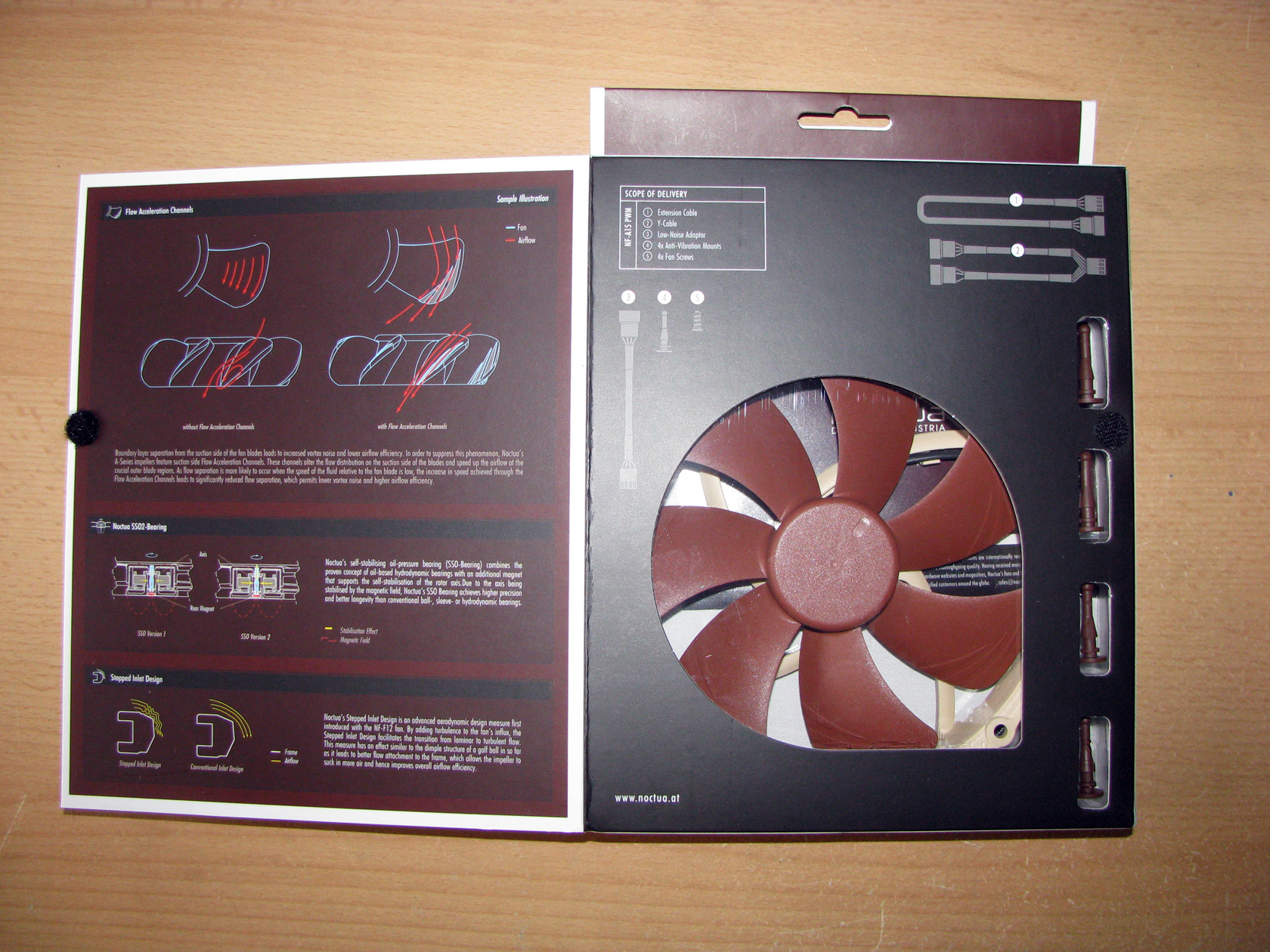
On the inner side of the flap there is a lot of information and technical schemes related to the technologies used to create this product.

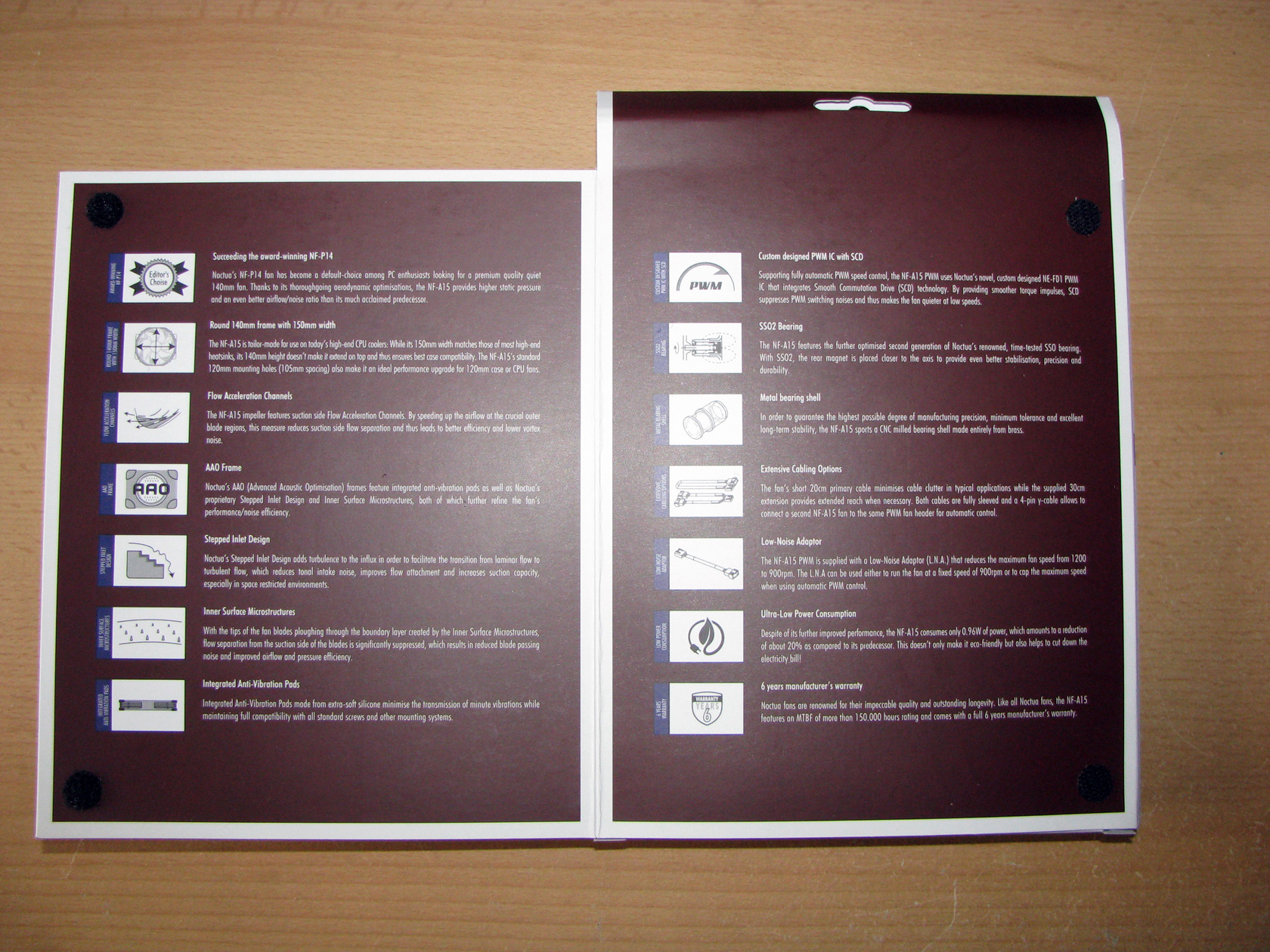
And again, there is a second flap on the back side of the main package which holds the full technical details related to the product.
Now let’s check out the fan itself.

Again we can see the typical for Noctua transparent plastic bed offering a stylish arangement of the product and the additional accessories and protection from scratch, break and loss of any one of them.
The only different thing here is the shape of Noctua NF-A15 PWM.

According to Noctua, NF-A15 PWM is a premium quality fan made of 4 very important features which are:
1. Frame: 140mm plastic round frame painted in light pink with 150mm width for better performance based on Noctua’s AAO (Advanced Acoustic Optimisation) technology. Of course, the fan frame offers the patented Stepped Inlet Design and Inner Surface Microstructures for decreasing the noise level.
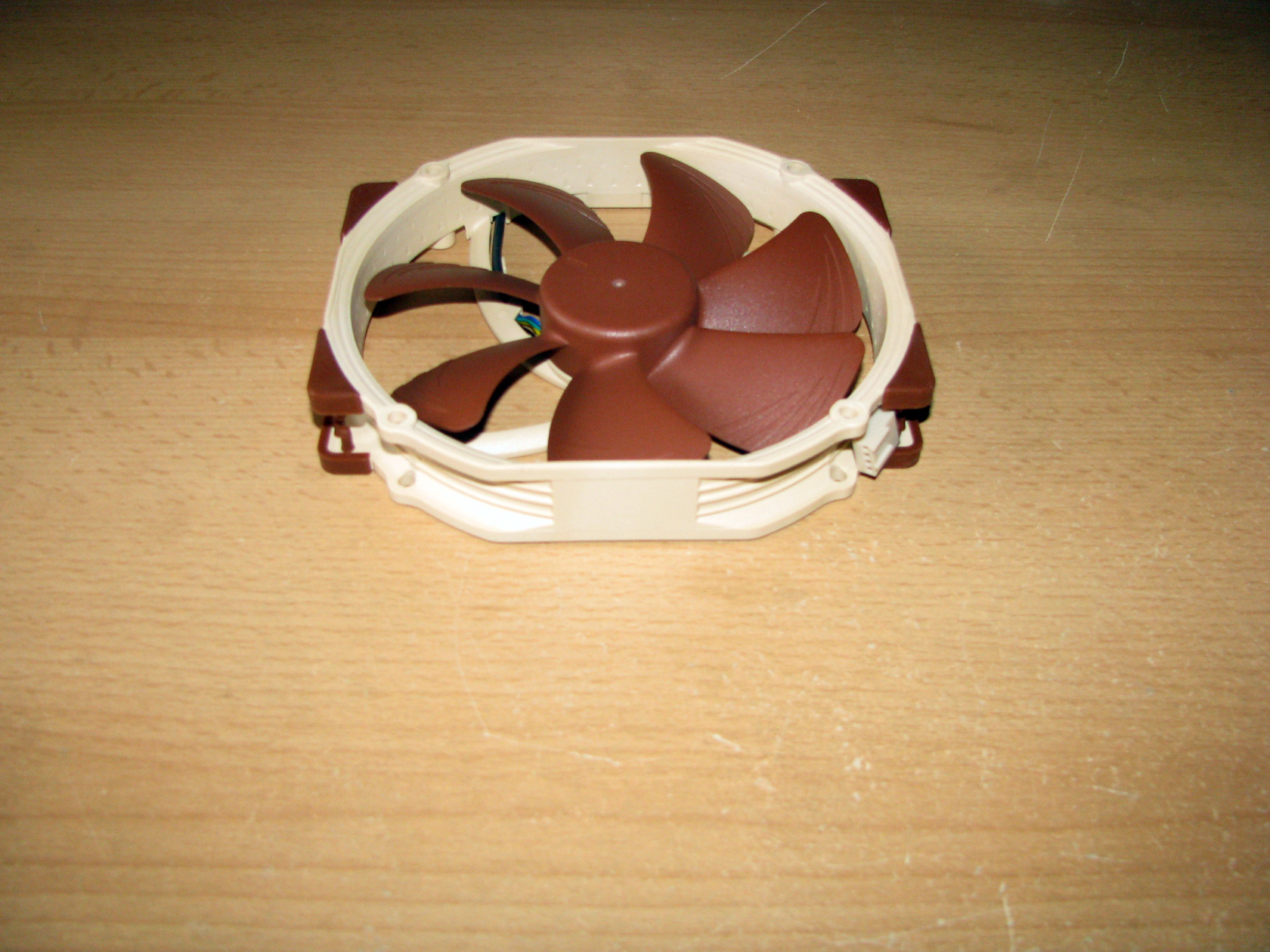
2. Propeller: 7 blades of the painted in brown propeller with low angle offering Flow Acceleration Channels leading to increased performance and focusing the air while decreasing the noise level from the air passing through the propeller.

3. Bearing: the patented SSO2 bearing offering nice and smooth operation of the fan.
4. PWM control: Noctua’s NE-FD1 IC fan control tuned for superior quietness
Again this model offers Integrated Anti-Vibration Pads for reducing the vibration and the noise level while the fan is operating.

The fan is powered and regulated by sleeved in black 3-pin cable and connector.
After I saw the fan itself now it is time to check the additional accessories and how the fan performs. But first things first, so let’s see the accessories:

The standard packge for this product offers:
- Low-Noise Adaptor (L.N.A.) with black sleeving kit
- 4-Pin Y-Cable splitter
- 30cm Extension Cable with black sleeving kit
- 4 rubber dumpers
- 4 metal screws
- Installation manual
Now let’s do some testing:
The tests for the Noctua NF-A15 PWM will be conducted in my standard way. I will mount the fan and test it at 5V/7V/9V/12V and my goal will be to check the performance of the fan in real conditions. The products will be tested under close-to-perfect conditions, not taking into account any external factors. The results achieved during the test can in no way be the same if the fan is mounted on a cooler or on the case fan hole of any modern computer case. I will measure the amount of air going through the fan for one hour and its speed. For this I use a fan controller, a voltage meter, an anemometer and a stand made specifically for this purpose.
And this is how the fan looks like installed on my test stand:

The test results are shown in the following charts:
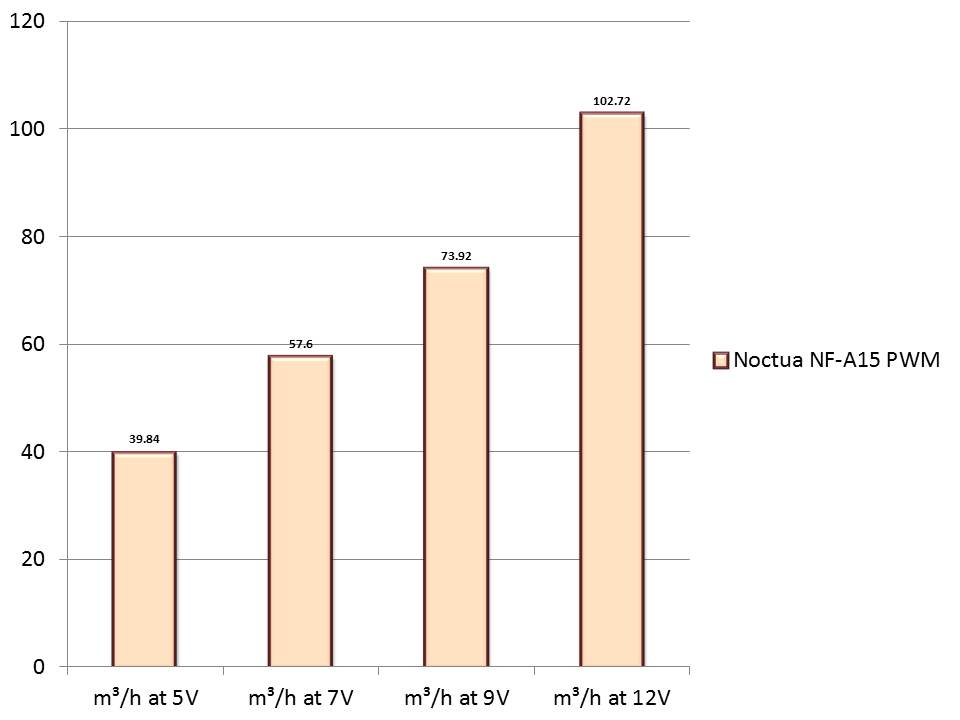
Airflow through the fan at 5V, 7V, 9V, 12V.
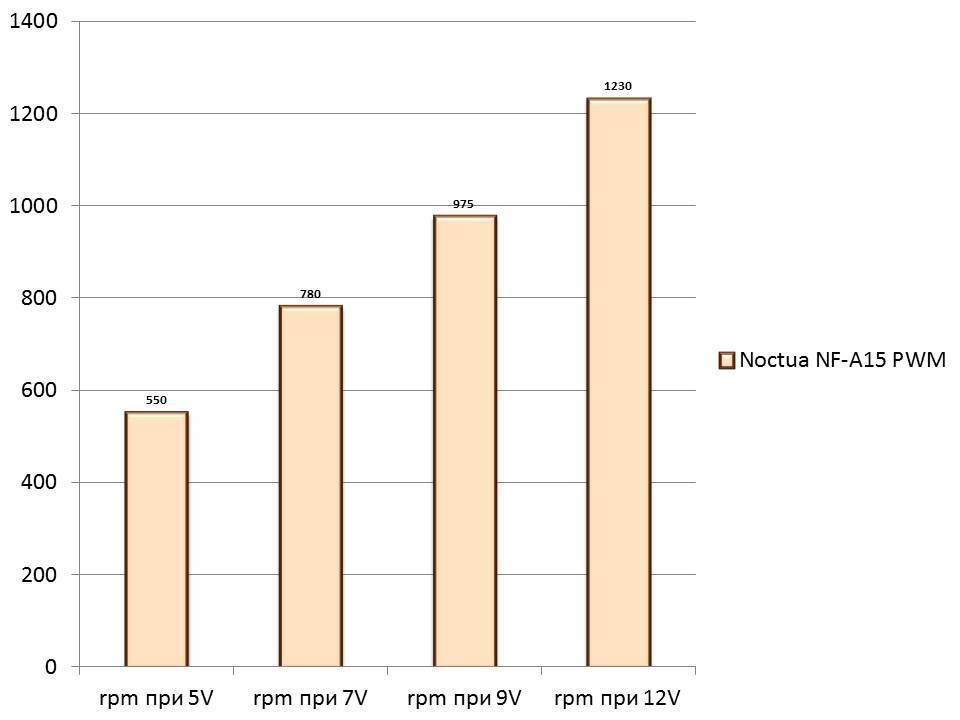
Propeller rpm during the tests at 5V, 7V, 9V, 12V.
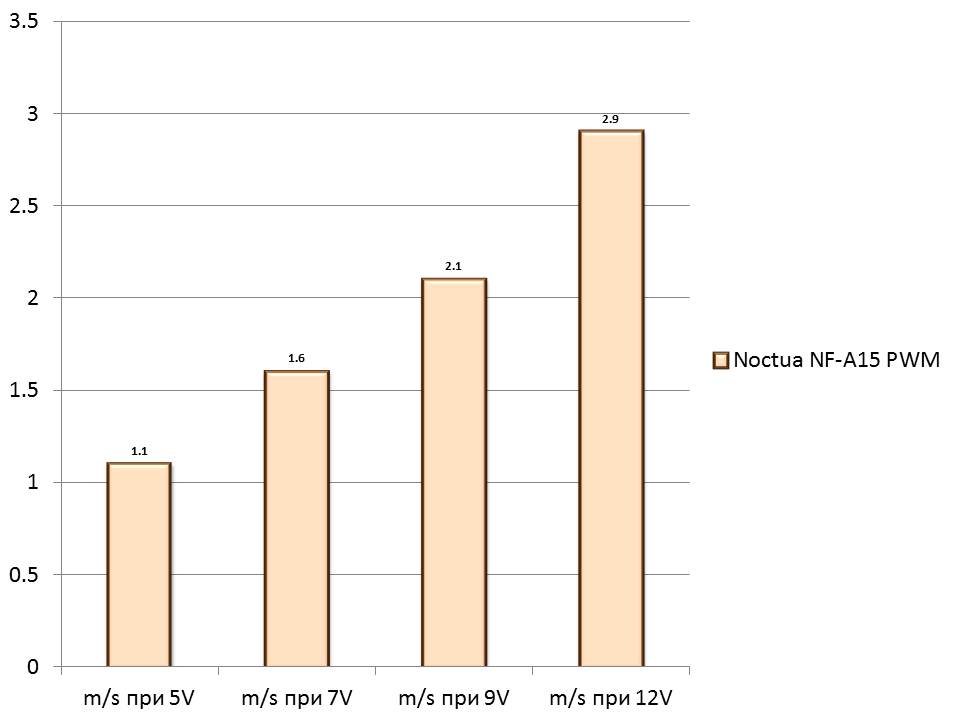
The anemometer showed the following air speed passing through the fan:
After mounting the fan onto the stand and leaving it to run for about 30 minutes at maximum speed, it was time for the tests to begin.
As with my other tests, again I started with a gradual increase of the voltage through the Lamptron FCT starting at 0V and the model made one full revolution at 7.5V. So, to do the first test I had to decrease the voltage to 5V.
Test at 5V:
After I decreased the voltage to 5V and left the fan to rotate for 5 minutes at this operating voltage I measured airflow level of 39.84 cubic metres per hour at only 550 revolutions per minute. Of course, at this rotating speed the fan was absolutely silent.
Test at 7V:
During the second test the model reached 780 revolutions per minute and airflow level of 57.6 cubic metres per hour. At these revolutions it remained silent.
Test at 9V.
The third test conducted at 9V made Noctua NF-A15 PWM work at 975 revolution with airflow level of 73.92 cubic metres per hour and again there was no noise at all.
Test at 12V.
The last test conducted at 12V made the fan work at 1230 revolutions per minute with airflow level of 102.72 cubic metres per hour. At these revolutions there was a tiny noise coming from the air passing through the propeller.
Conclusions:
- Performance: What can I say…. Very nice performance compared to other models from other brands providing the same performance but with higher noise level and I believe this model is suitable for installation as a fan cooling CPU cooler and as a fan to be installed on case fan slots. To be honest, I am eager to see it preinstalled on the future CPU coolers. I expect to see nice performance and lots of OC results.
- Noise level: During the first 3 tests the model provided very nice performance without any noise at all but during the last test there was a tiny noise coming out from the air passing through the propeller. Still it is not possible to hear it from a bigger distance.
- Apperance: Here again we have the standard Noctua colour scheme which looks nice and stylish but still not very suitable for black case and different coloured hardware inside the modern personal computers.
Before I close the article I want to say that after testing all 3 new models from the A series they offer pretty same features and performance but the third model, namely Noctua NF-A15 PWM, offered a bit lower noise level.
I think Noctua NF-A15 PWM deserves the following reward:

Noctua NF-A15 PWM has been added to the 140mm catalogue.
Official price (MSRP):
Noctua NF-A15 PWM – unknown
Warranty: 6 years
I thank Noctua for the samples.