Back in the days of 2013, I had the chance to test and review one of the smaller models part of the company portfolio aka NH-U12S. A cooler, which on first site I didn’t really recognized as really appealing and potent but through the review it totally blew my mind. For me NH-U12S is one of the best, if not the best smaller form factor CPU coolers operating with 120mm fans, which in fact I used to achieve pretty serious cooling performance using my old A8-5600k processor. Because of this I am pretty excited about what the 5th generation of the model aka Noctua NH-U12A has to offer and can it be counted as worthy successor.
The cooler is already in my hands ready to be tested and reviewed, so let us waste no more time and check the package featuring the accessories and the cooling unit inside.
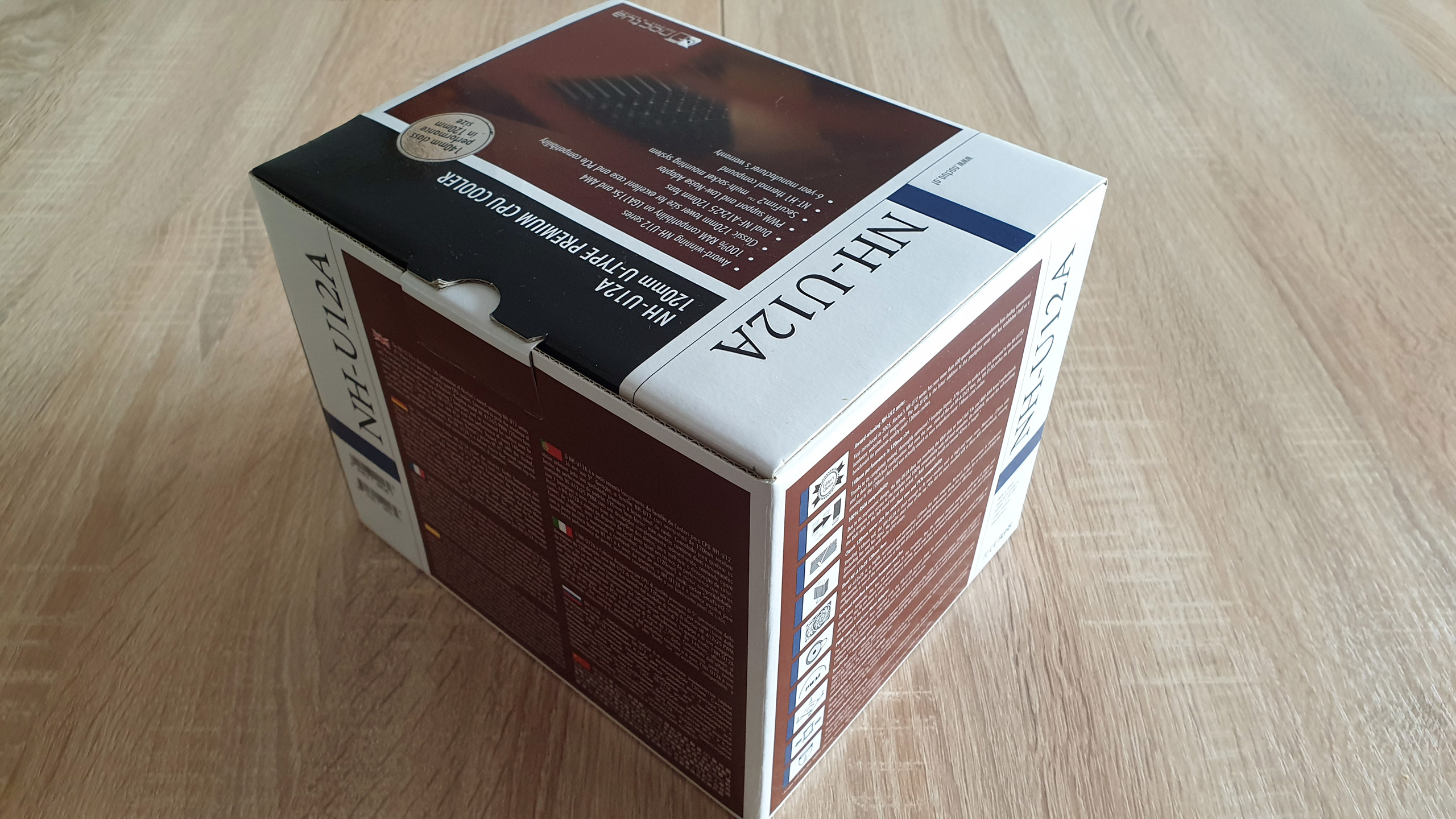
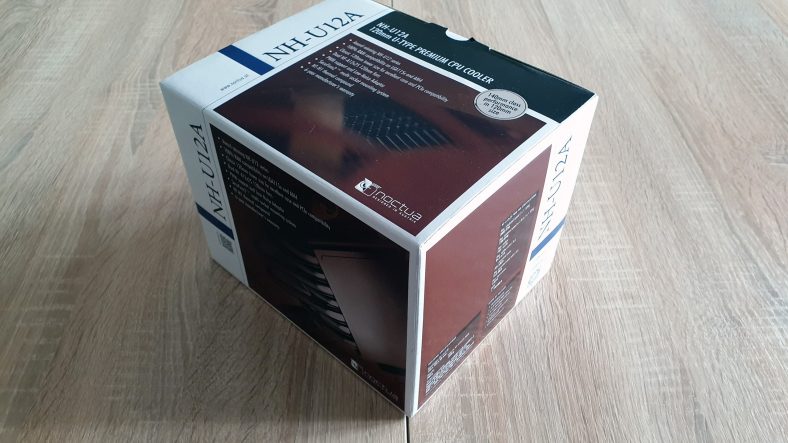
The cooler itself arrived in the typical for the company pretty stylish and very solid carton box in the standard brown, black and white colours forming the typical for the company colour scheme.
On the front and top sides of the package there are the model name, a QR code, a basic description of the model and a glimpse of the full technical specification. While all other details regarding the product are described on all of the other sides of the carton package.
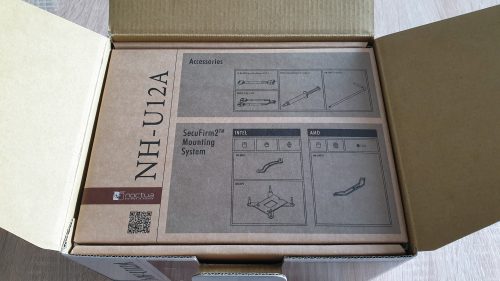
The accessories pack 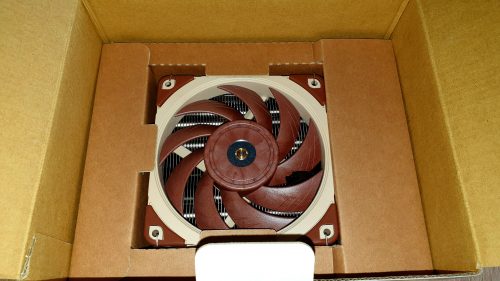
The cooler itself
By opening the box, the first thing that was in front of me was a big brown box made of recycled carton, holding all of the additional accessories needed for both Intel and AMD sockets.
By digging deeper inside the package and after I removed the accessories package I reached to the cooler itself placed inside additional formed carton bed protecting the heat sink and the fan from every side.
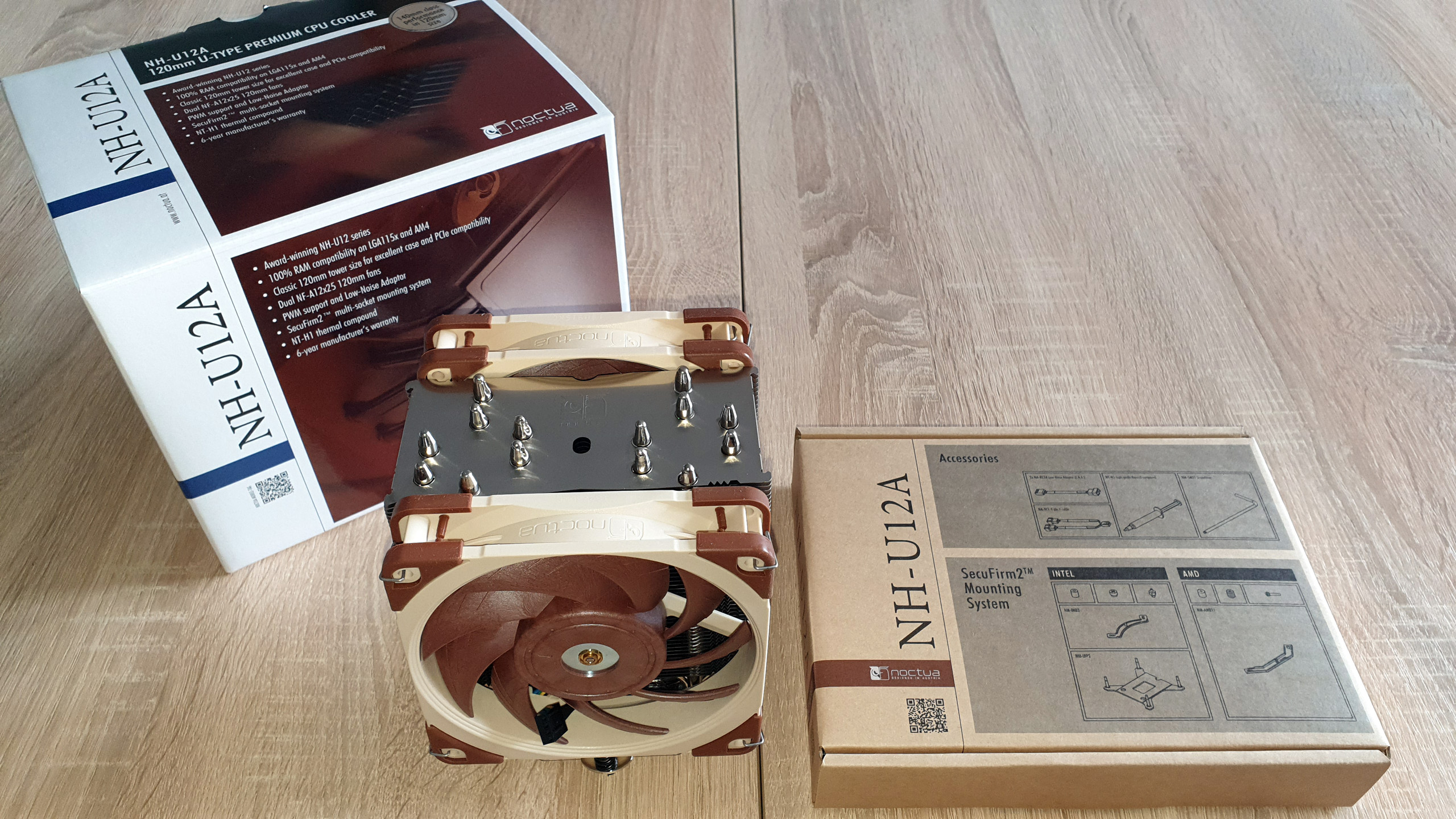
Now lets proceed with the article by checking the additional accessories.
Noctua NH-U12A ADDITIONAL ACCESSORIES
Since this product is part of Noctua’s portfolio there is no doubt that only top notch quality and huge accessories pack to provide everything needed for every scenario can be expected. I believe I spent some quality time checking all of the accessories one by one, arranging them and taking some pictures and this is what I got.

The standard Noctua NH-U12A accessories pack features:
- Very solid black metal back plate required for all of the Intel 115X sockets
- A set of 4 x NM-IPS1 black plastic spacers to stay between the motherboard and the front plates for LGA 115x sockets
- A set of 4 x NM-ITS1 metal thumb screws required for all Intel sockets
- 2 x NM-IMB3 mounting front silver metal plates for all Intel sockets
- A set of 4 x NM-IBT2 bolts required for all LGA 20xx sockets.
- 2 x NM-AMB11 mounting bars required for AMD vertical installation
- A set of 4 grey NM-APS4 plastic spacers to stay between the motherboard and the front mounting bars for AM4 socket
- A set of 4 white NM-APS5 plastic spacers to stay between the motherboard and the front mounting bars for AM2(+) / AM3(+) / FM1/FM2(+) sockets
- A set of 4 long bolts to support the whole mounting kit
- 2 x Noctua NF-A12x15 PWM premium fan
- 4 x metal clips for attaching two fan to the heat sink
- A screwdriver to install the cooler on every socket
- Low-Noise Adaptor (L.N.A.)
- Y-PWM splitter
- NT-H1 high-grade thermal compound
- Noctua metal case-badge
- Intel and AMD installation manuals
As usual, the accessories pack features mounting kit made of high quality and solid materials, very good thermal compound and lots of possibilities.
Enough about the additional accessories, so let’s leave them aside until they are required and pay some attention to the cooler’s structure.
Noctua NH-U12A HEAT SINK STRUCTURE
And of course to deliver the most detailed and accurate review I spent quite some time examining the cooler’s structure which features a pretty sleek single tower heat sink, a pair of 120 PWM cooling fans accompanied by a very reliable and easy to use mounting system.
The heat sink itself is with dimensions of 158 (H) x 125 (W) x 58 (D) mm with weight 760 grams of and when the two Noctua NF-A12x15 PWM premium fan are added to the equation, the overall dimensions of the cooler are 158 (H) x 125 (W) x 112(D) mm and total weight of 1220 grams.
As usual, let’s start with closer look at the heat sink and its structure, beginning with the copper contact plate, whose role is of the essence for proper cooling.
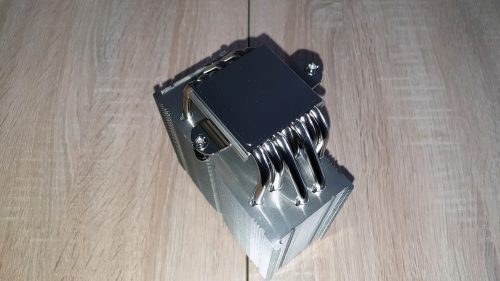
The contact plate 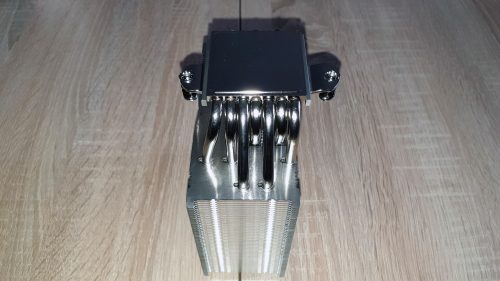
The heatpipes
Noctua NH-U12A is designed with a perfectly milled, nickel coated contact plate with dimensions of 38 x 40 mm made of pure copper holding in line the 7 x Ø6mm U-shaped copper heat pipes, which are asymmetrical to the center of the contact plate. As you can see from the pictures above, the heat pipes are soldiered to the contact plate without a direct contact with the processor and are nicely finished with a nickel coating, too.
Of course, on the top side of the contact plate there is the typical cross mounting bar with bolts and springs, which will be used for fastening the heat sink to the motherboard. To do this the long screwdriver should be used through the aluminum fins stack.
And as a next step let’s proceed the article with checking the aluminum fins stack.
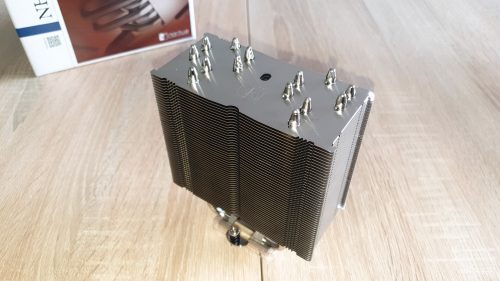
Left view 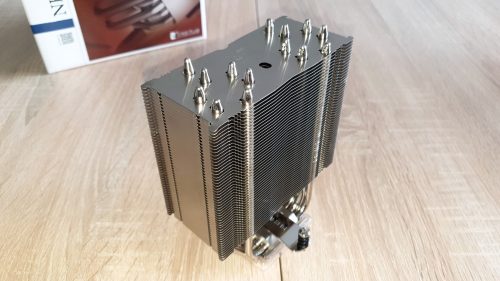
Right view
The cooler is with asymmetrical according to its center single tower heat sink featuring 50 identical performance pieces of 1 mm thick performance aluminum fins with 2 mm fins gap. In addition, the top fin is featuring the stamped company logo right in the middle.
The most curious thing regarding the heatsink is actually the arrangement of the heatpipes passing through the fin stack. According to what I saw I can say that this cooler is definitely made for huge performance as a main goal.
I believe it is time to check what the fans provided in the package has to offer.
NH-U12A’s heatsink is accompanied by two Noctua NF-A12x15 PWM, which I was able to test and review in the past and which I can say that are currently primary cooling unit for a wide range of coolers part of the portfolio.
According to my experience this fan is just amazing offering maximum rotational speed of up to 2000 +/- 10% revolutions per minute, delivering airflow level of 102,1 m³/h at noise level of 22,6 dB(A). When the LNA adapter is added the fan is limited to 1700 +/- 10% revolutions per minute providing airflow level of 84,5 m³/h at noise level of 18.8 dB(A).
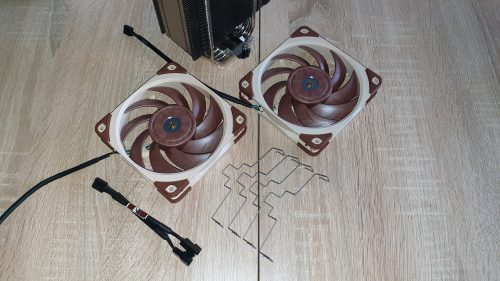
The fans accessories 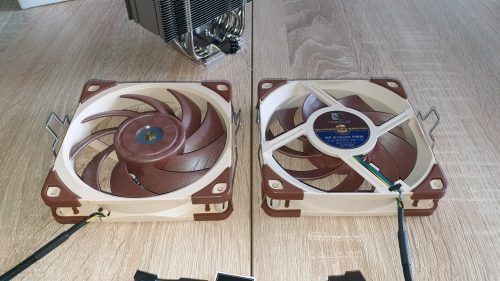
The metal clips added
The connection between the propeller and the frame is done by а 4-pin PWM powered and regulated SSO2 Bearing to deliver stable, long life and low noise operation. With this bearing the fan is capable to last of up to 150.000 hours.
To perform its cooling duties the fans should be attached on both sides of the heatsink in a push-pull setup.
And to do the actual fans installation I had to add the 4 metal clips to the fans, then press them towards the heat-sink and clip the 4 metal brackets to the aluminum fins stack. Of course in order to operate, both fans have to be powered from any of the PWM headers on the motherboard, preferable the one related with the CPU by using the Y-PWM splitter.
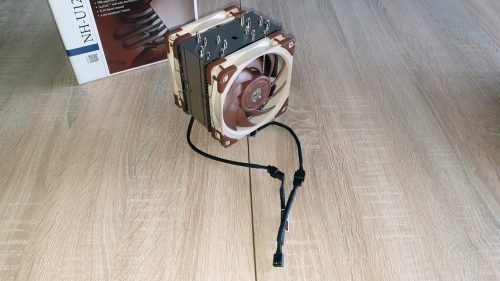
Seen fron the front 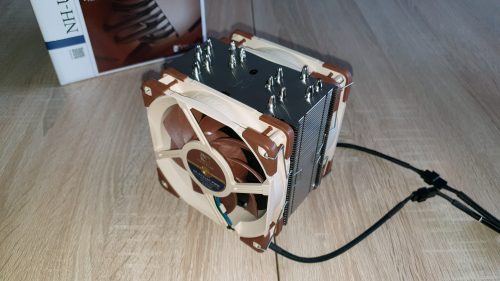
Seen from the back
With the fully assembled cooler, let’s check the SecuFirm2™ mounting system for Intel and AMD and proceed with the tests.
Based on the official technical details, the cooler is capable to operate with processors working on:
- Intel sockets: LGA1150, LGA1151, LGA1155, LGA1156, LGA2011, LGA2066 sockets
- AMD sockets: AMD AM4, AM3(+), AM2(+), FM1, FM2(+) sockets (backplate required)
In my case, for doing the tests with my AMD FX8350 rig, which is AM3+ socket I will use the provided in the package accessories and these are the parts needed so the cooler can be installed on the motherboard.
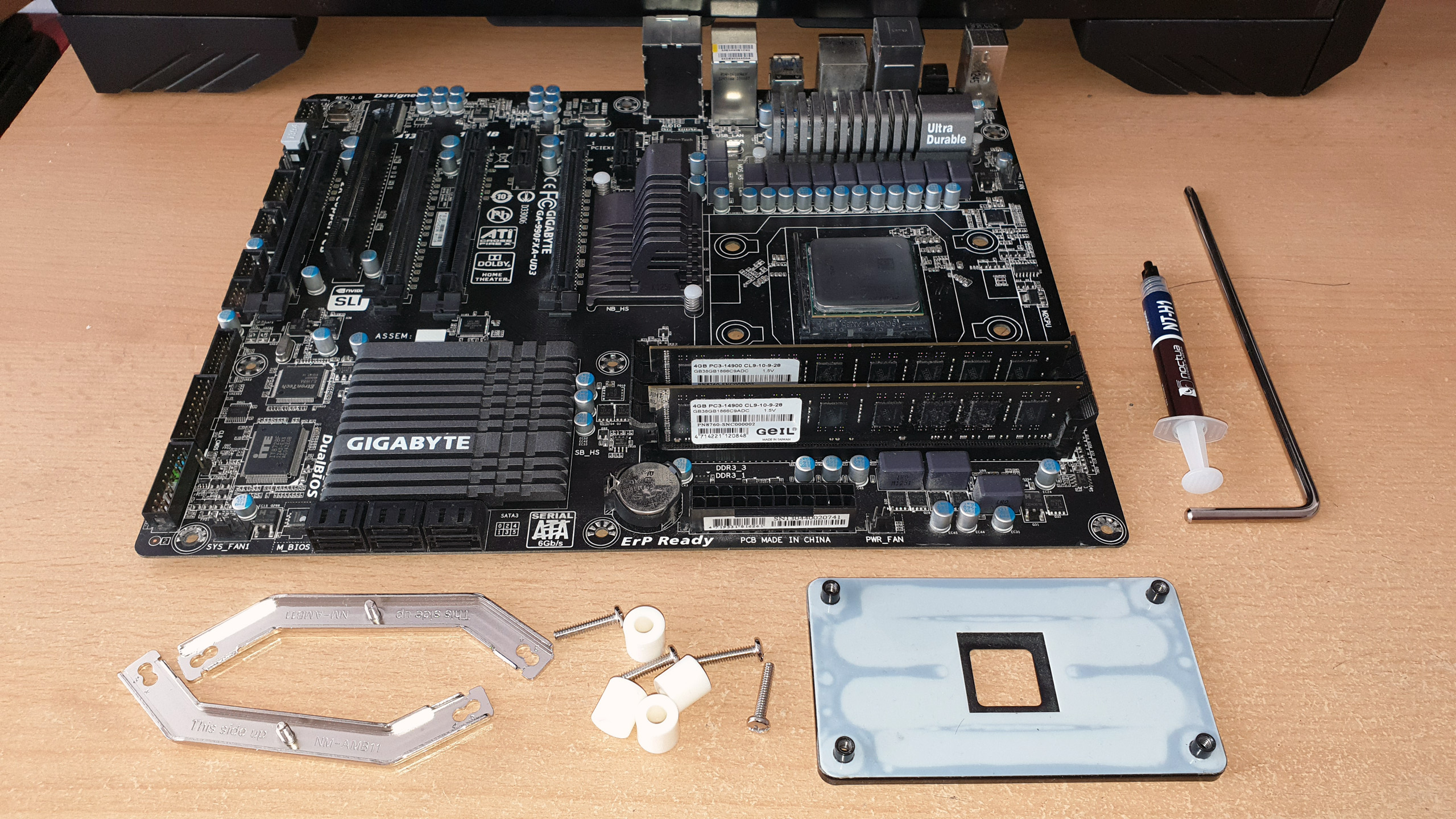
But before I proceed with the actual installation I had to check the AMD installation manual, which is pretty standard for all of the models, read the instructions carefully and prepare all of the mounting kit parts.
In this case there is nothing much to prepare, since the back plate is the original provided with the motherboard and all I had to do is to install it, place the plastic spacers on the motherboard. After that add the front metal brackets and secure them with the long bolts.
The last step was to add thermal compound and secure the heat sink to the processor
And this is what this CPU cooler looks like installed on the motherboard:
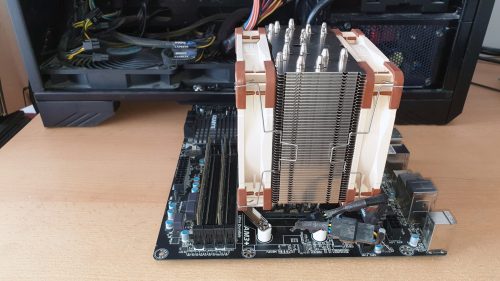
No RAM blockage 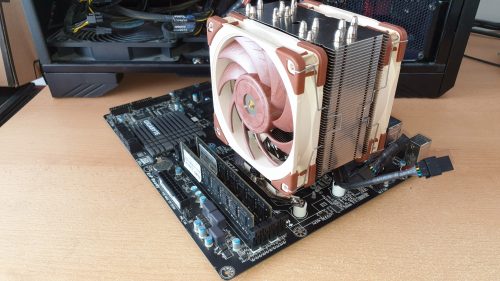
Seen from the front
As you can see from the pictures above, with the heatsink installed on the motherboard the cooler is not blocking any of the DRAM slots and can be used even with memories with taller heat spreaders.
And this is what the cooler looks like installed on the motherboard and inside the case ready for testing.
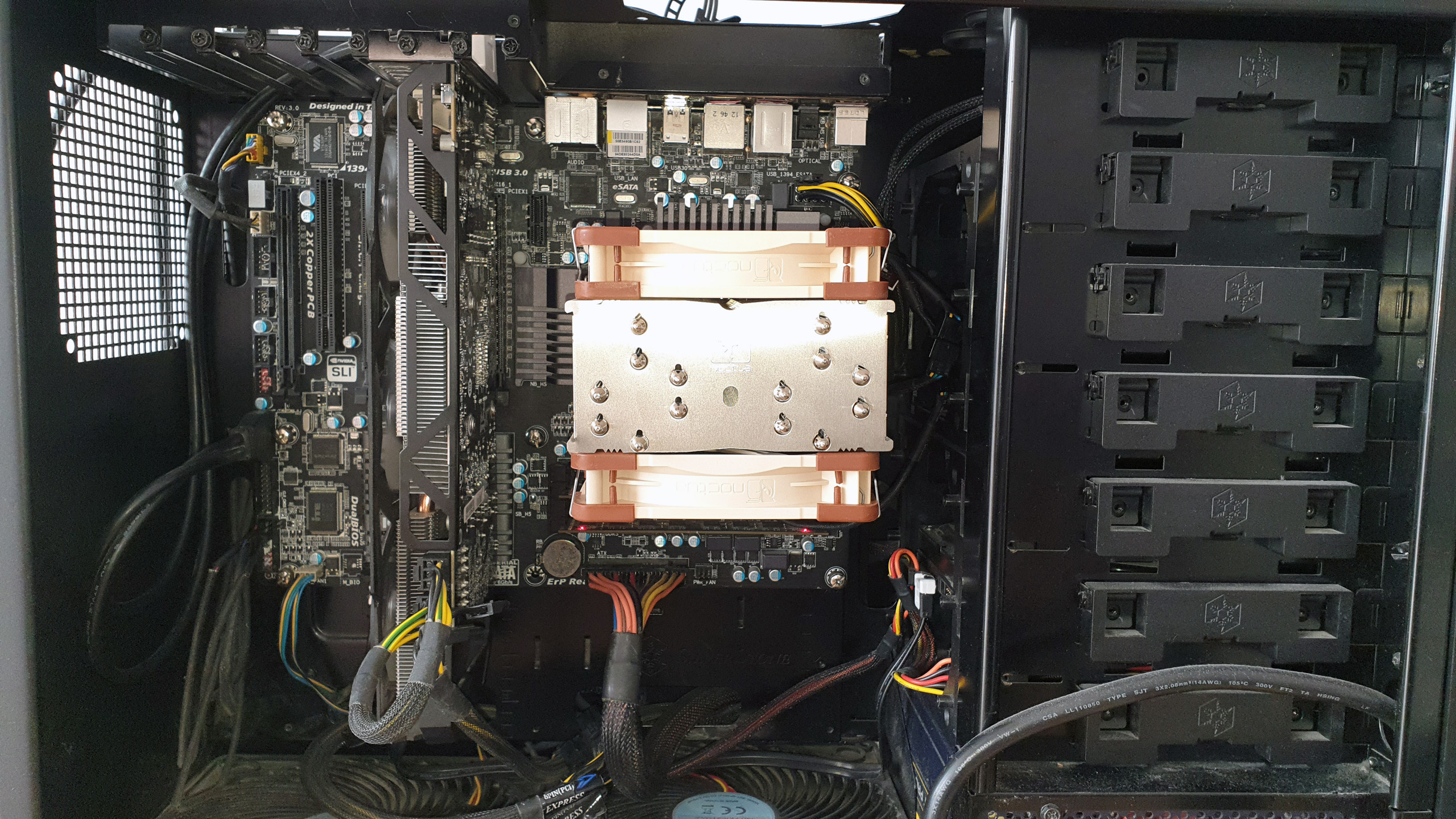
As a next step of this article I believe it is time to check the actual cooling capabilities of this product but first, let’s check my testing rig and continue the article.
Noctua NH-U12A TESTS
CPU: AMD Vishera FX-8350
- At standard frequency of 4.020 MHz (at 1.356V)
- At low overclock frequency of 4.220 MHz (at 1.392V)
- At medium overclock frequency of 4.420 MHz (at 1.416V)
Motherboard: GigaByte 990FXA-UD3
Video card: Gigabyte GV-R927XOC-2GD
Memory: 2 x 4GB Geil Black Dragon 1866 MHz
Hard drive: Kingston SSD SV100S264G
Hard drive: WD Server Edition WD1002F9YZ 1TB
Case: SilverStone Raven RV-03
Power supply: Antec HCP-750W
Cooler: Noctua NH-U12A
Thermal paste: Noctua NT-H1 thermal compound
The tests will be conducted in a closed system with:
- 2 x SilverStone AP181 – 180mm fans on the bottom panel of the case putting fresh air in and spinning at about 1200 rpm
- 120mm fan behind the motherboard cooling the socket and spinning at about 1000 rpm.
- Room temperature of about 21 degrees.
Both SilverStone AP181 – 180mm fans were connected together to the chassis 1 connector and were rotating at maximum speed.
And here I want to describe my testing method.
I will install Noctua NH-U12A and do stress tests using Prime95 AVX software with constant load on the AIO for 14:30 minutes with custom settings of minimum FFT size (in K of 128), max FFT size (in K of 128) and Run FFTs in place at standard frequency of 4.020 GHz (at 1.356V), at low overclock frequency of 4.220 GHz (at 1.392V) and at medium overclock frequency of 4.420 GHz (at 1.416V) using the two fans installed in push-pull setup, rotating at maximum speed of ~2000 revolutions per minute.
Now let’s check out the test results:
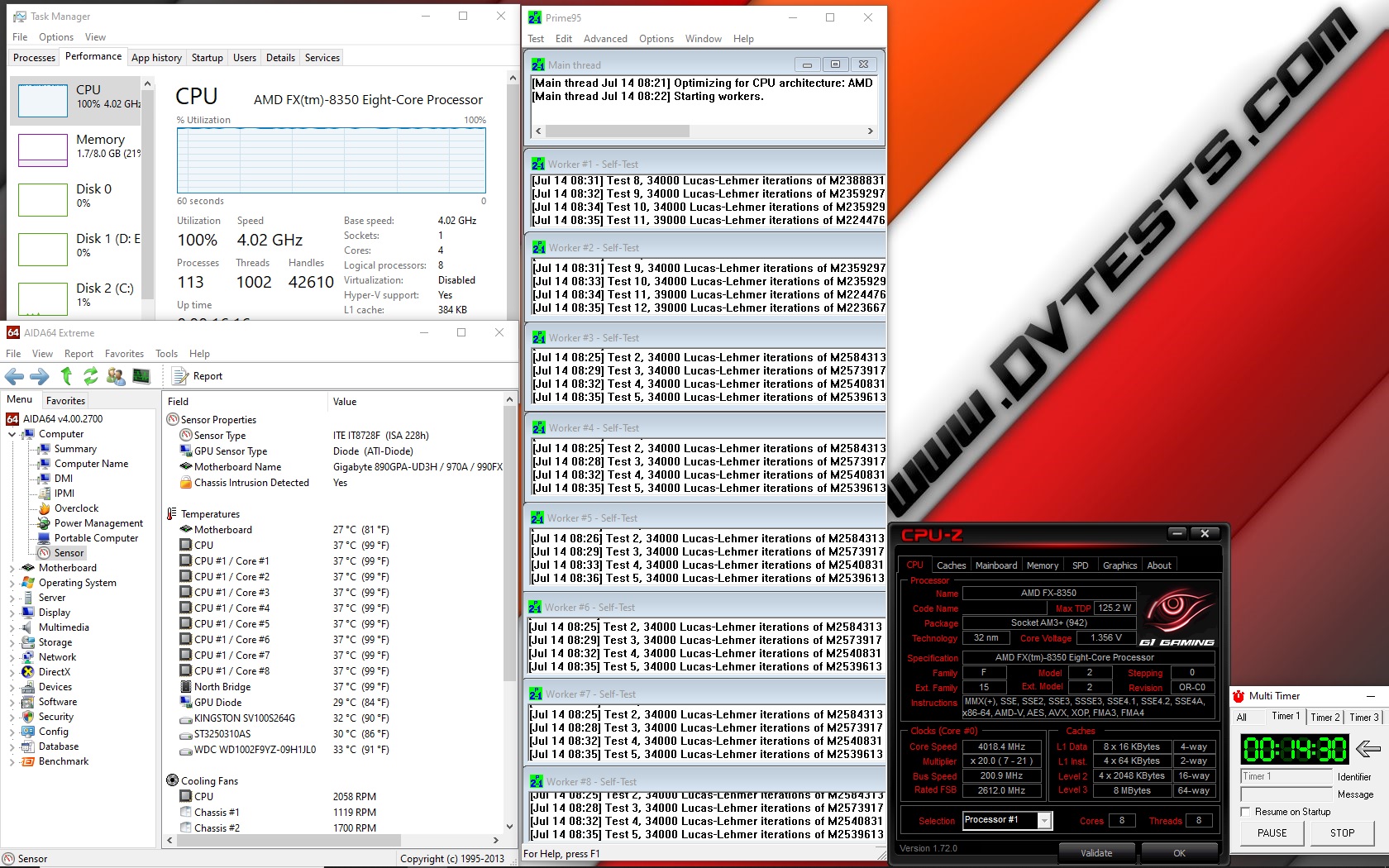
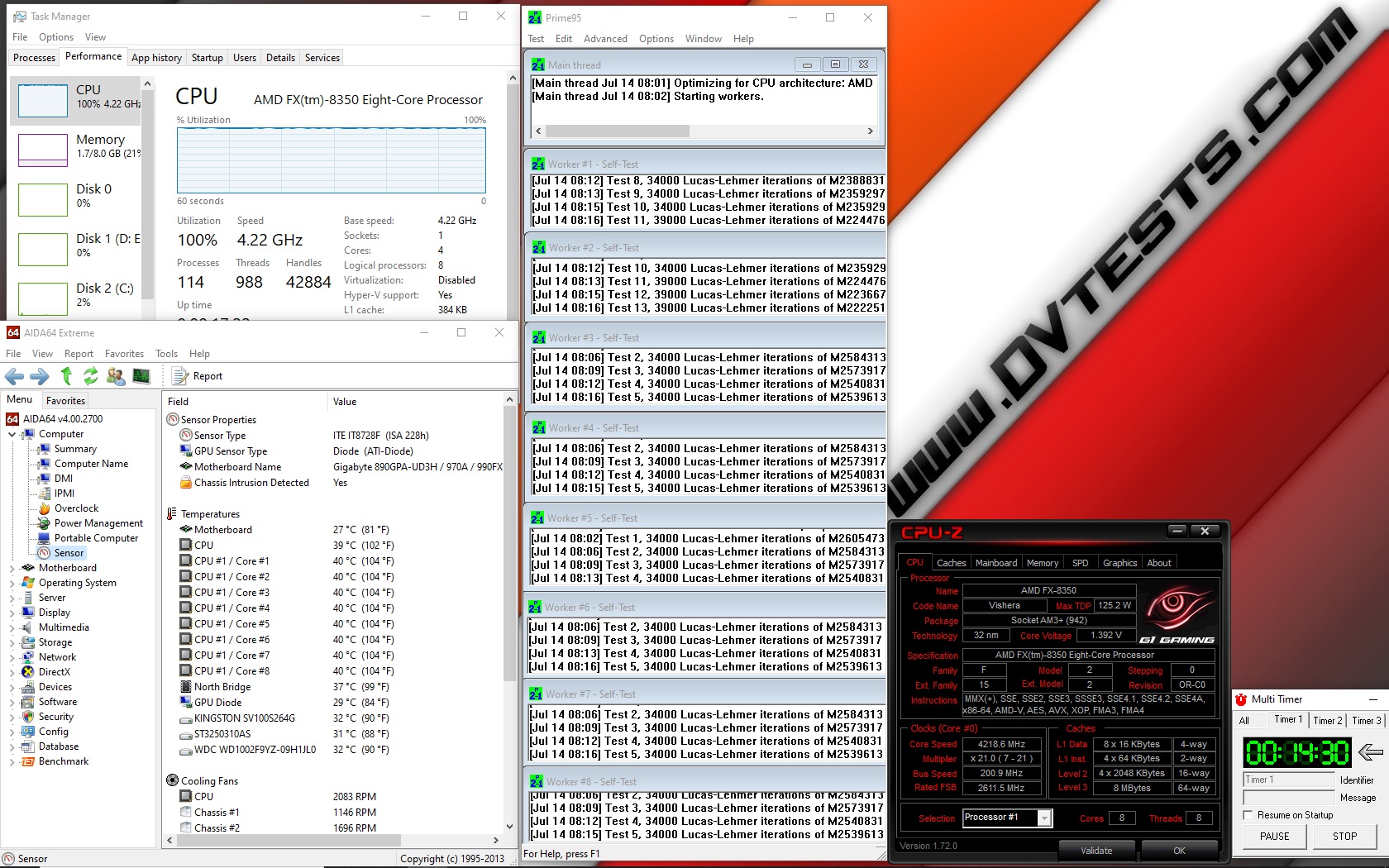
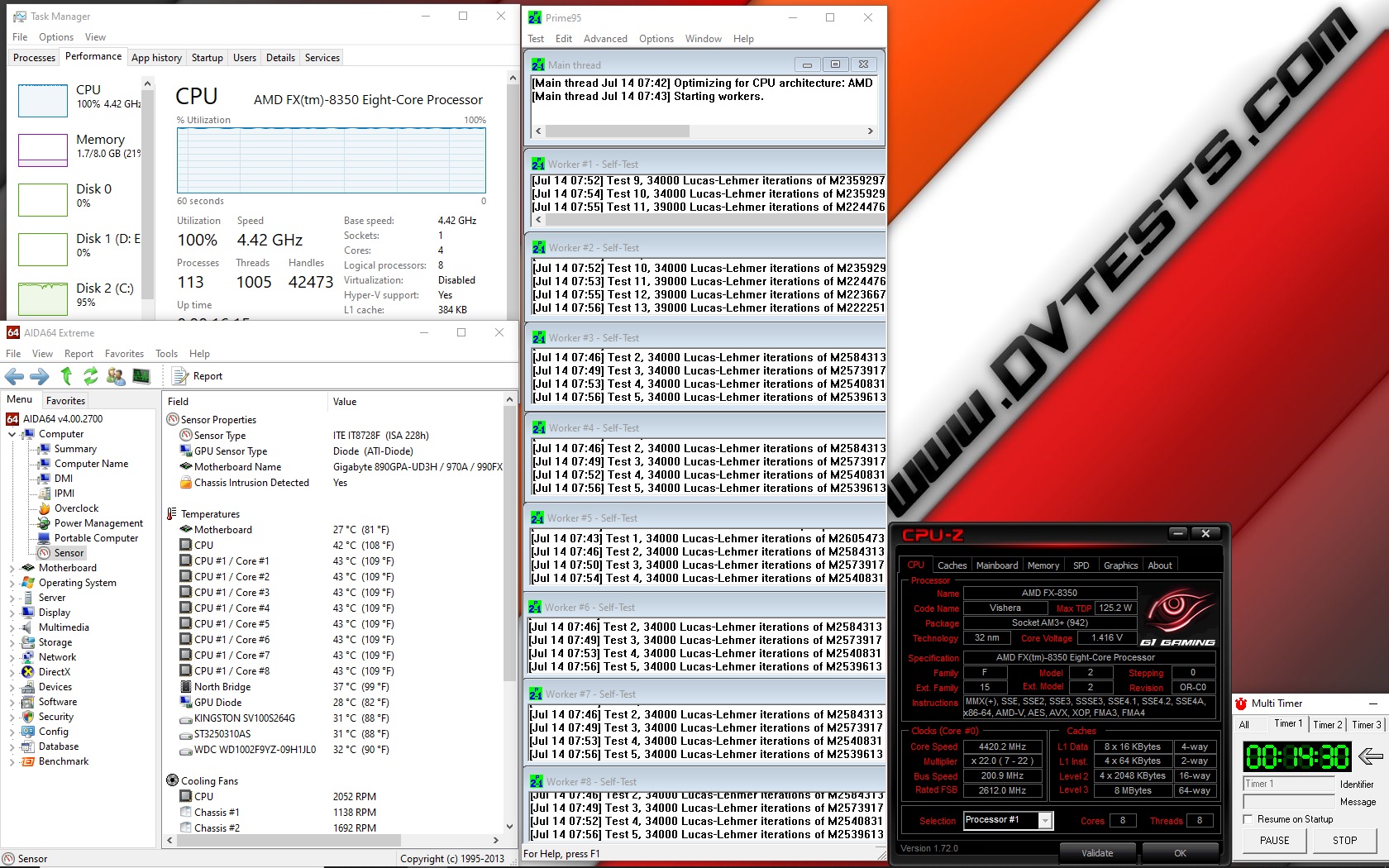
All of the test results have been summed up in the following charts:
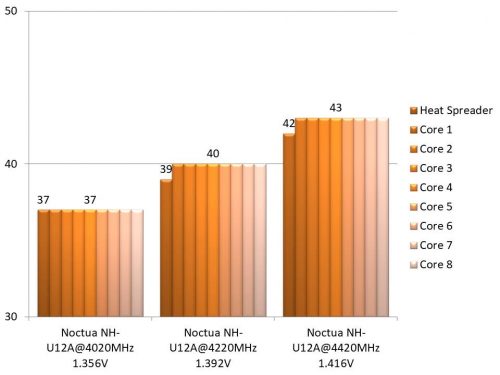
Temperature results 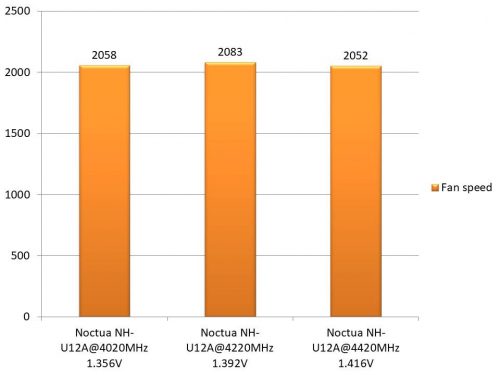
Fans speed
I believe the time to share my thoughts has arrived
Noctua NH-U12A CONCLUSIONS
1. Noctua NH-U12A performance:
For the past several years I had the chance to test almost all of the coolers bearing the name Noctua and so far I was really impressed by only 2 models – Noctua U14s and Noctua U12s. Now, after I spent some time having fun with the latest arrival I can say that U12A is just outstanding product.
Since this is U12 version, the dimensions are pretty tight but with all of the technologies combined together, the two very potent 120mm fans and the additional heatpipe, the cooling performance is just a top notch. I can say with hand on my heart, the cooler is very well designed, focused entirely for the best possible cooling performance where it is needed.
According to my experience with the product, I believe this cooler is a very good choice for those seeking pure performance. It can easily handle the all grade processors working at default or a bit overclocked frequencies with or without serious stress. For the extreme processors it might not be the best choice since after all the dimensions are pretty limited. Of course there are other models in the company catalogue, which will be a much better choice.
2. Noctua NH-U12A appearance:
Regarding the appearance, there isn’t really much to say. The cooler is tight, solid and in the typical for the company brownish colour scheme. Still I believe it will be a good addition to every small form factor case and will do the intended job, aka to operate reliably and look cool.
According to my review, I think that Noctua NH-U12A deserves the following award:

Official price (MSRP) for Noctua NH-U12A: 99.90EUR
Warranty: 72 months