
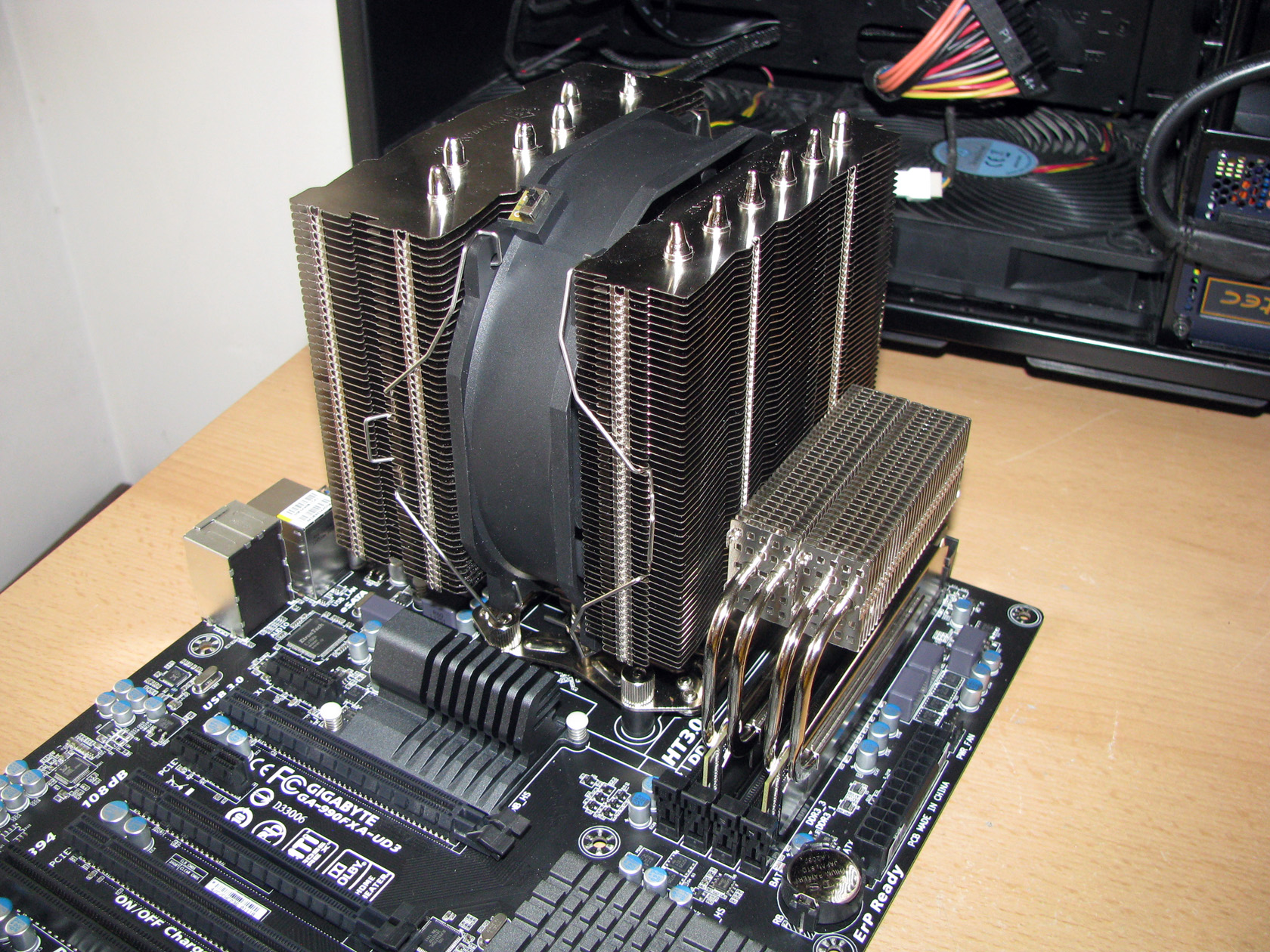
Heligon… what’s that?
SilverStone Heligon CPU cooler series was first introduced in the early summer of 2012 featuring the first model from the series called Heligon HE01 offering serious dimensions, a great performance accomplished with only one but very powerful 140 x 38mm fan and granting a lot of possibilities.
A few months later the series was expanded with a second model and that was Heligon HE02 meant to be used entirely as a passive cooler.
Both of the coolers offers unique features and massive design made to cool even the hottest processors released on the market with maximum TDP up to 300W for HE01 and up to 150W for HE02 as passive cooler.
For this article I got SilverStone Heligon HE01 and now let’s check what it has to offer to me and to every customer which already has or is going to have this product.

SilverStone Heligon HE01 arrived to me in a pretty simple and still very stylish carton box made of recycled paper and with painted in black sides with some simple pictures of the product and like tons of technical details and technology descriptions all over the box.
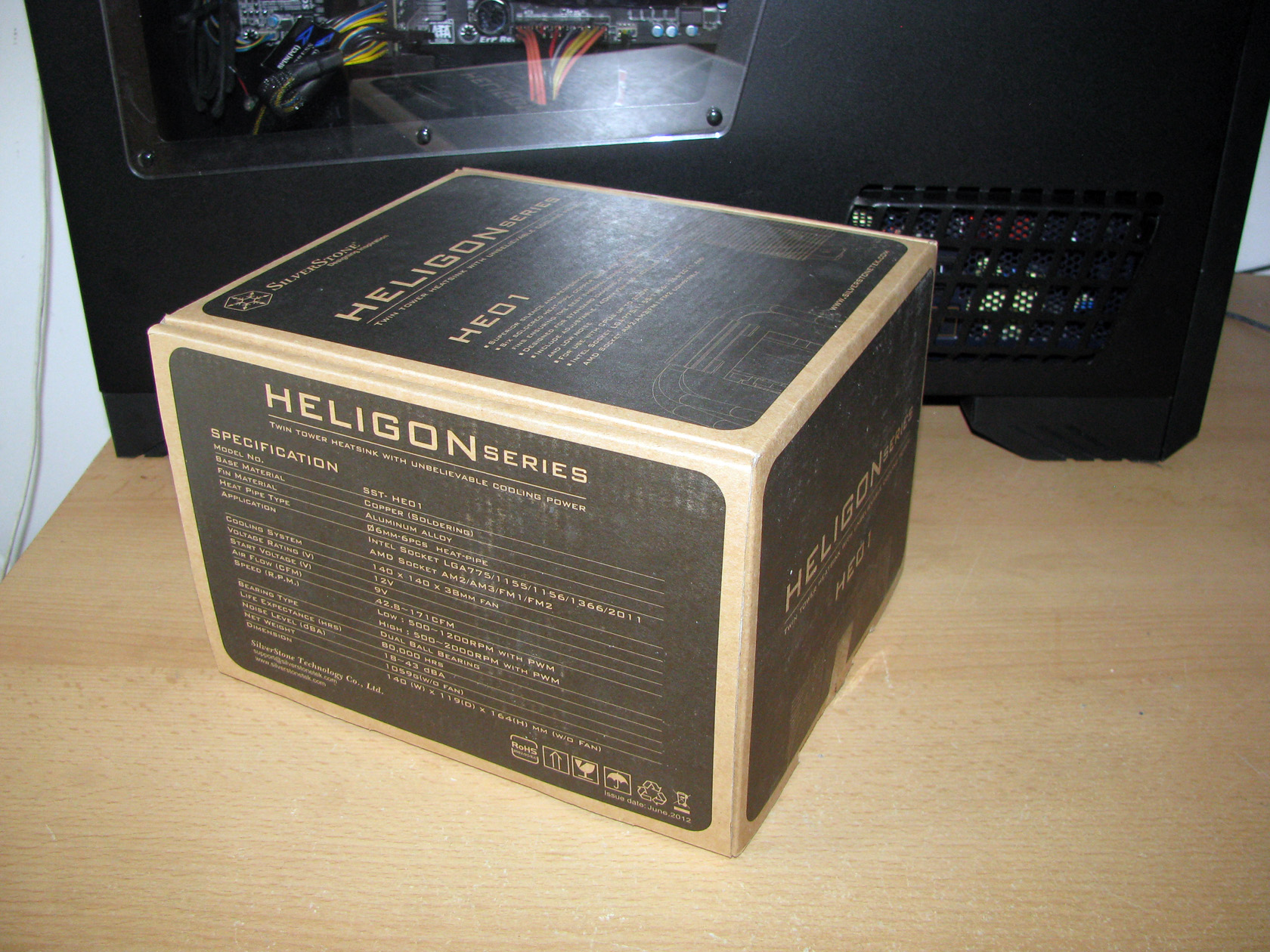
At first sight the box doesn’t look really attractive but I should say very good decision for SilverStone to use recycled paper for this package. Now I am sure at least somebody cares for the Nature.
Anyway I am happy with this fact, but after all this article is for a cooler, so let’s check what it has to offer.
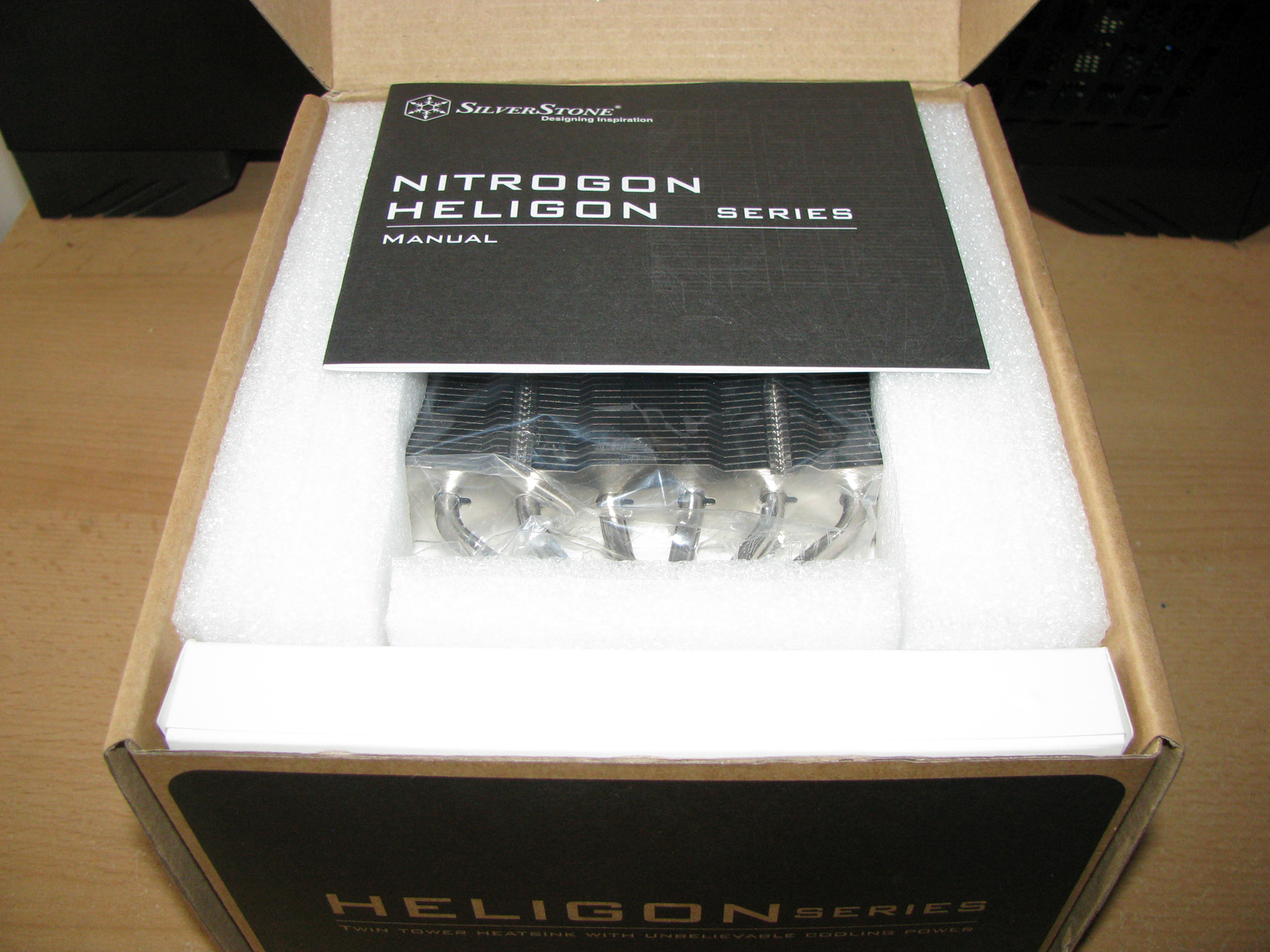
After I opened the outer shell of SilverStone Heligon HE01’s package I reached the inner compartment holding the installation manual, the small white box with the additional accessories and the cooler, carefully packed in a nylon bag and secured in foam bed. I believe this is the best way to pack a cooler and protect it from any possible damage.
After I saw this view I needed exactly 60 seconds to take everything out of the box and make this picture. Am I fast ?
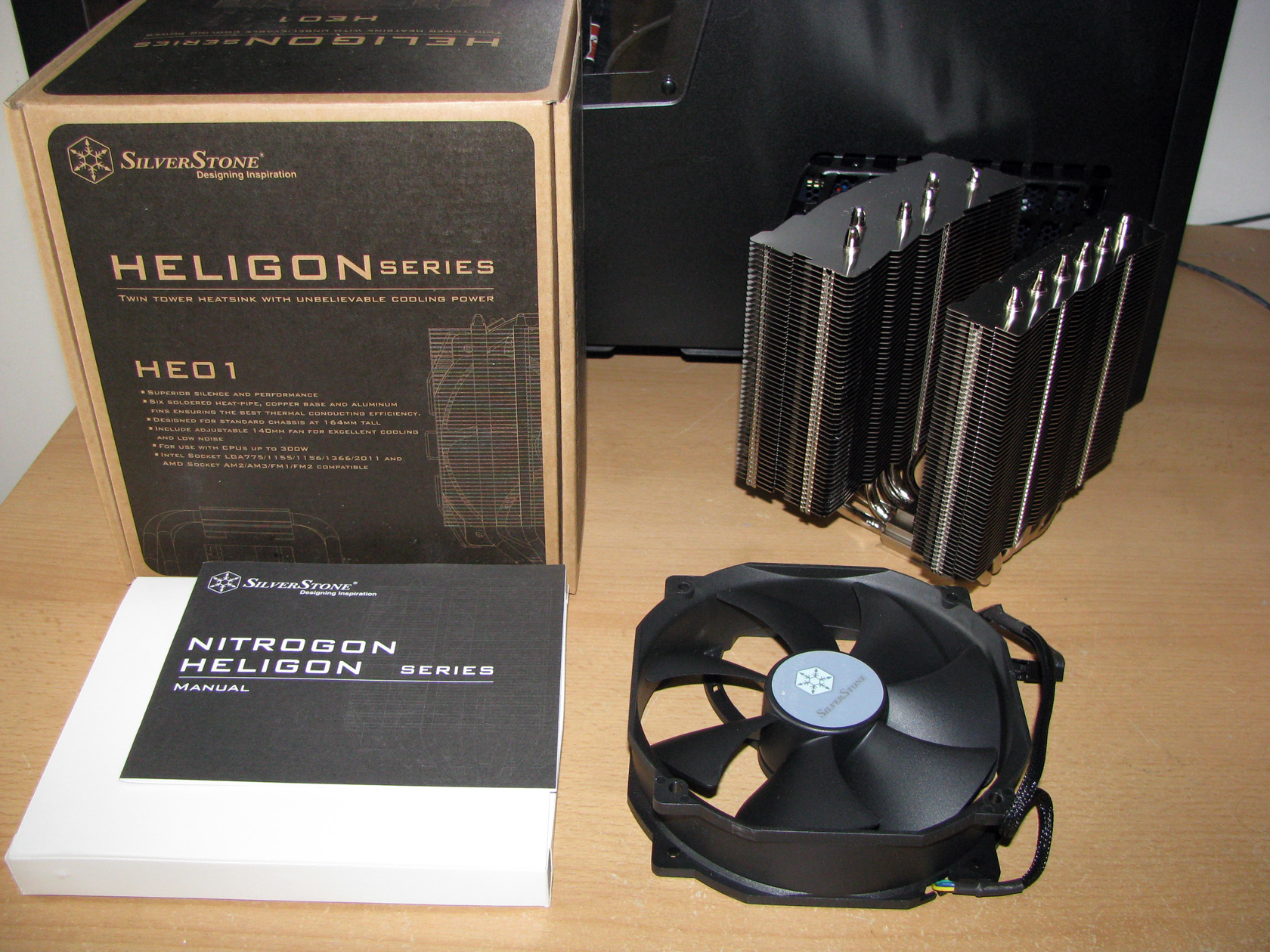
After I took the cooler out of its package I got this view. A massive heat-sink with dimensions of 140 (W) x 122(D) x 161(H) mm (w/o fan) and weight of 926 grams (w/o fan) accompanied by a massive fan with dimensions of 140 x 140 x 38 mm and weight of 250 grams, a massive white box and, well a not so massive installation manual.
So I already got the first sight of the cooler and I was eager to see what’s inside the white box. After few minutes arranging the additional accessories from the white box for taking a picture and all of them together looked like that:

The standard package for SilverStone Heligon HE01 offers:
- Intel mounting made of metal brackets for sockets LGA775/1155/1156/1366/2011
- AMD mounting made of metal brackets for sockets AM2/AM3/FM1/FM2
- A metal backplate painted in black
- A lot of screws and nuts for installing the mounting kits
- Some rubber bands for installing the mounting kits
- A thermal compound
- Installation manual
- 6 x metal brackets for installing up to 3 fans on the heat-sink
I believe now is the moment to share my thoughts on the mounting kits. In fact for both camps – Intel and AMD, SilverStone use the same metal backplate and the same metal brackets with some different accessories like screws and nuts.
In the next lines and pictures I will show how the AMD mounting kit should be assembled and used. Did I say assembled?

Maybe you’ve already noticed but between the two pictures with the accessories above the difference is very small.
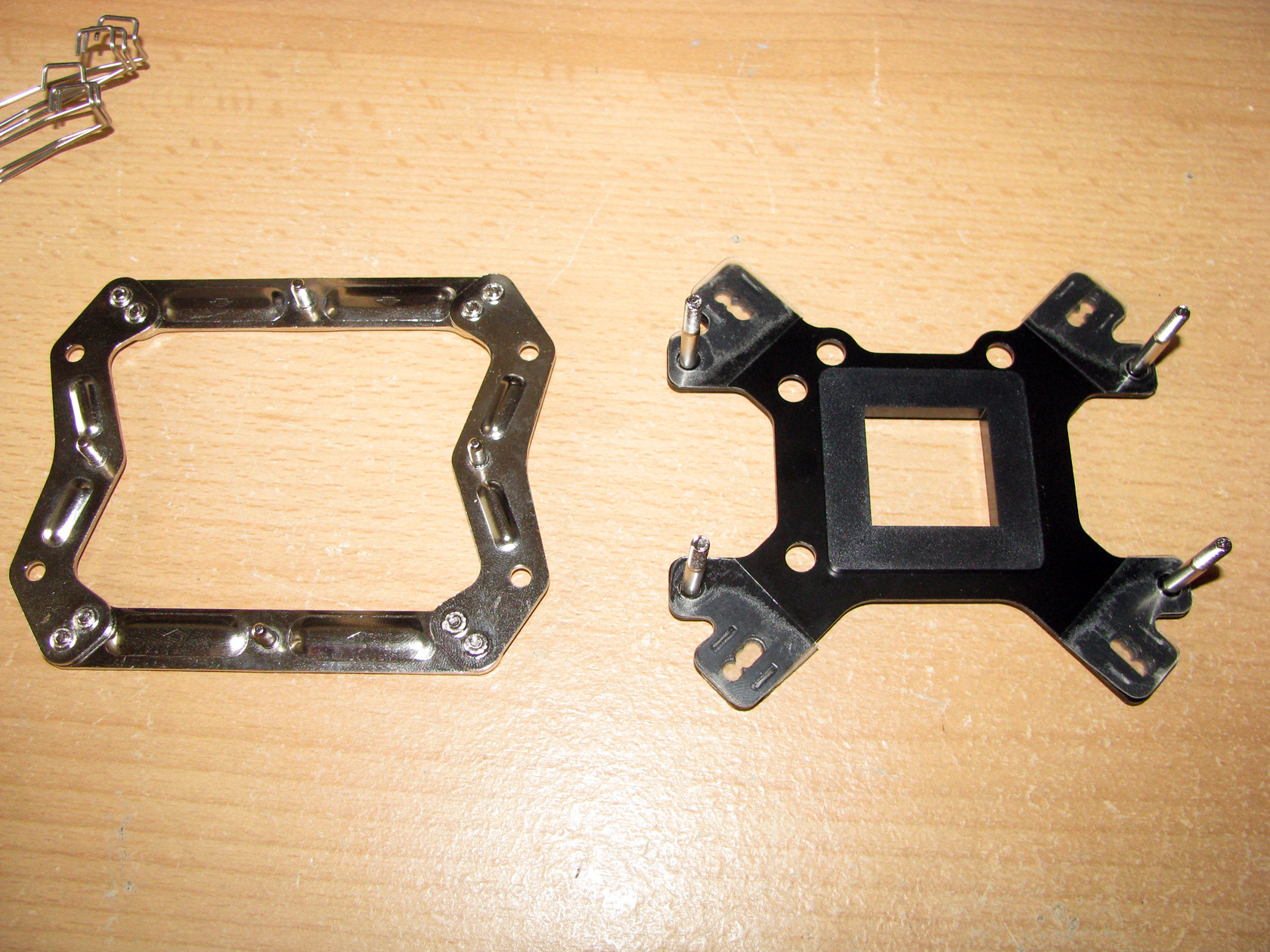
Here I should point out that to install the cooler both on Intel and on AMD platforms you have to use the same metal brackets. For Intel only 2 of these are required, while for AMD all four are needed together with some screws and some assembling skills. Shame on you SilverStone for making AMD users’ lives harder! 😉
So now let’s explain the assembling procedure…
First the four long screws should be installed on the backplate and four nylon stickers should be added to the backplate as you can see on the picture above for avoiding short circuit on the back side of the motherboard when the backplate is installed. An additional plastic square part has to be installed in the middle of the metal backplate to push it a bit further away from the motherboard.
The next part is on the left side of the picture above and is the metal bracket which should be used on the front side of the motherboard and is made of 4 separate metal brackets (the two longer ones are used for Intel platforms) and 8 screws which should be fastened very tightly so the cooler can be installed on the processor properly.
To be honest assembling the mounting kit was a bit tricky job, which required some skills, some time and of course some nerves since the screws are very small.
After all parts needed were assembled together, they look like this:
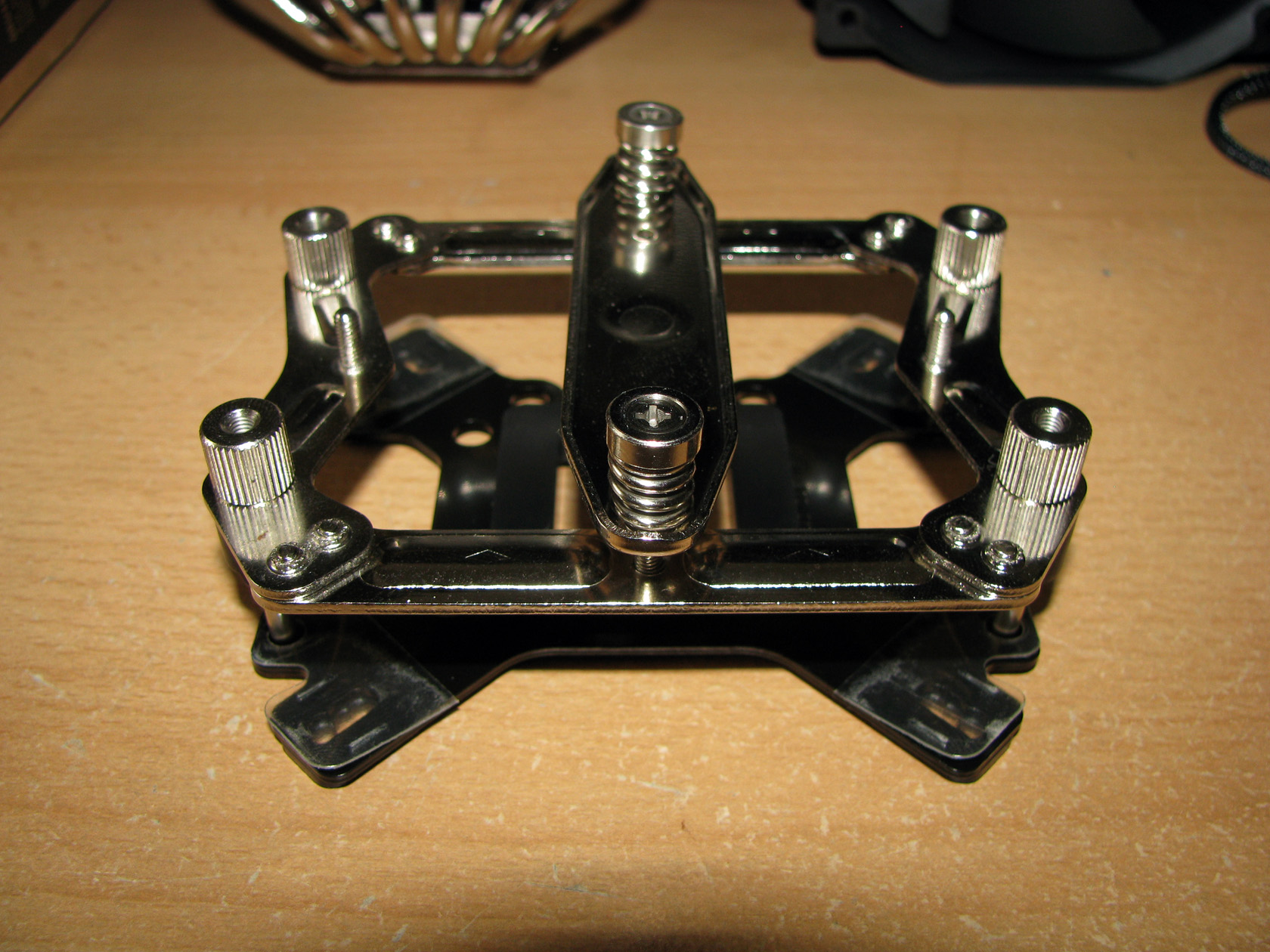
The crossbar added to the mounting kit is made to fix the cooler to the processor.
The mounting kit is one serious structure, which to be honest is one of the most complicated to work with mounting kit I’ve ever seen. But still it is made of very hard and strong metal parts, which after some time reading the manual and assembling them together should provide safe and reliable usage for years.
OK, maybe I took quite a lot of pictures just of the mounting kit, so now let’s check out what the cooler has to offer:
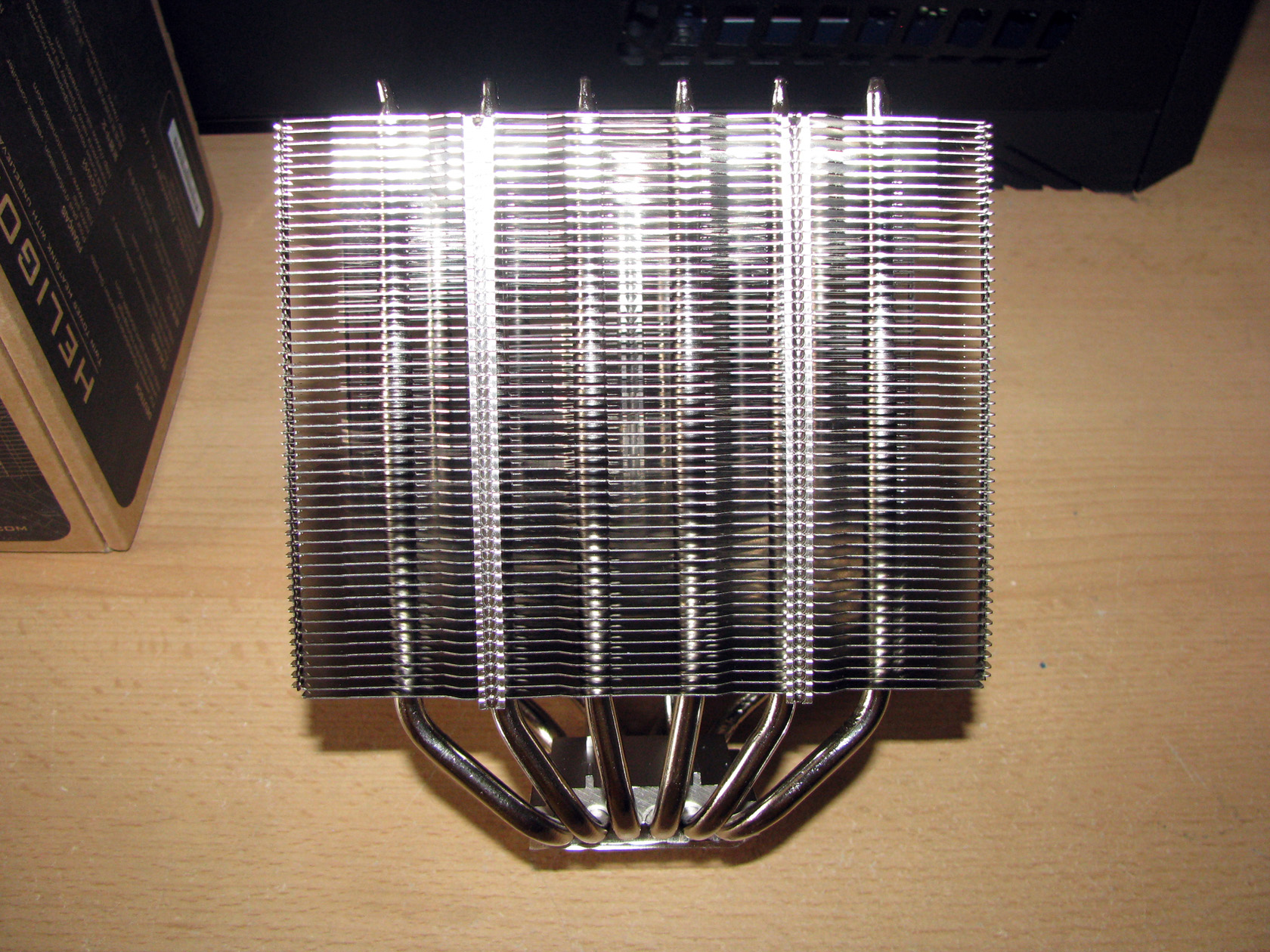
At first sight, SilverStone Heligon HE01 looks like a pretty standard two tower heat-sink, yes a bit massive but being simple is just an illusion.
SilverStone Heligon HE01 offers very interesting structure featuring a nickel plated copper contact base, 6 x heat-pipes and aluminum fins stack separated in front and back towers and all of these combined should provided outstanding silence and performance with maximum TDP of 300W. If this is true we will find out a bit later.
Now let’s check all parts one by one.
Contact surface:
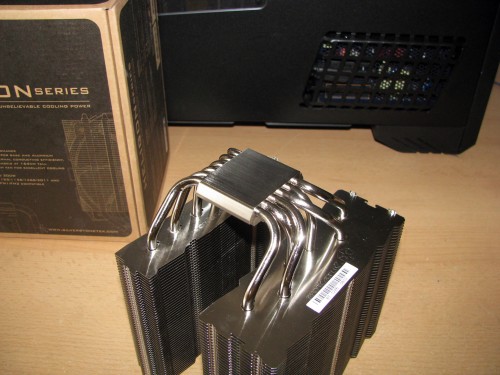
SilverStone Heligon HE01 is designed with a perfectly flat milled and polished, a bit bigger contact surface entirely build of copper with very shiny nickel coating made to transfer the heat from the hot central processor unit through the soldiered to the contact surface 6 x ø6mm U-shaped nickel plated copper heat-pipes to the aluminum fins for dispersing the heat. And here is the interesting part:
Heatsink::
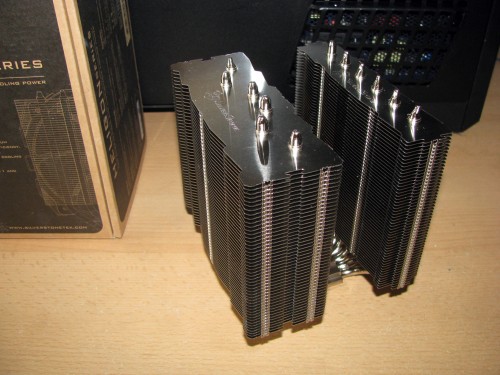
SilverStone Heligon HE01 offers a bit interesting and let’s say pretty unique towers structure.
The cooler is made as a two-tower cooling unit featuring front and back towers, which are completely different and made for optimal performance:
- The front tower is with very slim design made for better RAM slots clearance and to avoid any possible RAM slots blockage so any owner of the cooler can enjoy his system with 4 RAMs installed. Of course, it is made to be as effective as possible but still I don’t think it will handle to cool solo a middle or high range processor.
- The back tower of the heat-sink is actually the main cooling unit since it is twice thicker than the front aluminum fins stack. The heat-pipes pass through both of the towers ensuring the best thermal conducting efficiency.
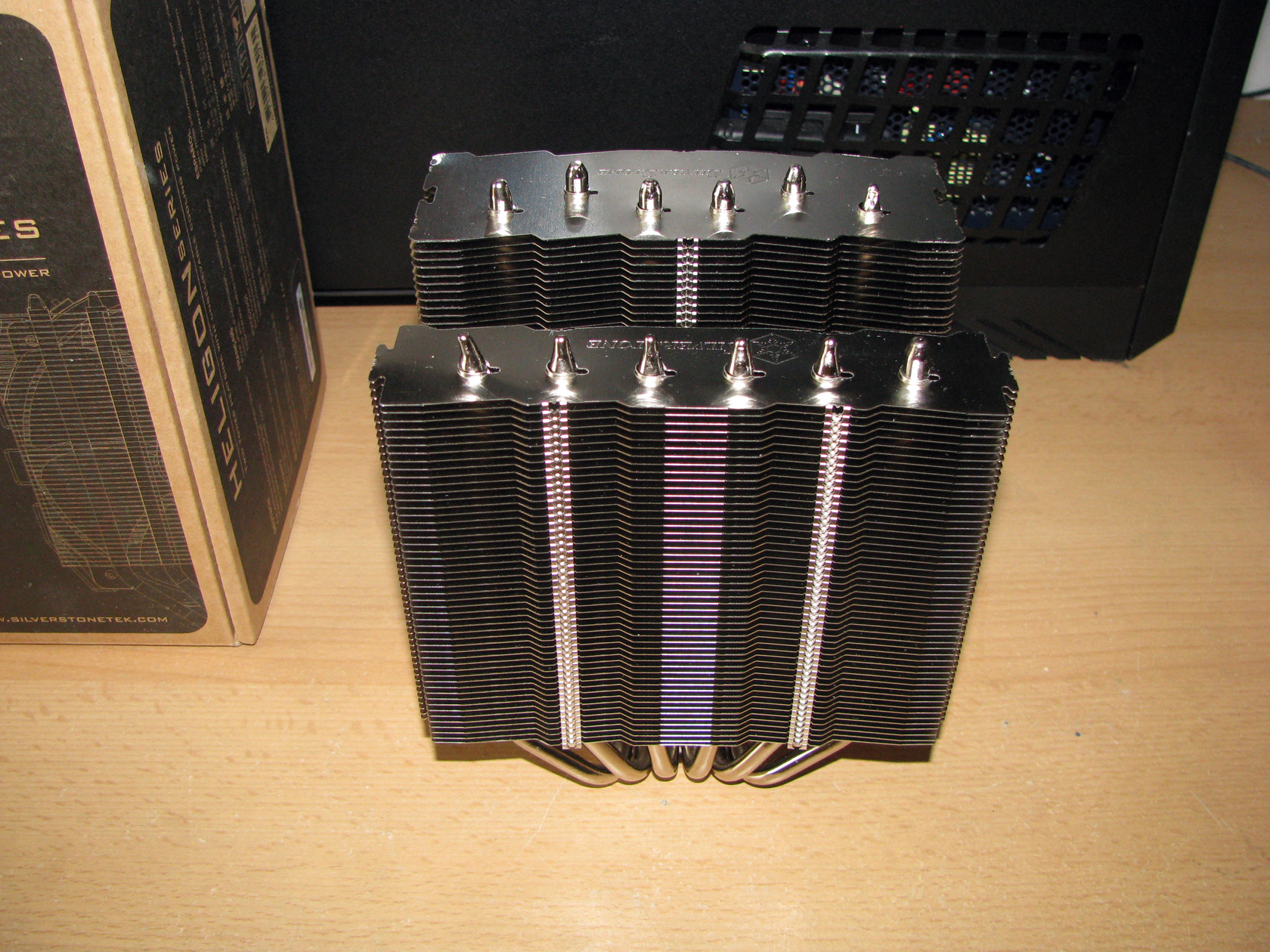
Maybe you’ve already noticed that the front tower is designed so the heatpipes are passing through all of the fins in a straight line, while for the back tower they are separated in zig-zag setup so they can cover bigger surface. Apart from that, the gap size between the fins is designed to minimize the noise level when the air passes through the front and back towers. The two aluminum stacks offer very wide and still not very tall structure which I am sure is made so it can expand the cooling capabilities of the product without increasing its height. According to the official technical details this cooler can be used in every computer case wider than 164mm. And I believe that SilverStone Heligon HE01 can handle cooling every processor when both towers are together and the retail fan is installed between them. And by mentioning the fan I believe it is time to pay some attention to it, too.

The standard SilverStone Heligon HE01 setup offers one pretty serious as performance and as dimensions fan in the face of SilverStone FHP141, which I’ve already tested in the past and still offers the best performance of all 140mm fans I’ve tested so far.
The fan itself is completely painted in black matte with overall dimensions of 140 x 140 x 38mm (120 x 120 x 38mm mounting frame) and weight of 250 grams powered and regulated by a not very long sleeved in black 4-pin PWM cable and connector. This model offers dual ball bearing and is built to operate with two modes – Quiet mode with 500~1200 revolutions per minute range and Performance mode with 500~2000 revolutions per minute range switched by a small switch installed on the side of the frame. The fan is rated to provide airflow level of 42.8~171 CFM with static pressure level of 0.23~3.7 mm-H2O at noise level range of 13.4~43.5 dBA (max) and I am pretty sure it will be able to cool both the front and the back towers together. Now let’s check out what the fan looks like when it is installed between the towers:

As I’ve already said , SilverStone Heligon HE01 is supplied with 3 kits with 2 brackets for installing up to 3 fans on both towers. Despite that, I decided to use 4 of the fan brackets and install just one fan with them.
Now let’s do some testing, but before I start I want to describe the system I am going to use.
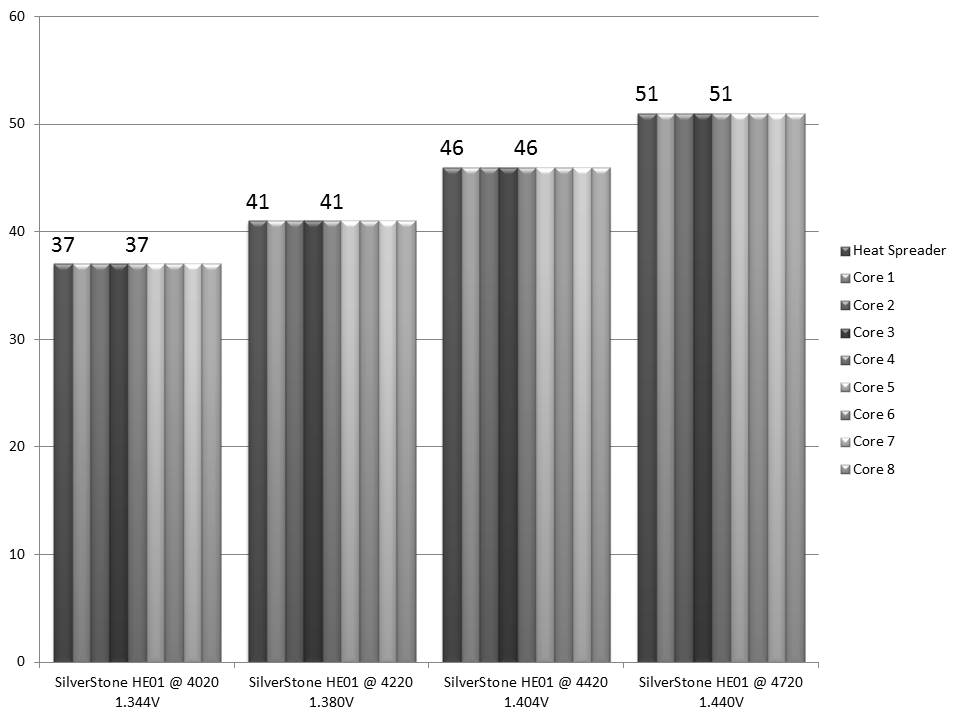
CPU: AMD Vishera FX-8350
- At standard frequency 4.020 MHz (at 1.344V)
- At low overclock frequency of 4.220 MHz at 1.38V)
- At medium overclock frequency of 4.420 MHz (at 1.404V)
- At high overclock frequency of 4.720 GHz (at 1.440V)
Motherboard: GigaByte 990FXA-UD3
Video card: Sapphire 5830 Extreme 1GB DDR5 256bit
Memory: 2 x 4GB Geil Black Dragon 1866 MHz
Hard drive: Kingston SSD SV100S264G
Case: SilverStone Raven RV-03
Power supply: Antec HCP-750W
Cooler: SilverStone HE-01
Thermal paste: Gelid GC-Supreme
Fan mounted:
The SilverStone FHP141 PWM powered and regulated fan, provided with the CPU cooler working at 500~2000 revolutions per minute range with airflow level range of 42.8~171 CFM, static pressure level of 0.23~3.7 mm-H2O at noise level range of 13.4~43.5 dBA (max).
The tests were conducted in a closed system with:
- 2 x 180mm fans on the bottom panel putting fresh air in and spinning at about 1200 rpm
- 120mm fan on the top panel taking hot air out and spinning at about 1020 rpm.
- 120mm fan behind the motherboard and spinning at about 1400 rpm.
- Room temperature of about 18 degrees.
Both of the 180mm fans were connected together to the chassis 2 connector and were rotating at maximum speed.
Testing procedure:
I will install SilverStone HE01 and do stress tests at standard frequency 4.020 GHz (at 1.344V), at low overclock frequency of 4.220 GHz (at 1.38V), at medium overclock frequency of 4.420 GHz (at 1.404V) and at high overclock frequency of 4.720 GHz (at 1.440V) using just the standard 140mm fan provided with the cooler rotating at maximum speed.
Mounting procedure:
Since the case is made with 90 degrees rotated motherboard I had to install the cooler in horizontal position (which for the standard cases is actually the vertical position) so it can follow the natural airflow inside the case.
But before I install the cooler I had to install the AMD mounting kit on the motherboard:
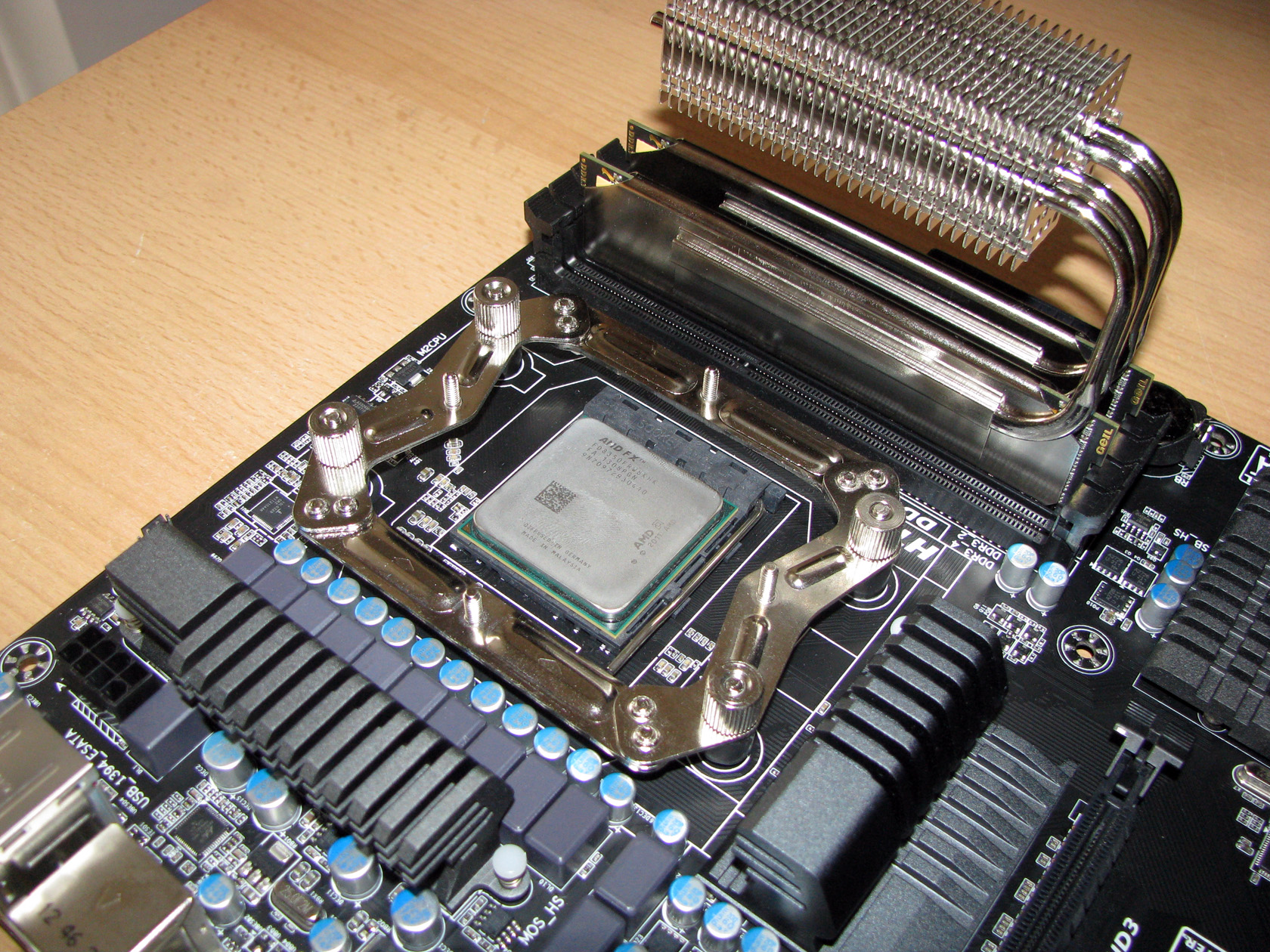
And this is what the cooler looks like when it is installed on the motherboard.
| Without the fan | With the fan installed |
 |
 |
After I installed the cooler on the motherboard and as you can see on the pictures above the cooler is perfectly designed so the front tower doesn’t cover any of the RAM slots and just to prove that I installed my ThermalRight HR-07 Duo RAM heatsinks. The cooler fit just perfectly.
And this is what the cooler looks like back inside the case:
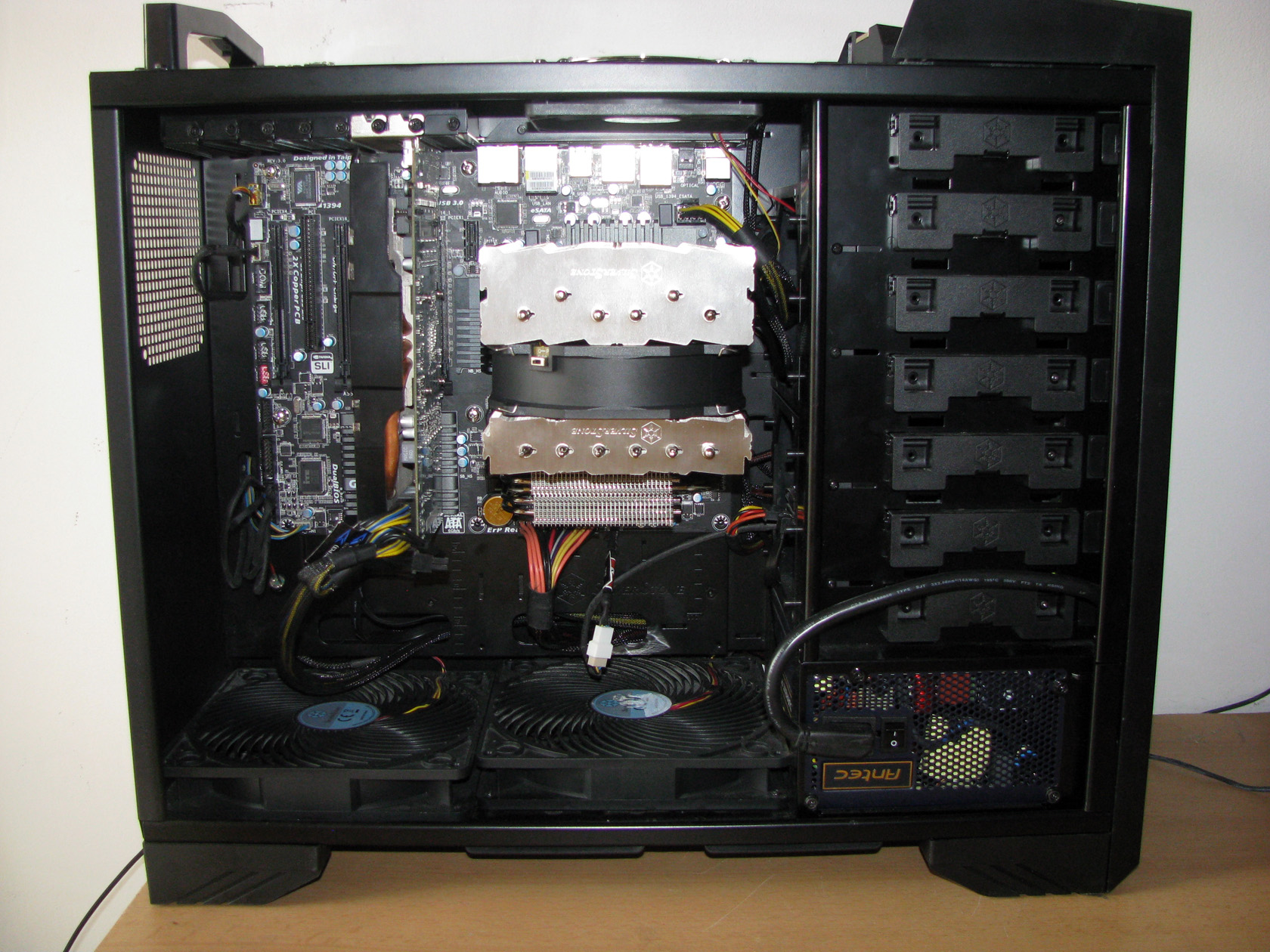
Now let’s check out the test results:
| SilverStone HE01 @ 4020 1.344V | SilverStone HE01 @ 4220 1.380V |
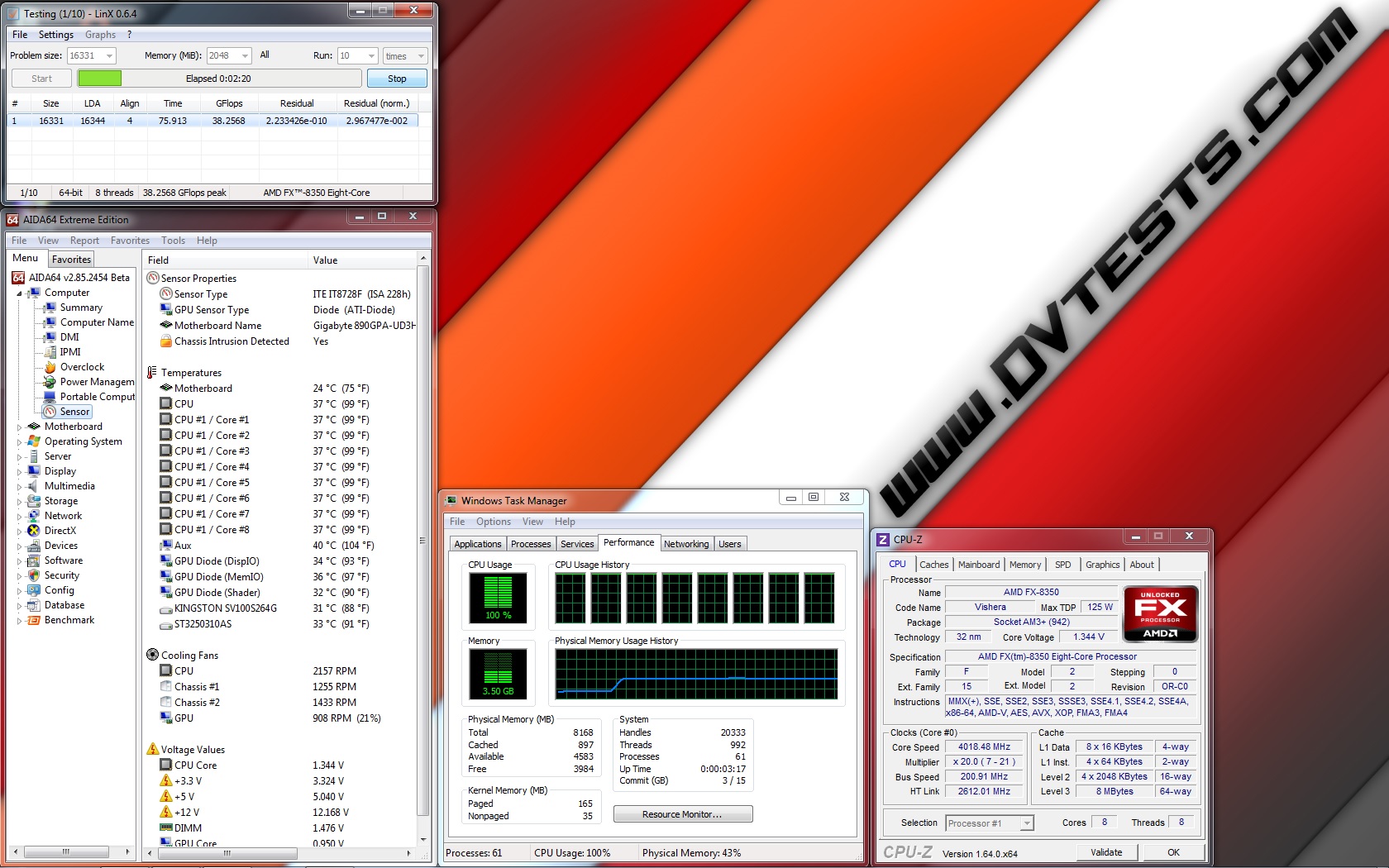 |
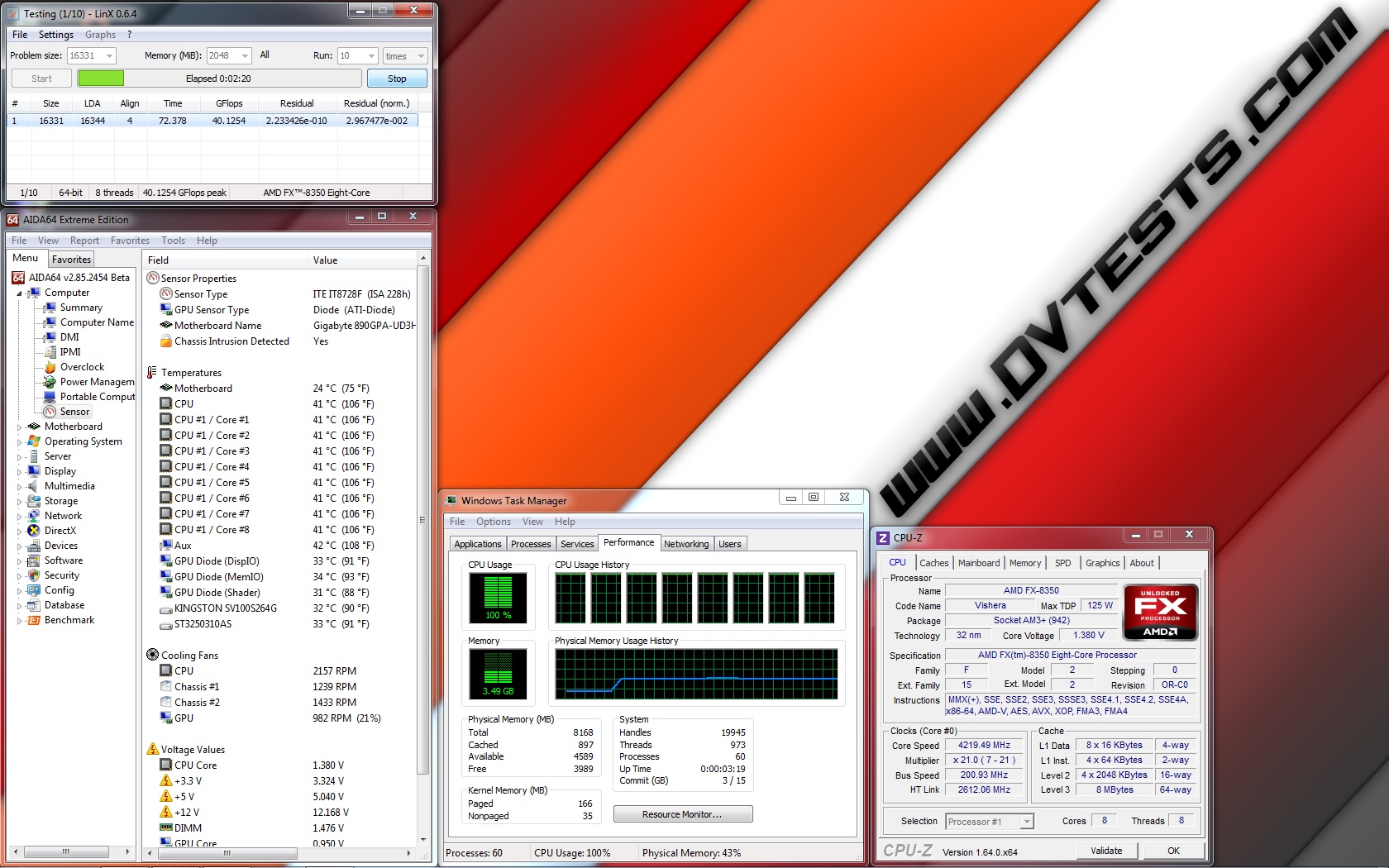 |
| SilverStone HE01 @ 4420 1.404V | SilverStone HE01 @ 4720 1.440V |
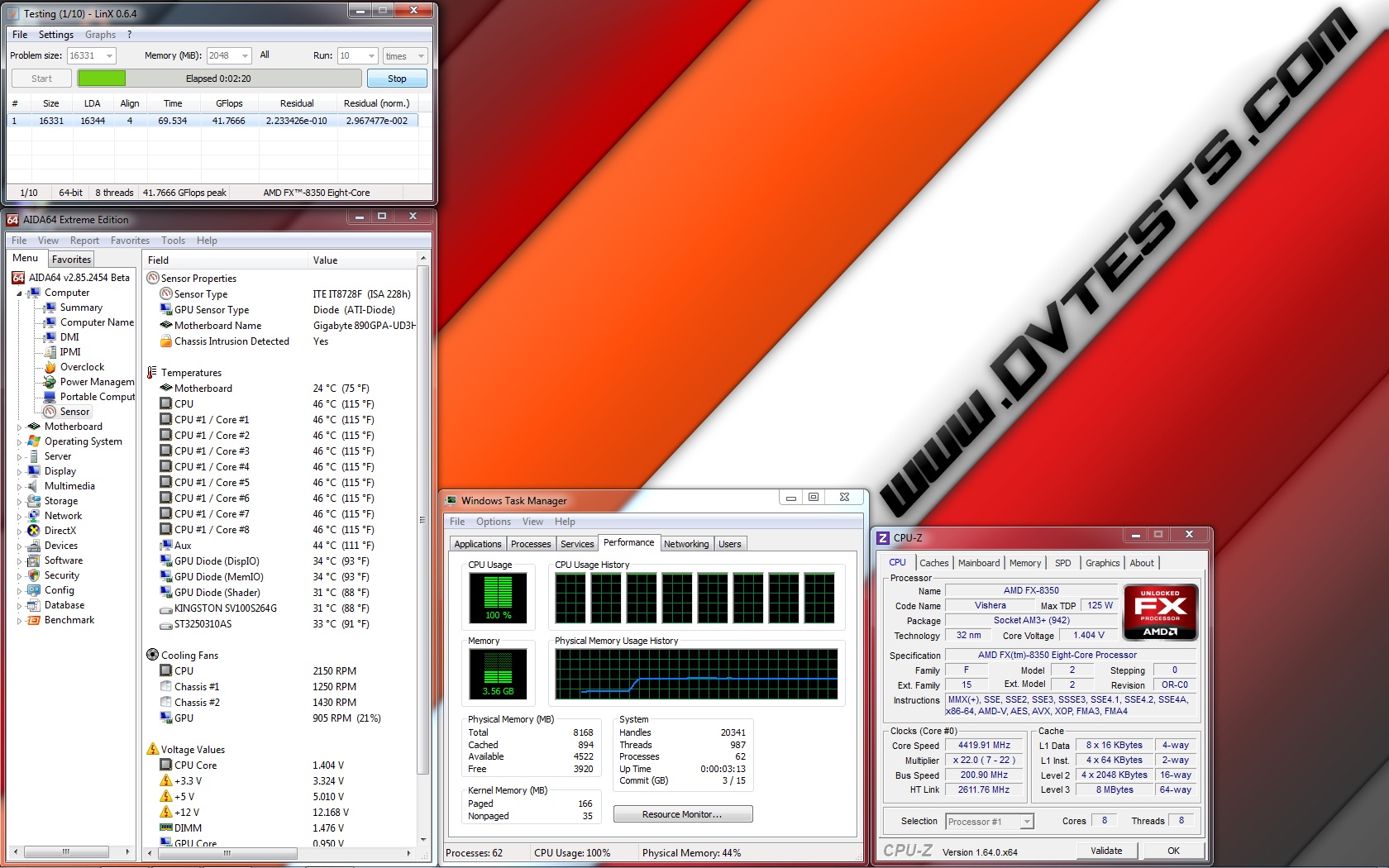 |
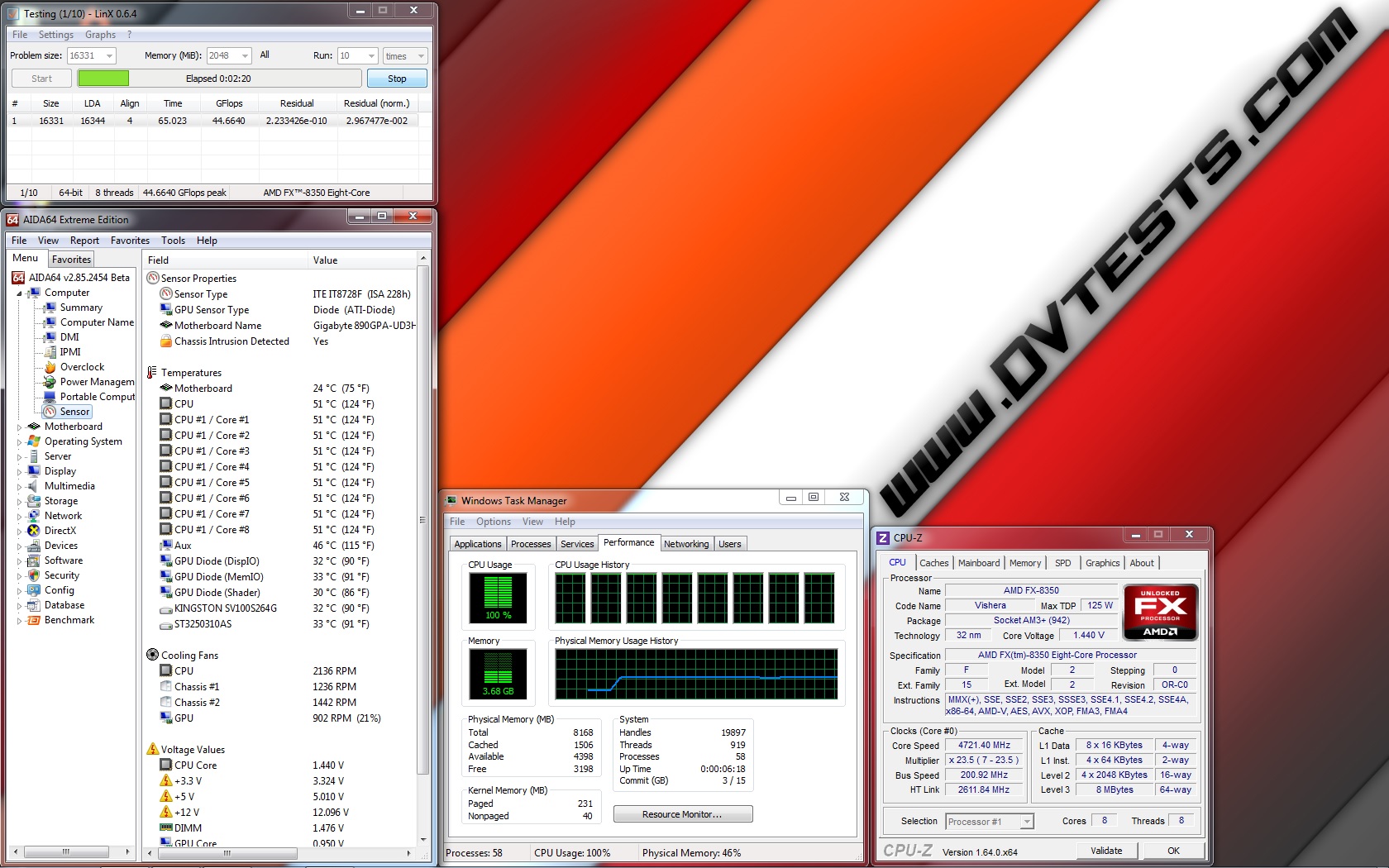 |
All of the test results have been summed up in the following charts:
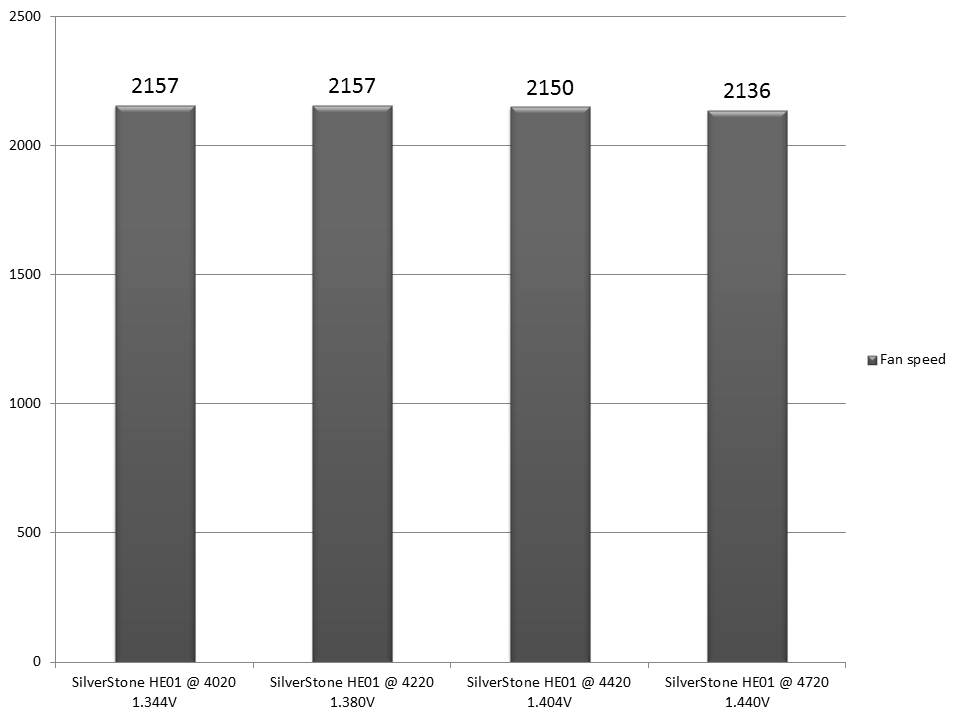
And the fan speed during the tests:
After the review was done, all of the tests were conducted and I finally closed my dropped jaw I believe the time for conclusions has arrived:
1. SilverStone HE01 performance: After all tests were conducted all I can say is WOW…
After I did all of the tests using my AMD FX-8350, which to be honest is one really hot processor especially when it is overclocked at such frequency I can say with hand on my heart that this cooler is outstanding.
In fact, this is the first two-tower cooler which I’ve installed on my new testing rig and it performed very well providing low to average temperatures even on the highest overclock frequency and guaranteed stable and reliable operation at all tests. The most important thing is that between the passes using Linx software the cooler was dispersing the heat very fast and was dropping the processor to very low temperatures.
Well at these tests the standard fan provided with HE01 was operating at Performance mode and rotating at maximum speed of over 2000 revolutions per minute which is kinda seriously loud but still after all of the tests were conducted I switched the fan to Quiet mode and it was rotating at about 500-800 revolutions when the processor is with some load. At these revolutions the fan was very quiet and at idle it was rotating at about 500 revolutions and impossible to be heard.
The tests were done and I can recommend this model as a very good choice to be used with every processor at default or overclocked frequencies and I am pretty sure it will handle even the hottest and extremely overclocked processors.
2. SilverStone HE01 appearance: I will say only one sentence that I hope will describe as much as possible this product:
Very innovative design, combined with neutral black/silver colour scheme and huge two-tower structure, which can fit in every somewhat bigger case or modding project.
According to my review, I’ve decided that SilverStone Heligon HE01 deserves the following reward:
 |
Official price (MSRP) for SilverStone HE01 : unknown
Official warranty: 24 months
I thank Silverstone for the test sample.



You should add another 1 or 2 FHP 140 mm fans on their and see how well it performs then.
It’s very pity that fewer and fewer people do tests using AMD platform these days, even so the FX-83xx models are real power hungry beasts.
Anyway I am glad that you enjoyed that article.
I am curious what motherboard you are using for overclocking the FX8350.
I’m glad someone finally tested this cooler on an AMD platform. When I bought it, I had no idea how it would work because no one bothers to test on anything but Intel, but it’s AMD 8-core FX platforms that really need it the most and can put it to the test.
Anyway, I can attest to the numbers here. I’m using HE01 on an FX-8350 clocked at 4.84 GHz at 1.48v, and under multiple runs of IBT, temps average about 53C. This cooler can move some serious heat off a CPU.
I guess the massive dissipating area helps a hot processor with massive TDP like the 8350. Great review, great cooler. Well done to Silverstone. I think all the big twin tower coolers will perform better even than the big single tower ones (except TRUE Spirit 140 and Archon SB-E).