
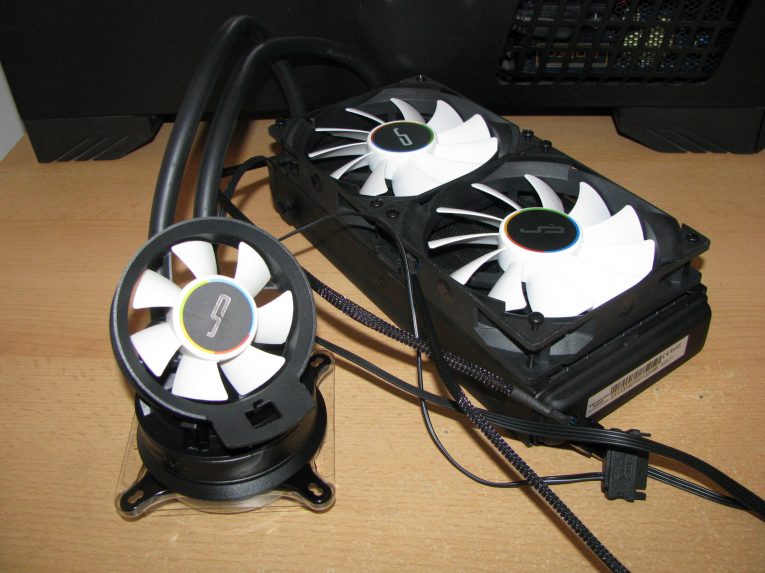
Cryorig A40 Ultimate was introduced several months ago as an AIO hybrid cooling system part of the first and the only AIO water cooling series in the company portfolio. A series, which features 3 similar and very interesting models and last month we already had the chance to test the best product in the A-series, aka Cryorig A80, which delivered amazing cooling performance.
For this test and review I received Cryorig A40 Ultimate and to be honest I am really curious and very excited to check its performance while having hard time cooling my AMD Vishera FX-8350 processor running with full load for 14:30 minutes at all sorts of frequencies.
So let’s waste no more time and proceed with the article by opening the package and checking what is inside and after that checking the main features of the product and performing some tests.
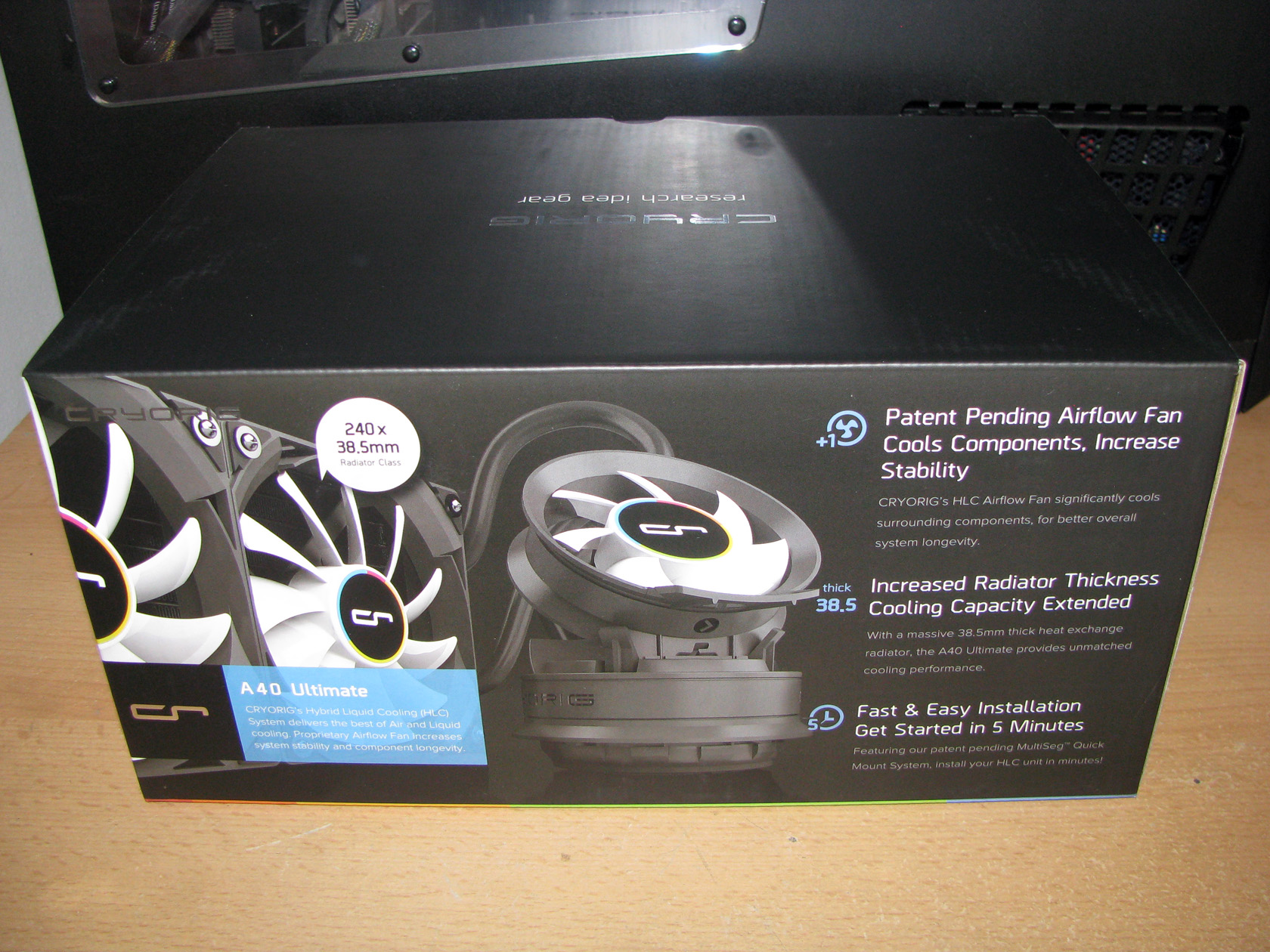
| The front of the box | The back of the box |
 |
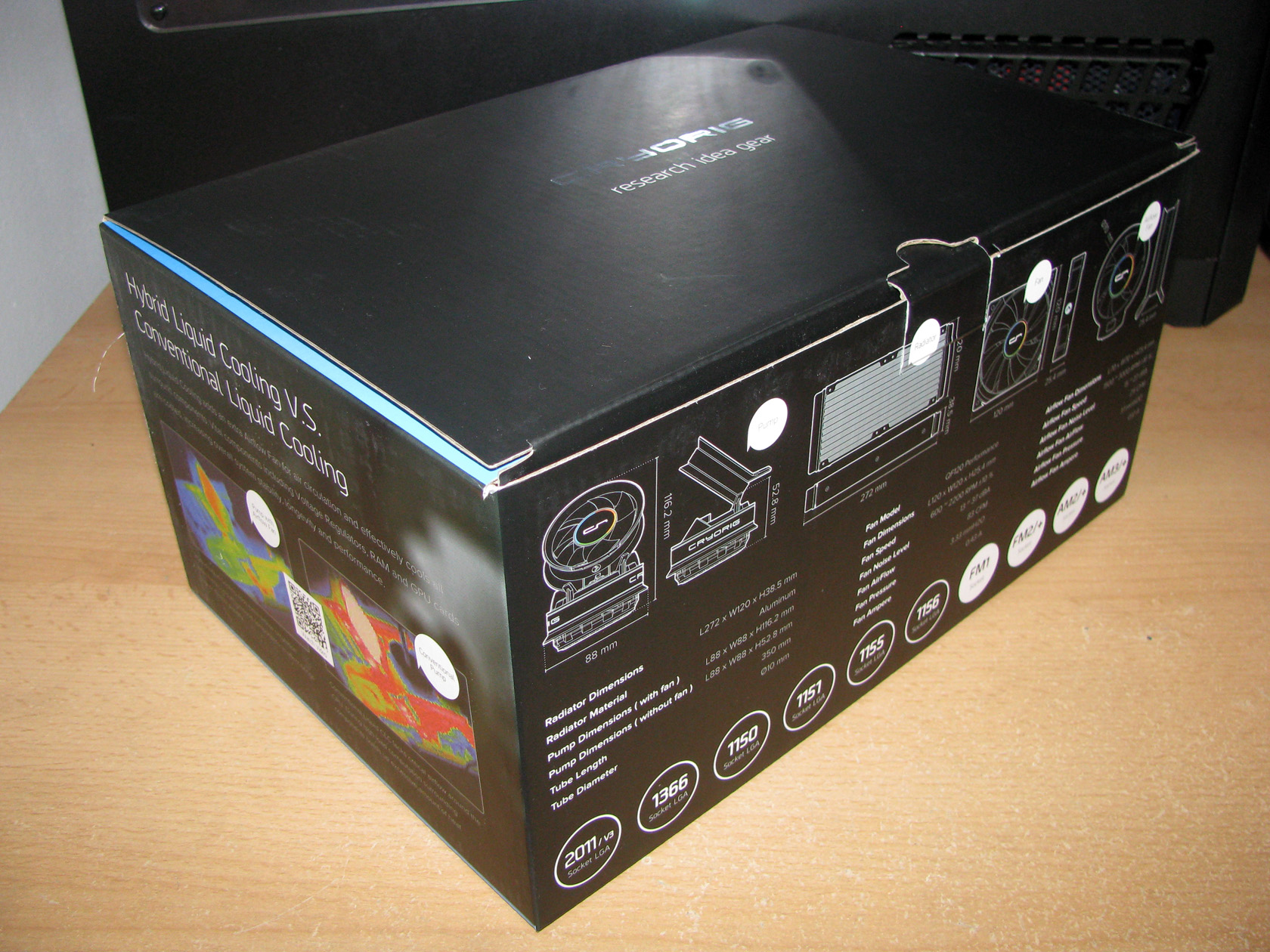 |
Cryorig A40 Ultimate arrived to me for performing a detailed test and review inside a massive and very attractive looking carton box painted in black. The carton box itself features tons of information on the front panel including a big picture of the assembled cooler accompanied by a lot of additional information regarding the technologies used so this product can be created.
Of course, the full technical specification, the compatibility options, some comparisons against conventional AIOs and a lot more details are located on the back and all other sides of the box. To be honest, the package looks really attractive and delivers all of the required details regarding the product but it is time to check what is inside and proceed with the cooler’s review and some tests later.
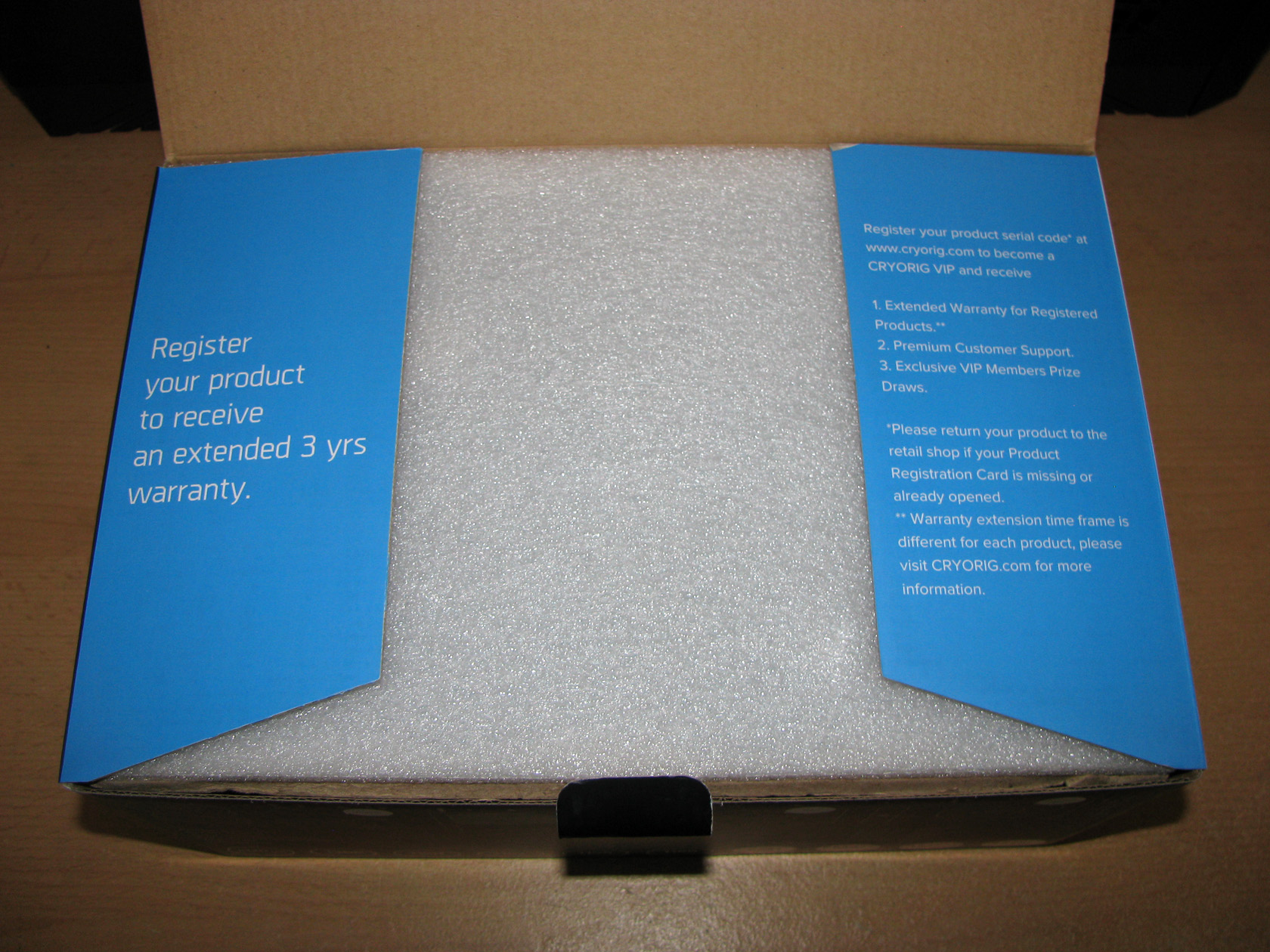
And this is the view, which I got after I opened the package.
| Extended warranty information | The AIO packed inside |
 |
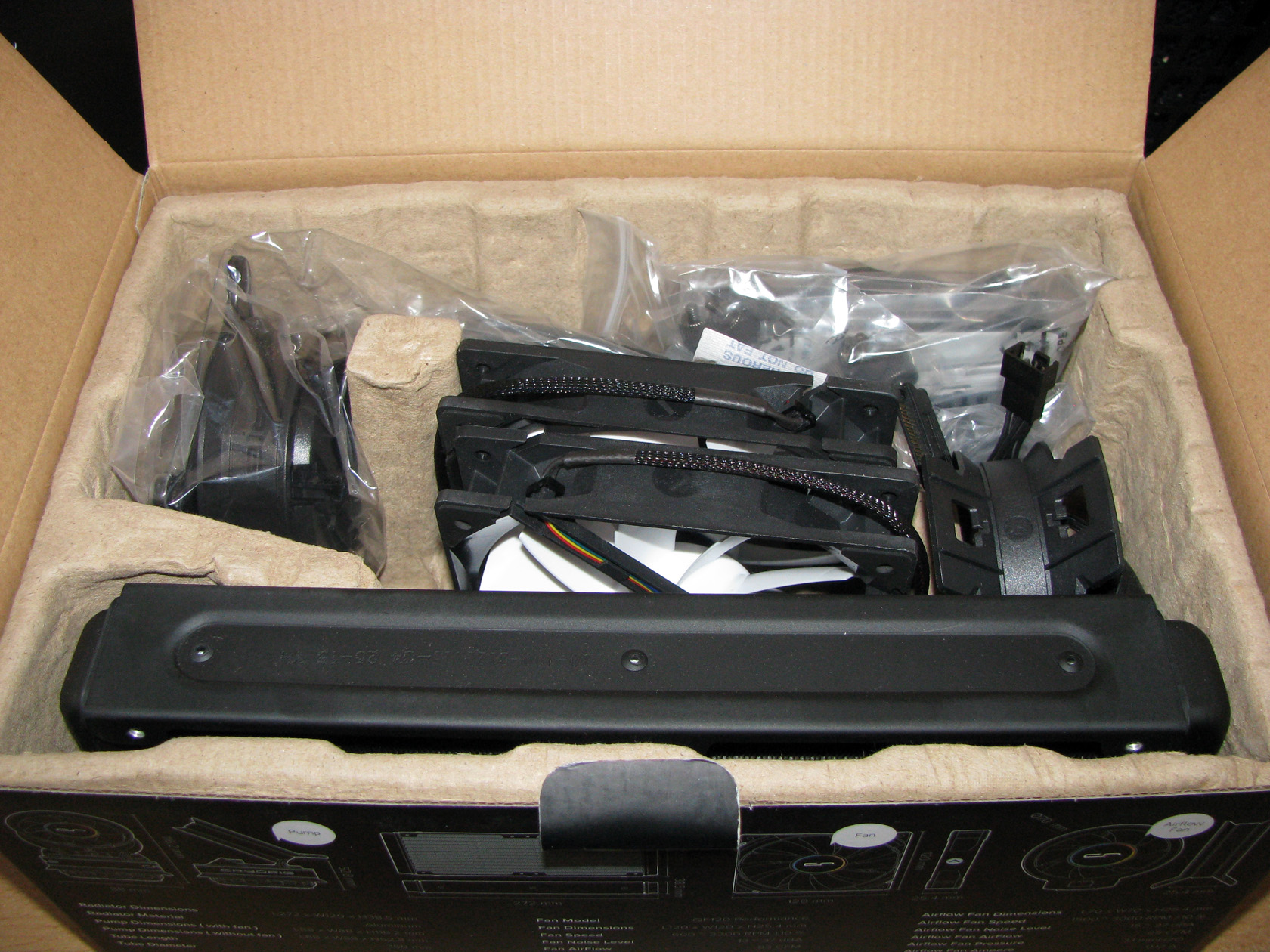 |
The first thing to notice after I lifted the top cover of the carton box was the additional information regarding the extended warranty and a white Styrofoam sheet added with one purpose only and that is to protect the AIO structure and all of the contents inside the box. After I removed the Styrofoam sheet there was the AIO cooler, accompanied by the two 120 mm fans and all of the additional accessories, which will be needed so the cooler can be used with all modern Intel or AMD sockets.
All of the additional accessories were packed in separate nylon bags according to their socket compatibility and purpose just to ensure that everything will arrive with the AIO in perfect condition and of course in full quantity. So before we continue with checking the AIO’s structure, let’s talk about the additional accessories.
Cryorig A40 Ultimate ADDITIONAL ACCESSORIES
I believe I’ve spent quite some time taking all of the accessories out of their packages one by one and after I arranged them for taking some pictures, this is the view which I got.
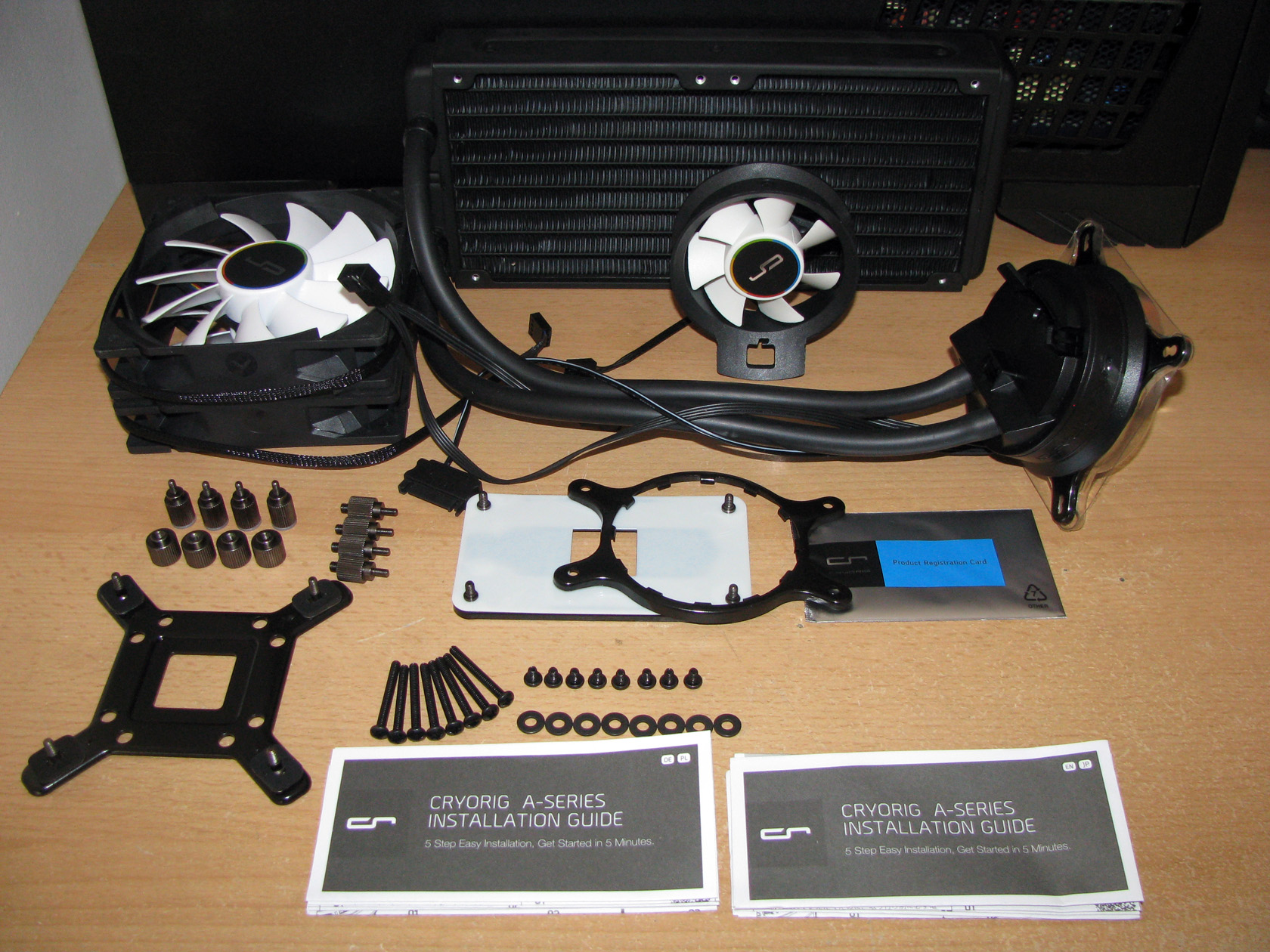
The standard accessories pack provided with the Cryorig A40 Ultimate AIO cooler includes:
- 2 installation manuals in DE, PL, EN and JP languages.
- Intel mounting kit featuring entirely painted in black metal back plate and black front bracket, which is pre-installed on the water block
- AMD mounting kit featuring an entirely painted in black metal back plate and AMD front mounting bracket
- A set of 4 x black screw pillars needed for both Intel and AMD systems.
- A set of 4 x LGA 2011 screw pillars
- A set of 4 x thumb-screw caps needed to secure the front brackets to the screw pillars and hold the water block in place
- A set of 8 x metal washers
- A set of 8 x long screws to attach the fans to the radiator
- A set of 8 x short screws to attach the radiator to the case fan slots.
- 2 x QF120 performance fans
- 1 x 70mm detachable fan to be installed on the water block
- 1 x product extended warranty registration card
According to my first impressions, Cryorig A40 Ultimate is a cooler meant to be an outstanding performer and for that reason it was equipped with a very extensive accessories pack to provide the best possible compatibility with all of the sockets from both Intel and AMD and cooling performance with all of the latest CPU models.
Cryorig A40 Ultimate STRUCTURE
Of course, to describe the product itself in the most accurate and detailed way I spent some time examining its structure and I should say it offers a pretty unique water block, attached to a high quality 240mm radiator via pretty thick and flexible tubes cooled by 2 very good QF120 Performance fans, which I’ve already tested in the past.
To keep the tradition, let’s start by checking the water block.
| Water block – top view | Water block – side view |
 |
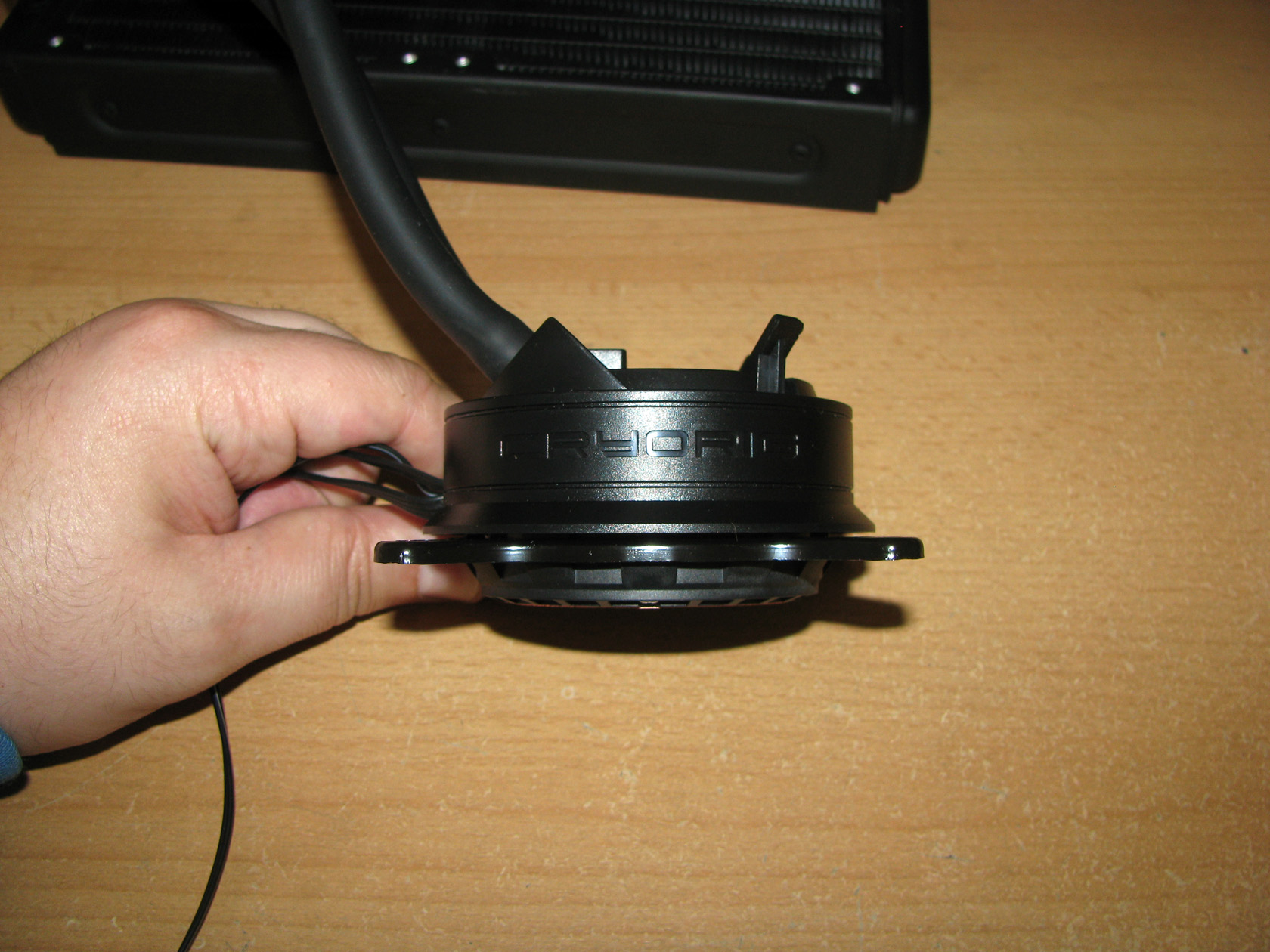 |
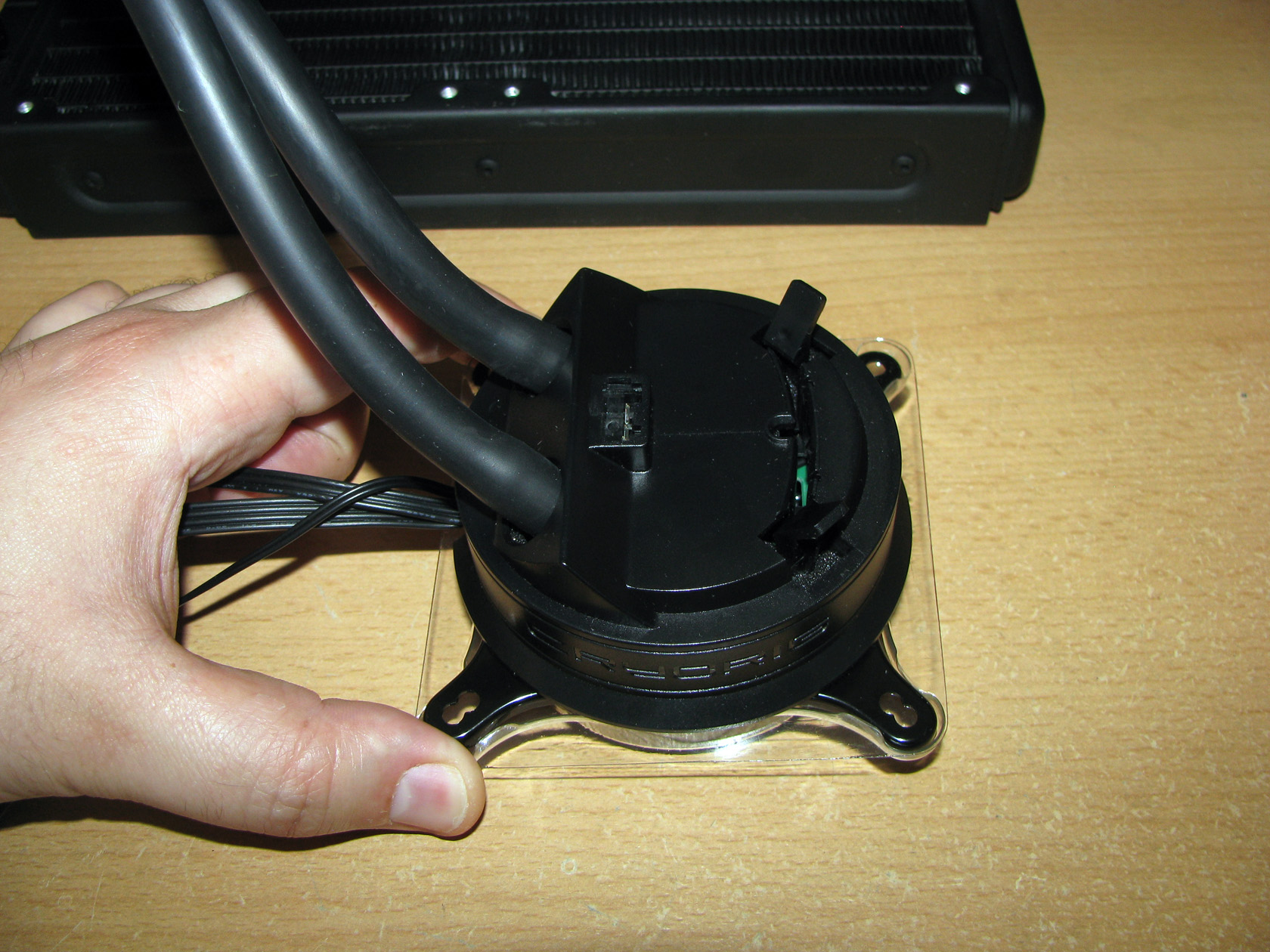
Cryorig A40 Ultimate is equipped with very thick and pretty interesting water block structure with dimensions of L88 x W88 x H52.8 mm without the fan and L88 x W88 x H116.2 mm with the fan, which features:
- perfectly milled 100% pure copper round contact plate, which is attached to the water block with 8 screws for secured and reliable leak-proof connection
- completely redesigned and improved pump system based on Asetek’s Gen. 5 Pump and Cold Plate design located on the top of the contact plate. The new water pump system features a redesigned impeller and motor system, which overall increases the impeller torque and optimizes the liquid routing, which manages to further lower temperatures while maintaining the same noise profile as competing Gen. 4 based products.
- Right above the water pump is the power and control circuit, which is directly powered from power supply SATA connector and is capable to power the 3 fans provided with the package. Also, the water block offers a third cable, which should be connected with the motherboard’s CPU header to provide accurate regulation.
- To improve the overall appearance of the water block all of the components part of the block assembly are covered by round plastic cap, entirely in black, which has a dedicated slot to which the 70mm fan should be attached so it can perform its duties. The plastic cap also includes the engraved logo of the company.
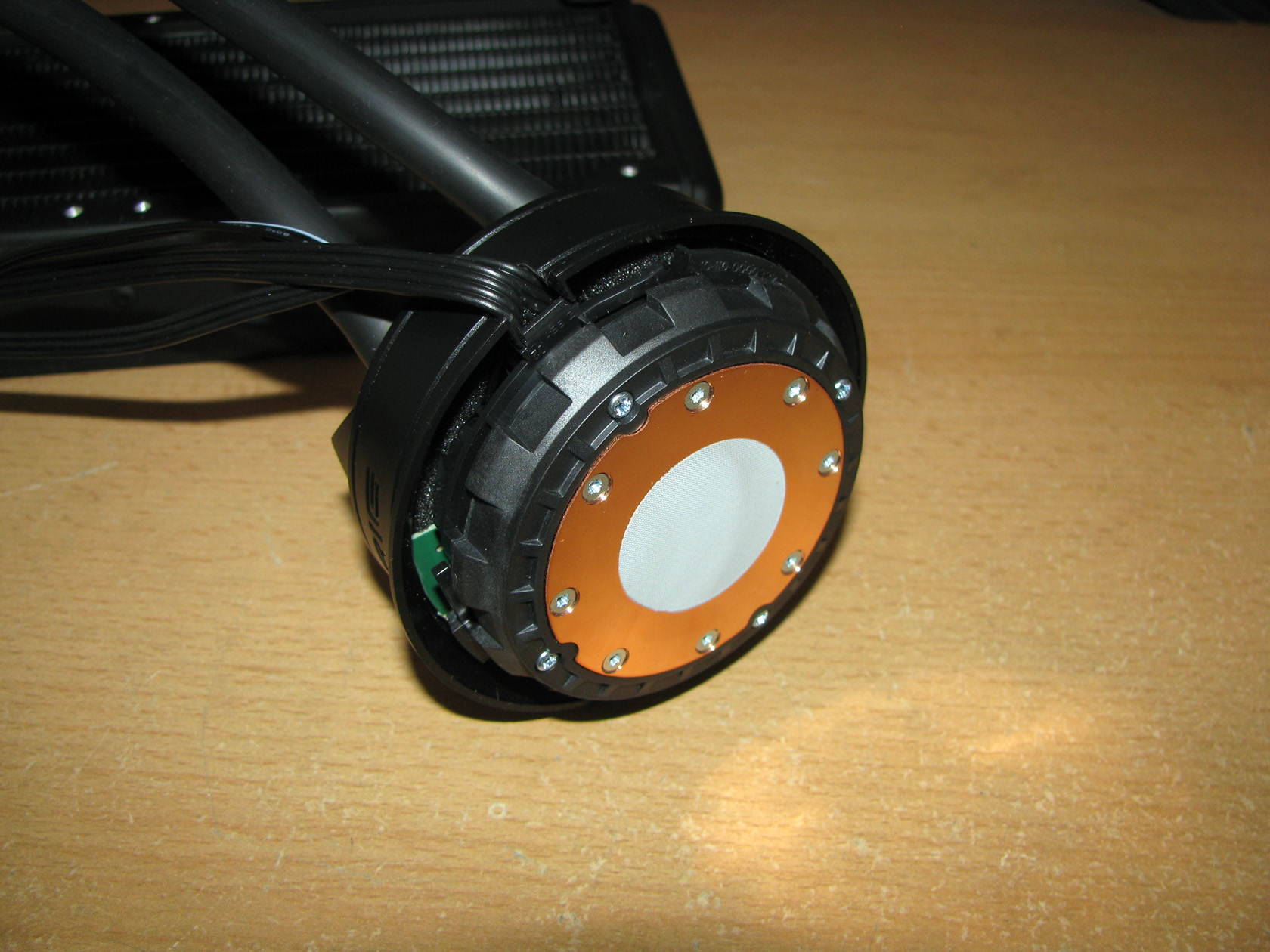
Of course, to provide any cooling performance the AIO cooler requires solid and reliable tubes, which in this case are 350mm long with Ø10 mm outer diameter to connect the pretty sophisticated water block with the radiator. I guess the inner diameter of the tubes is Ø8 mm but I can’t guarantee it since I am not able to open the tubes and measure it and also there is no information from Cryorig. Something which I didn’t really enjoy about the tubes is that the fittings on the water block are hidden beneath the plastic cap which limit the rotation of the fittings and the overall tubes movement. This could cause issues if someone is not careful while installing the product.
And by mentioning the cooling radiator, let’s check its dimensions and what we can expect from it.
| Radiator – front view | Radiator – other view |
 |
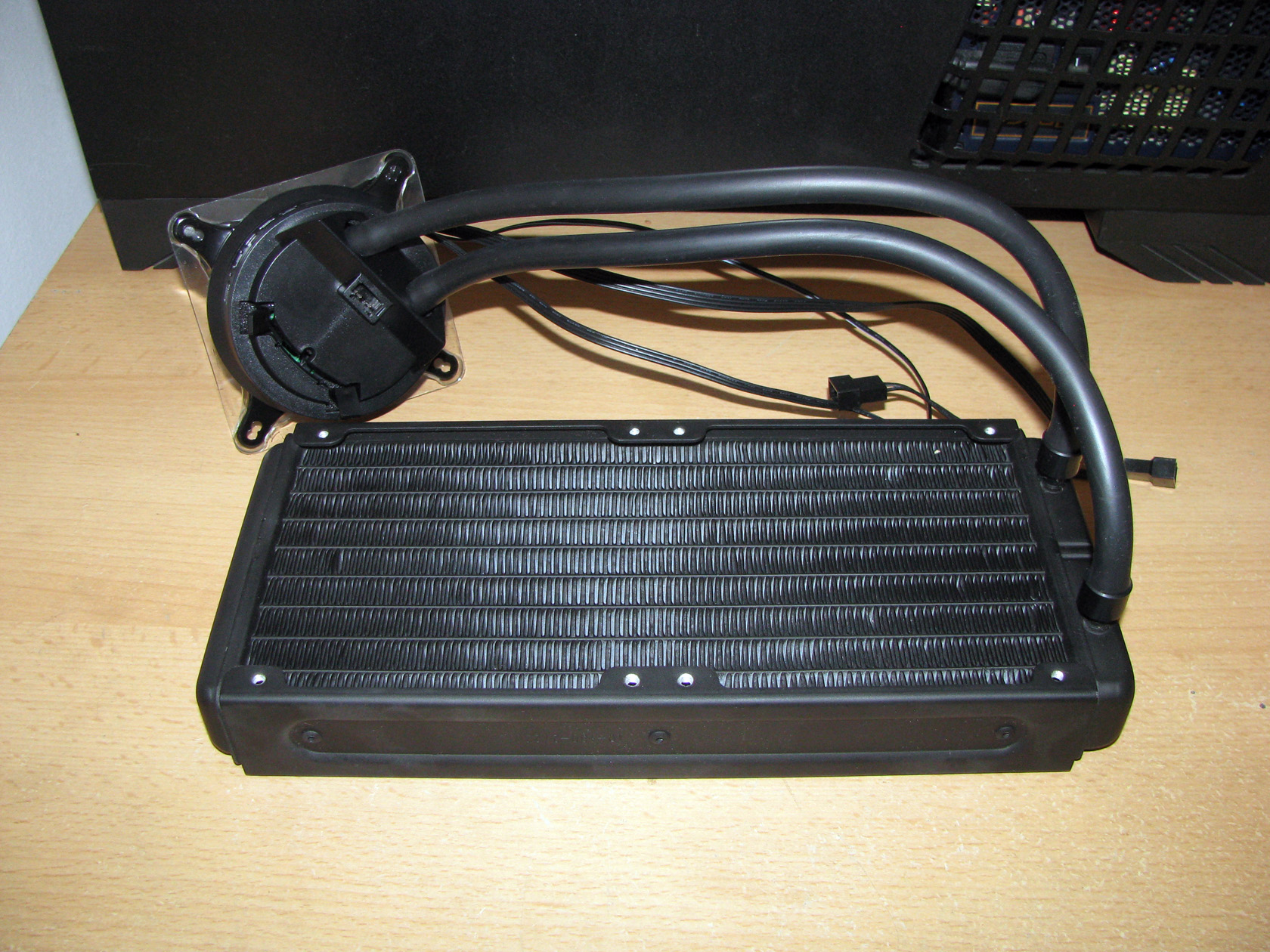 |
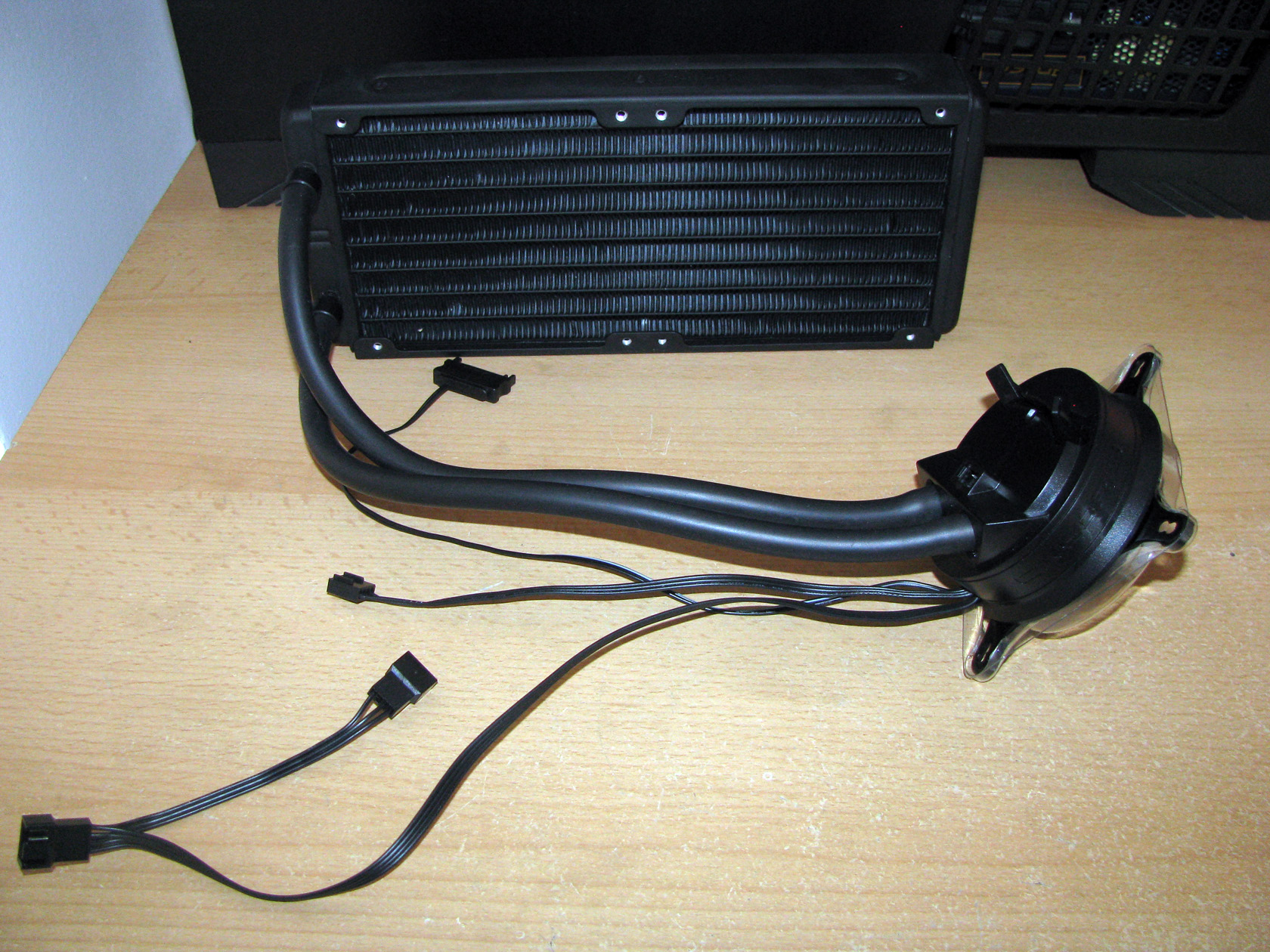
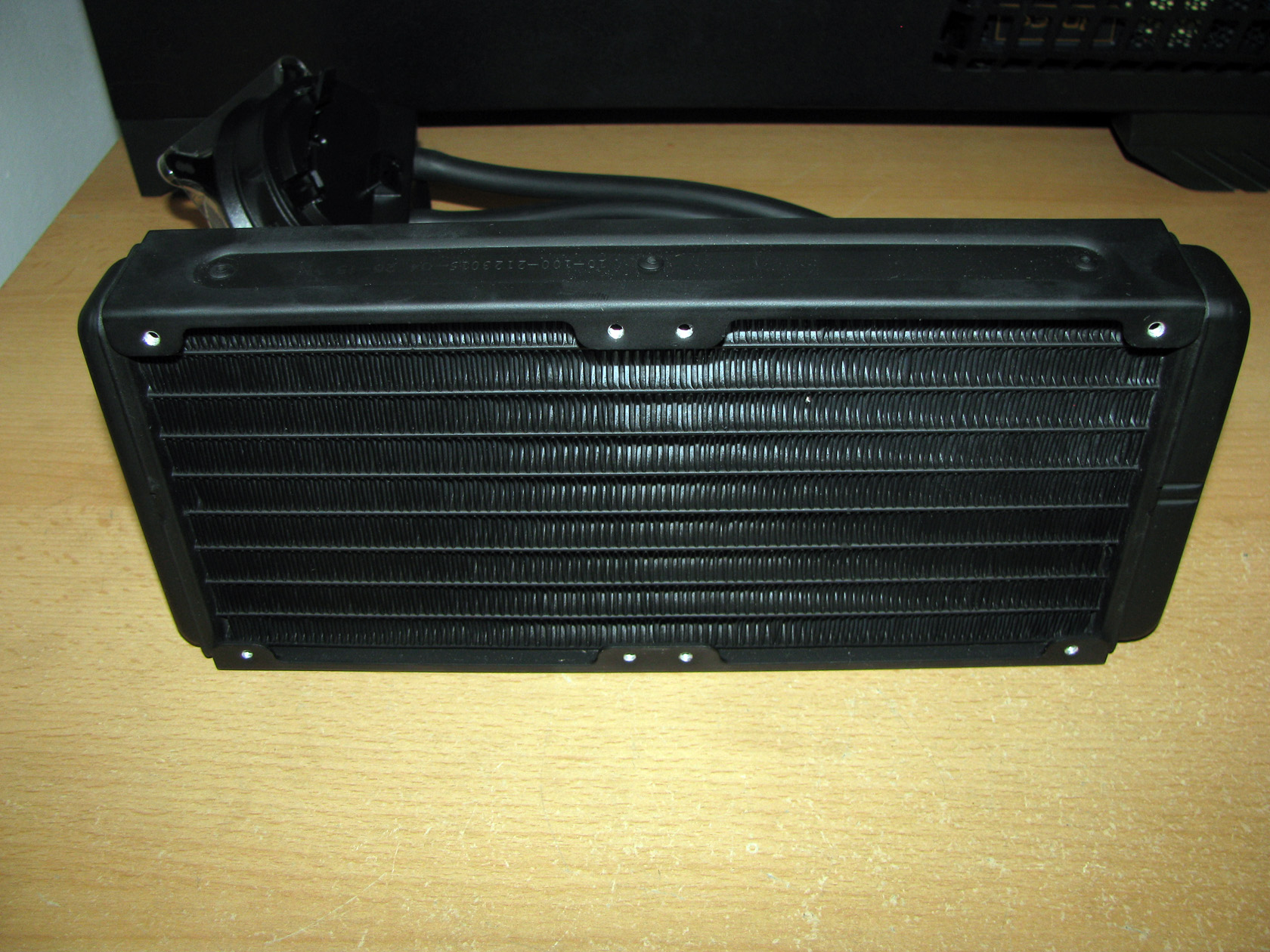
The cooling radiator provided with the Cryorig A40 Ultimate is actually pretty simple but with high quality, painted in black and made of aluminum with dimensions of L272 x W120 x H38.5 mm. The radiator itself is not equipped with any additional plates, smaller heat sinks or any other visual effects and is specifically designed to match the characteristics of the high airflow high air pressure QF120 fans. Of course, the high FPI count, high air pressure and increased heat exchange surface guarantees the cooling performance of the model.
| Radiator – back view | Radiator – side view |
 |
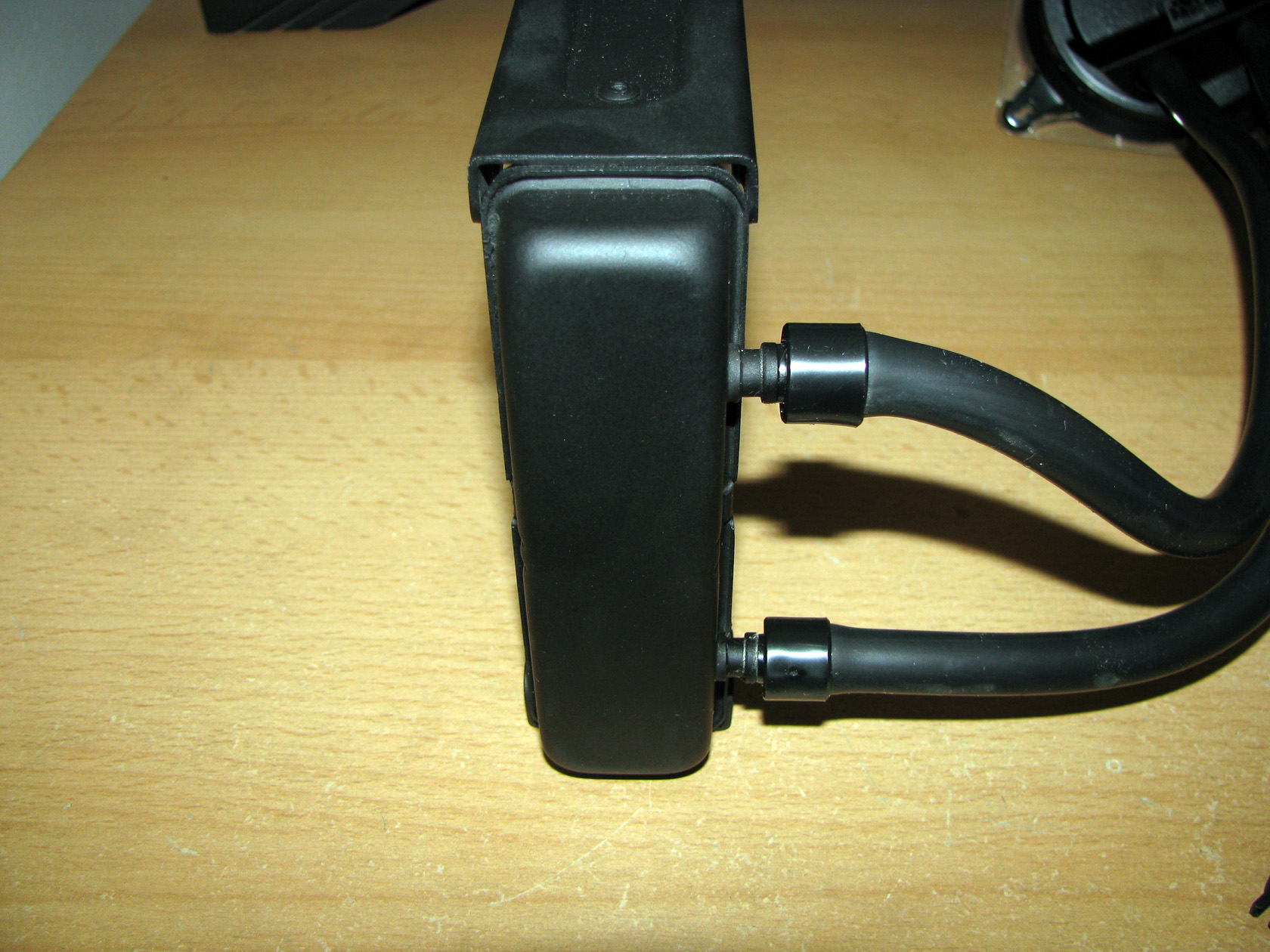 |
The radiator itself is compatible to be used with up to four 120 x 25 mm fans installed on both sides of the aluminum fins in push-pull setup. If someone proceed with such a setup he will require additional 2 fans and 8 long bolts. Anyway, the standard setup features only two identical 120mm QF120 Performance fans featuring a square black frame and white propeller with 11 narrow, but very sharply angled blades entirely made to provide the best possible airflow and static pressure levels.
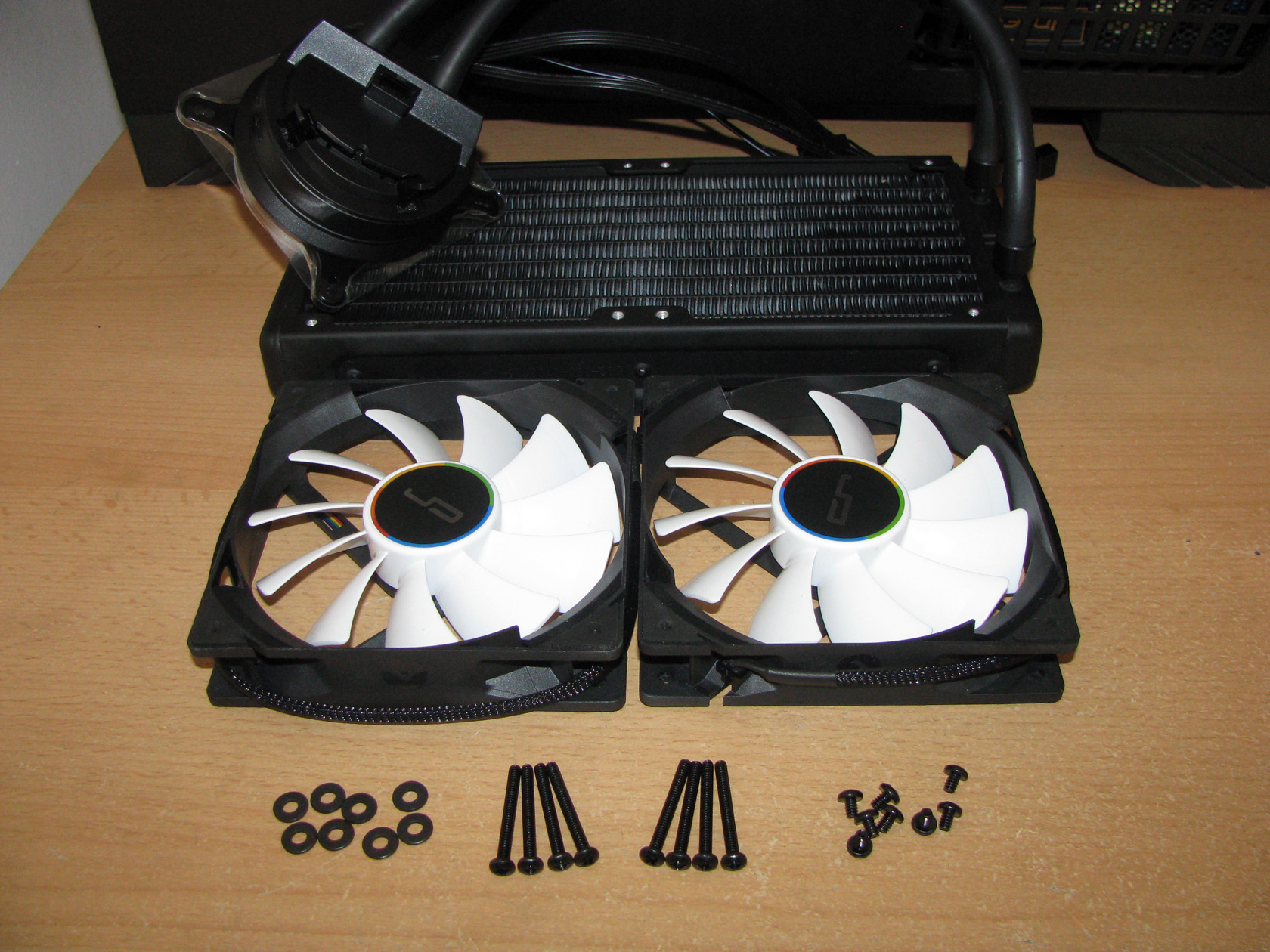
Apart from that, both of the propellers are designed for optimizing the aerodynamic and reducing the noisy air turbulence. Additionally, the frames of the fans are designed with the CRYORIG’s proprietary Quad Air Inlet™ system, which includes four strategically placed aerodynamic air inlets for extra air intake and higher air output volume. With these features the fans are able to work at 600 ~ 2200 ±10 % revolutions per minute, providing maximum airflow level of 83 CFM, static pressure level 3.33 mmH2O with noise level range of 13 ~ 37 dBA.
To attach them to the front side of the radiator I had to use the 8 long bolts.
And this is what the fans look like installed on the front side of the radiator.
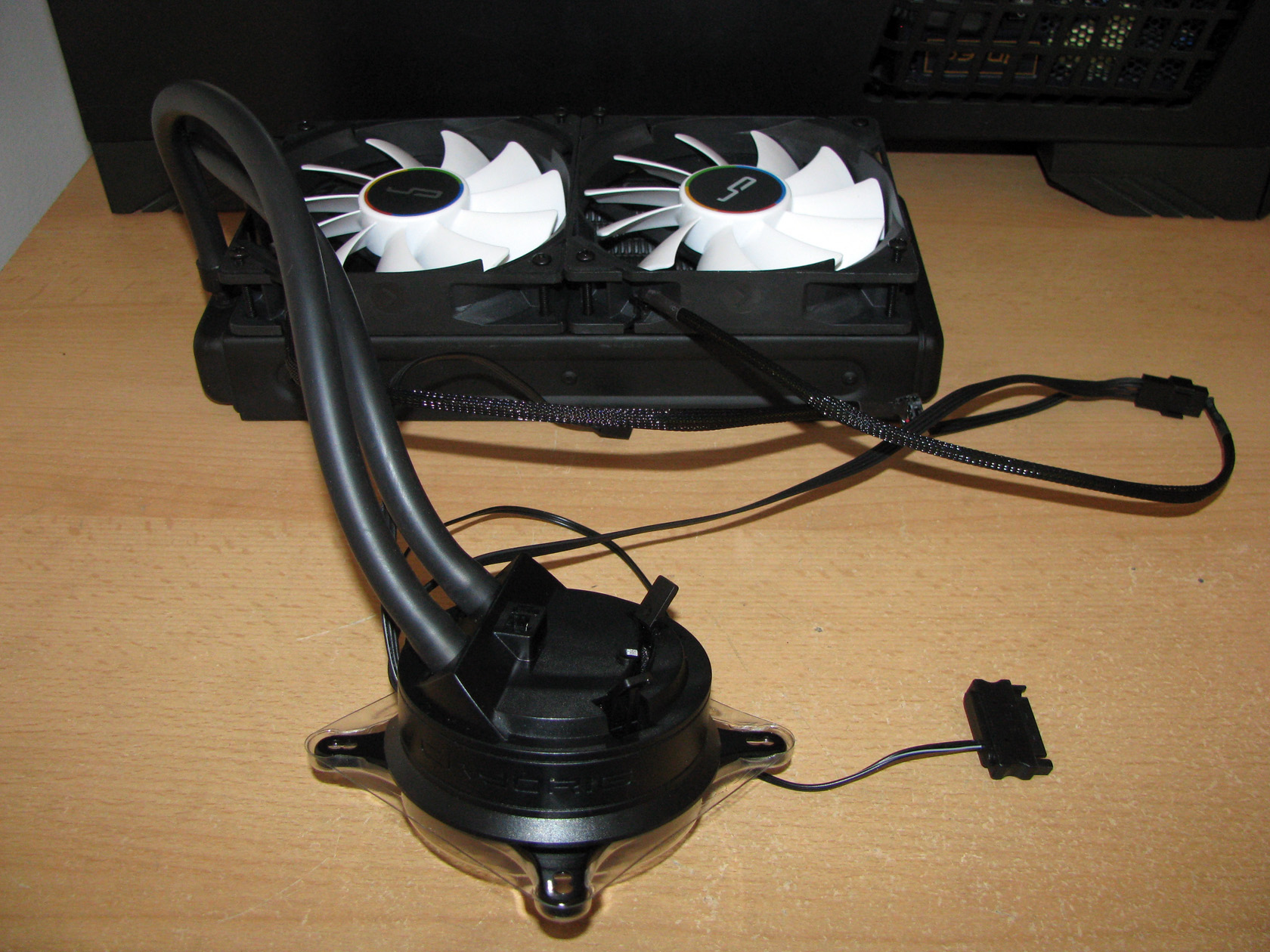
To power and regulate the two QF120 performance fans they have to be connected to the fan connectors attached to cable coming out of the water block as you can see from the picture above.
And here comes something unique for this product.
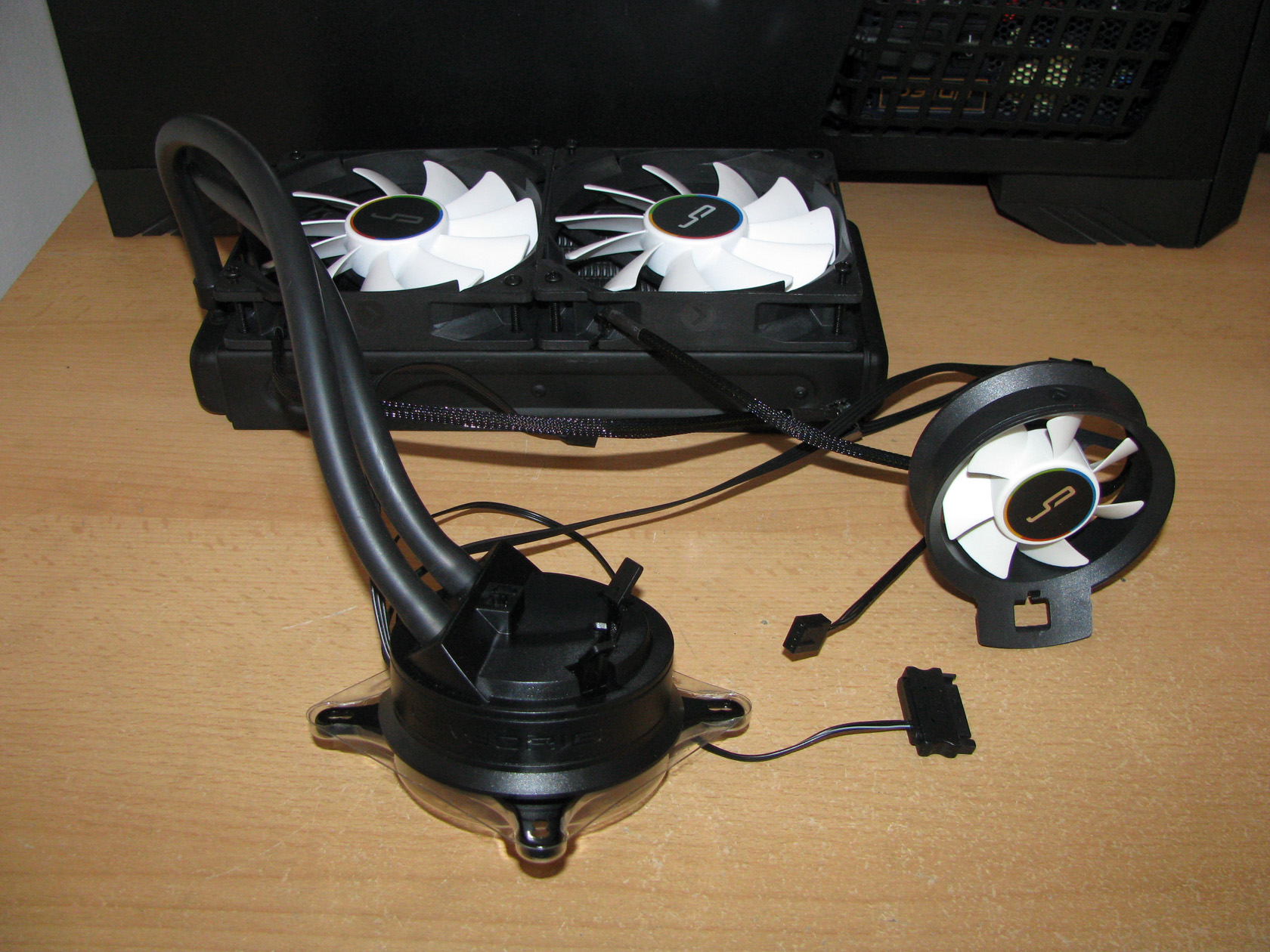
| 70mm round fan | AIO fully assembled |
 |
 |
Cryorig A40 Ultimate is actually a hybrid AIO cooling system, which means that it is made to provide cooling not only for the main processor but also for the components surrounding the CPU socket. And to provide this feature the guys from Cryorig decided to include a third fan, which has a round black frame with dimensions of L70 x W70 x H25.4 mm and propeller with 7 narrow but very sharply angled blades. The CRYORIG HLC Airflow Fan should be attached on the top of the water block using a clip system and could be orientated in both push or pull directions. With this fan, no matter where the hot spots are around the CPU, be it overclocked RAM or a high-end GPU card, or hot Voltage Regulators, the fan can be pointed in the needed direction.
The HLC Airflow Fan is designed to work at 1500 ~ 3000 ±10 % revolutions per minute range, providing airflow level of 25 CFM, static pressure level of 3.1 mmH2O with noise level range of 15 ~ 27 dBA and should be connected directly to a special 4-pin PWM fan header located in a cut through in the plastic cap via a very short 3-wire cable.
Since all of the fans are already installed on the radiator and the water block I had to add the necessary mounting clips to the radiator and proceed with the actually cooler installation on my AMD motherboard.
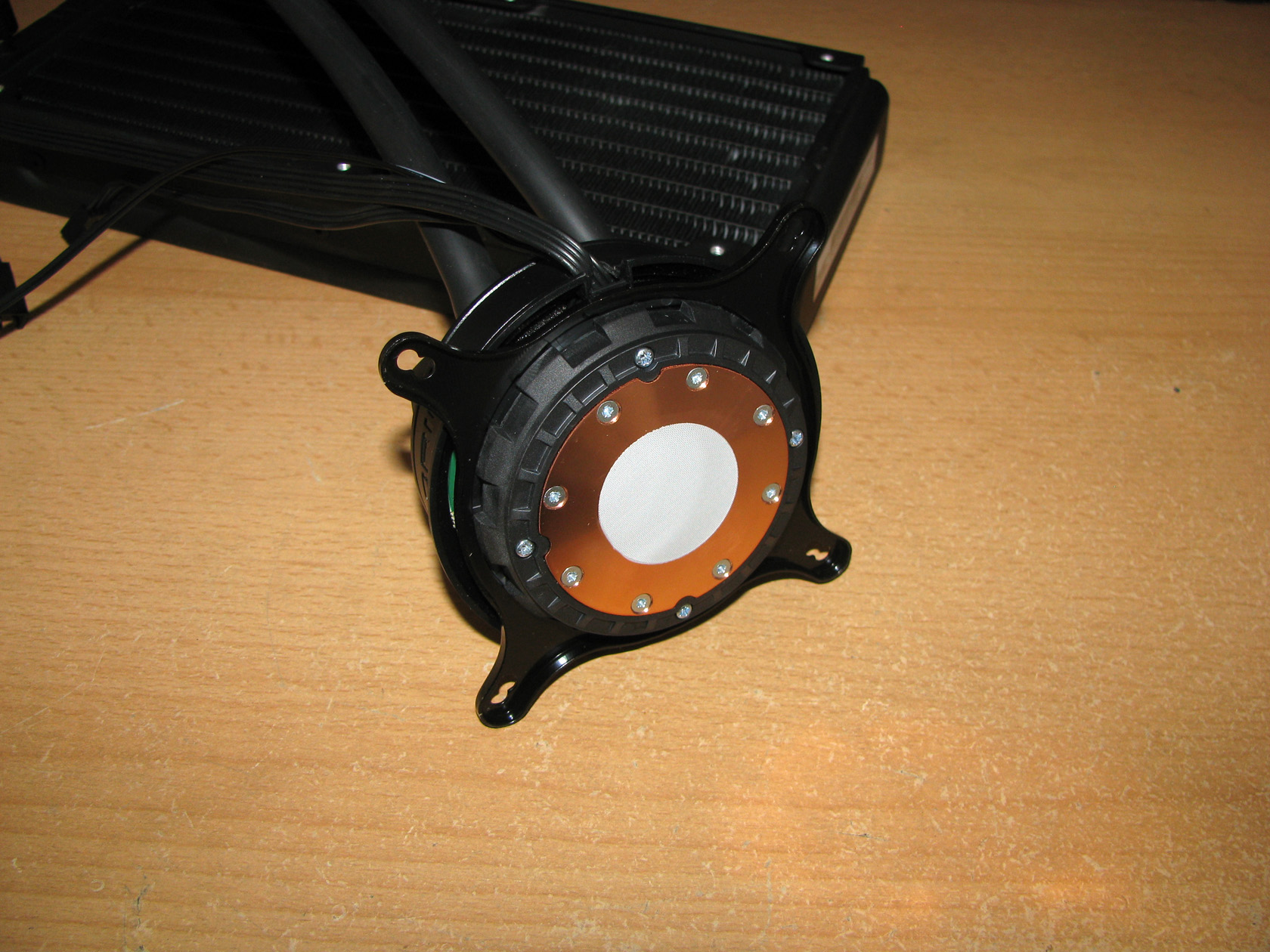
| Intel brackets attached | AMD brackets installed |
 |
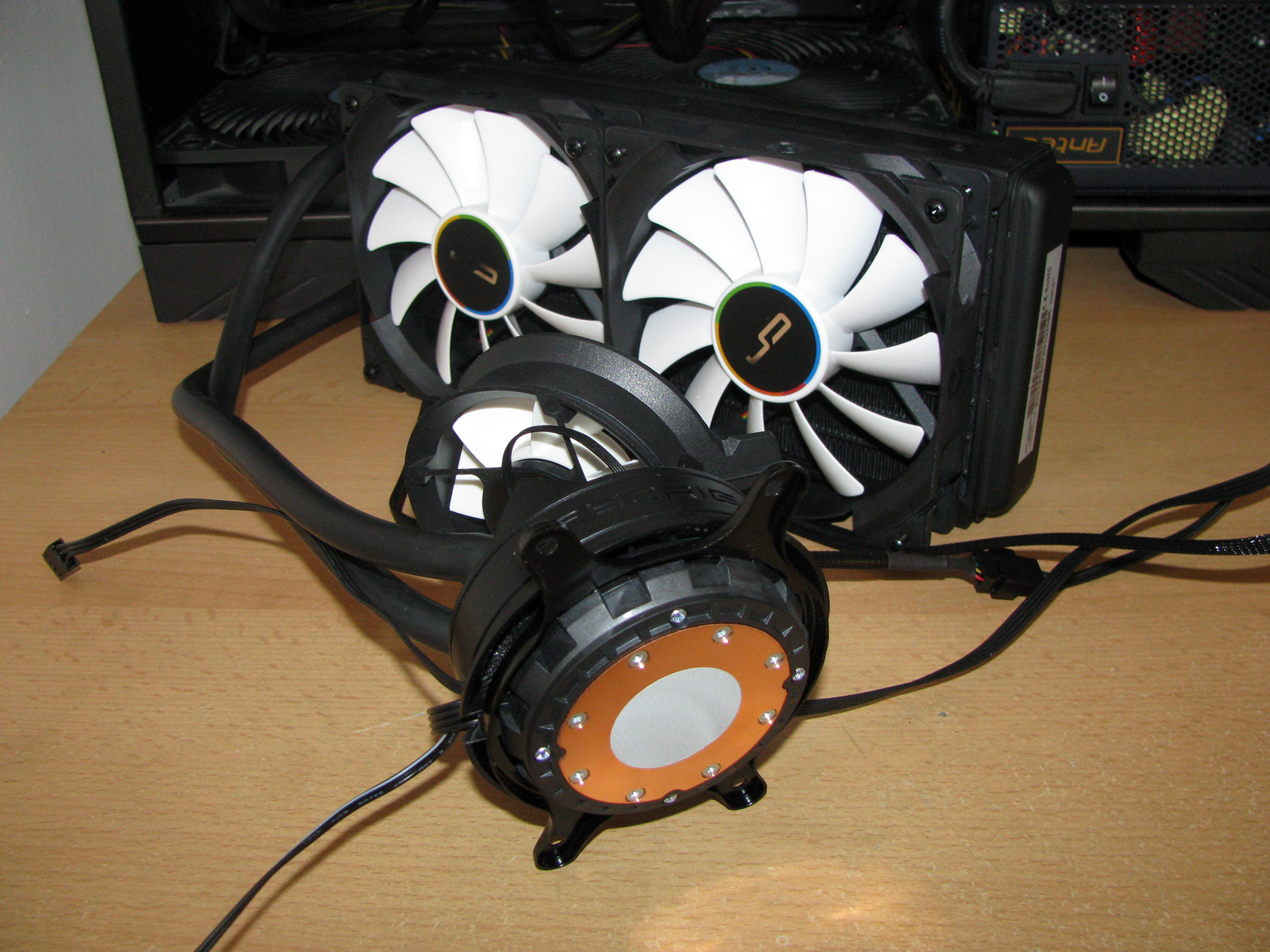 |
The AIO arrived with the Intel front bracket installed so I had to remove it and install the AMD front bracket by sliding it into the specific channels around the plastic surrounding the copper plate and rotate the bracket until it clicks. A child’s play!
After I assembled the hybrid water cooling I can say that the AIO is really an eye catcher with its stylish appearance and inspires reliable and very serious performance capabilities. Whether this is true, we will find out a bit later.
To use the AIO I will have to install it using the provided in the package Multiseg™” Quick Mount System and by following the official technical details Cryorig A40 Ultimate is made to be compatible with:
- Intel sockets: LGA 1150,1151, 1155,1156,1366,2011,2011-v3
- AMD sockets: AM2,AM2+,AM3,AM3+,FM1,FM2,FM2+
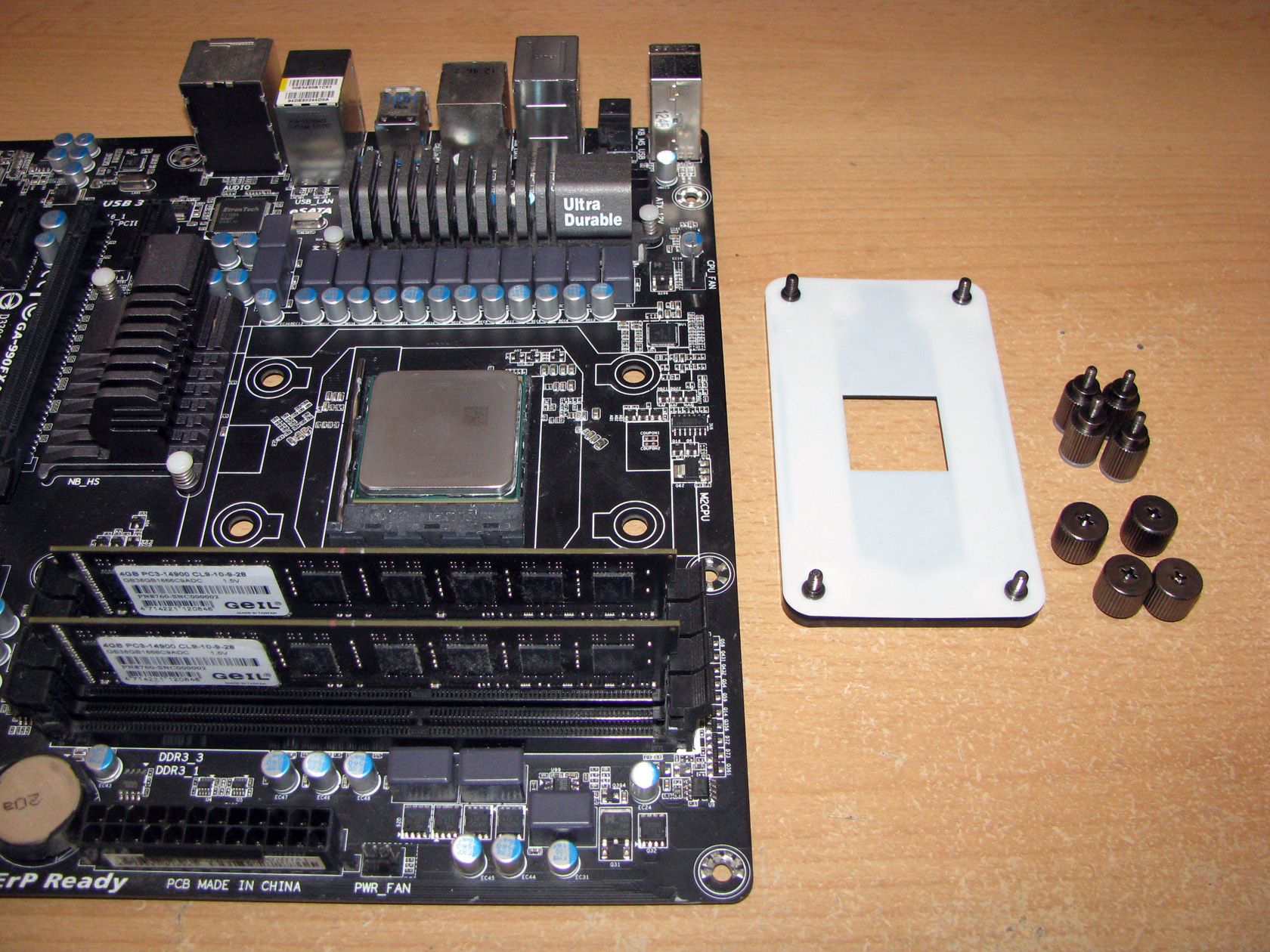
For doing the tests I will have to use the back plate provided as part of the mounting kit, the four black screw pillars and four thumb-screw caps to secure the front brackets to the motherboard.
| Back plate with the assembly parts | All of parts installed |
 |
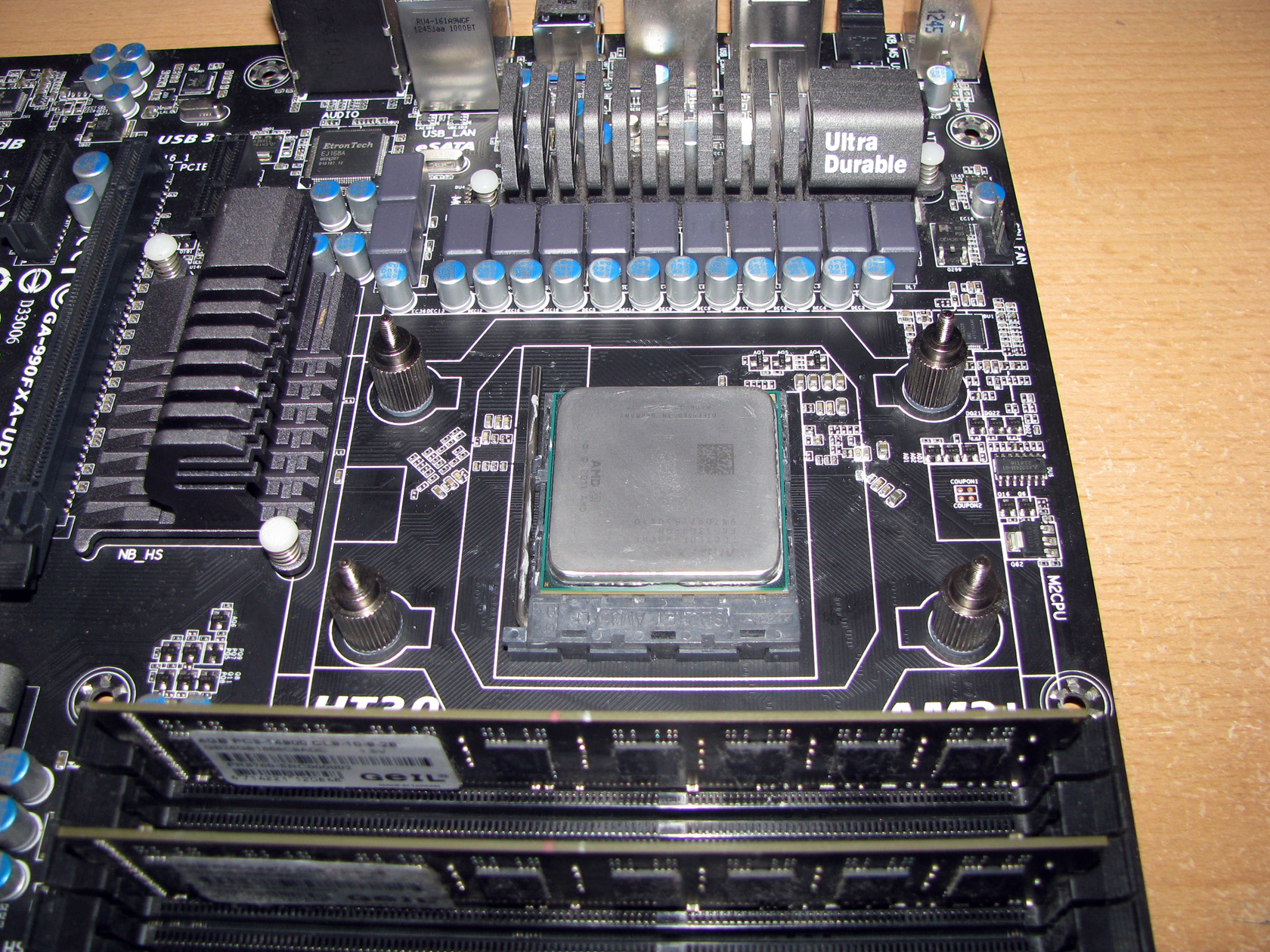 |
And this is what the AIO water block looks like installed on the motherboard. In addition I want to add that it was pretty easy to attach the water block to the motherboard and the processor. Also with this mounting kit the processor and the water block have a solid and reliable connection.
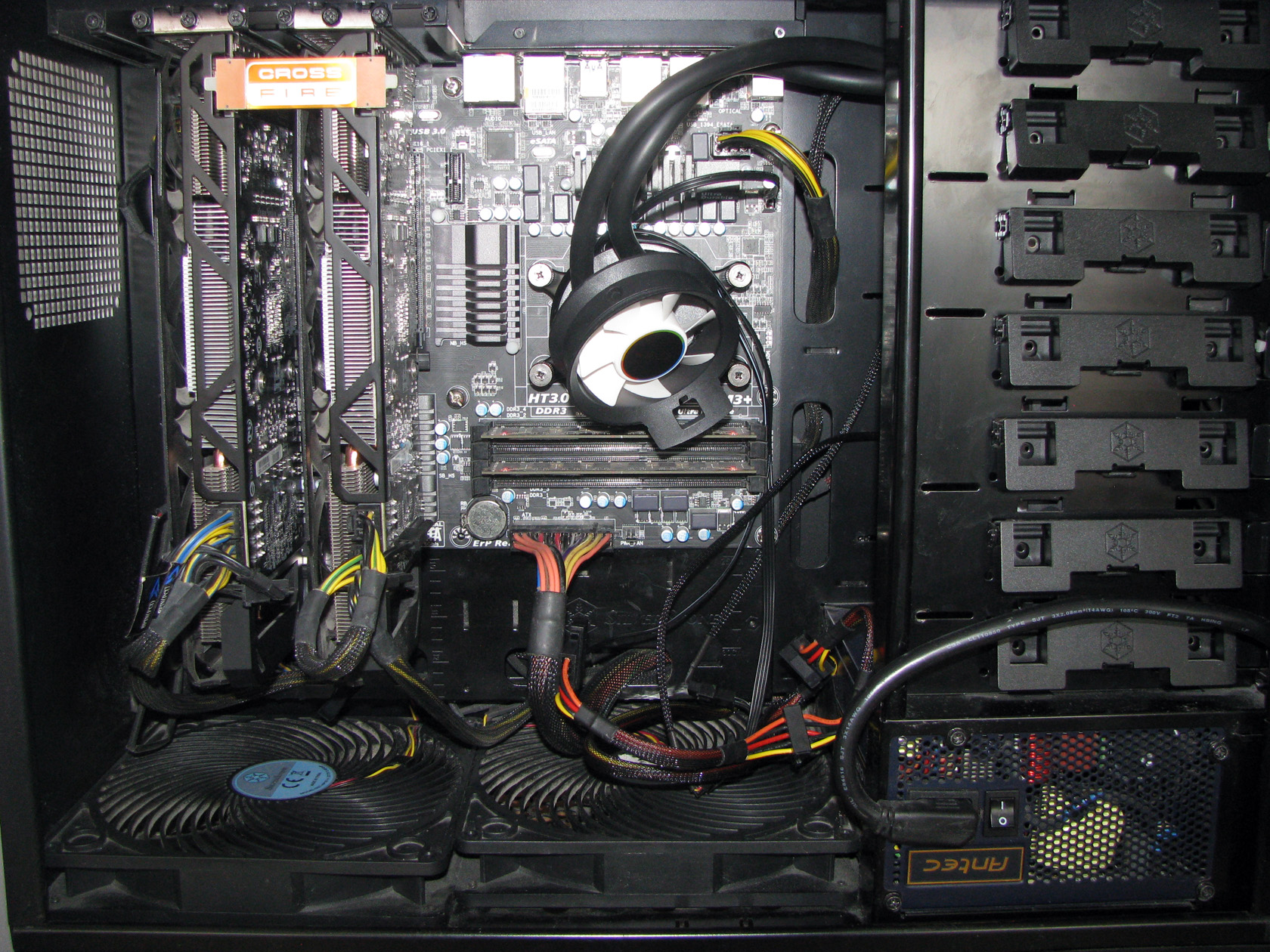
And this is what the AIO looks like installed back into the case ready for the stress tests.
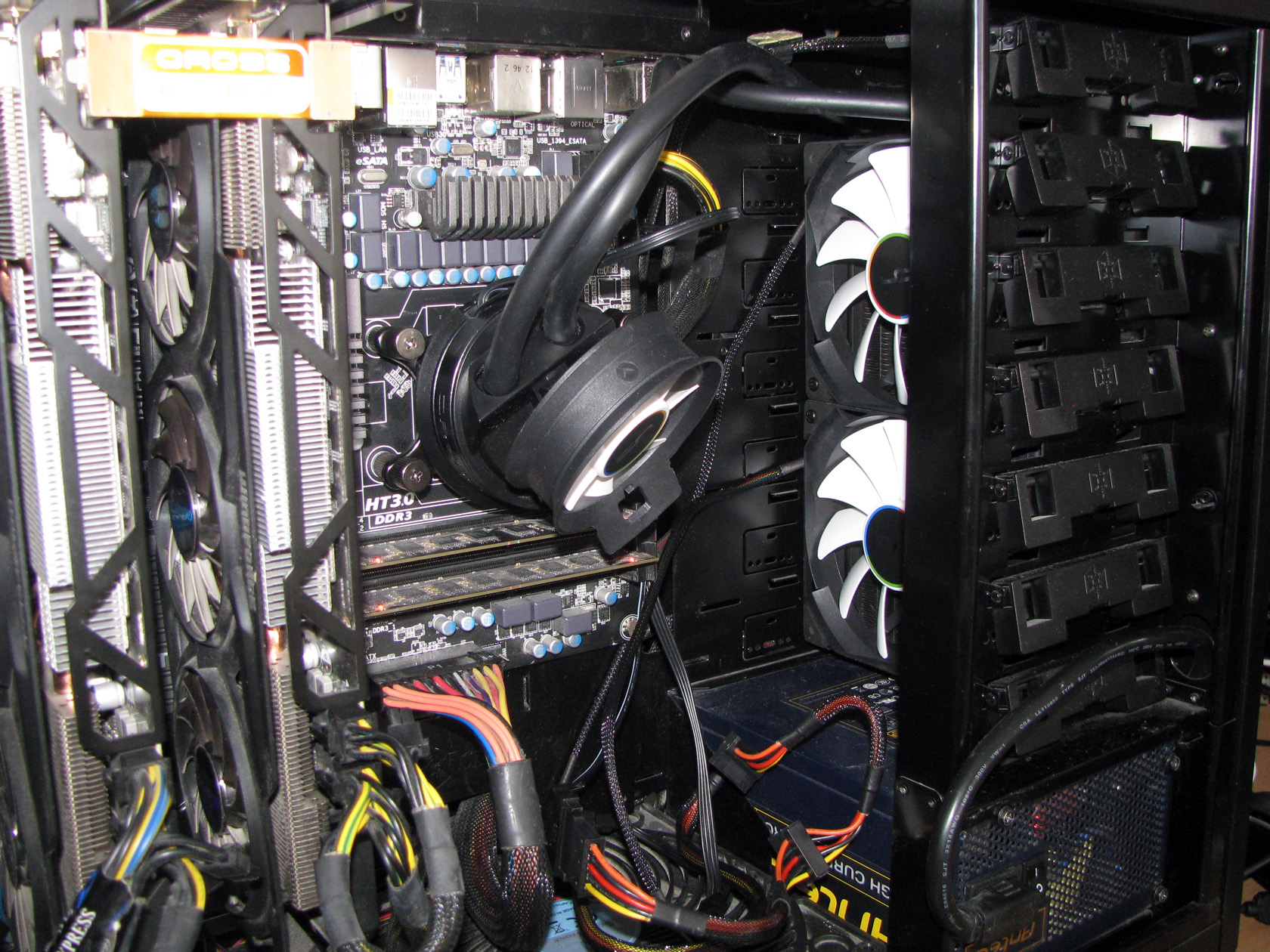
Here I would like to add that by default my case is not compatible with 240mm radiators since it is an older design but with some zip ties I was able to install the radiator on the front of the case, sucking the warm air from inside the case and blowing it out of the case through fan filters located on the front of the case.
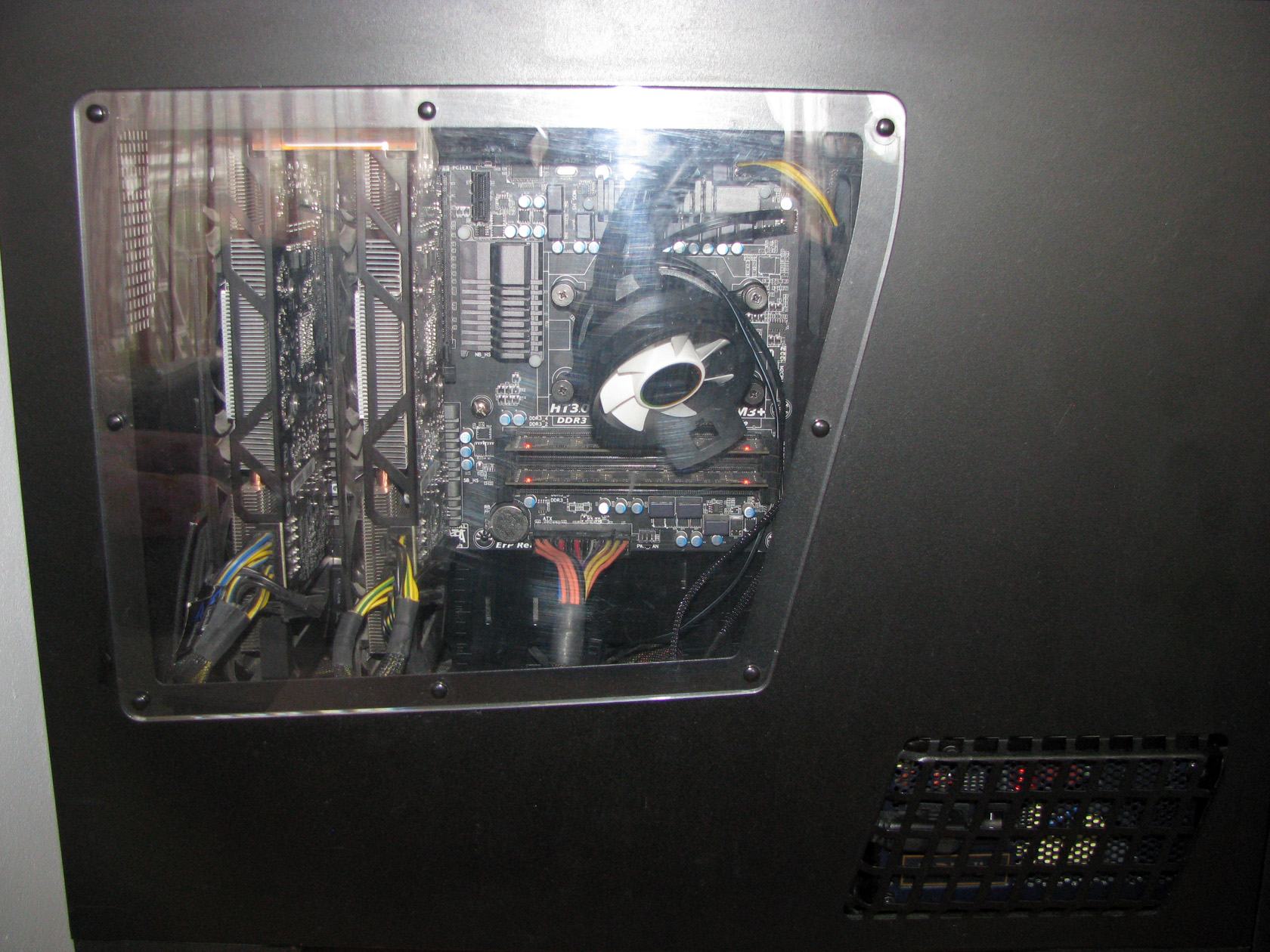
| Radiator on the front of the case | Case closed |
 |
 |
I am done with the review of the water cooling system and all of its parts and now it is time to give it some hard time cooling my AMD FX-8350 processor through the tests.
Cryorig A40 Ultimate TESTS
With the AIO fully installed inside the case I believe it is time to check my testing rig and to continue the article with the tests…
CPU: AMD Vishera FX-8350
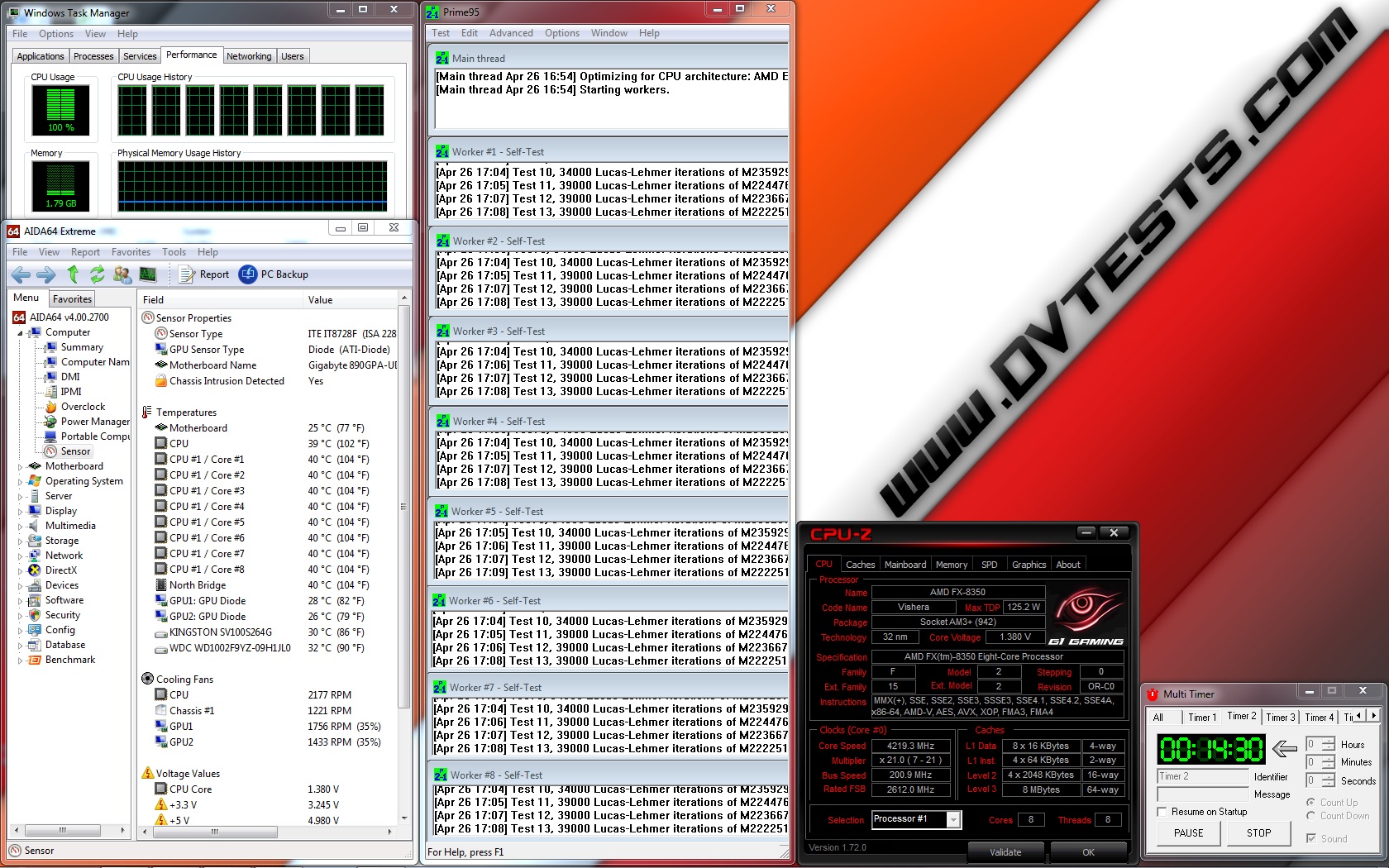
- At standard frequency 4.020 MHz (at 1.356V)
- At low overclock frequency of 4.220 MHz (at 1.392V)
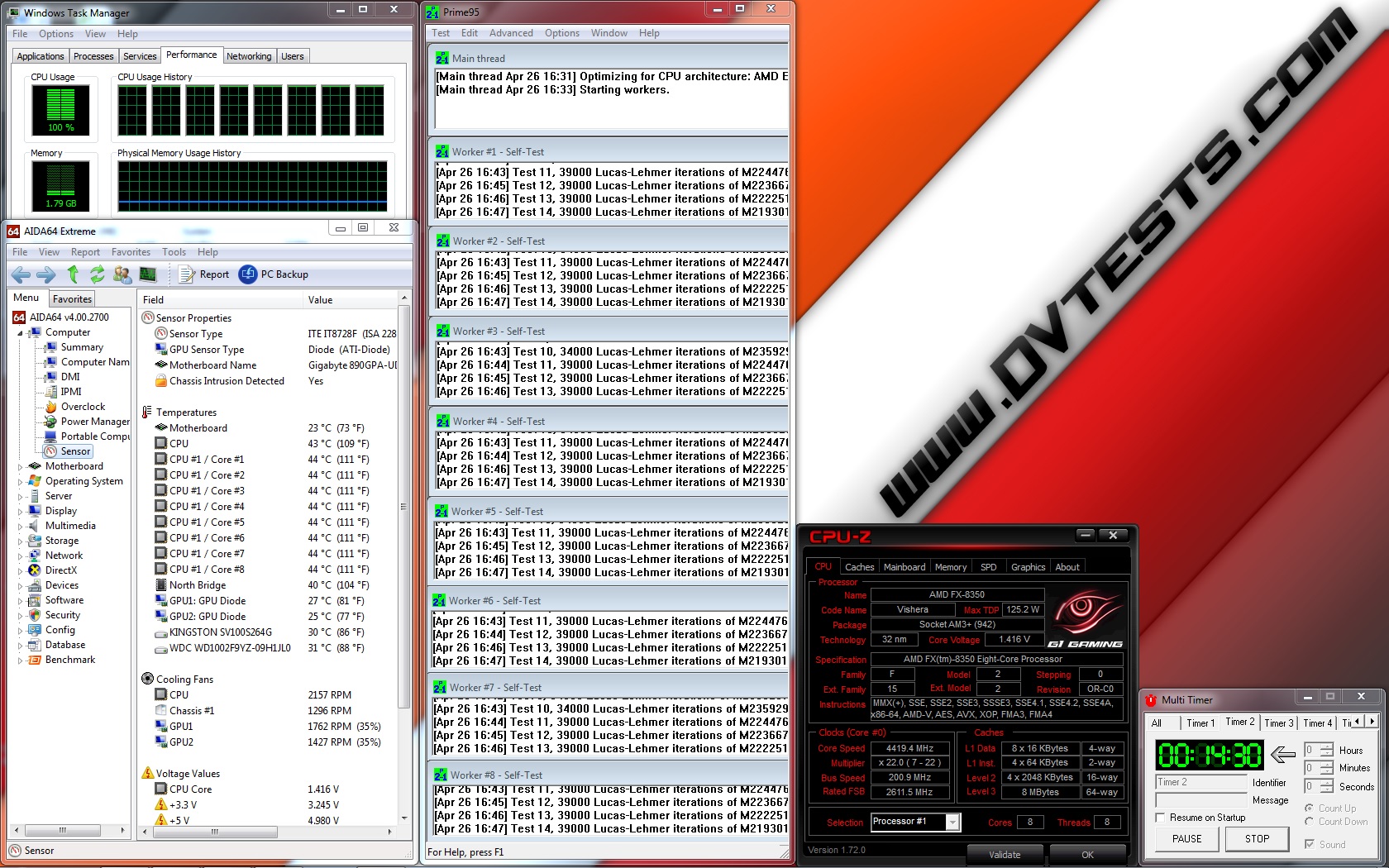
- At medium overclock frequency of 4.420 MHz (at 1.416V)
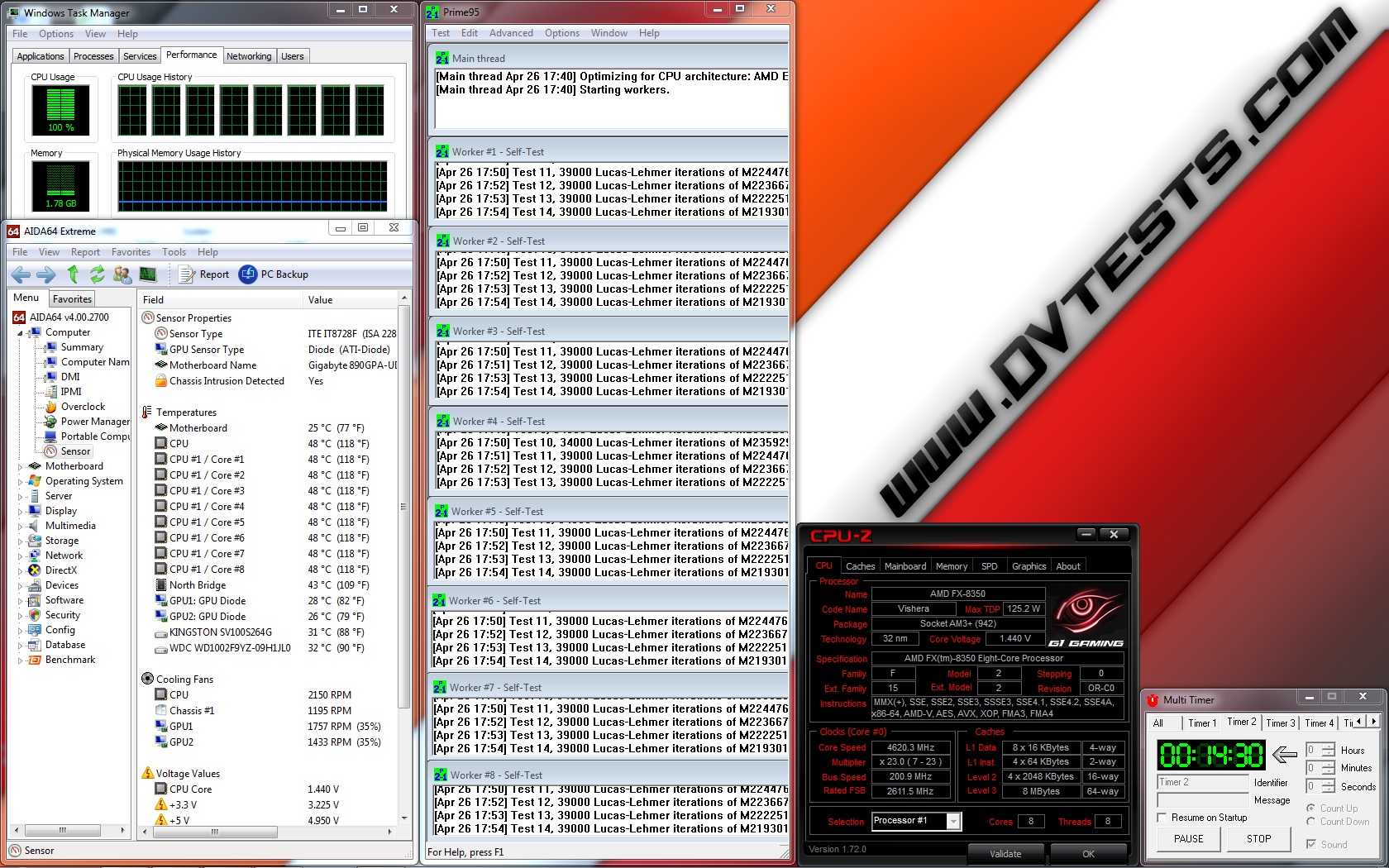
- At high overclock frequency of 4.620 MHz (at 1.440V)
Motherboard: GigaByte 990FXA-UD3
Video card: 2 x Gigabyte GV-R927XOC-2GD
Memory: 2 x 4GB Geil Black Dragon 1866 MHz
Hard drive: Kingston SSD SV100S264G
Hard drive: WD Server Edition WD1002F9YZ 1TB
Case: SilverStone Raven RV-03
Power supply: Antec HCP-750W
Cooler: Cryorig A40 Ultimate
Thermal paste: standard thermal compound pre-applied on the waterblock.
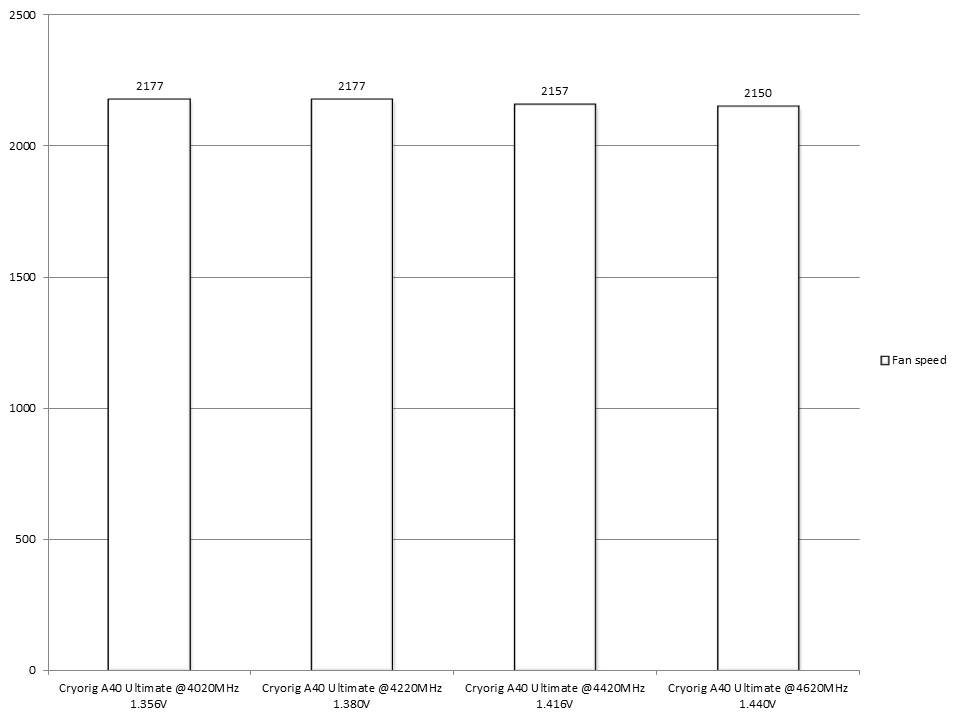
For this test and review I am going to use the two QF120 Performance fans working at full speed of 2200 revolutions per minute, providing maximum airflow level of 83 CFM, static level pressure of 3.33 mm/H2O at noise level of 37 dBA installed on the front of the radiator and installed on the front of my SilverStone Raven RV03 case.
The tests will be conducted in a closed system with:
- 2 x SilverStone AP181 – 180mm fans on the bottom panel of the case putting fresh air in and spinning at about 1200 rpm
- 120mm fan behind the motherboard cooling the socket and spinning at about 1000 rpm.
- Room temperature of about 20 degrees.
Both SilverStone AP181 – 180mm fans were connected together to the chassis 1 connector and were rotating at maximum speed.
And here I want to describe my testing method.
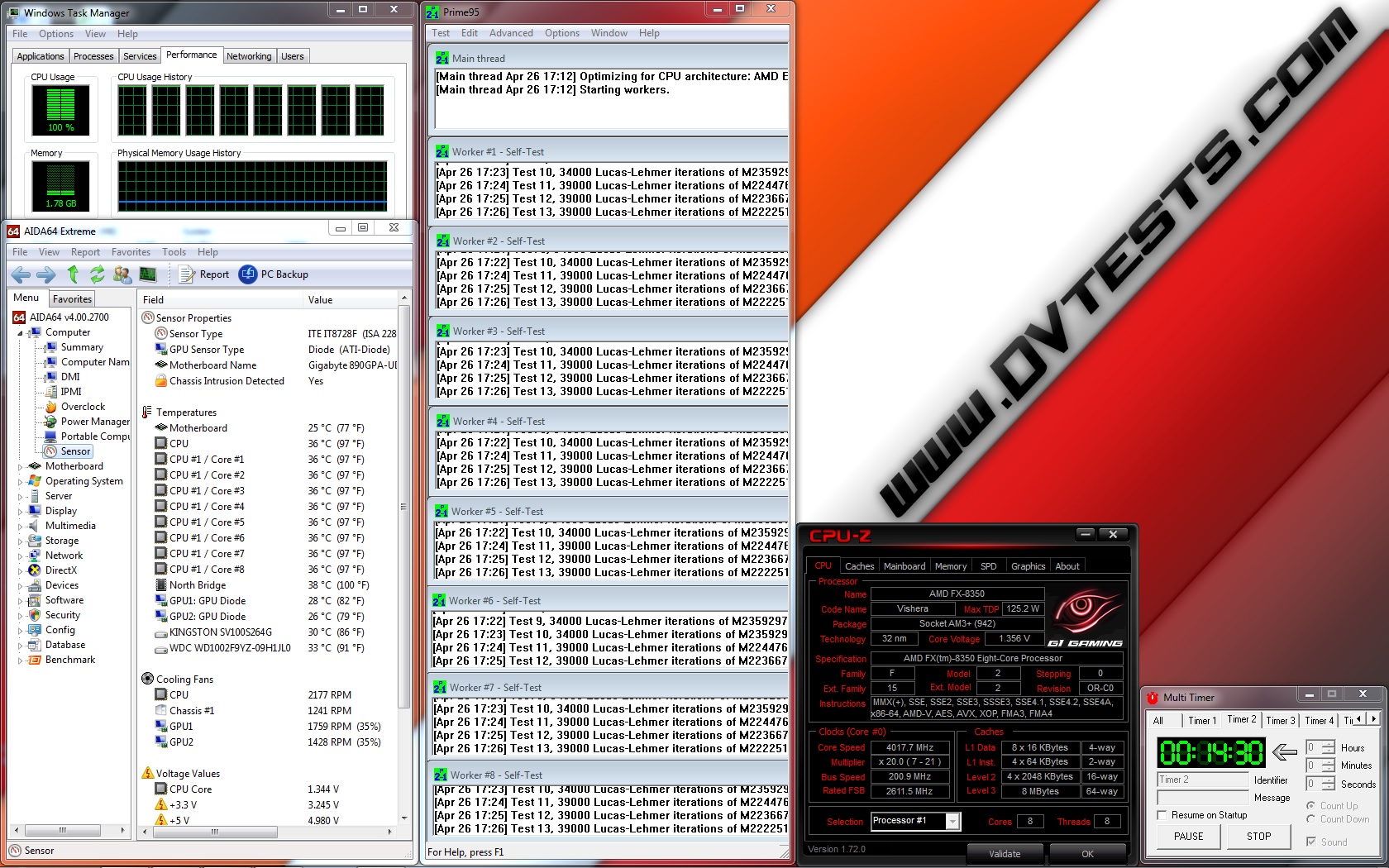
I will install Cryorig A40 Ultimate and do stress tests using Prime95 AVX software with constant load on the AIO for 14:30 minutes with custom settings of minimum FFT size (in K of 128), max FFT size (in K of 128) and Run FFTs in place at standard frequency of 4.020 GHz (at 1.356V), at low overclock frequency of 4.220 GHz (at 1.392V) and at medium overclock frequency of 4.420 GHz (at 1.416V) using the fans provided with the AIO system rotating at maximum speed of 2200 revolutions per minute.
And here I would like to add that after performing the first 3 tests and since I was surprised by the performance, I decided to push further and try running the same test at high overclock frequency of 4.620 GHz (at 1.440V). The test was successful and actually this is the first cooler with which I was able to run a test at this frequency since I started using Prime for stressing the processor. Just amazing!
Now let’s check out the test results:
| Cryorig A40 Ultimate @4020MHz 1.356V | Cryorig A40 Ultimate @4220MHz 1.380V |
 |
 |
| Cryorig A40 Ultimate @4420MHz 1.416V | Cryorig A40 Ultimate @4620MHz 1.440V |
 |
 |
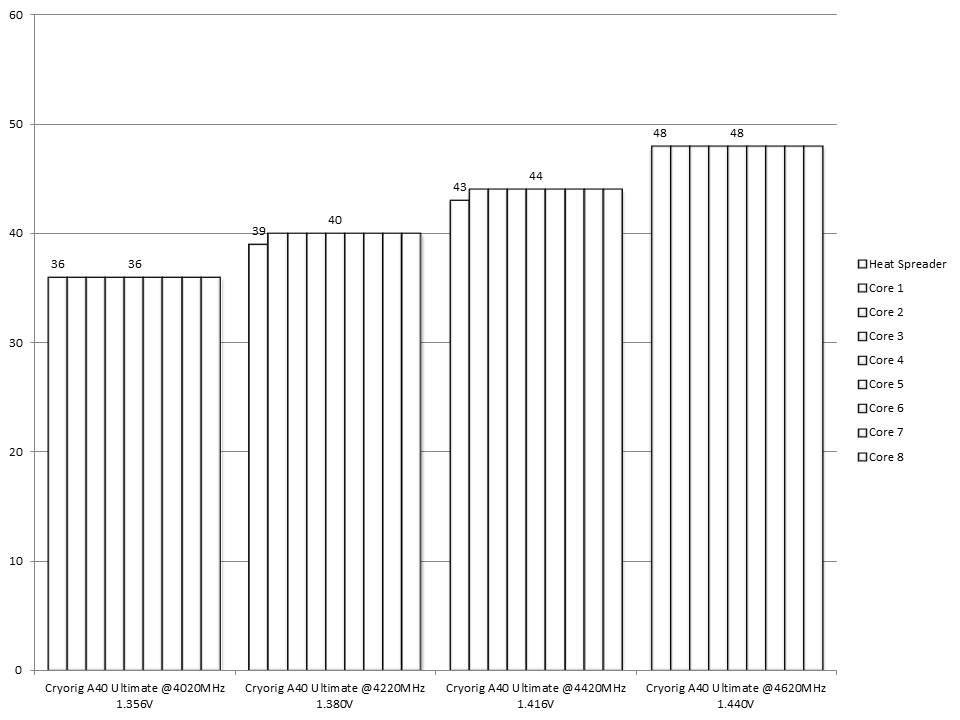
All of the test results have been summed up in the following charts:
And the fan speed during the tests:
I believe it is time to express my feelings regarding the product.
Cryorig A40 Ultimate CONCLUSIONS
1. Cryorig A40 Ultimate performance:
First I would like to say that I’ve spent several hours with this product, which I really count as quality time since my first sight of the package and later the product, through the review and the tests and until it was removed from my system.
For me this product is just amazing. It offers a really high-quality structure with every single component and that also includes the accessories pack made to be solid, reliable and to last. The cooler is a sophisticated structure made to provide great cooling performance both for the CPU and the components surrounding the socket. And according to the tests results I believe this can be confirmed.
Through the first 3 tests I was not able to believe the results and the overall temperature of the cores since from my experience not even a single cooler, which I’ve tested in the past, was capable to provide such performance. Anyway after the 3 tests performed I decided to try and push the processor even more and the results were just unbelievable. Actually Cryorig A40 Ultimate is the first cooler with which I am able to achieve such a performance with Prime95 AVX software with constant load on the AIO for 14:30 minutes with custom settings of minimum FFT size (in K of 128), max FFT size (in K of 128) and Run FFTs in place.
With these results I believe the cooler is capable to keep every processor running at default, overclocked or even extremely overclocked frequencies at very good temperatures without any troubles.
Apart from that I should say that with all of the fans attached and combined with the water pump at full speed the AIO is very loud. Yes, something which we can expect since something has to be sacrificed to achieve such a cooling performance and that is definitely the noise level. After the tests I kept the AIO running for a few days at my rig with PWM power and regulation and most of the time it remained quiet. Through some stresses on the CPU it increases the revolutions of the fans but mostly it is quiet.
I have nothing more to say about the performance, so let’s talk about the appearance of the product.
2. Cryorig A40 Ultimate appearance:
Black and white colours… combined with solid and sophisticated structure inspire reliability and still keep the cooler neutral to the whole system. I should say the AIO is definitely an eye-catcher with its additional fan on top of the water block and the same time neutral to the whole system if it is in black and white colour scheme.
According to my review, I think that Cryorig A40 Ultimate deserves the following award:

Official Cryorig A40 Ultimate (MSRP) price : 110 euro
Official warranty: up to 6 years with the extender warranty card
Special thanks to Cryorig for providing us with a test sample!


hi, i got 1 question about this product. its been 4 years im using it. do i need to refill the liquid? do the liquid dry? thanks.