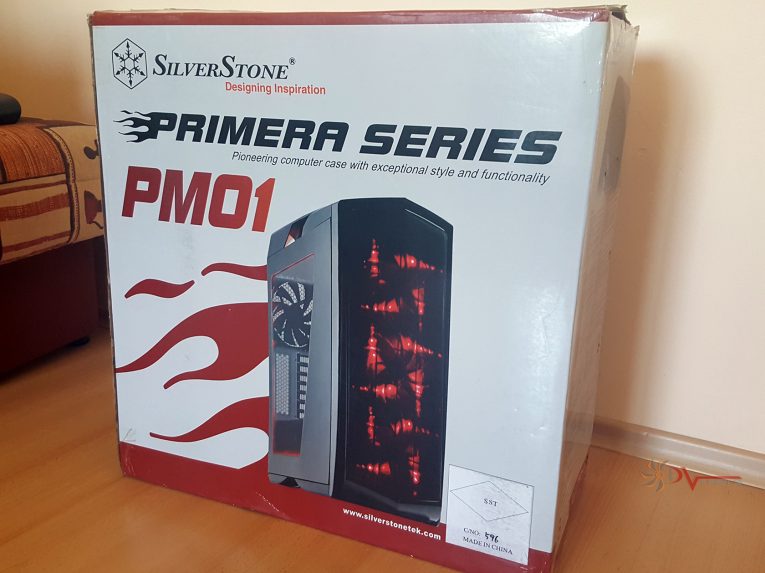
Coming from the Spanish word for “first”, Primera PM01 made by Silverstone is a stunning case with lovely exterior look, spacious and luxurious interior, combined with lots of features and useful expandability to suit the needs of those who seek the optimal in computer styling/building. It’s also perfectly usable for novice builders too.
Interesting history sits behind the Primera as it was designed with inspiration from a sports car, which is totally visible all over the exterior of the case. Have in mind that there are three versions of this chassis – Matte Black, Piano Black and White/Black. Both black versions come with red LED lights, whereas the white one is with blue LEDs. For test and review, which is about to begin any second now, I have the Piano black finish version.
If you have the time, why not take a look at other Silverstone cases we’ve reviewed?
You can do this by clicking HERE.
Let’s have a closer look into Silverstone Primera PM01 chassis:
| Double sided package | Huge styrofoam pieces |
 |
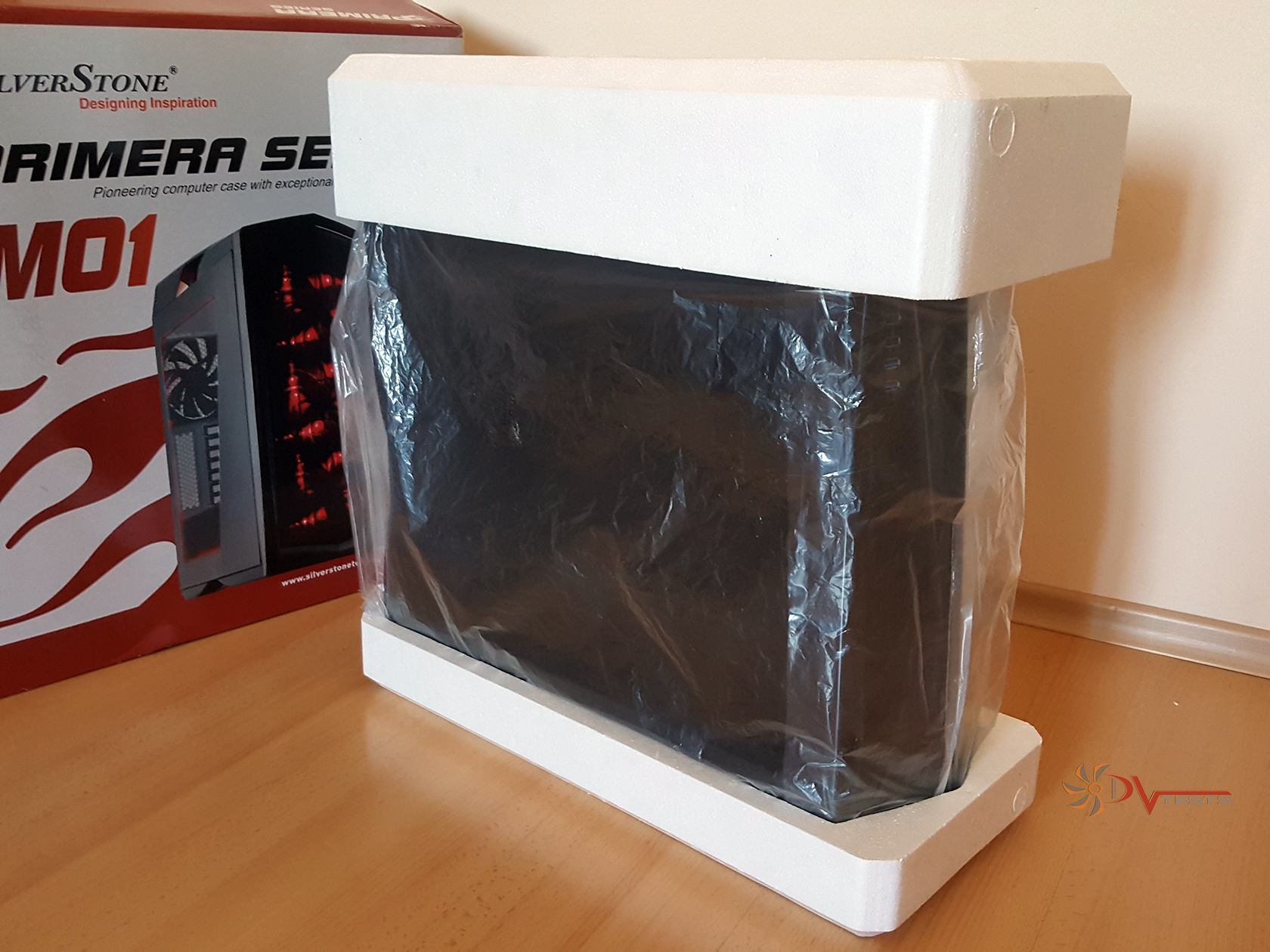 |
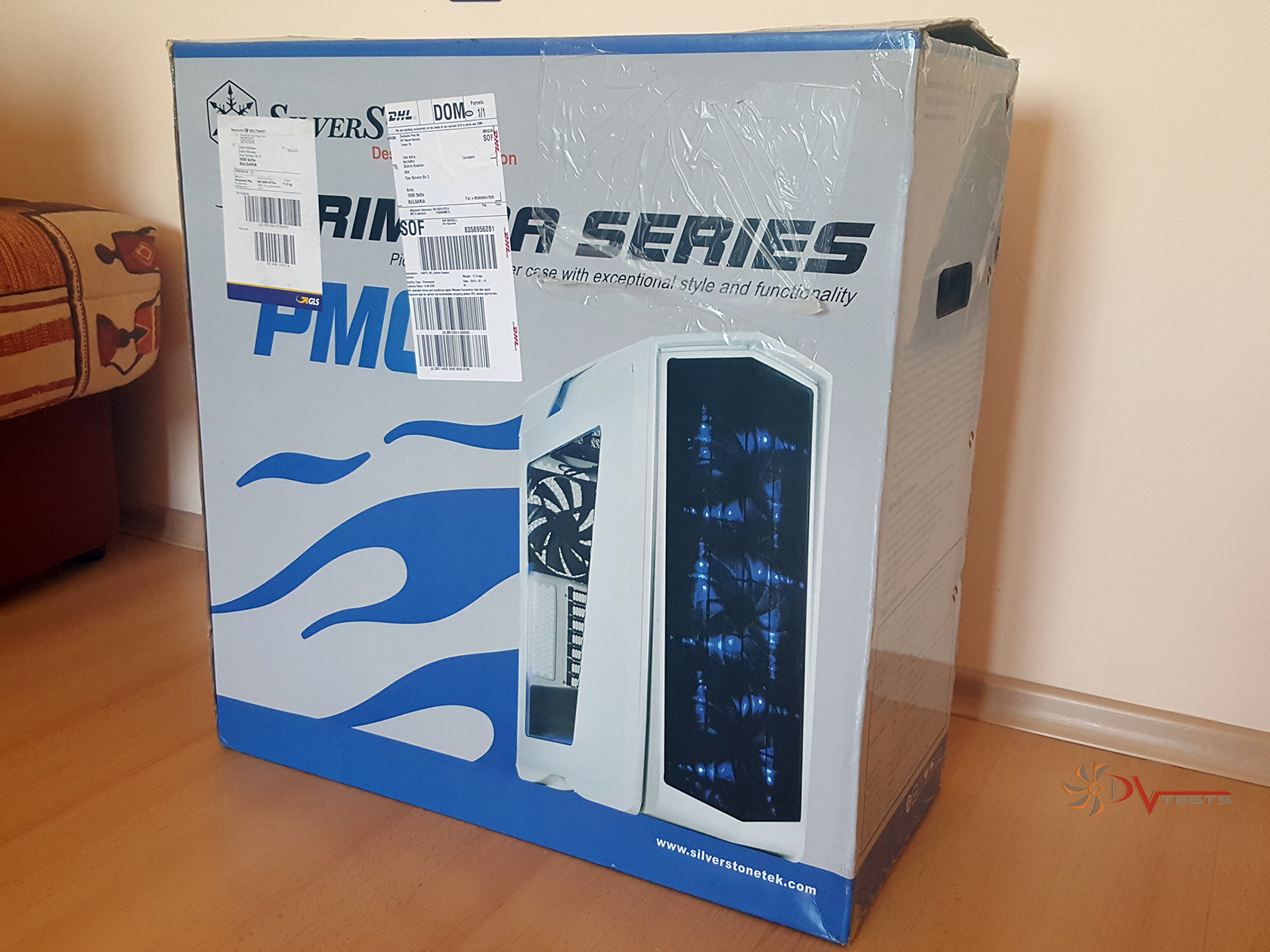
As usual the standard box is made out of recycled paper and just to put more attention to the case there’s lots of colors surrounding the box, which is also double sided as it gives out the white and black version of the case. More information about the case can be found on the sides, which are full with technical bits should you go into reading them.
PM01 is covered in two large hard styrofoam pieces, thick enough to withstand even my weight, so there’s no damage done, nor should such be expected. Nylon is responsible for protecting the sensitive paint and acrylic panel, additional nylon is used to warp the entire case for extra layer of protection.
What I also like about the box is that the design screams high-end and full set of features – there is good marketing behind the case, considering the flames coming out of the back of the case. It’s meant to go fast or cool fast, depending on how you want it.
So far so good, the first impression is absolutely positive and sets high expectations.
Let’s have a closer look at the exterior once I remove the protective nylons and foam covering every inch of PM01.
SILVERSTONE Primera pm01 EXTERIOR
There was a very strange feeling in me when I started to unwrap all of the nylon, it’s that same feeling every time you open something brad new – nylon just sticks to it and you can’t get enough of the peeling sound.
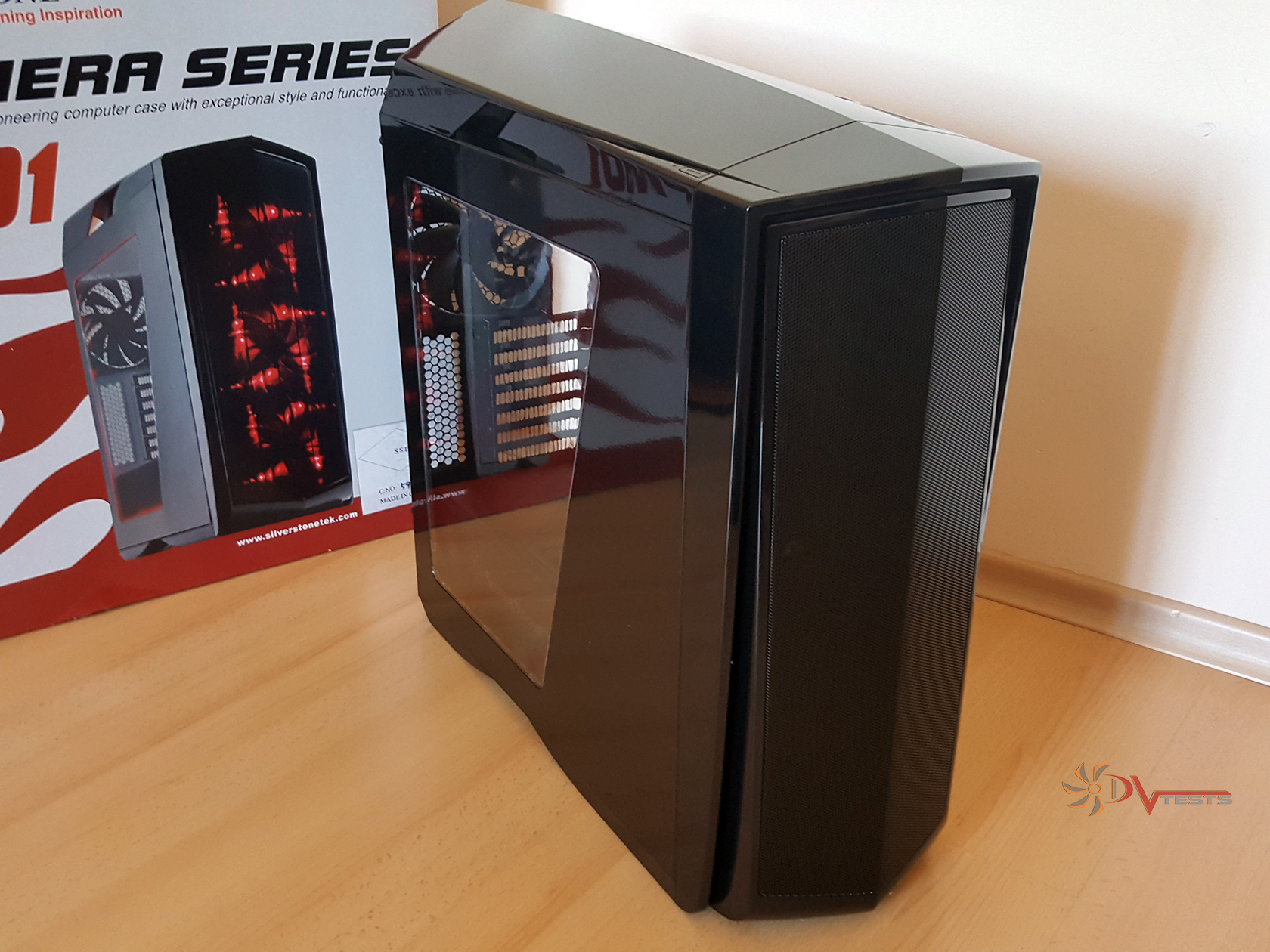
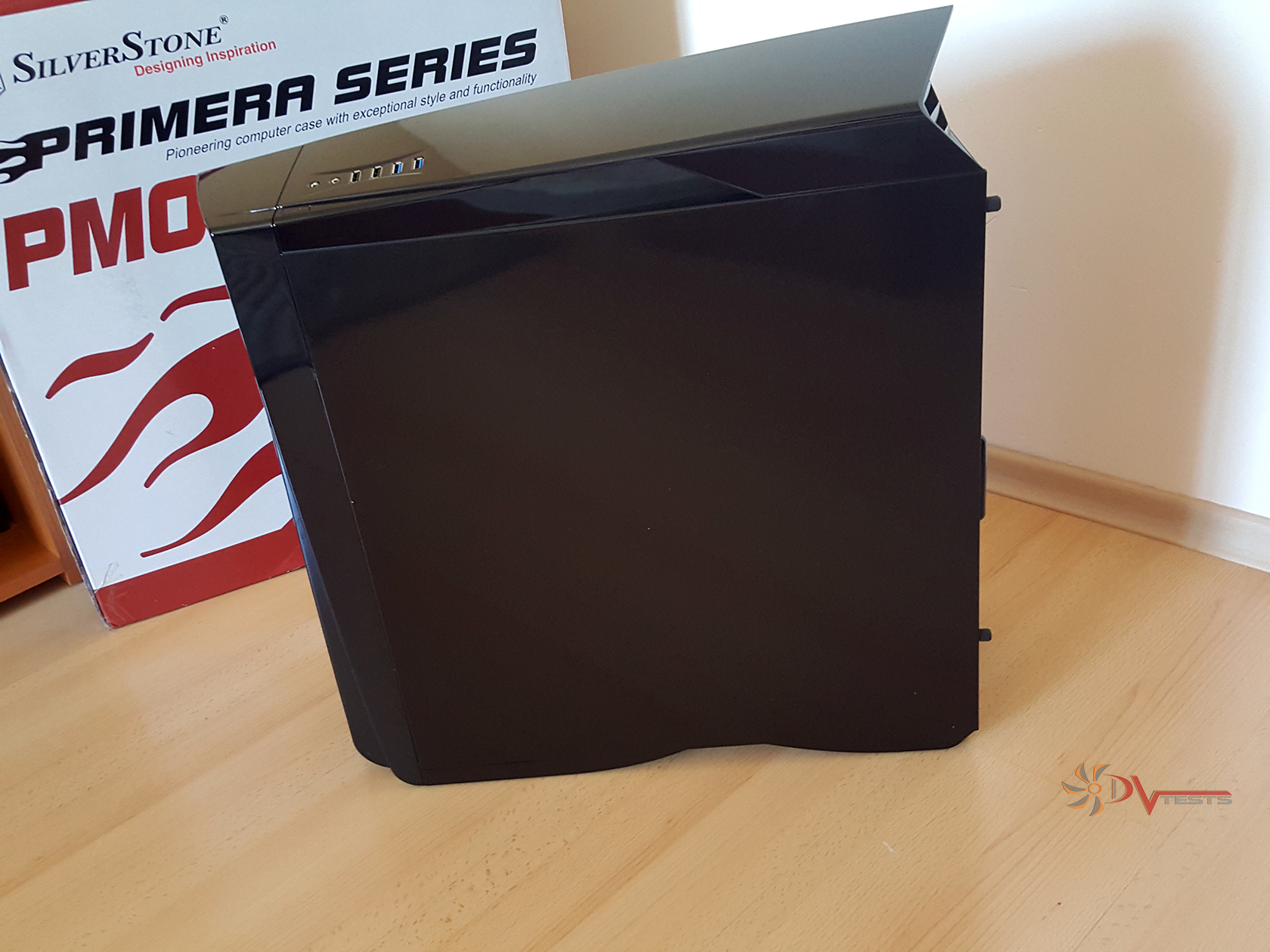
It was the same here, however I then realized how much of a fingerprint magnet the case actually is – there’s piano black everywhere. Not that it’s a bad thing, but rather “getting used to” thing. Dust will also be easily spotted over the black front and top, less on the sides, but hey – nothing comes easy, beauty requires sacrifices.
PM01 is made out of durable steel, no mention of thickness, but I guess it’s around 0.8mm. It’s a rather large case, thus the physical dimensions – 220mm (W) x 571mm (H) x 560mm (D), 70.3 Liters. Those 70 liters of chassis volume measure at 9 kg.
| Out of the box, nylon gone | Front grill |
 |
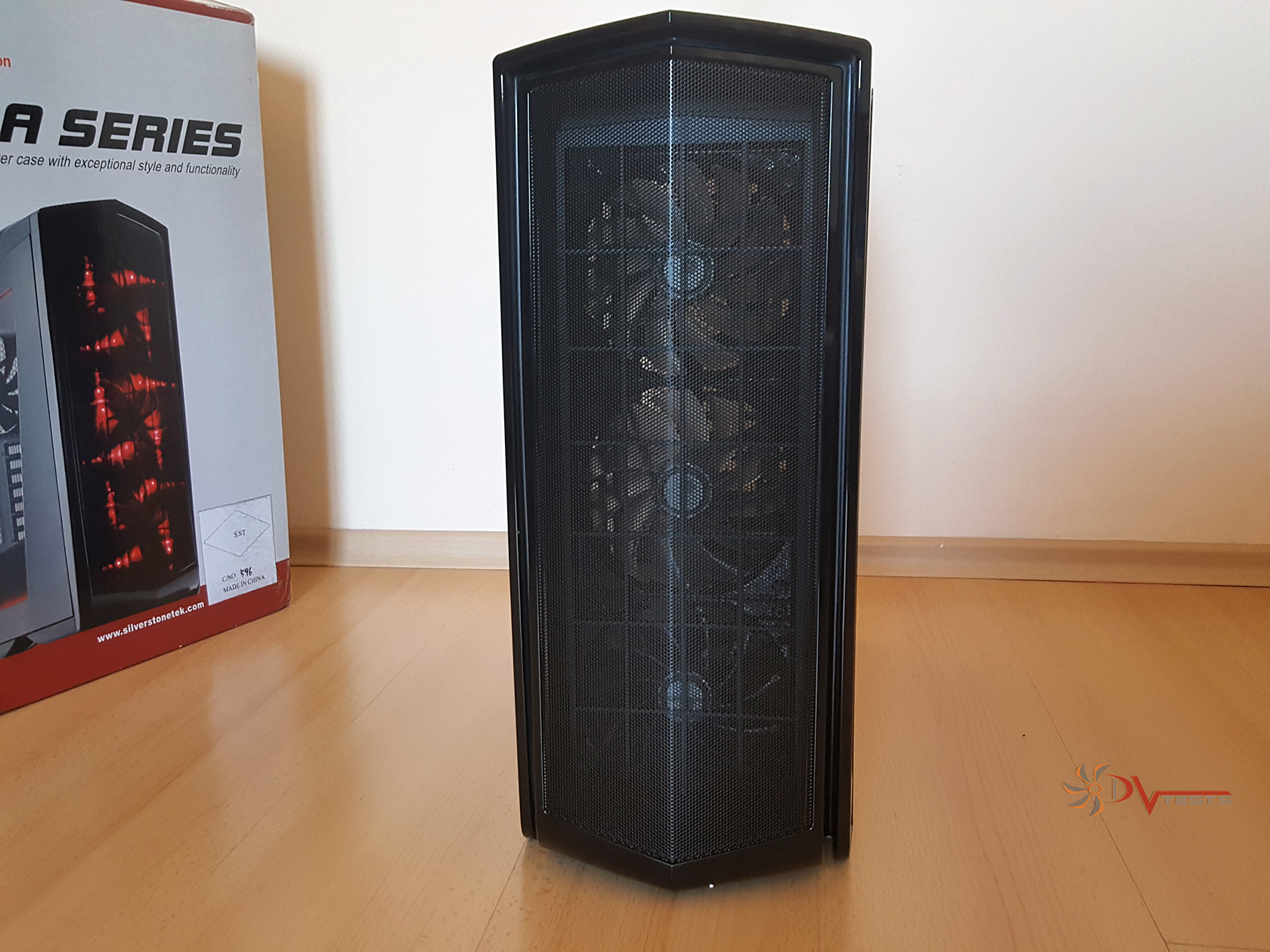 |
There’s a huge front grill and when I say huge, it’s the size of two other cases’ front grills attached together in union. Very sleek and aggressive looking front. Nothing in the way, only mesh grill, painted in black and surrounded by plastic, wrapping around to the top in a nice, black, almost looking as a solid piece of plastic.
Here comes the time to say that after carefully looking at the paint both on the metal and plastic there’s no mention of mismatch. With piano cases there are occasions where the metal can look a bit dull, matte and the piano finish pops out, creating a somewhat ugly picture of what could have been a nice case (no pun intended). Paint job – excellent. Please take some of the angles of the photos with a grain of salt as light can be deceiving. In reality the case looks absolutely stunning.
| Piano black everywhere | Acrylic window view |
 |
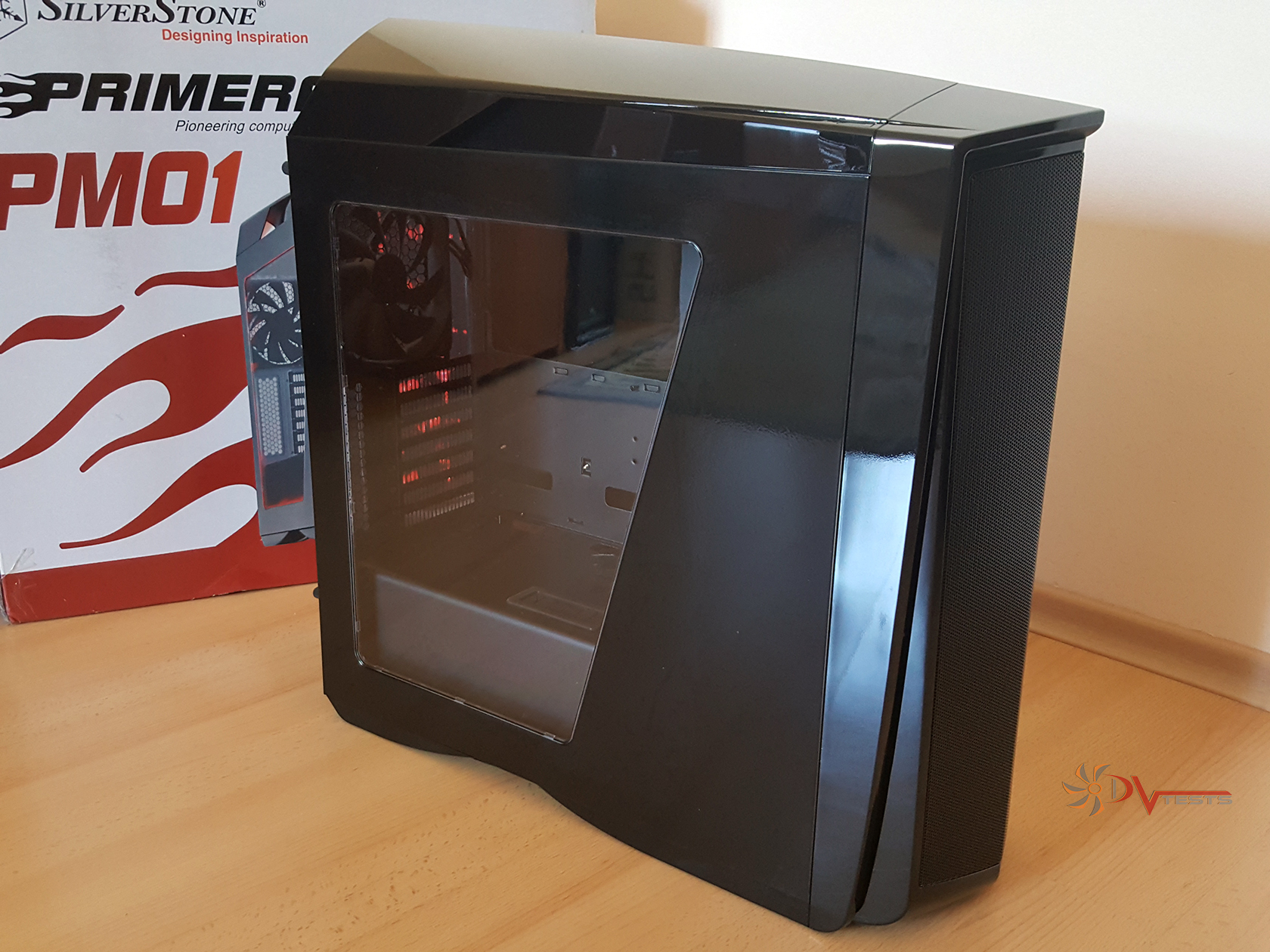 |
Moving around the exterior there is a lot to be mentioned – top panel sits at an angle and creates the illusion of haste, as if the case is rushing forward in full speed. Angled acrylic window adds to that impression, combined with the top and bottom air vents (openings with aesthetic means). There’s a glimpse of the interior through the window – but more on that in a minute.
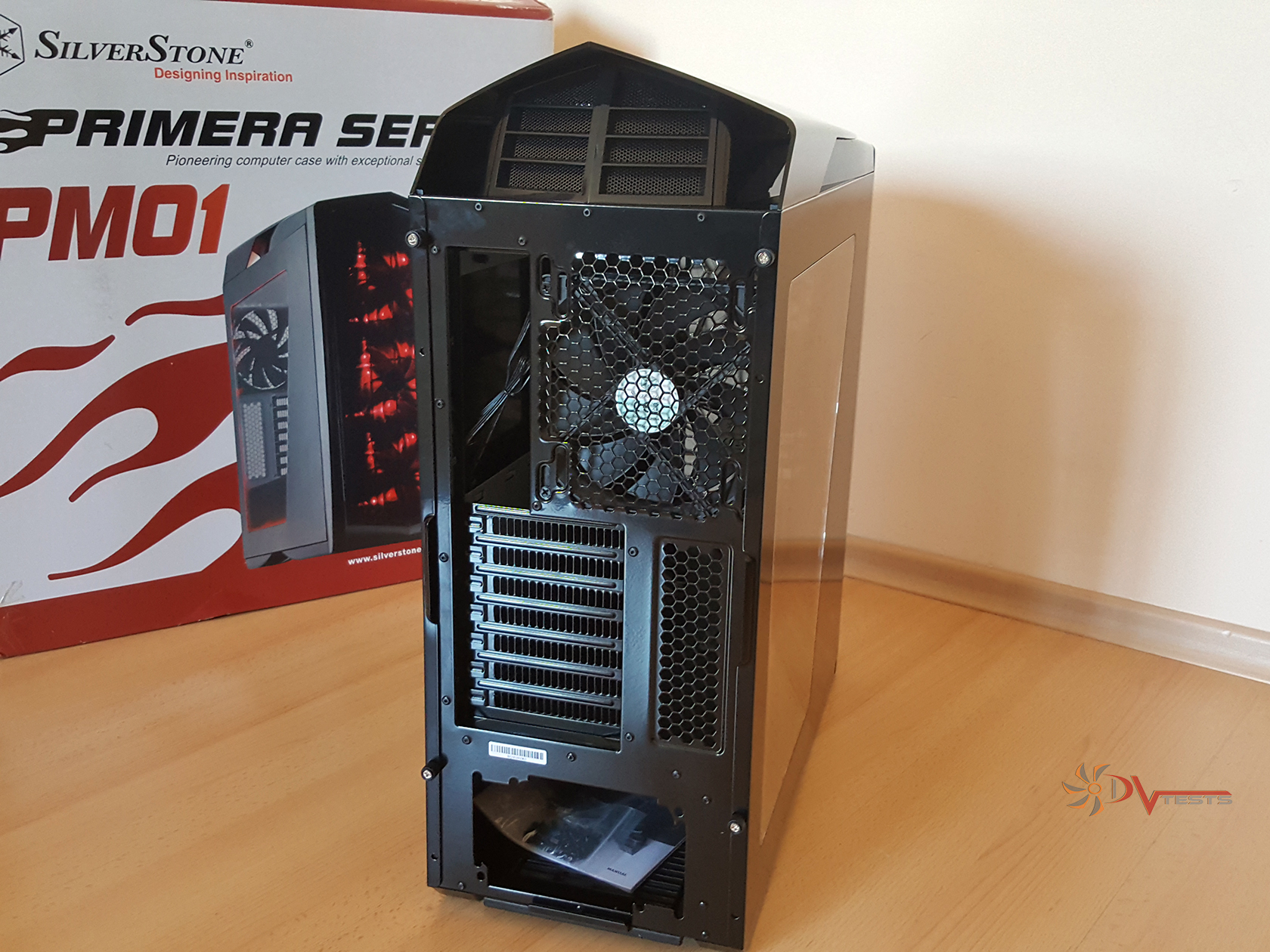
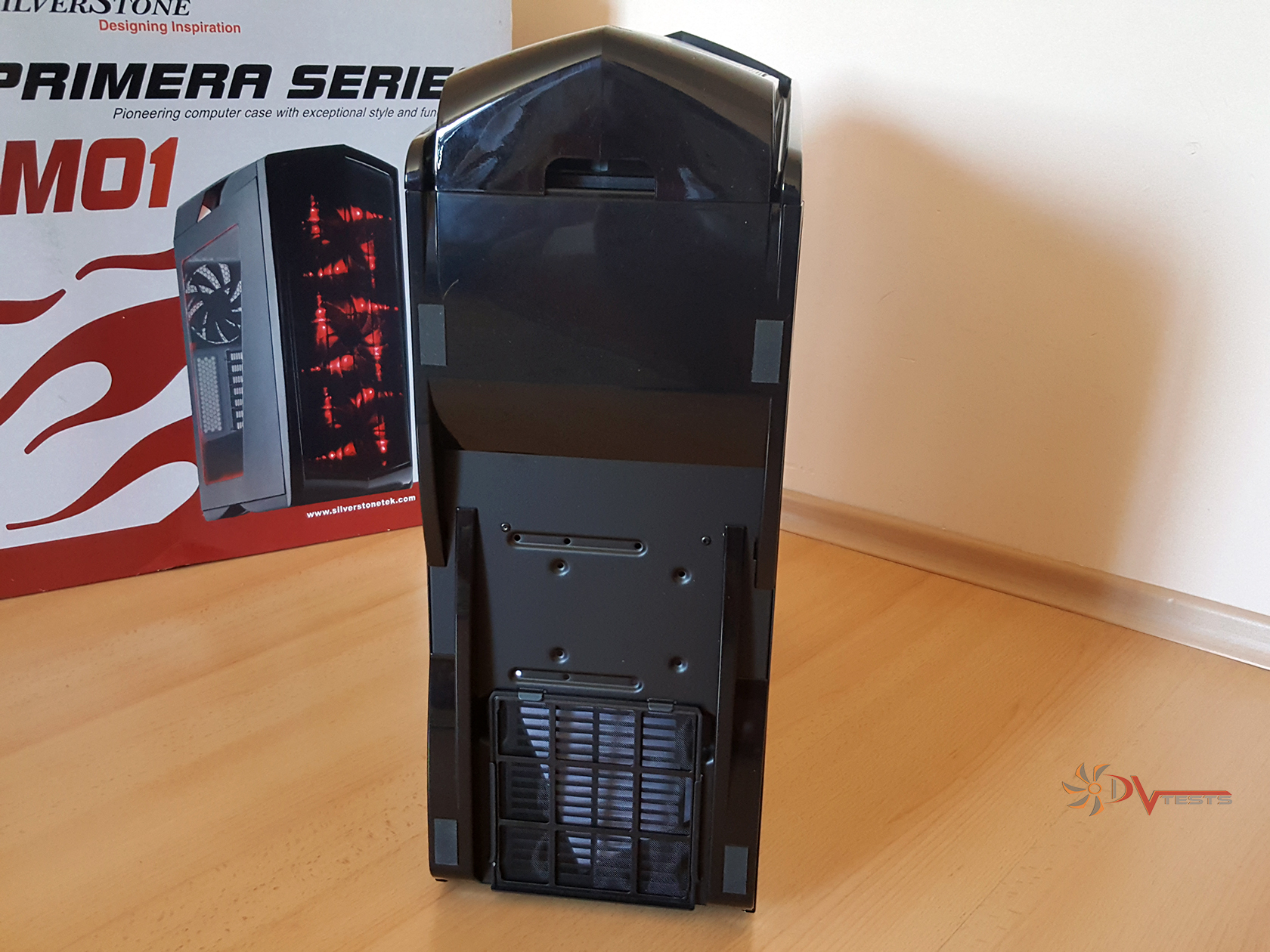
| Aggressive rear? | Bottom portion |
 |
 |
On the rear side we’ve got the seven expansion card slots with vent holes on their right, along with rear fan, topped off by again what is called a grill used to direct the hot air out of the case.
Such a large case needs a solid ground, thus the soft rubber feet – they provide solid, non-slip base. Throughout all the testing and disassembly process the case didn’t slip at all and was very easy to hold in place (considering how slippery the floor is).
SILVERSTONE Primera pm01 INTERIOR
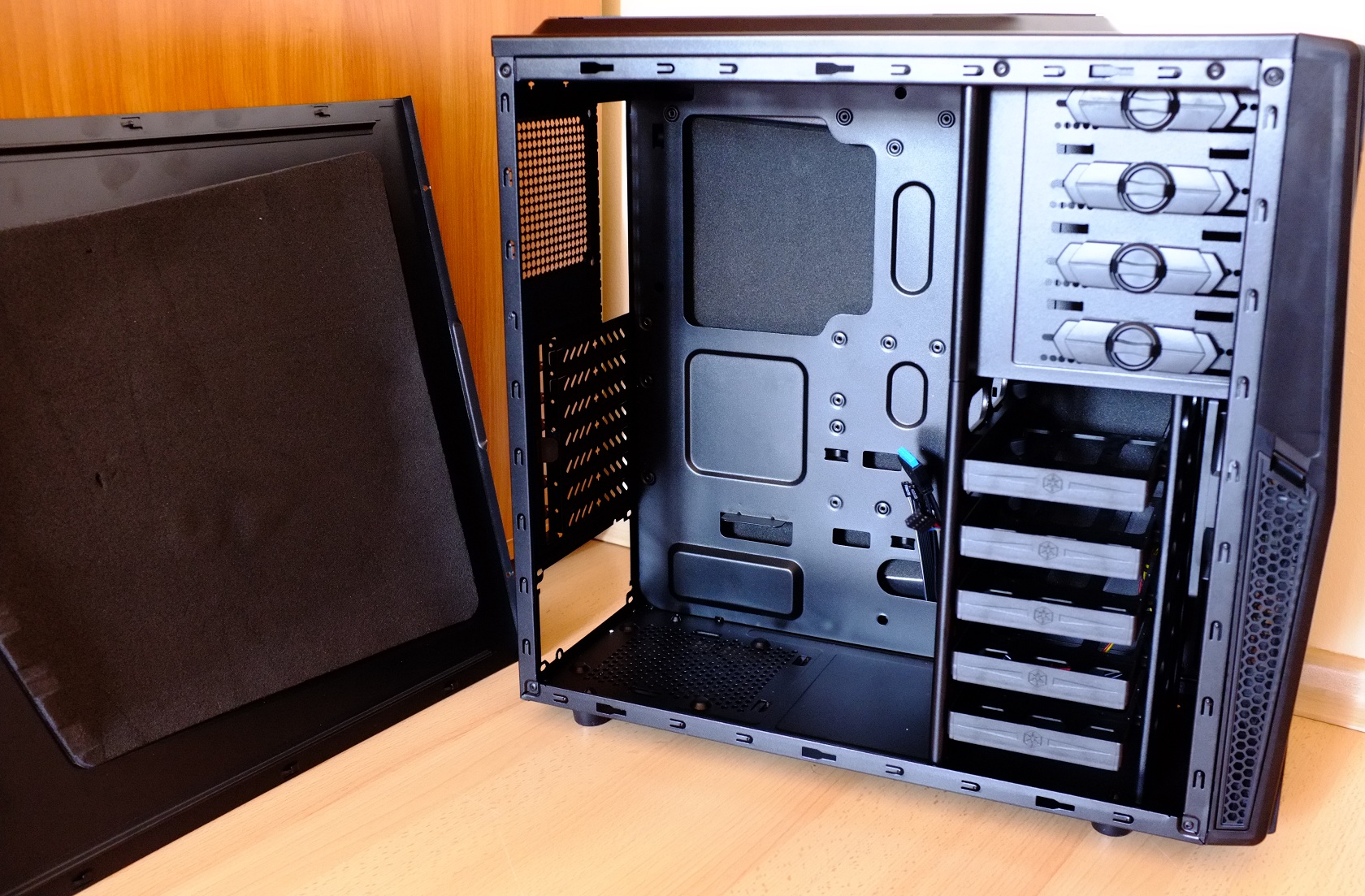
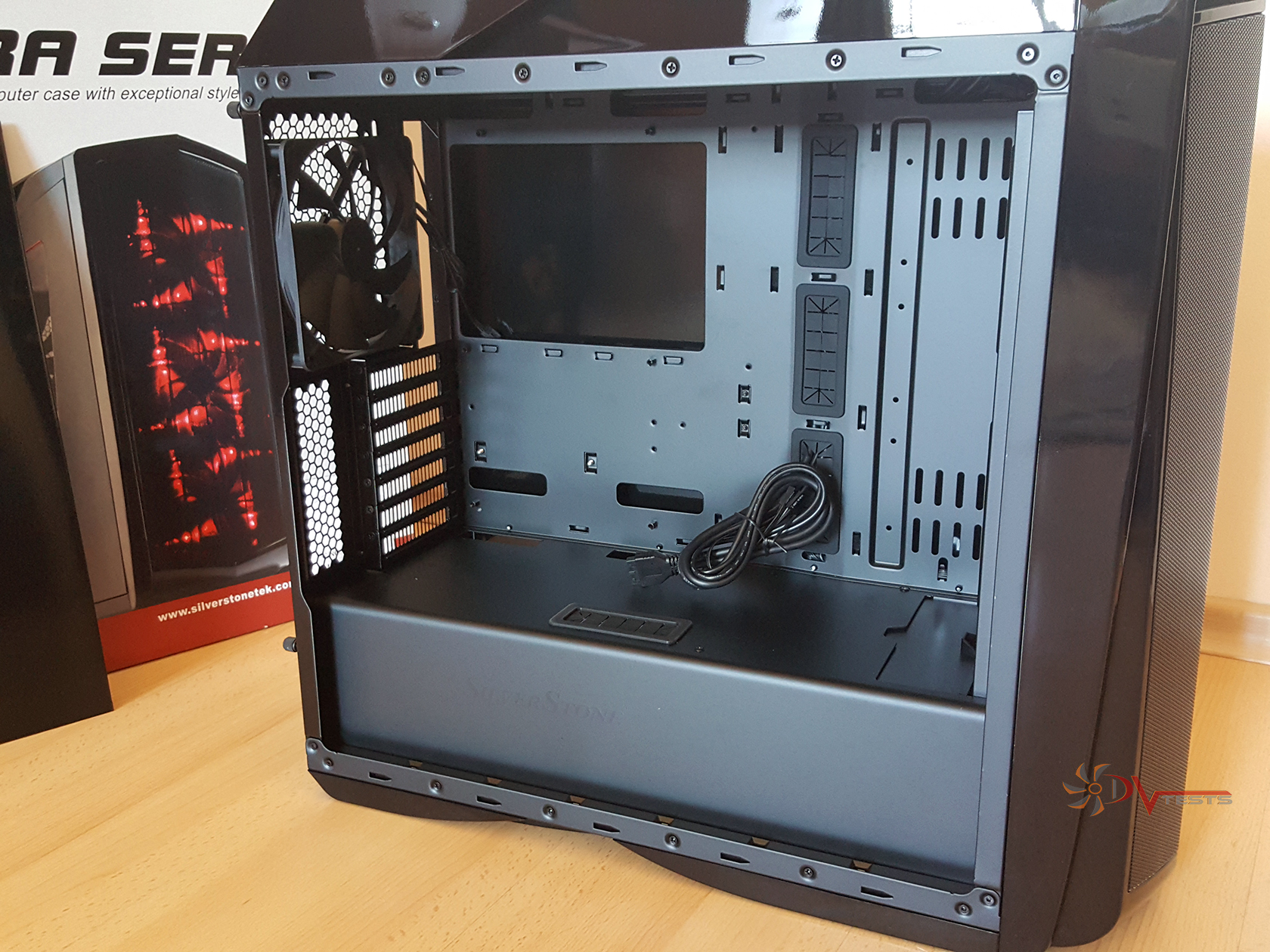
It was only a minute ago when I was eagerly trying to get an eye on the interior as there is a lot to mention about it and here it is now – open and ready for closer inspection. What? No piano black finish? Is this some kind of a joke? No, it’s my bad sense of humor talking over. And yes, the interior paint of PM01 is not glossy, but matte black – I find it really attractive. Paint-wise it looks awesome and reminds of high quality.
| Roomy interior | SilverStone logo on the bottom cover |
 |
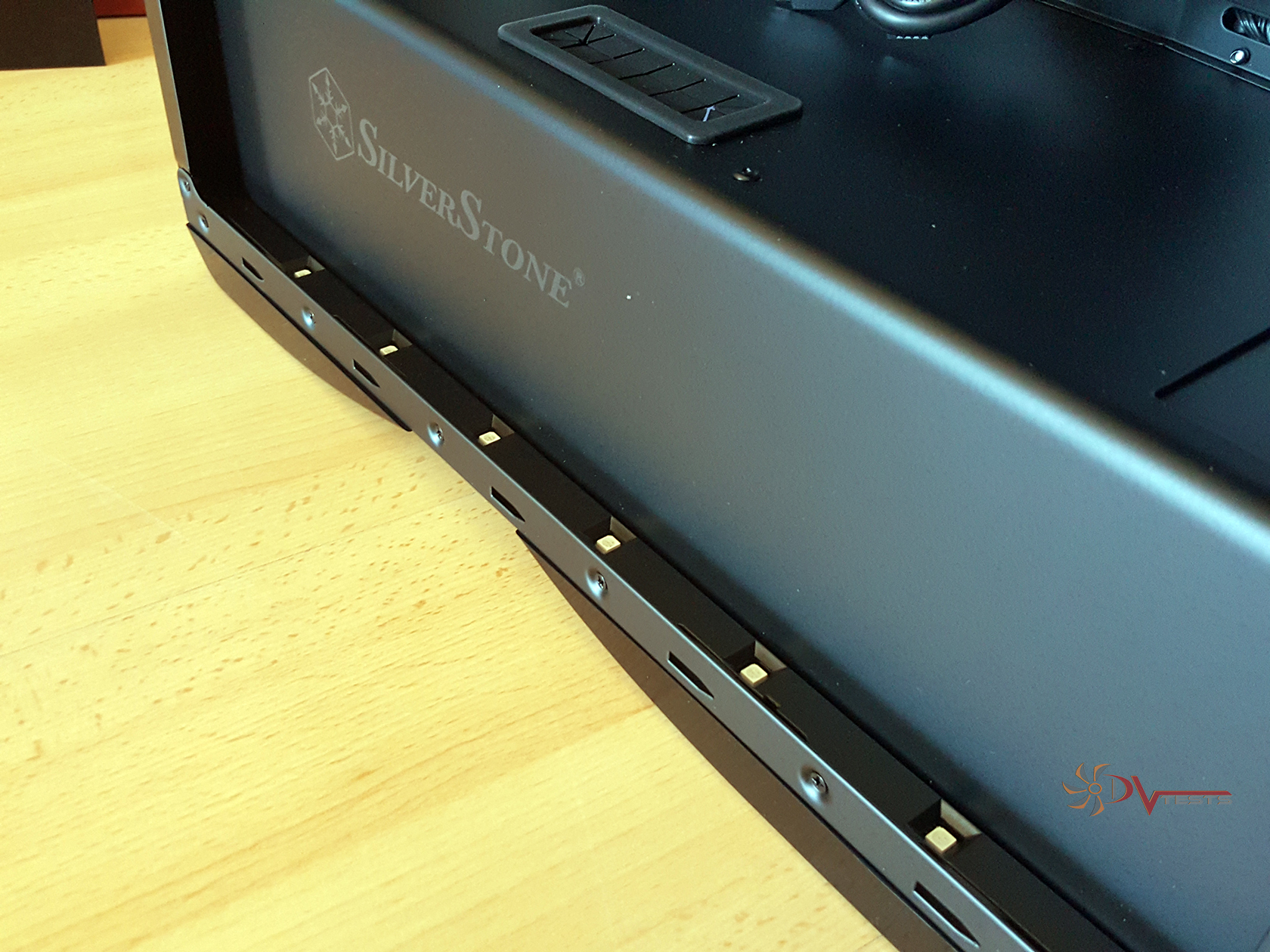 |
This roomy interior can cover ATX and Micro-ATX motherboards with ease. We’re getting closer and closer to putting a PC inside this lovely interior, but let me say a few good words about the guys in Silverstone, who have designed the case and it looks like they’ve spent quite some time on its feature set and the interior design. Multiple things can be said about the internal layout of PM01, all of them great and greater. Let’s begin with the small things:
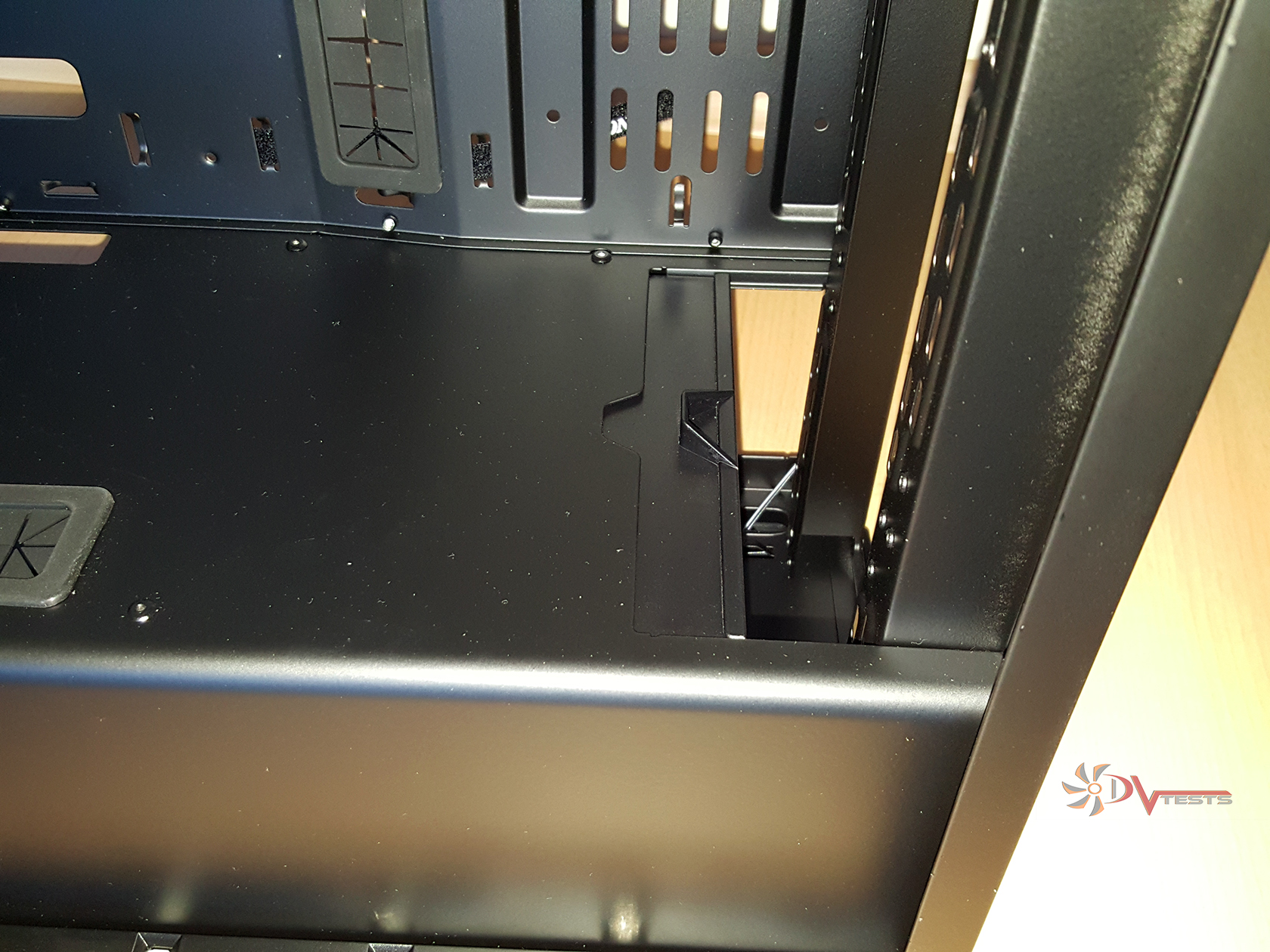
There’s a small latch that slides forward or backwards depending on your water cooling setup. This I find to be quite useful whenever you plan your setup, as it allows more space for a high performance radiator and fan coupling. Please, don’t mind the sandy finish on the right, as this is the flash playing tricks on our eyes – the paint is just fine even in the corner.
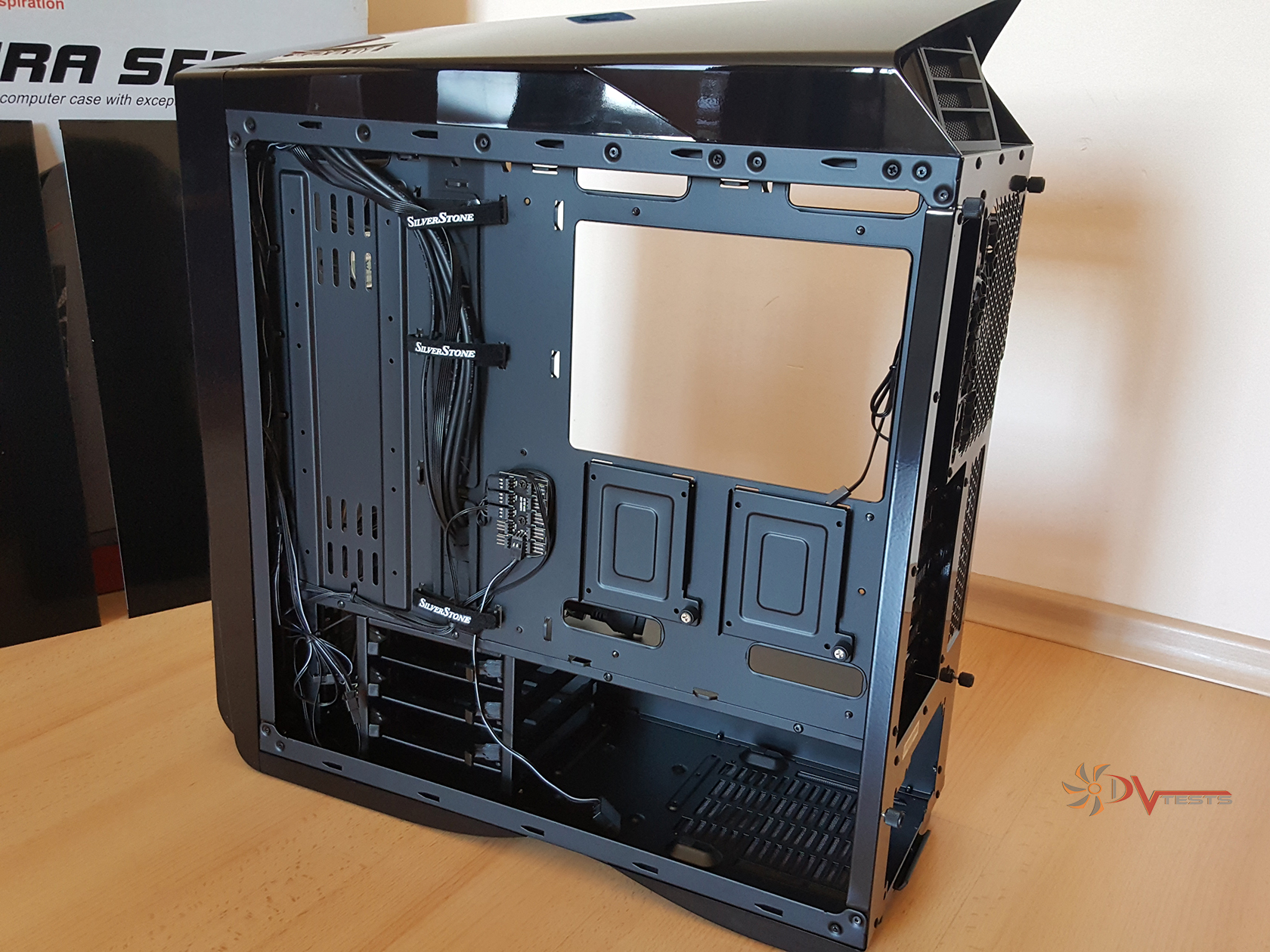
Other things that can catch your eyes – there are lots of openings and vents, tons of zip tie mounts, rubber grommets, routing holes…you name it. Perhaps the most interesting bit is the dual chamber design, not that it is something futuristic or advanced, it just looks plain cool and well made. Not plastic cover guys, metal one.
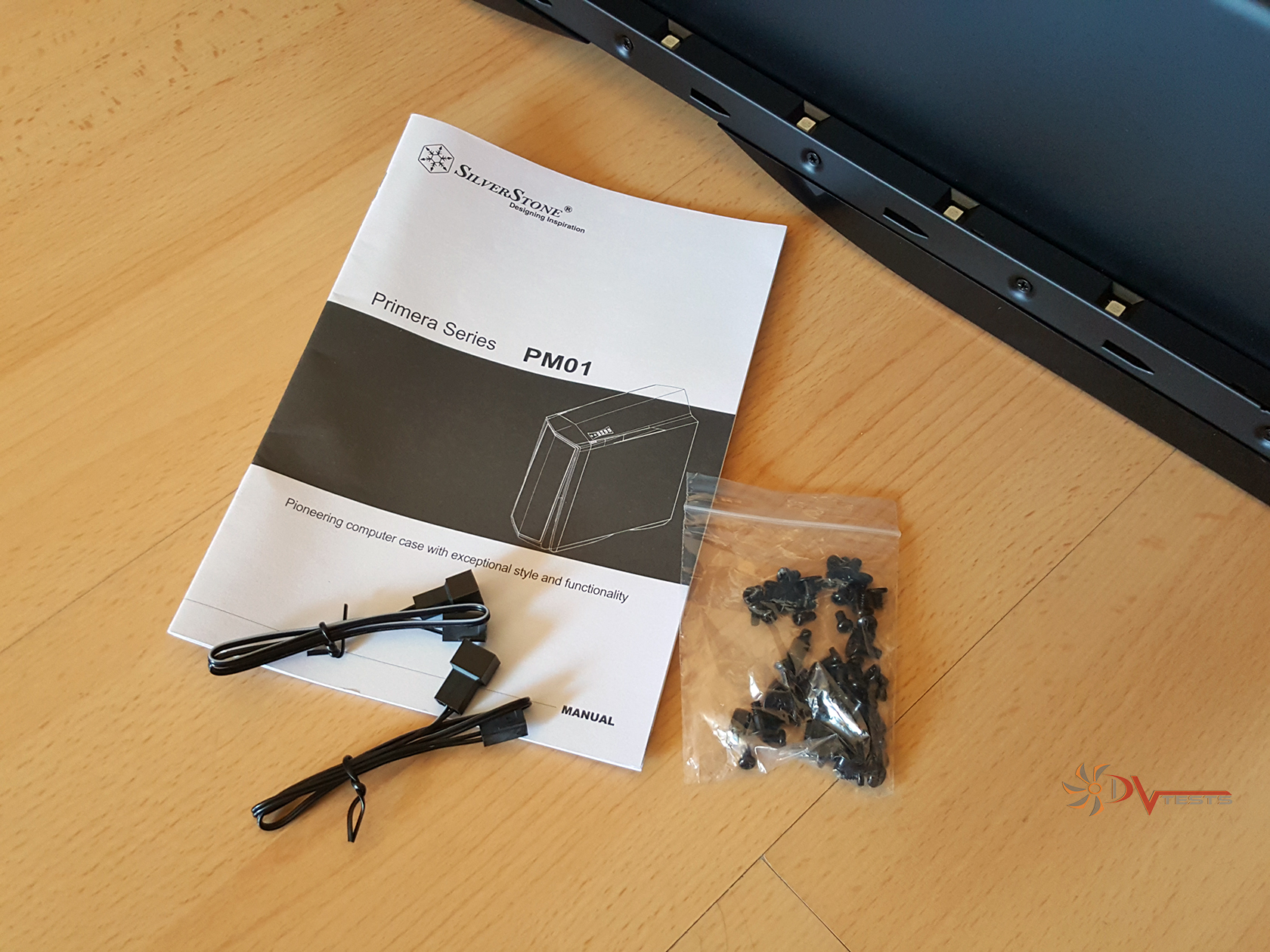
Here’s a shot of the interior for you to admire. Inside the case I found a small bag with the manual as well as some screws and 2 fan extenders. Not much, but hey – it’s enough. Also had a look through the manual – informative enough, pictures and multi-lingual support, but one thing I find to be confusing especially for a newbie – there is no mention of which screw goes where.
| Velcro straps | Additional accessories |
 |
 |
Another bit worth mentioning and examining is the LED lights included by standard in the case. Yes, you don’t have to buy the expensive stuff, it comes included straight out of the box and boy it looks cool (wait for last the shots at the end of this article). Don’t scroll down, be patient!
All three versions of the case come pre-equipped with LED lights, be them red or blue depending on the option you get. How this was made possible? Well, let me shed some light on you. Bottom and top LED lights are located in a plastic pipe and attached with screws, the pipe contains all the cables needed to power the LEDs. You don’t have to do anything, just plug them in a 4-pin molex connector and you’re all set. I will explain more about the lights during the disassembly process.
Now that I’ve checked most bits of the case it is time to disassemble it and have a look around the chassis and its design/structural integrity.
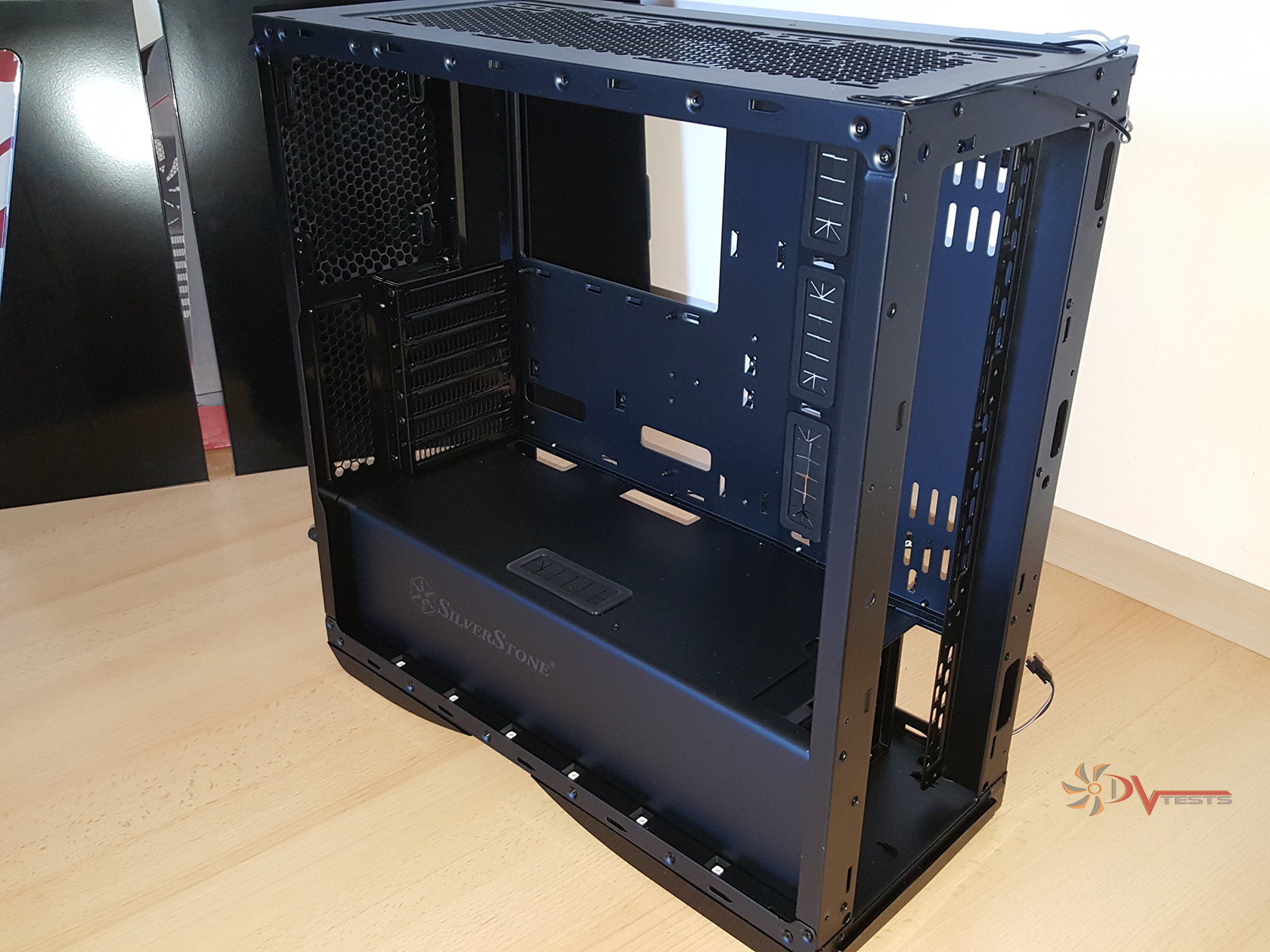
| Side view of PM01 structure | Behind the motherboard tray |
 |
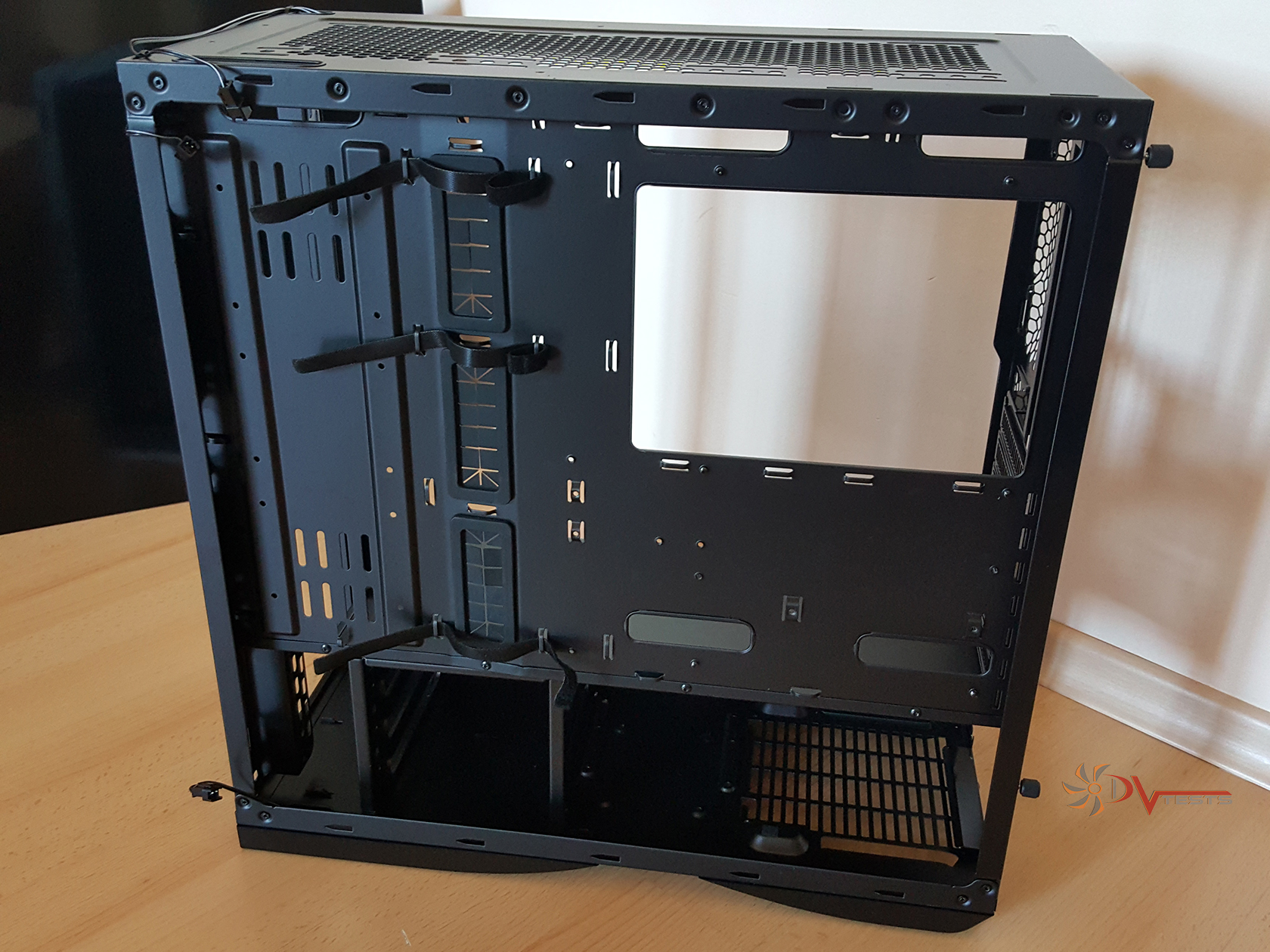 |
Okay, anything is possible with a screwdriver and some patience, especially with a well-designed case. What you see is the bare chassis of PM01. Have in mind that lots of it is actually riveted and can’t be undone, but I’ve managed to remove most of the parts. I’ve left the LED lights, or some parts of them where they are as the cables are very gentle and can be easily damaged/squashed with metal/plastic bits on top of them.
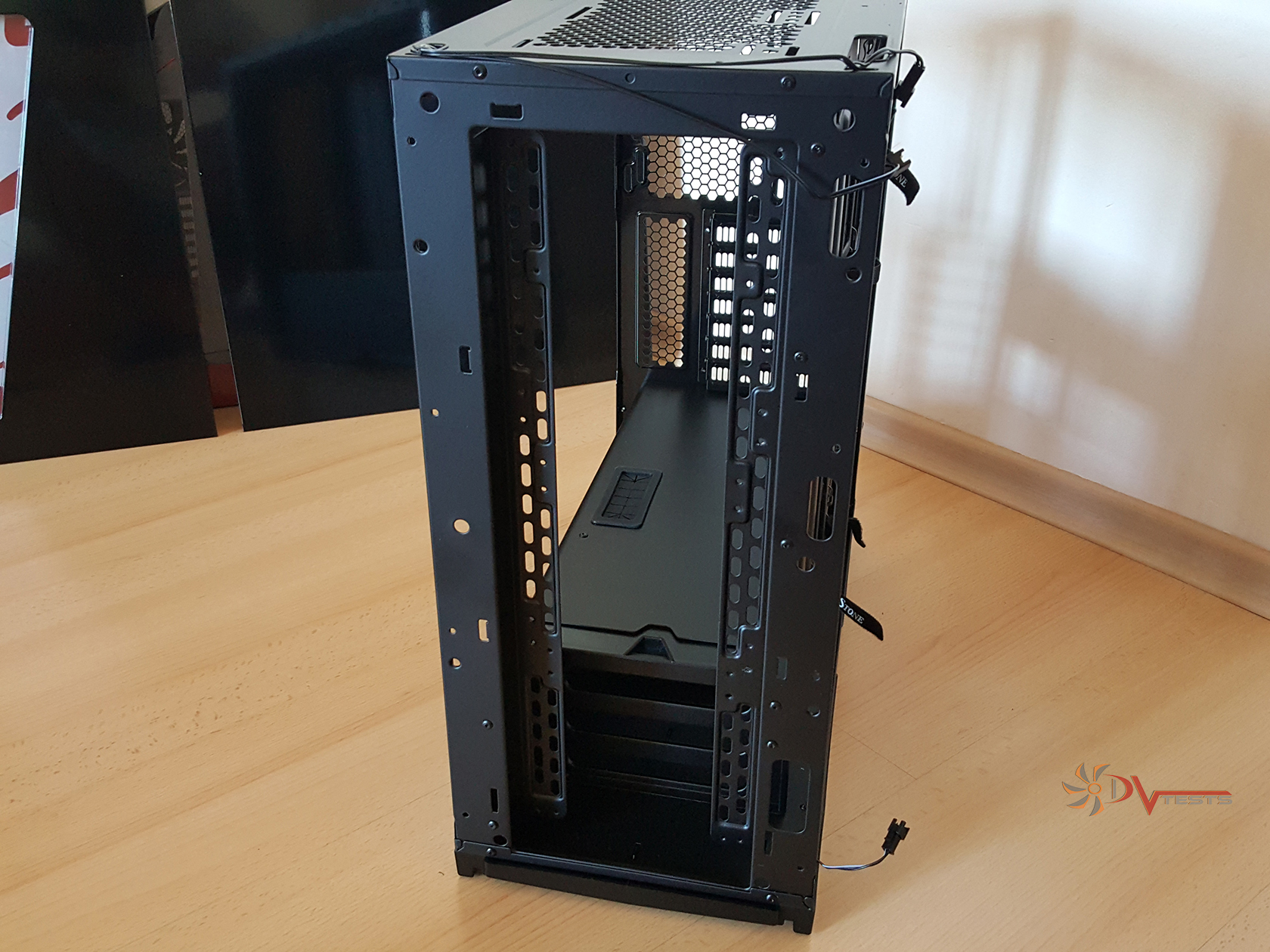
| Front of chassis | Rear |
 |
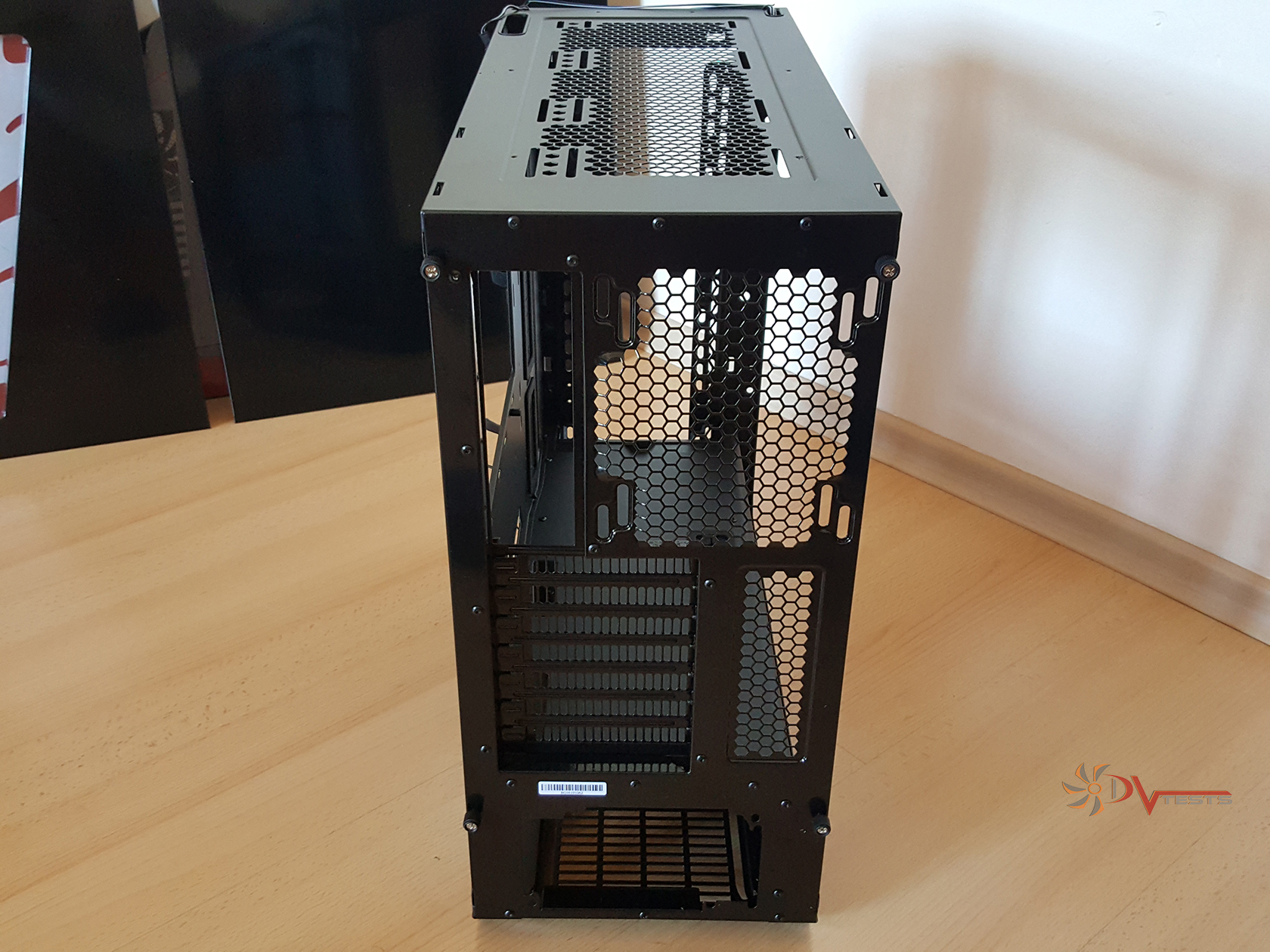 |
PM01 is structurally quite a sturdy chassis, I can say. There are lots of rivets and riveted parts, along with the cover, which may as well be the most durable part of the case. Although it can’t be removed I can’t see many reasons why that would be needed. Maybe if you need more access for a water cooling setup, but you can always drill the rivets and do what you want afterwards. There’s paint everywhere, nothing is missed or lacking the quality it should have.
I’m pretty happy with the design and how things worked out, so please have a look at all the removed parts from PM01.
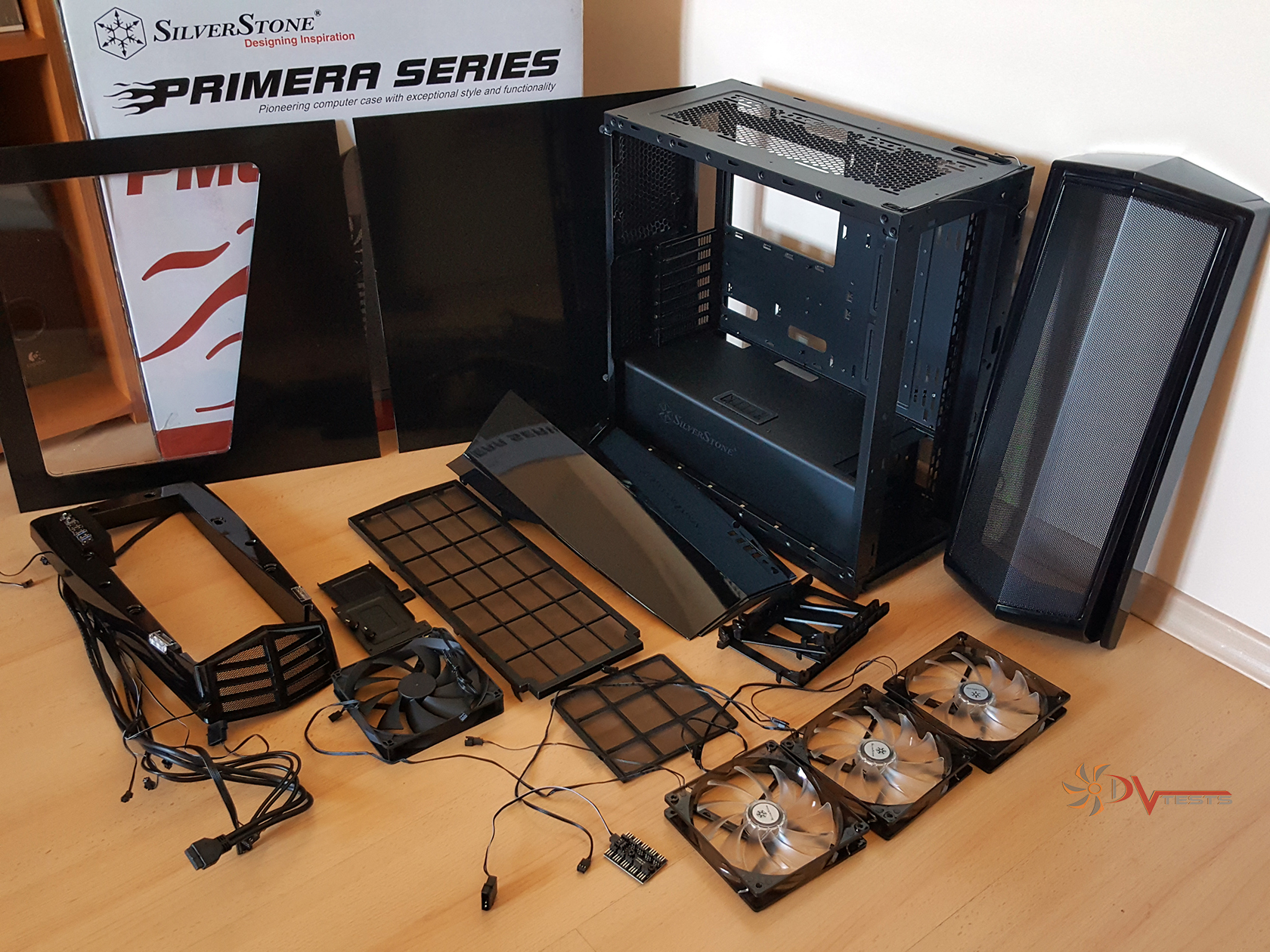
[wpsm_list type=”bullet”]
- Left side panel
- Right side panel
- Front panel and grill
- Front dust filter
- Bottom dust filter
- Top panel base
- Top panel cover
- SSD mounts x 2
- HDD mounts x 3
- 140mm rear fan x 1
- 140mm front fan with red LED x 3
- PCB for multiple fan connections
- PM01 chassis
[/wpsm_list]
Now let’s begin the backwards process of assembly and explaining how things are connected here and what makes this case so special.
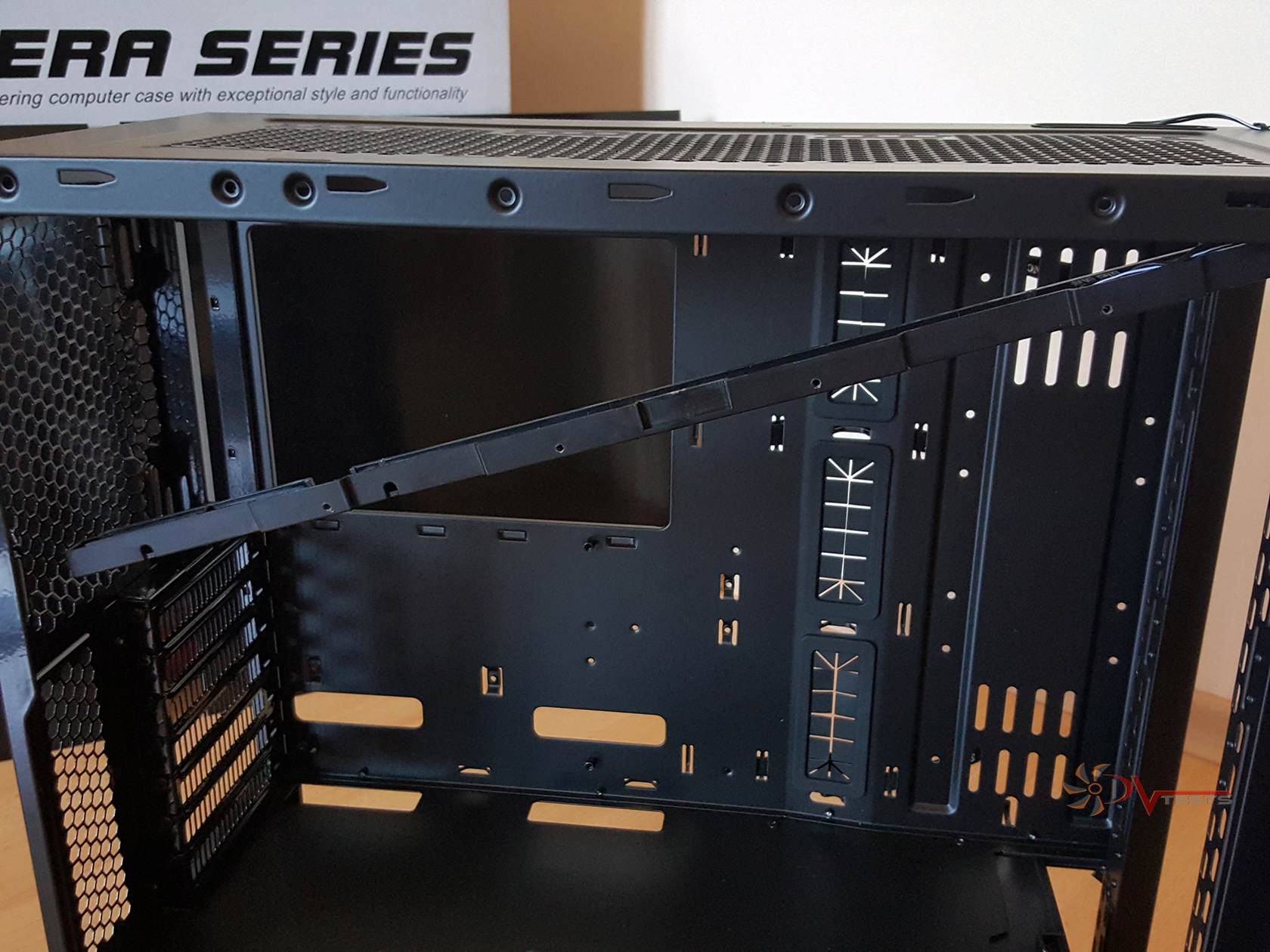
Here is the plastic tube that holds the top LEDs with a couple of screws. It’s not flimsy, but considering the time it would have taken to take it off I didn’t want to fully remove it. The bottom LEDs are also powered with the same cable, but goes from the bottom.
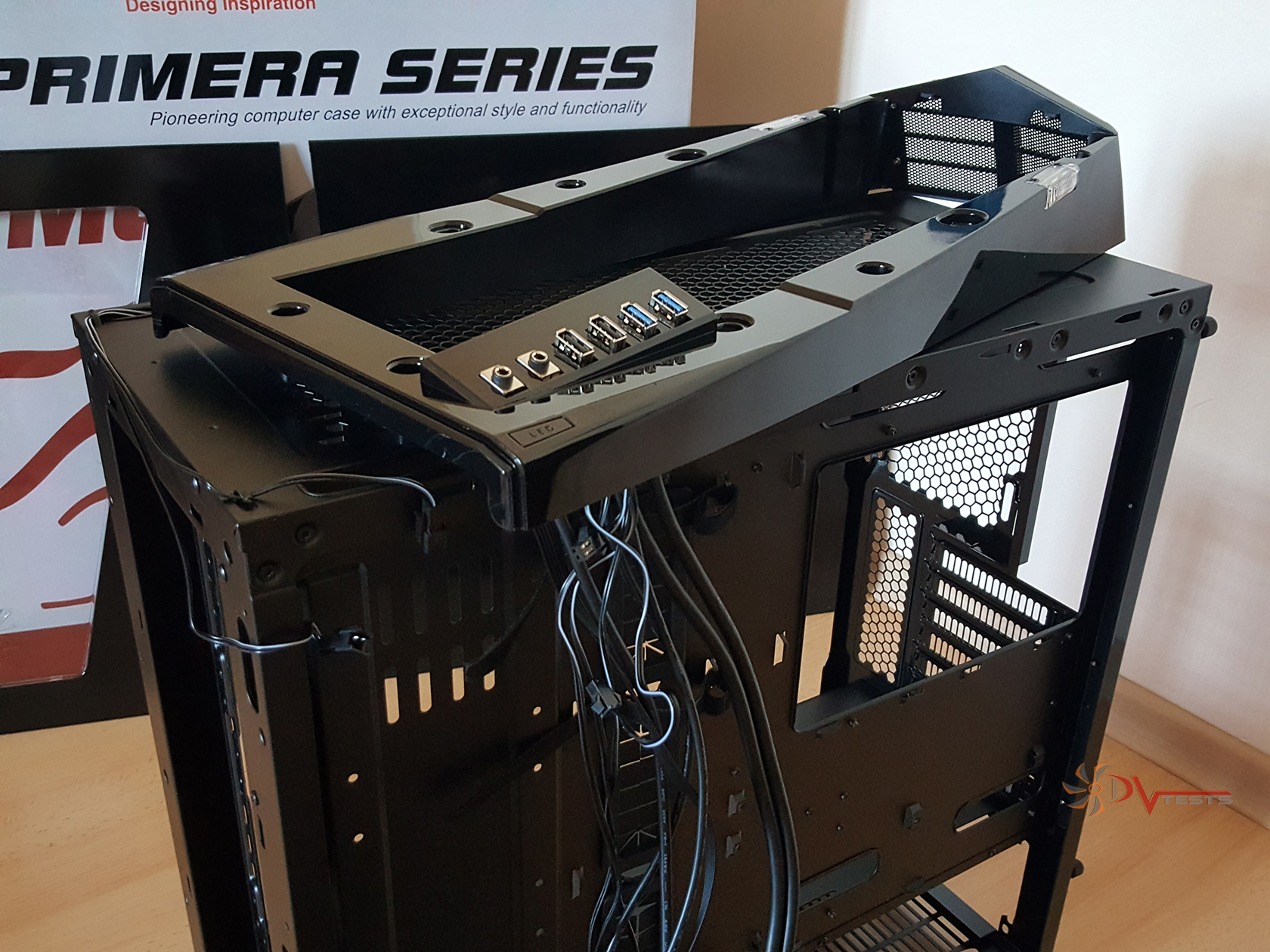
Let’s proceed with the top panel, which I like the most due to its design and also interesting structure.
| Top panel base | Top panel cover |
 |
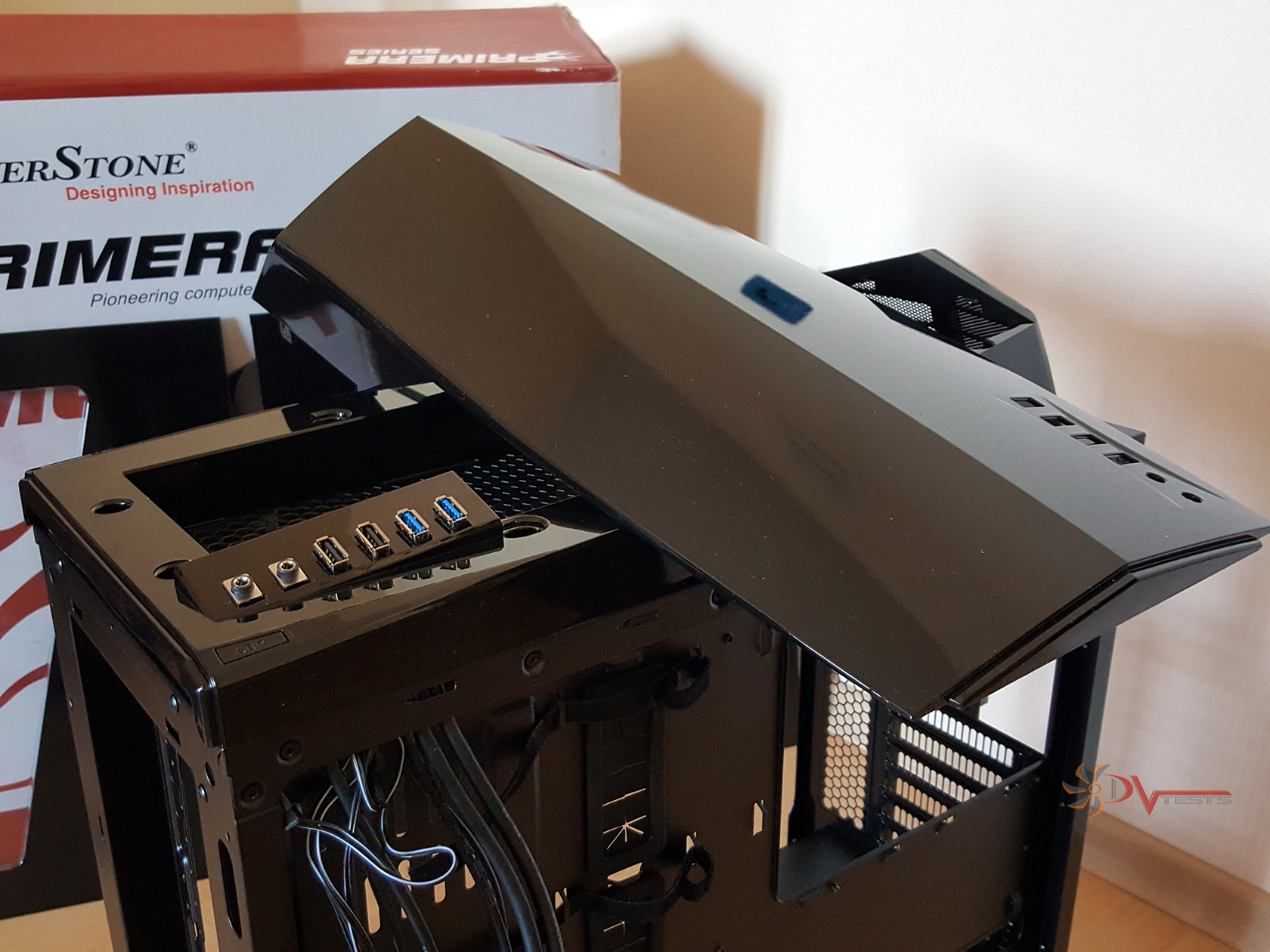 |
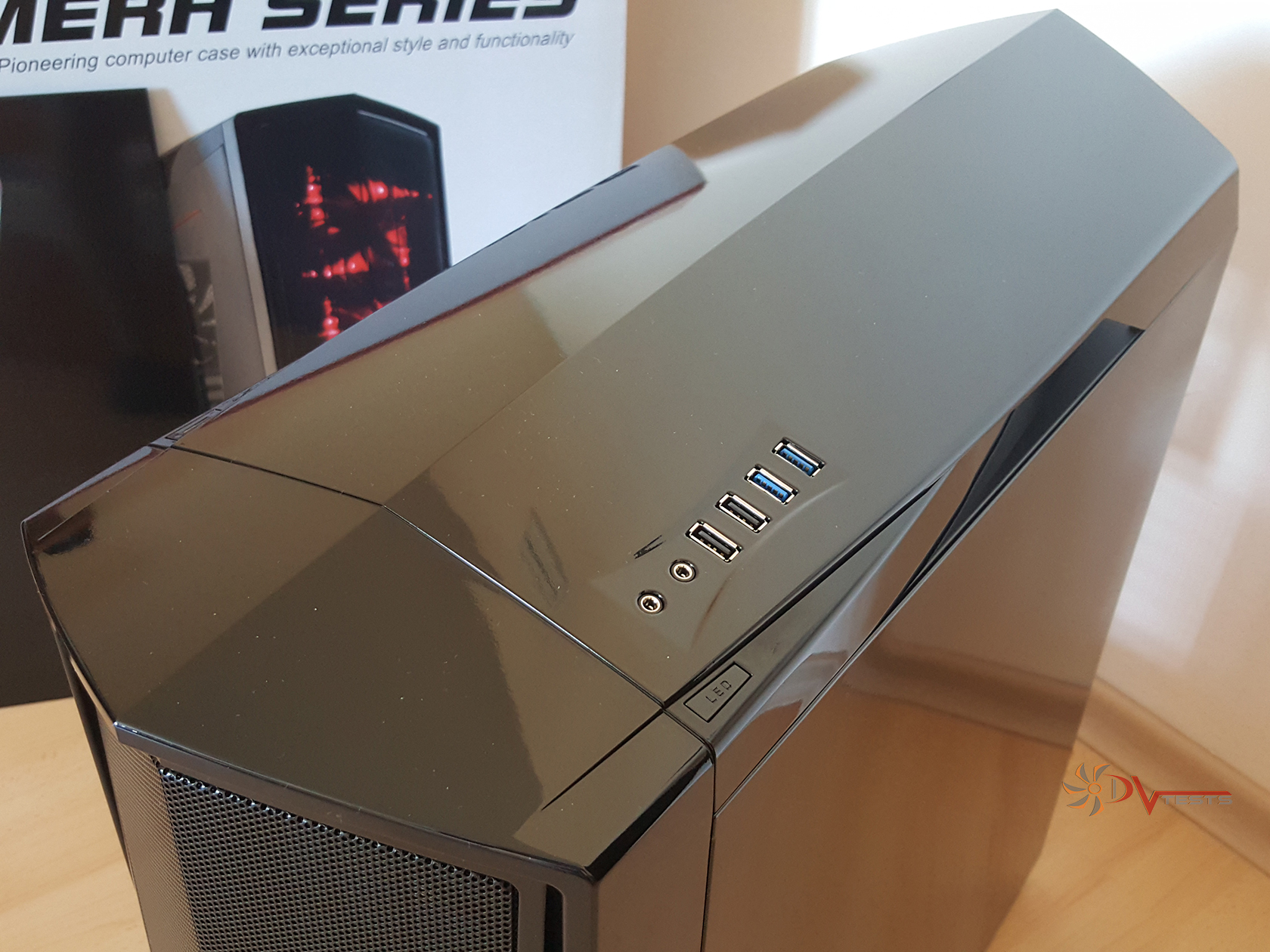
Consisting of two large pieces the top panel is housing all of the I/O ports as well as a Power button and LED switch button. All in all there are three light options – OFF, ON and Breathing effect (my personal favorite). LED lights are also located on the top panel base. Both top panel pieces are held together by a mixture of clips and screws resulting in a solid construction overall.
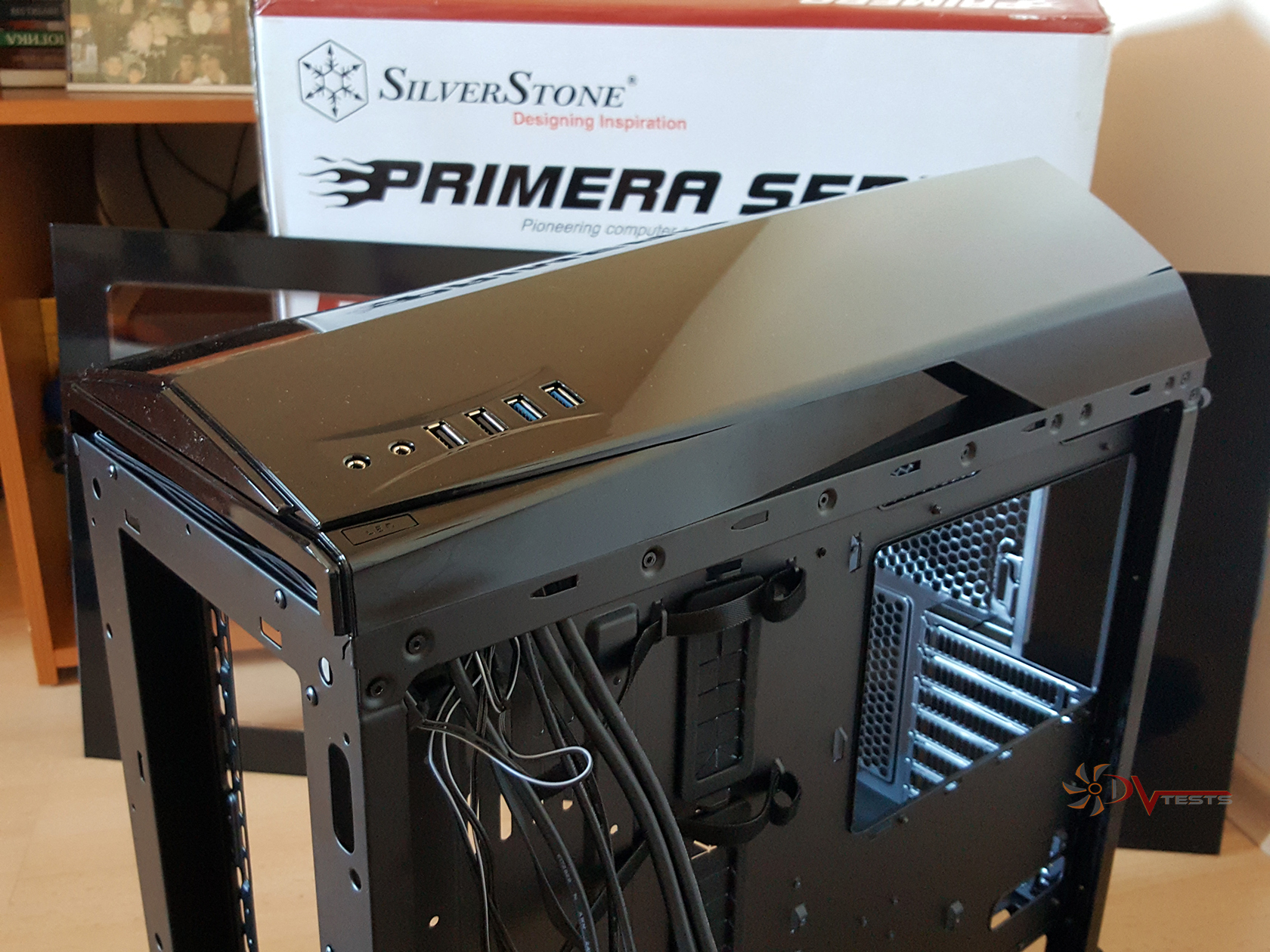
Moving forward with the build I routed all of the cables from the I/O panel responsible for powering USB 2.0 ports, USB 3.0 ports, HD audio jacks, power switches etc., tied them up with the velcro straps and moved to install next part on the list.
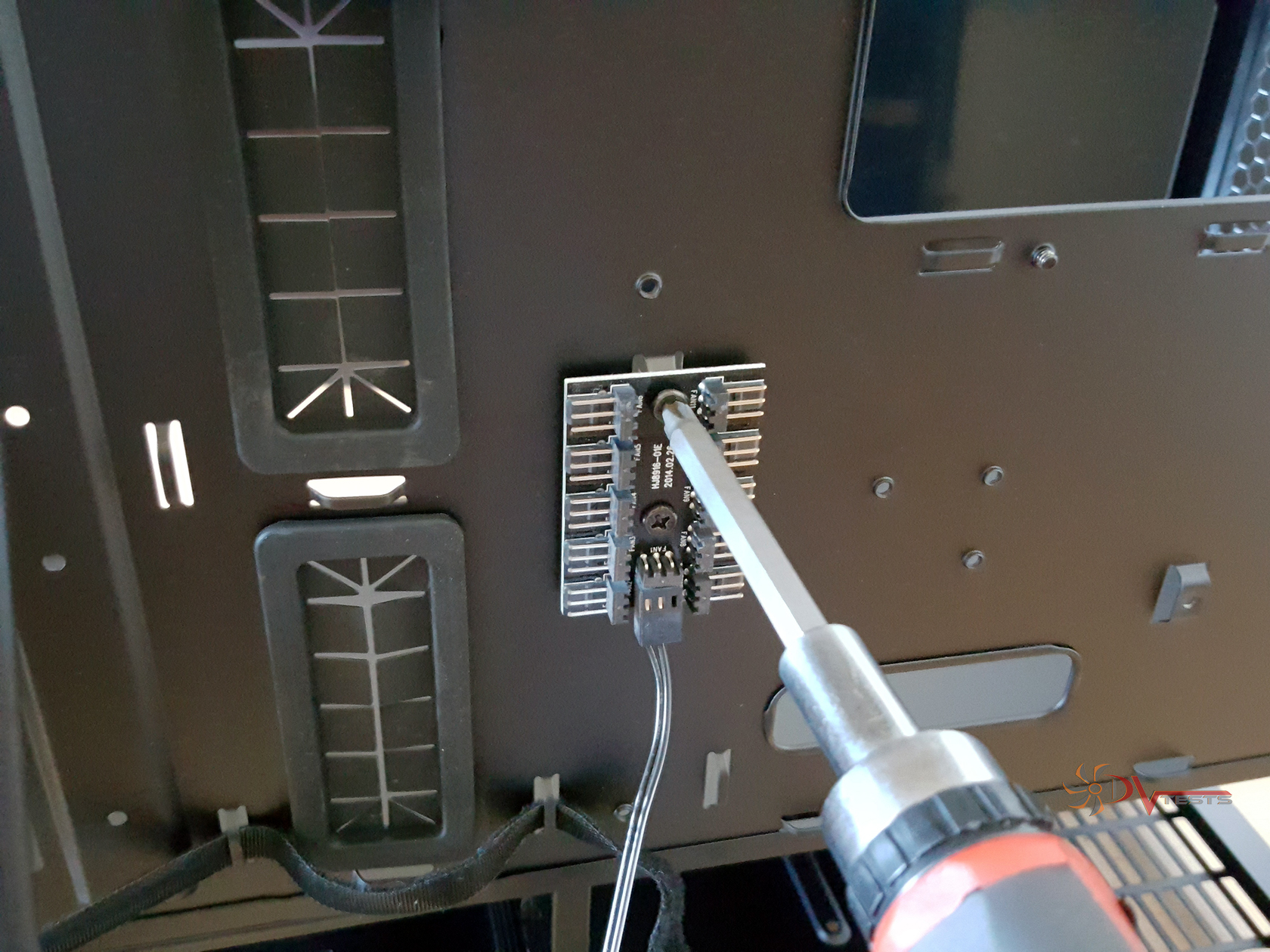
This is the PCB which can hold up to 10 fan connections and is powered by a single 4-pin molex. Now, I would have really liked to see it being a fan controller hub so you can control both LED light effects and fan speed, but life is not perfect. Two screws are holding the PCB into place nice and strong.
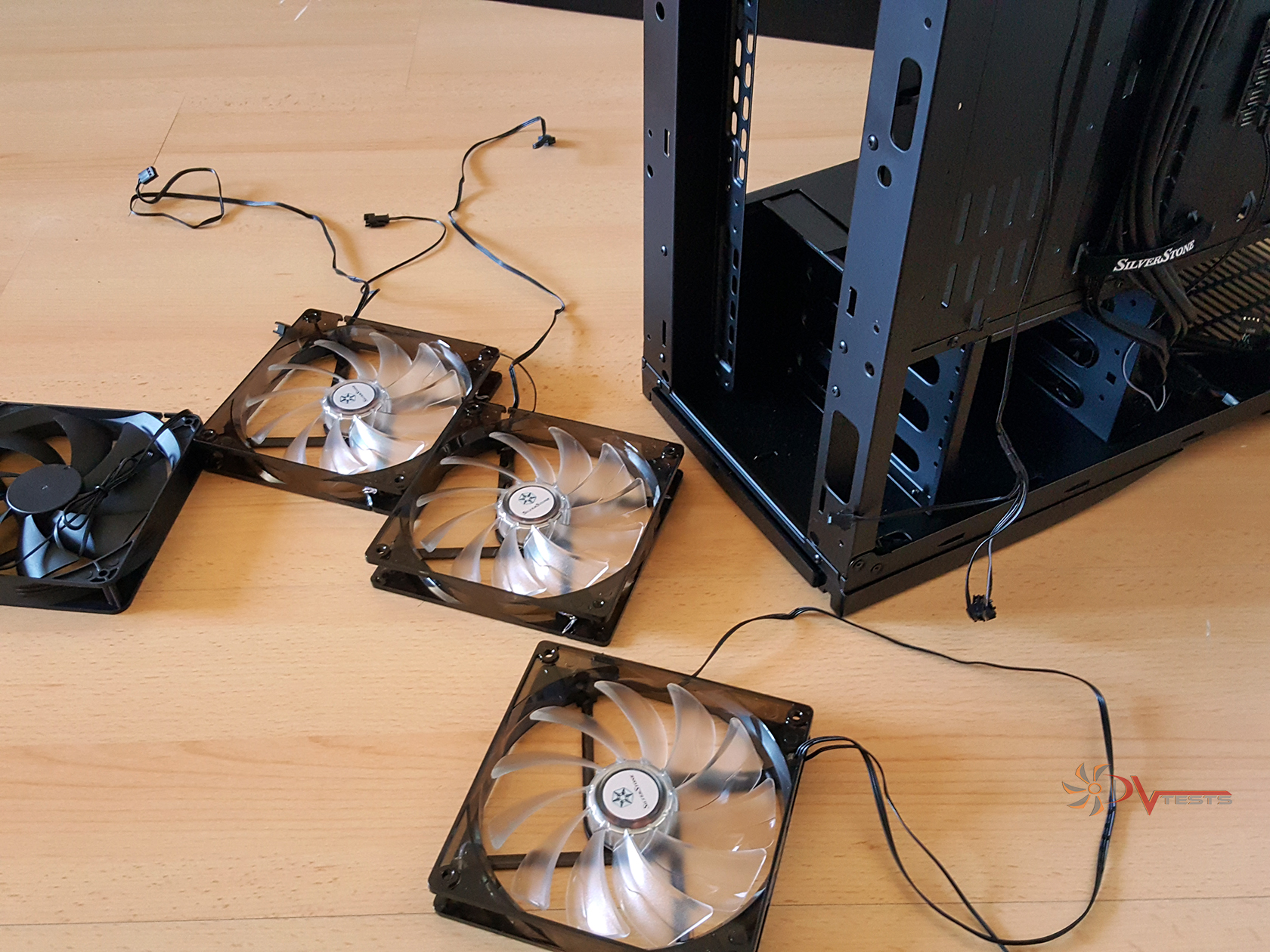
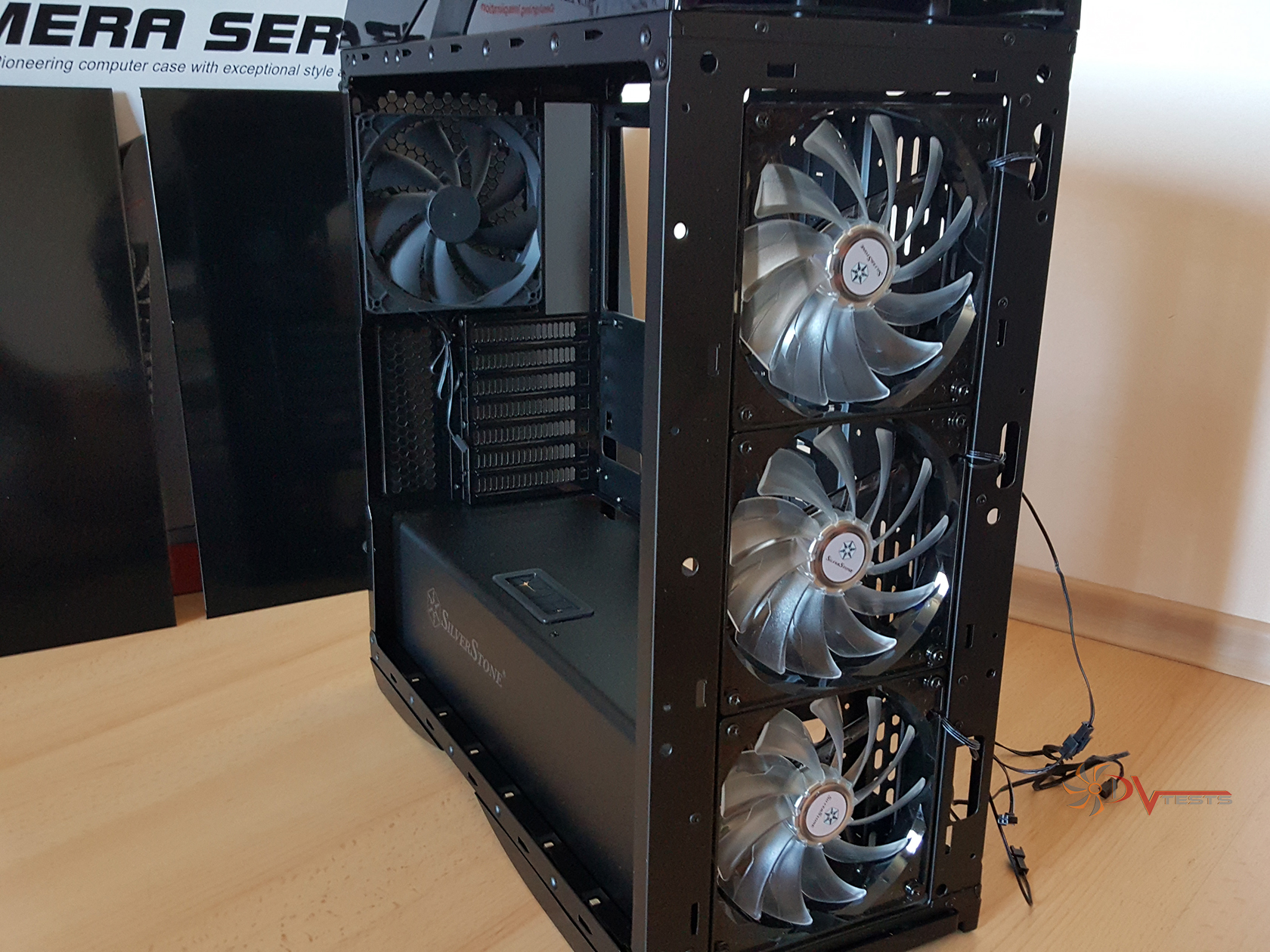
Many of the features of a given case can become irrelevant if it doesn’t offer its main purpose – cooling. And PM01 has lots of cooling even straight out of the box. Included fans are four 140mm Silverstone fans, three of which have the LED built in.
| Included fans | All fans installed |
 |
 |
A big case cannot only be equipped with boring fans, but rather fancier stuff like water cooling radiators. Please have a look at the table below, as the guys from Silverstone have said it better than I would do with mere sentences. Lots of options, tons of cooling and performance can be expected from PM01. Dual 360mm water cooling radiators is ample cooling in my book.
| Cooling System | Front | 3 x 120mm / 140mm fan slot (includes 3 x 140mm LED fan) |
| Rear | 1 x 120mm / 140mm fan slot (includes 1 x 140mm fan) | |
| Side | — | |
| Top | 3 x 120mm fan slot or 2 x 140mm fan slot | |
| Bottom | — | |
| Internal | — | |
| Radiator Support | Front | 120mm / 240mm / 280mm / 360mm x 1 |
| Rear | 120mm / 140mm x 1 | |
| Top | 120mm / 240mm / 280mm / 360mm x 1 | |
| Bottom | N/A |
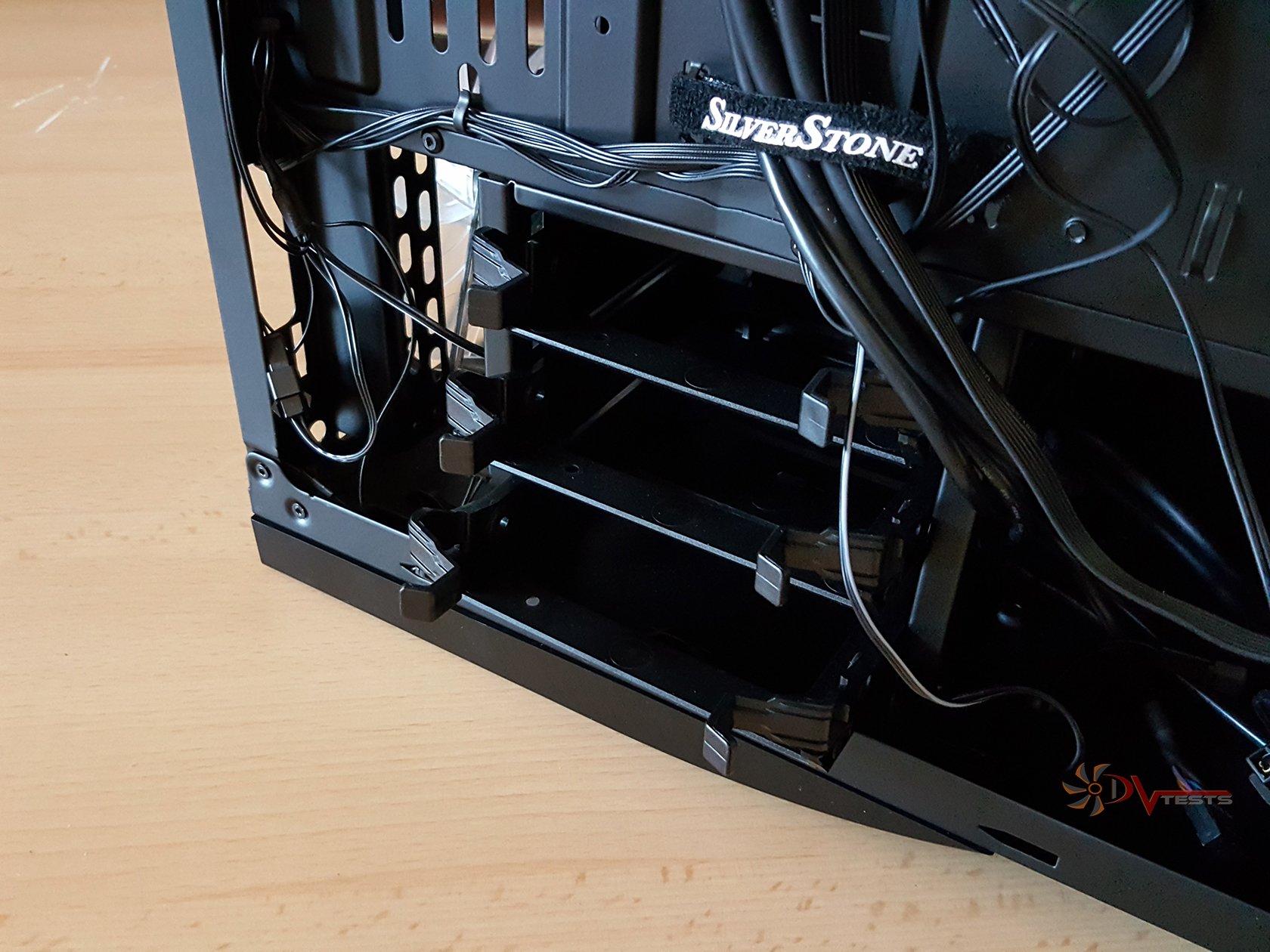
After installing the fans I routed their cables as well, reconnected them and moved ahead to securing the SSD mounts into place. Total of two SSD mounts are available behind the motherboard tray and three more inside the HDD cage. Or three 3.5″ drives in their stead.
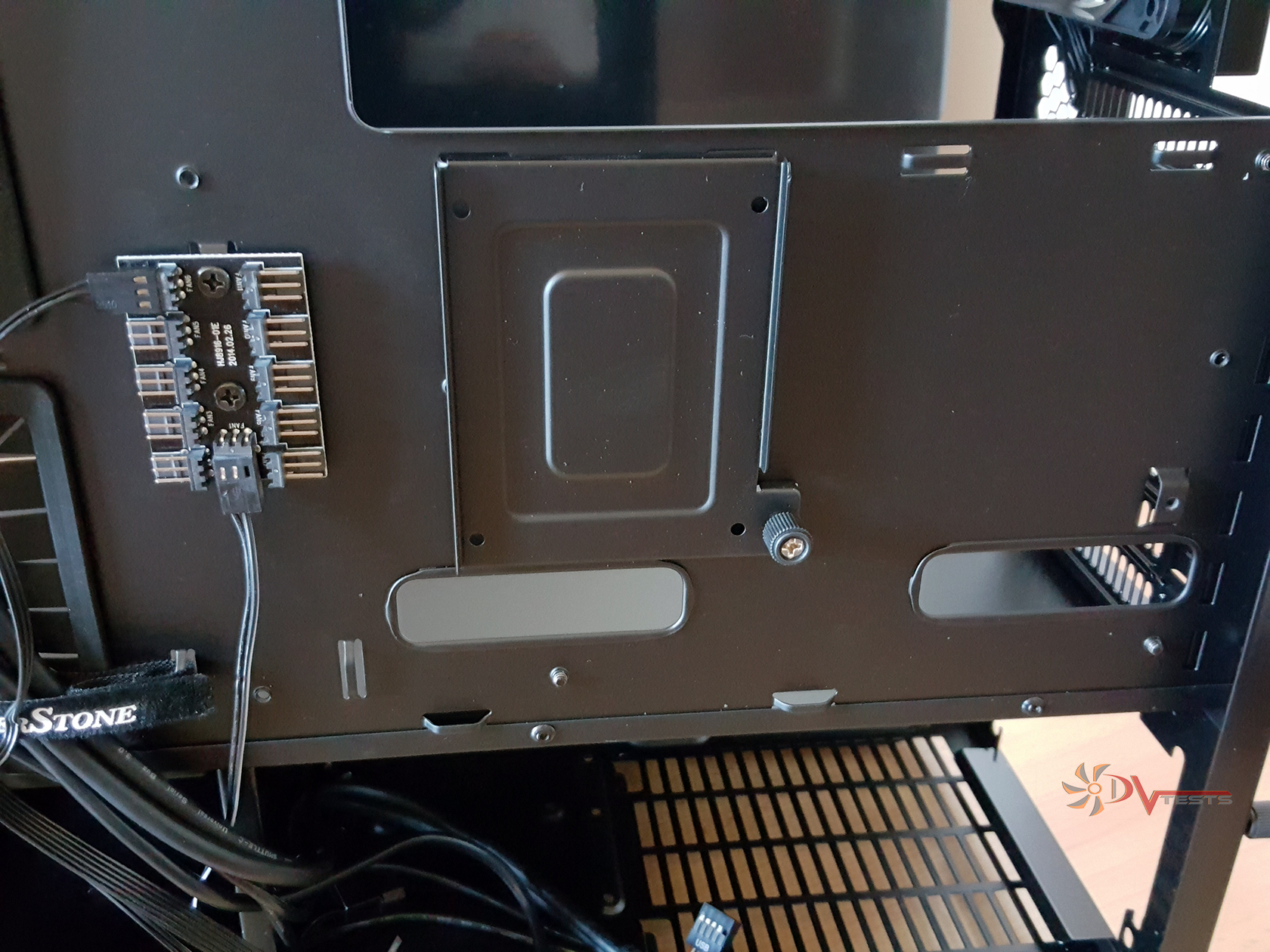
Another storage place is right behind the bottom front fan, my space of preference really due to the direct and unobstructed airflow. One more thing I don’t like about the SSD mount – you can’t reach more than two drives with one SATA power cable and if you need more cables that means more clutter to dispose of. Anyway I moved all the storage devices to the front HDD cage and called it a day.
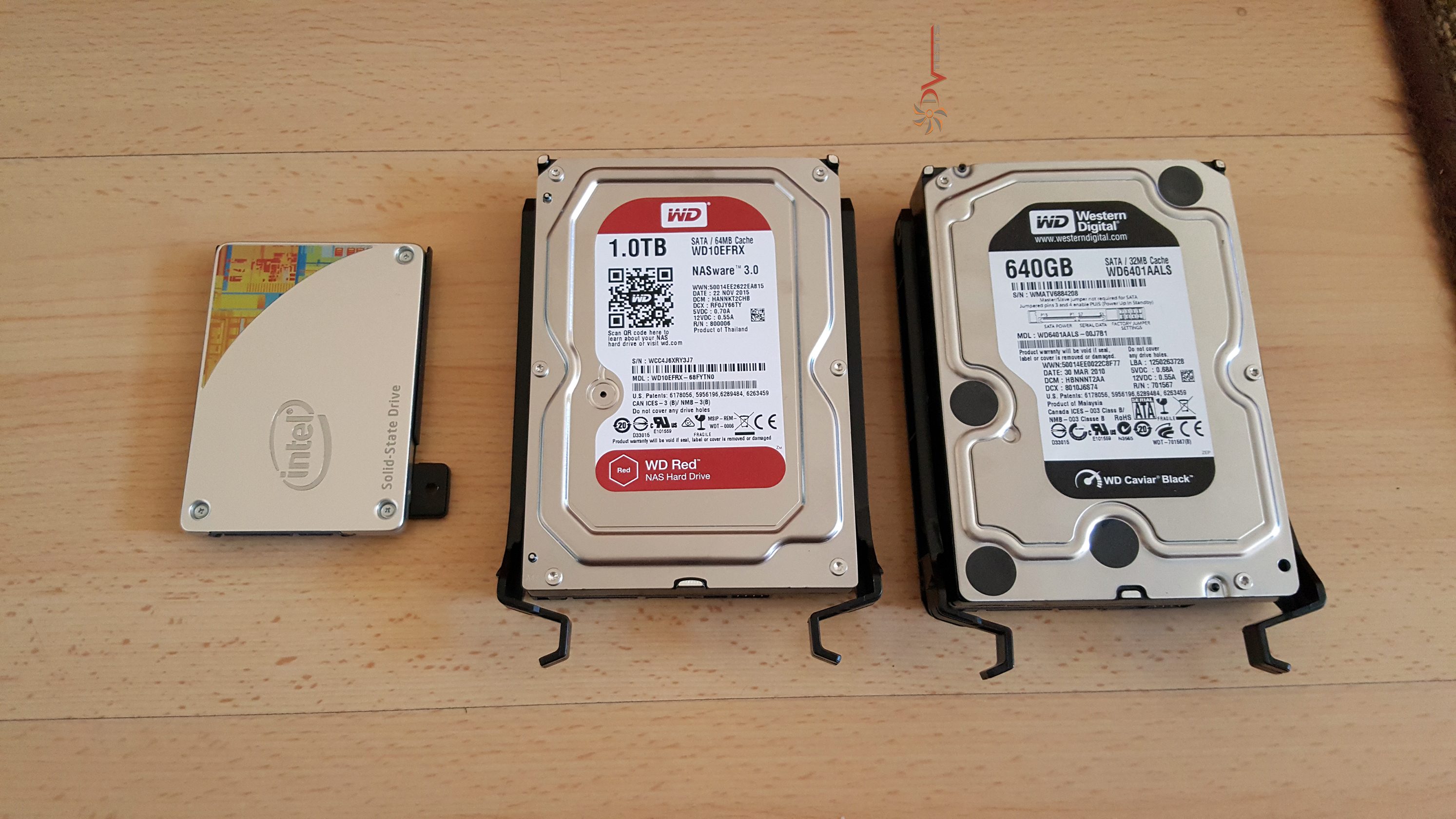
Below you can find a shot of all drives mounted to their rails. Although the rails are plastic I found them quite convenient and sturdy. By using the screws supplied with the case you can easily secure them and installation is pretty easy – slide them on the rails. Yes, it’s not tool free, but it’s close enough.
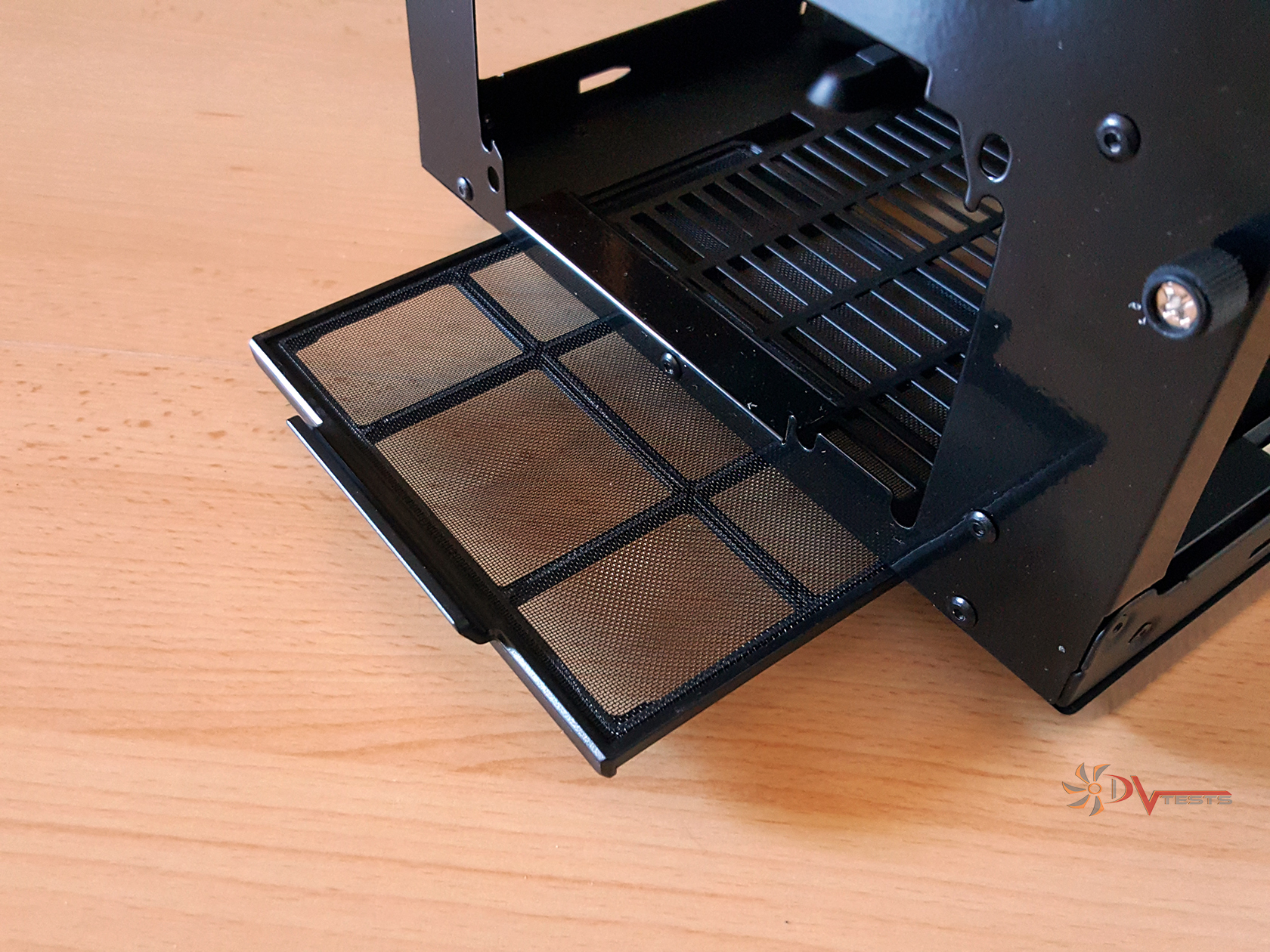
Last bits of the case were left hanging on the floor, so here is their story. We’ve got dust filters both on the bottom, or PSU dust filter and the front one. Bottom one slides into place.
| Bottom dust filter | Front dust filter |
 |
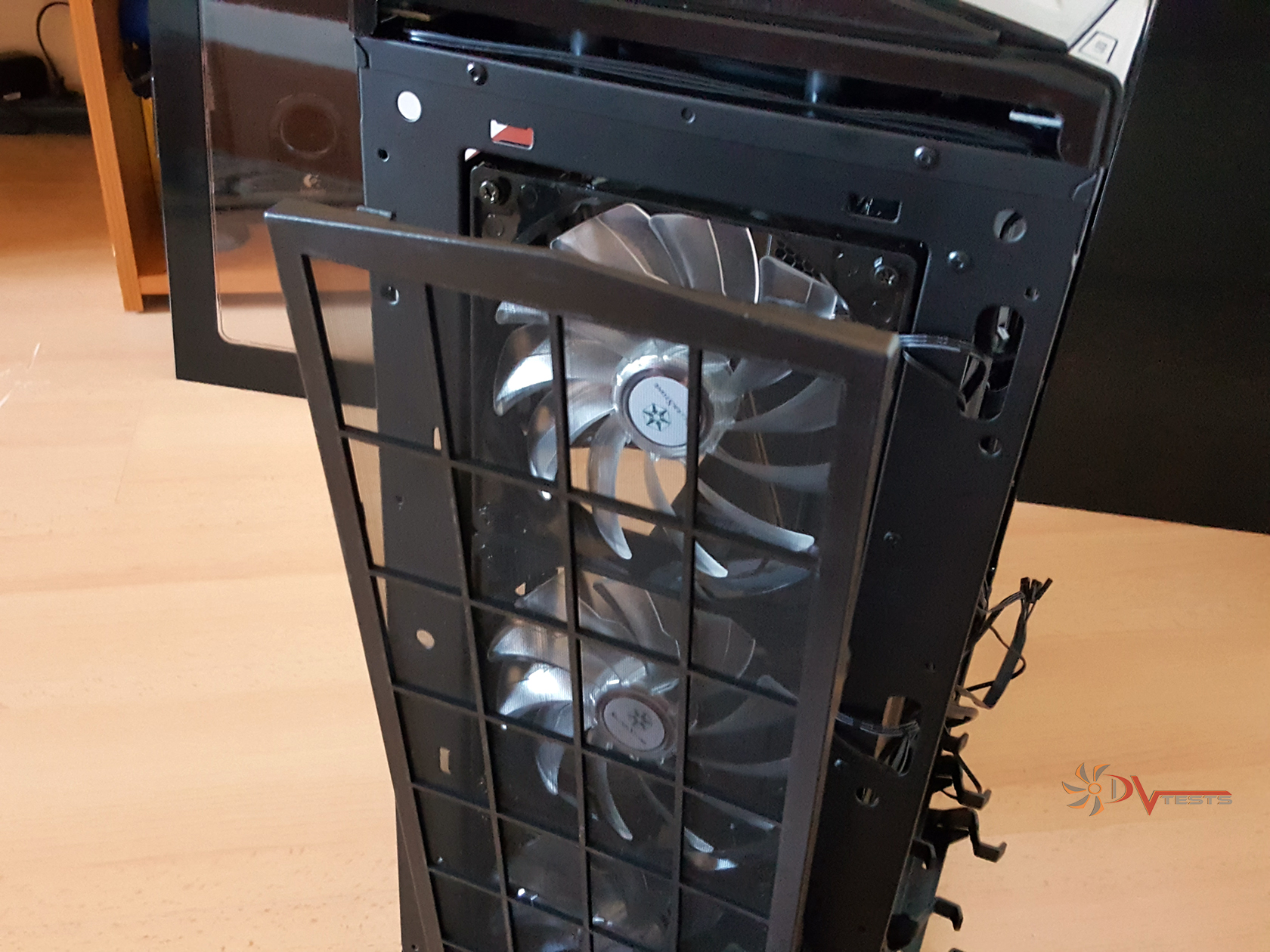 |
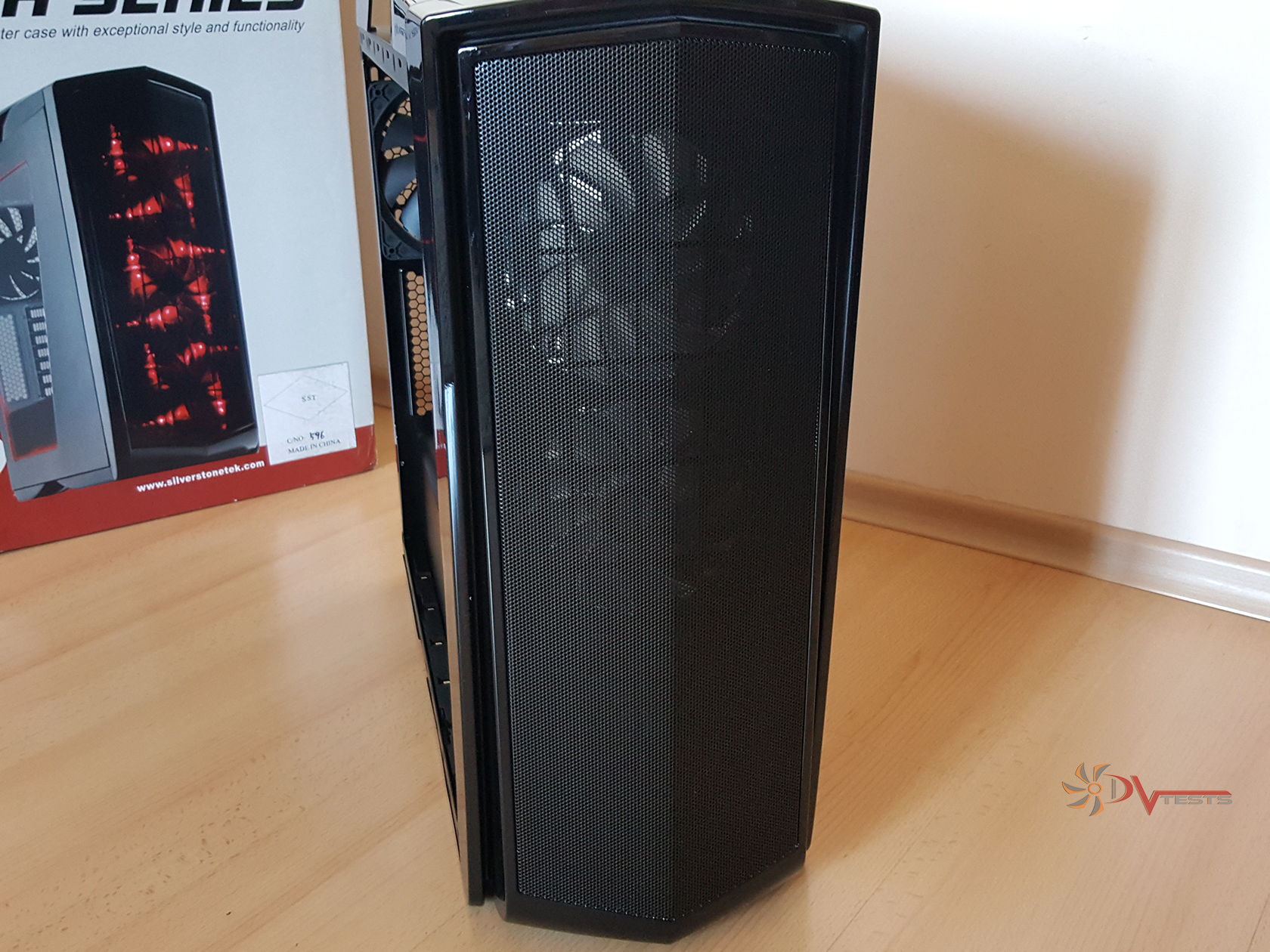
Front dust filter is a big one and covers the entire front air intake area. It’s held into place with clips and be careful – orientation matters here. To top things off I installed the front panel that clips into place and is secured with 4 small screws.
| PM01 assembly complete | Front/Side view |
 |
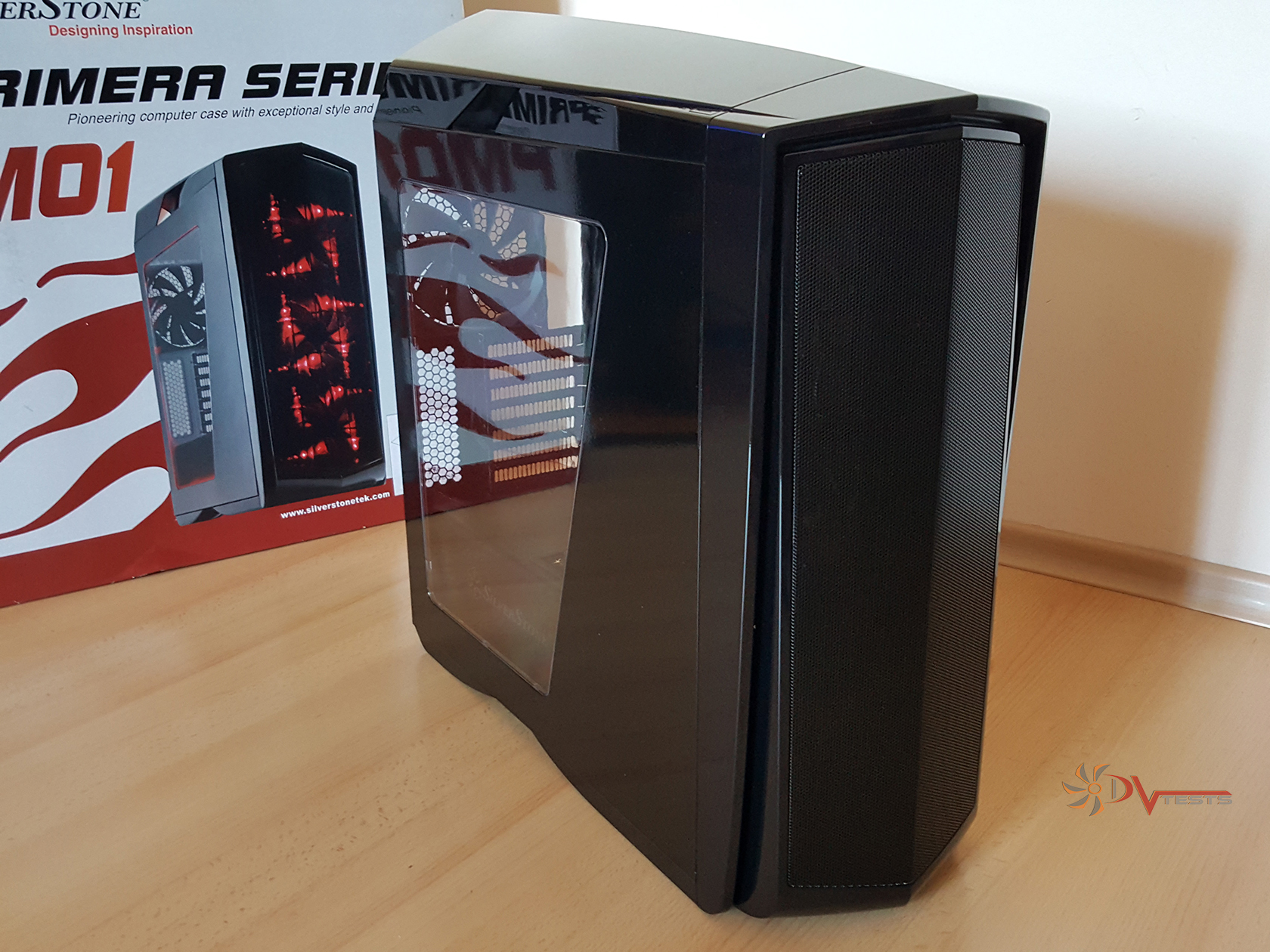 |
And here is PM01 revived. There’s one thing that I’m left to think about. If you have clips on your front panel why would you want to secure it with screws and make it unavailable for easy removal to clean the dust of the dust filter? There is no easy way to access the front dust filter but to undo the screws, remove the front panel and then take the filter off. It’s going to take you some 2-3 mins to undo all screws and perform the operation. It’s not time consuming, but is it convenient – no.
Last things to mention before moving to the testing part of this article:
| Expansion Card | Support graphics card up to 420mm, width restriction – 174mm” | |
| Limitation of CPU cooler | 180mm | |
| Limitation of PSU | 240mm | |
There are not many things that wouldn’t fit in this case, but it was worth mentioning how spacious the interior is.
So, I’ve managed to disassemble and assemble the case, examined most part of it and the next best thing to do is to install my system inside and go on with the tests in this hot summer day.
SILVERSTONE Primera PM01 TESTS
For the testing I will use an Intel based system with Z97 chipset motherboard.
Intel Z97 Test system
- CPU: Intel i5-4670K
- At standard frequency 3.400 MHz (Voltage set to Auto when not OC-ing)
- At low overclock frequency of 3.800 MHz (at 1.20V)
- At medium overclock frequency of 4.300 MHz (at 1.23V)
- Motherboard: ASUS Maximus VII HERO Z97
- Video card: MSI AMD R9 280X GAMING 3G
- Memory: Kingston Hyper-X SAVAGE 8 GB, Dual channel, 1866 MHz
- Solid State Drive: Intel 530 Series, 120 GB
- Hard drive 1: Western Digital 640 GB Black Series
- Hard drive 2: Western Digital 1 TB RED Series, NAS
- Case: Fractal Design Define R5
- Power supply: Corsair RM750 W
- Cooler: Cryorig H5 Ultimate
- Thermal paste: Cryorig CP7
The test was conducted in a closed system with:
- 3 x 140mm Silverstone red LED fans, rotating at maximum RPM at 12 volts
- Room temperature of about 26~27 degrees Celsius, it was a hot summer day, as I mentioned.
And here I want to describe my testing method.
I will install my test rig inside the case and do CPU and VGA stress tests using AIDA64 for about 10 minutes with these settings:
- CPU: Intel i5-4670K – At standard frequency of 3.400 MHz (Voltage set to Auto when not OC-ing), At low overclock frequency of 3.800 MHz (at 1.21V), At medium overclock frequency of 4.300 MHz (at 1.23V).
- MSI AMD R9 280X GAMING 3G – running at stock voltage and auto speed control of the fans.
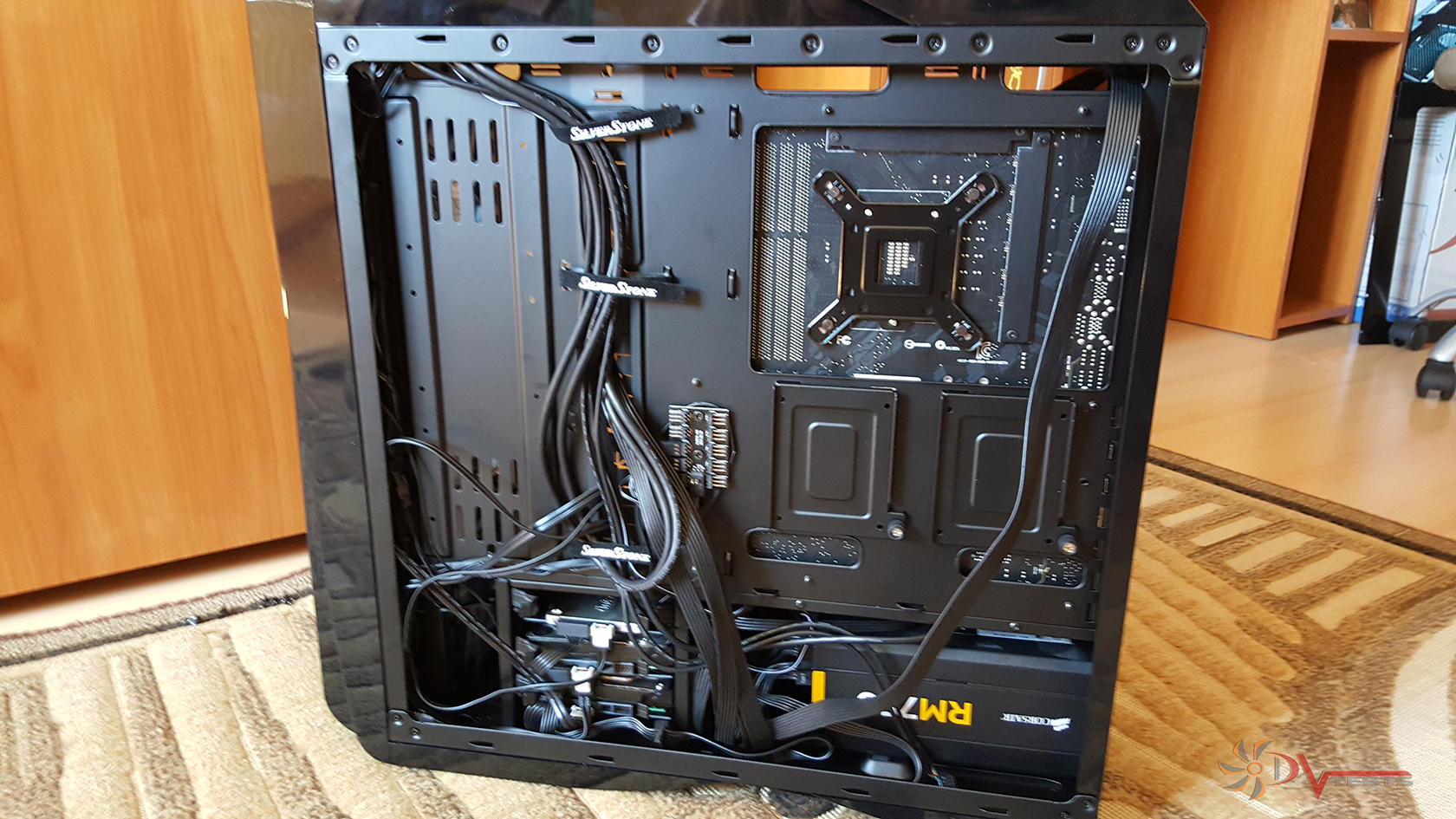
Building inside Silverstone PM01 was a real pleasure and the end results surprised me with how clean the built was, the overall looks and simplicity of it.
| Behind motherboard tray | Finished build |
 |
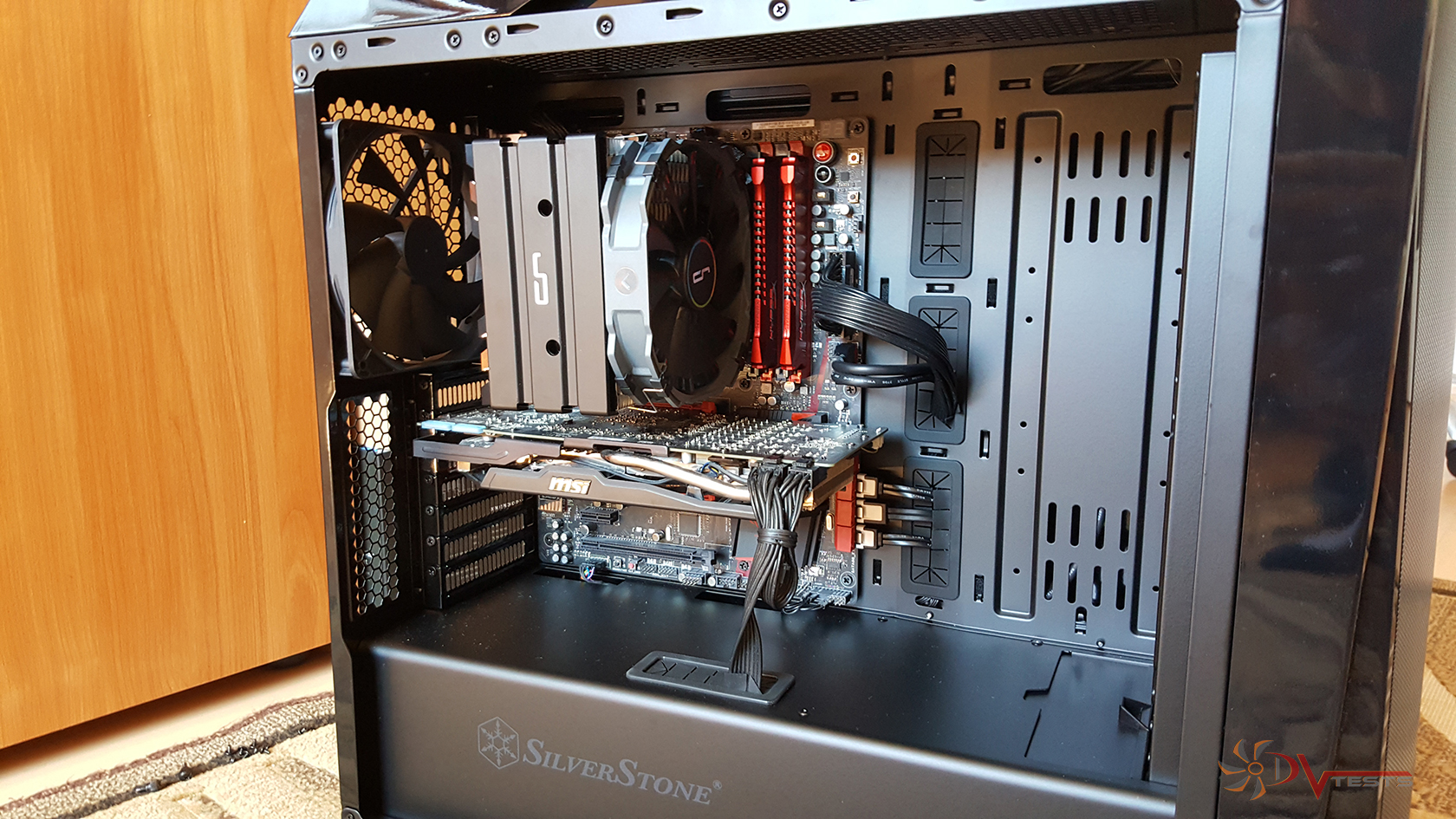 |
Even though there aren’t any zip ties included, there is lots of room and tricks you can play with the cables to make them be where you want them to be. Funny enough, no zip ties were used here. You can see the result for yourselves. I’m very happy!
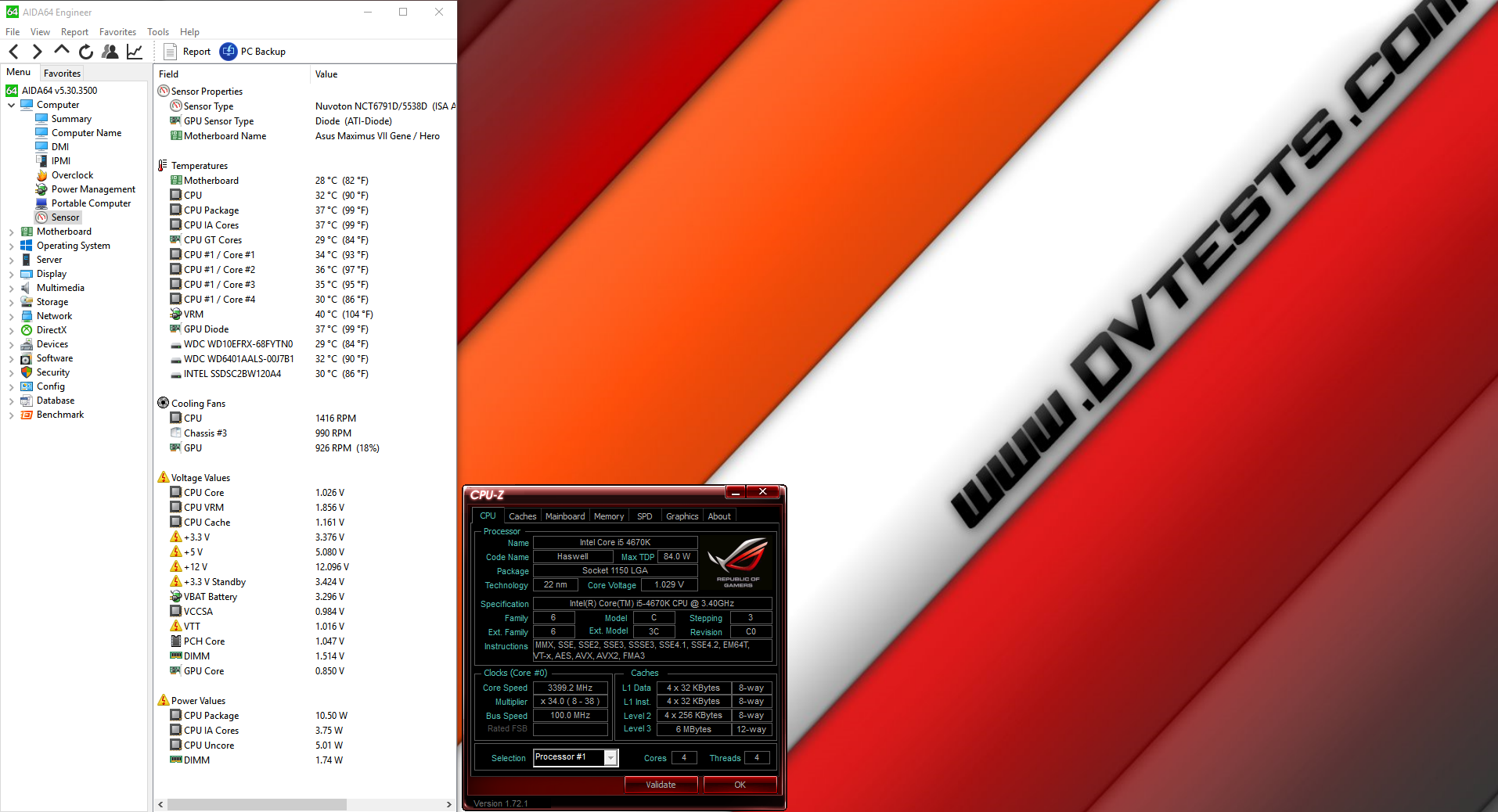
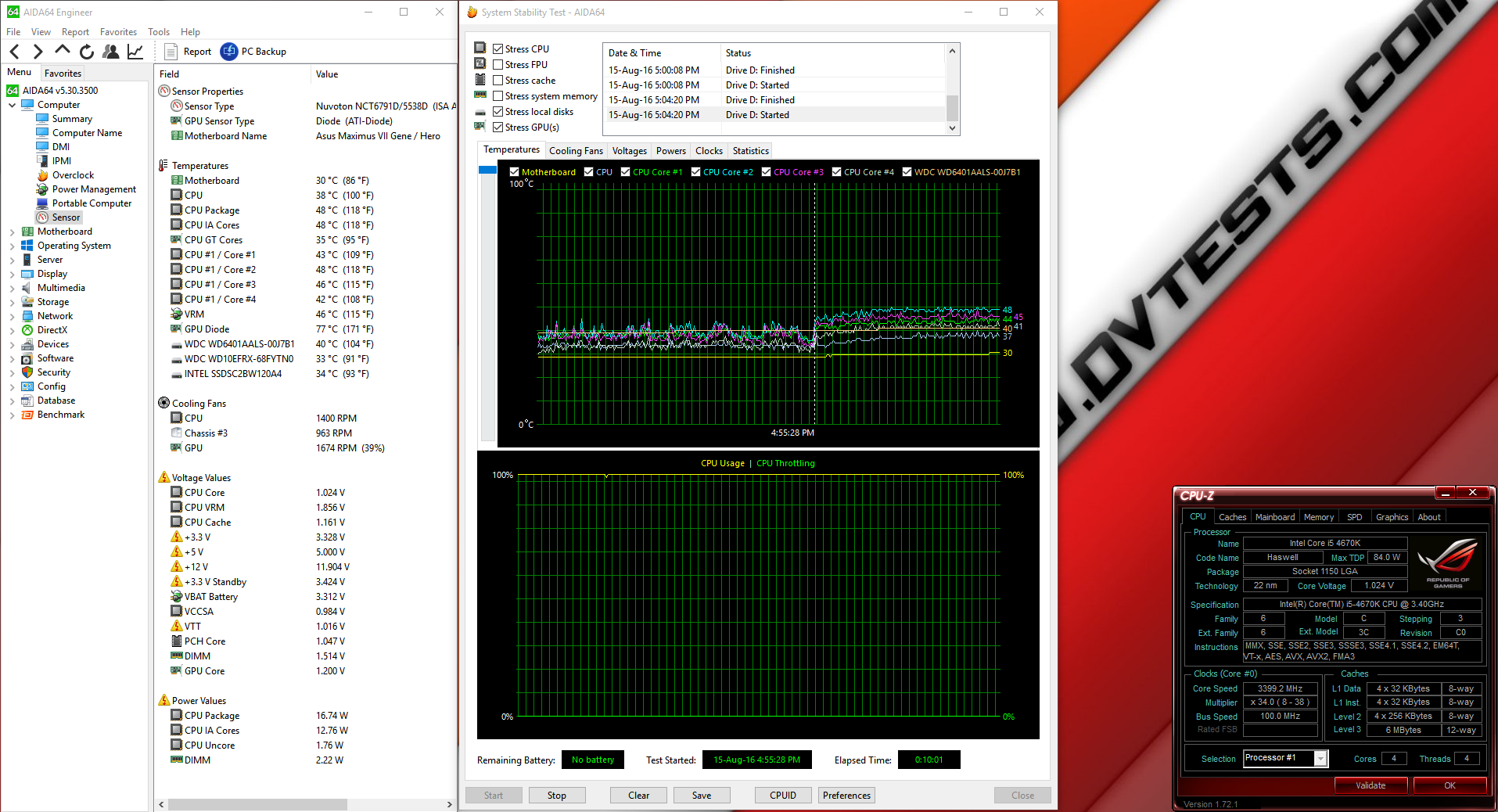
Here are the results from the stress tests I conducted:
| @ 3.4 GHz Idle | @ 3.4 GHz Load |
 |
 |
Here is the overclocking part, very impressive results.
| @ 3.8 GHz Load | @ 4.3 GHz Load |
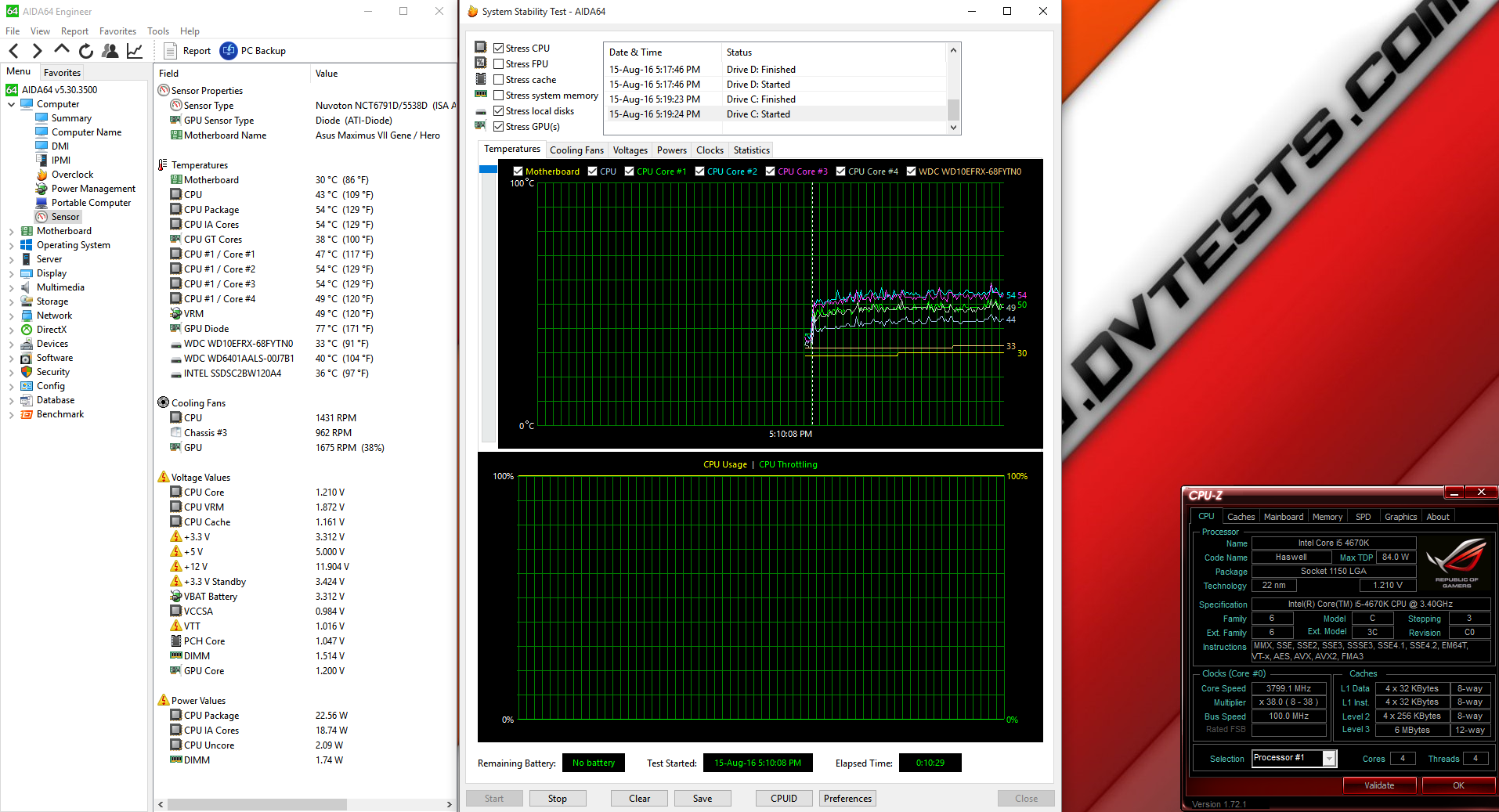 |
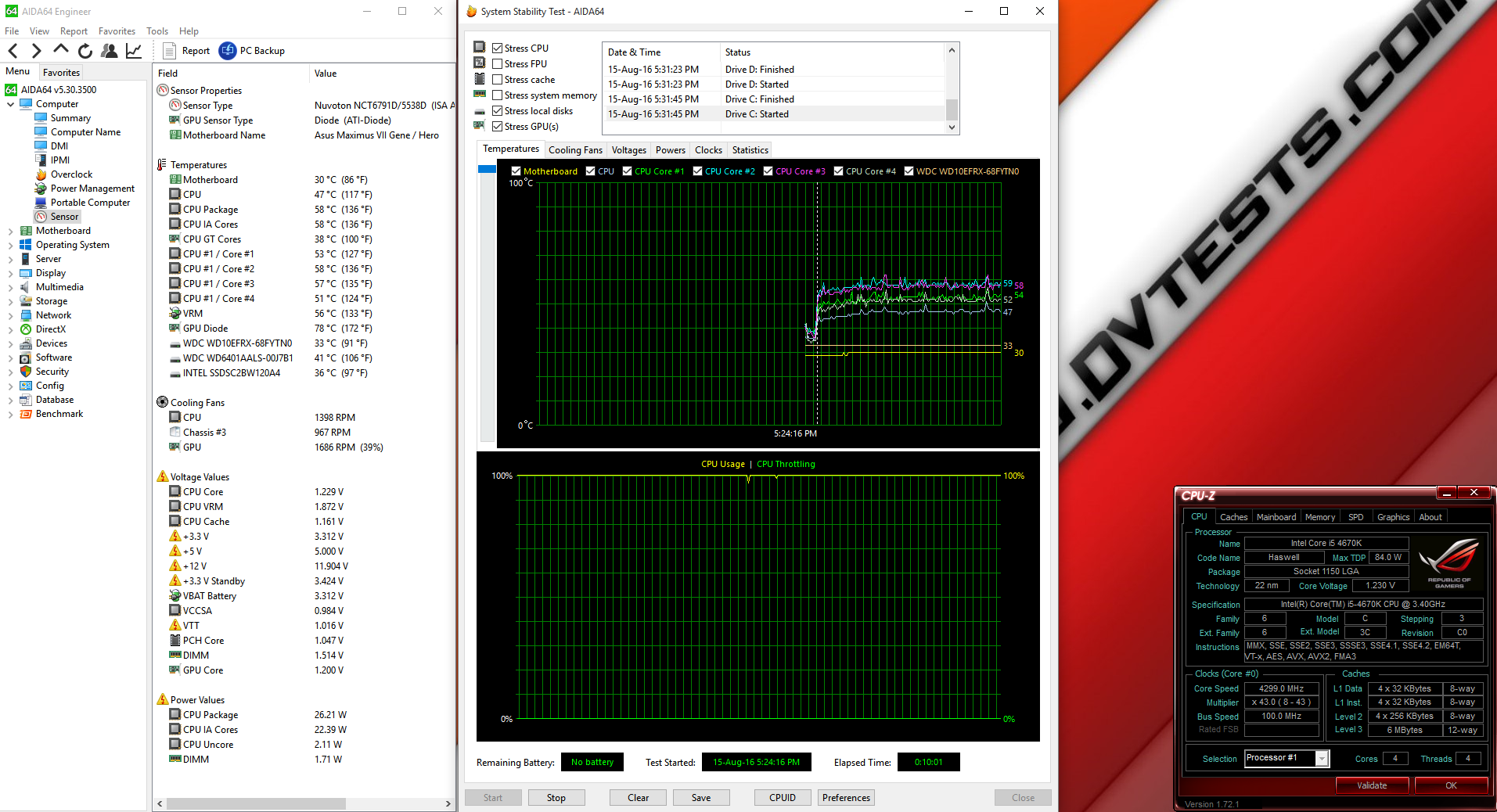 |
After I’ve spent several hours disassembling, assembling, reviewing and later testing the case, I believe it is time to express my thoughts on the product.
Silverstone Primera PM01 CONCLUSIONS
1. Silverstone Primera PM01 performance – It’s amazing what this case did with the included fans, not to mention what can happen when you put water cooling radiators inside and create a nice loop. Considering the dual chamber design it’s definitely paying off as head from the PSU and HDD is not transferred to other components, but cooled separately. All I can say is positive reinforcement for PM01, not really surprised considering the number of fans included, but it stood to its value and purpose, which is great!
Build quality is top notch, solid case in every inch. I’ve kept my right to deduct some points for the quality and quantity of plastic used. I know that budget is a rather conflicting subject, especially to company-end customer relationship, but I know Silverstone can make quality cases with aluminium and steel, with less use of that plastic materials we so much hate.
Execution is excellent, paint job is very good, amazing color matching. Spacious interior, lots of cable hiding options, storage-wise there is plenty of room for drives. Dual chamber design by a sports car inspired case – exceptionally well developed product. I was pleasantly surprised by this case and love it all the way!
2. Silverstone Primera PM01 appearance – LEDs are very well positioned and balanced across the board. I found them to be excellent and beautiful. Remember when I told you NOT to scroll down:
| In the light | In the dark |
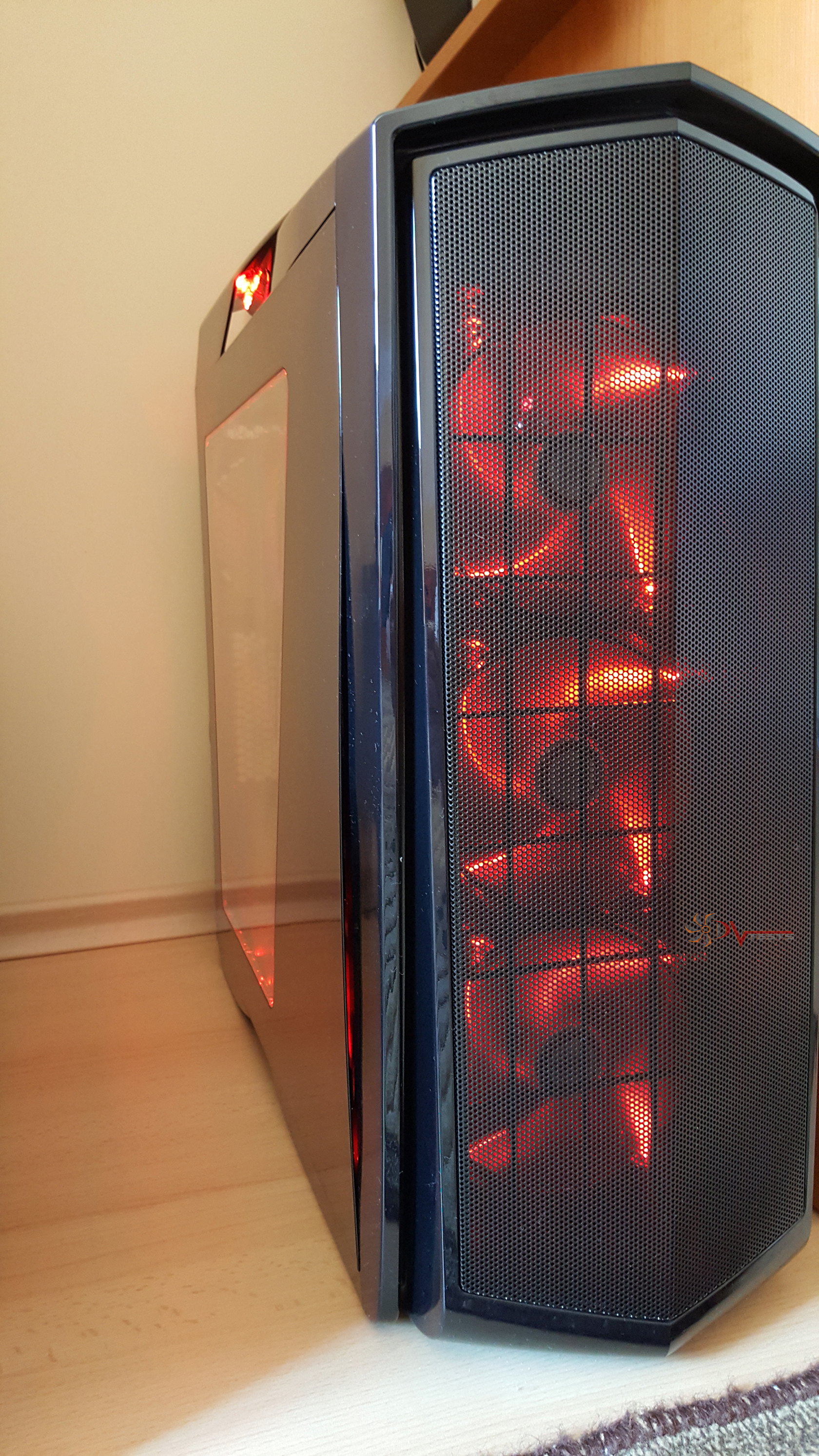 |
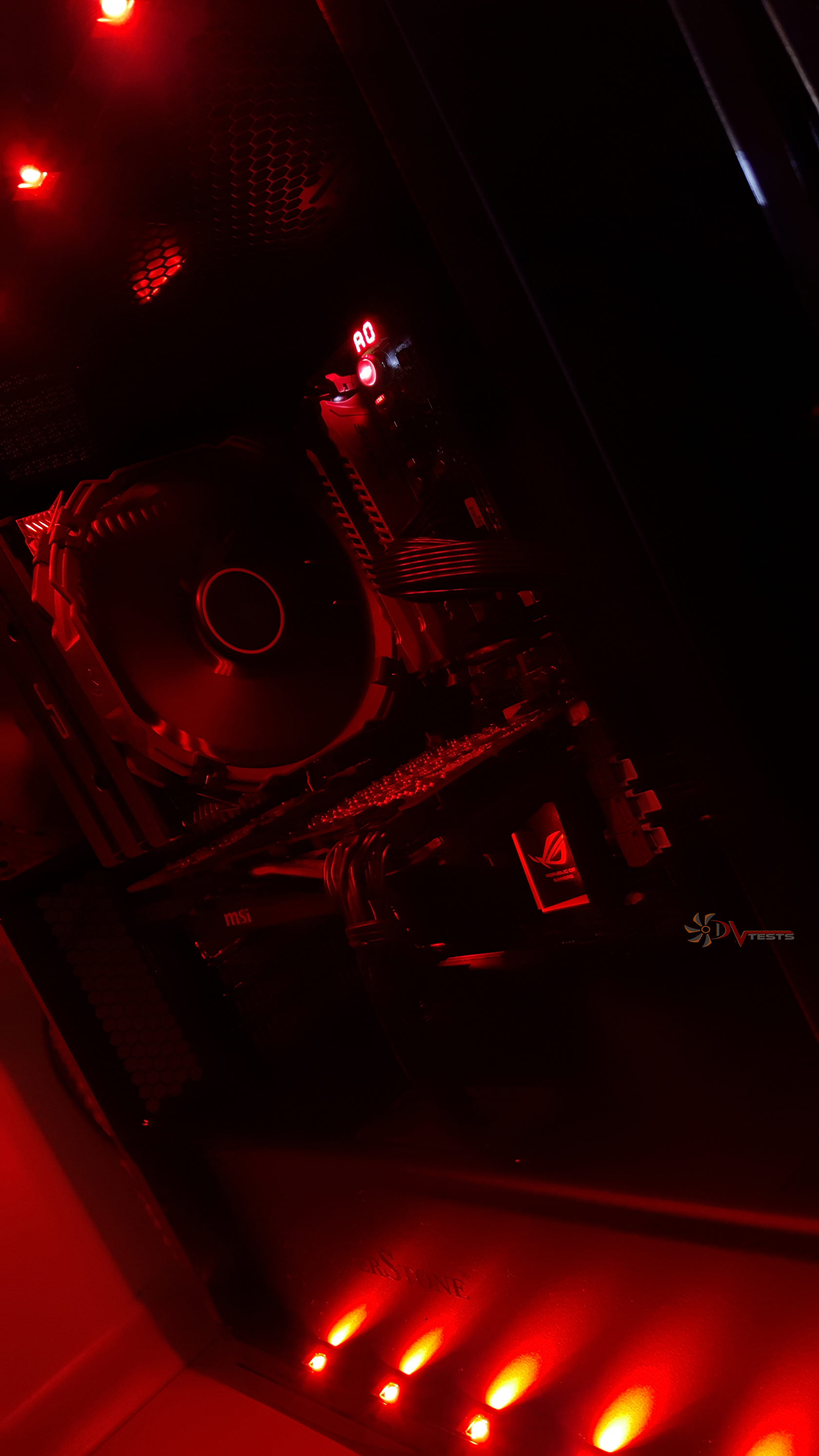 |
Choose a side! I’ll go with dark this time 🙂
Huge front grill, sports car design and vents – all in all, it’s a great looking case. I have to admit that I like simple cases, simple designs etc, however PM01 had me tangled in its red darkness.
2. Silverstone Primera PM01 noise level – So many fans installed – noise. Well, not the whole story. At max speed – yes, you will hear the fans, but they are so bearable that in a couple of minutes you’ll forget you’re sitting next to a case. Although there is no noise dampening materials here the overall design of PM01 helps isolate some of the noise and makes it just a humming sound of the air, rather than those familiar propeller noises. Sounds nice, huh.
What an excellent case you’ve built, Silverstone!
I believe Silverstone Primera PM01 deserves the following reward:

Official price (MSRP) for Silverstone Primera PM01: 110.5 euro
Warranty: 2 years
Special thanks to Silverstone for providing us with a test sample.