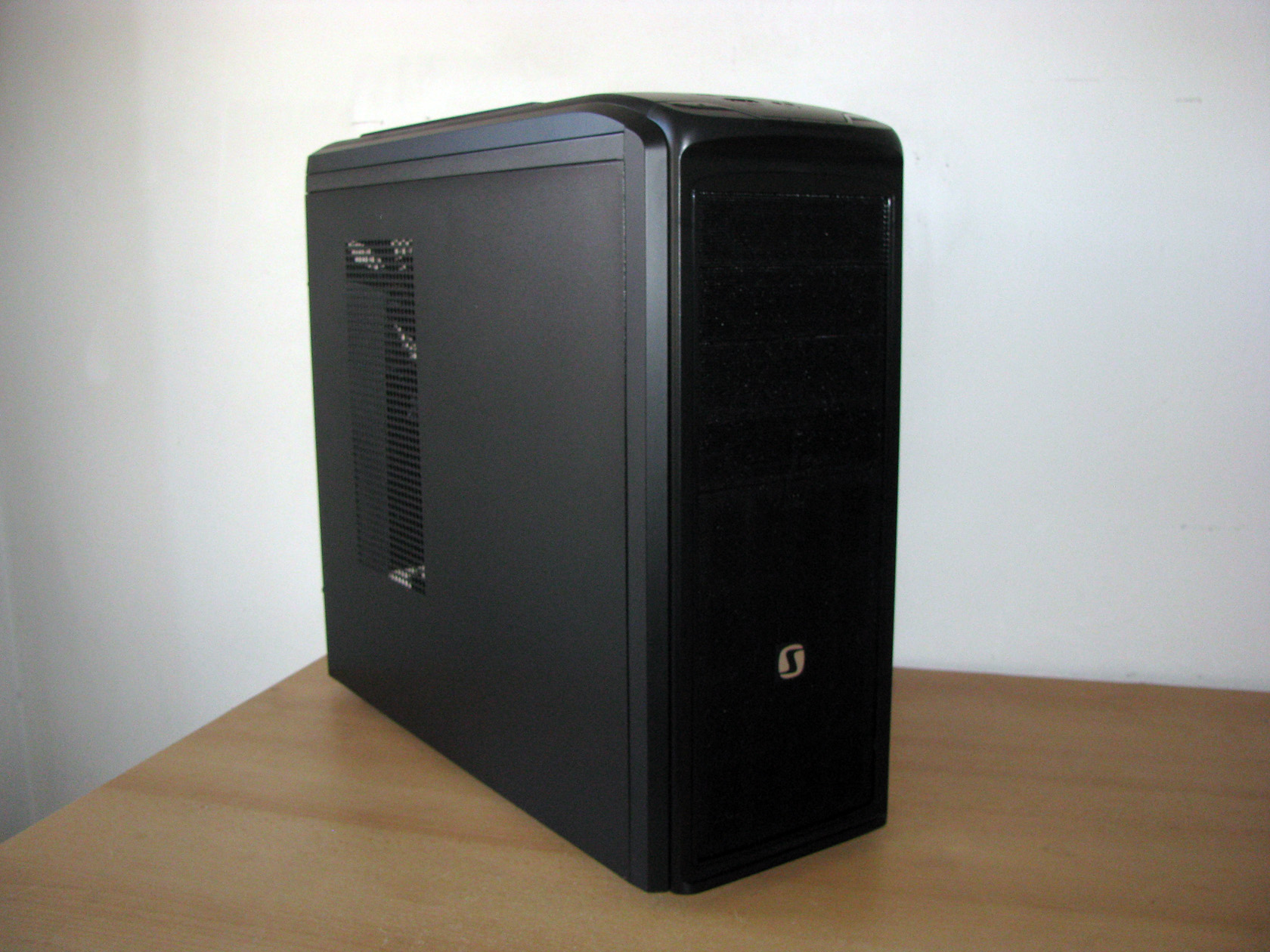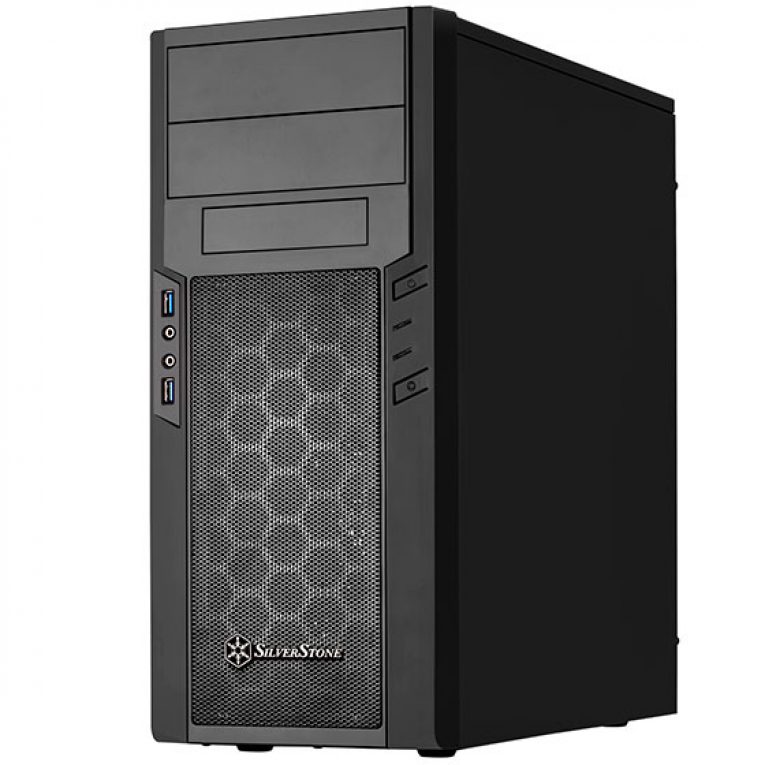
Precision series is a small part of the vast Silverstone portfolio of products, however they are quite popular cases, mainly due to the price range they are offered at. Previously I’ve reviewed a couple of cases from the same series and I am very pleased with them and their performance. The newest model in this line-up is called Precision PS13.
Take a closer look at the previous tests and reviews:
[wpsm_list type=”bullet”]
[/wpsm_list]
In terms of options available there are dozens and Precision series consists of the following models – Precision PS06, 07, 08, 09, 10, 11, 12 and PS13.
I have my hands on the test sample of PS13, their latest addition, and I’m quite trilled to see what it has to offer in terms of compatibility, performance and quality.
Let’s take a closer look:
| PS13 carton package | Other side of the box |
 |
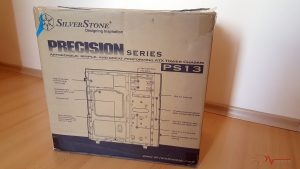 |
The standard box for this chassis is made of plain recycled carton with black font to show all the necessary information both on the front and sides. Frontal shot of the box is the main focus area, larger font is used to put emphasis on the name and company producing the case, and a couple of the case’s features are presented on the front as well.
Back side of the box is having a more detailed breakdown of the case with markers and guidelines, technical information is contained on both sides of the box.
The time has come to open the box and take a peek inside.
| Protection layers | Styrofoam thickness |
 |
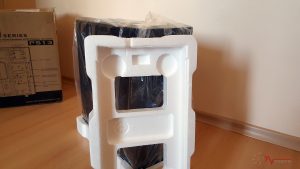 |
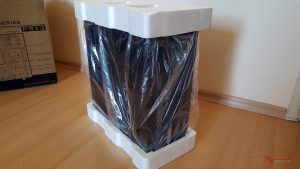
Having said that, I also took a closer look at the protective layers which the case is wrapped up with and my opinion is that the styrofoam is thick enough to protect it. However, especially with cases where the main goal was budget, we all know that this usually saves from steel thickness. That resulted in a slight dent in the case’s rear where the PSU is situated. Nothing too scary, however it’s a note to be made by both buyer and Silverstone.
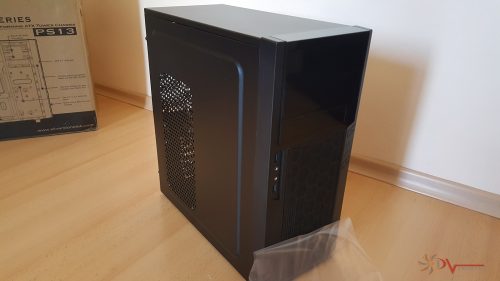
Let’s have a closer look at the exterior once I remove the protective nylons and foam.
Silverstone PS13 EXTERIOR
PS13 is made of steel and plastic for some of the body parts, all materials are painted in black both inside and out. The physical dimensions of the chassis are: 182mm (W) x 426mm (H) x 400mm (D) and 31 liters of volume. Net weight is at a fair 3.36 kg and the windowed version is 3.26 kg. PS13 comes in two different versions – a non-window version and a windowed one, which could be more appealing to those who like to show off or look at their hardware.
It’s a very good looking case, indeed! I love the clean look and big mesh grill at the front as it makes the chassis quite appealing and unique looking. Having said that, notice the black piano finish for the 5.25″ bays and the external 3.5″ HDD bay. It provides a luxurious look and adds value to the case; however, be careful as it also is a fingerprint magnet.
| Front | Rear |
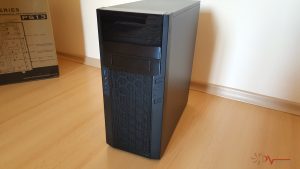 |
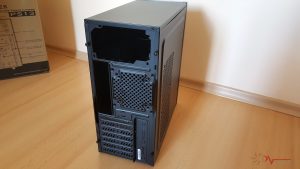 |
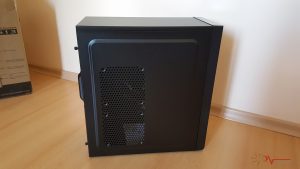
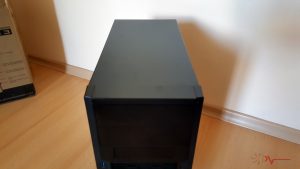
Top panel is flat, no cooling options there, however the side panel contains two 120mm fan mounts and is slightly protruded to allow more space to be utilized. The plastic and steel parts are painted well enough and the only visible difference is the piano finish, as it’s very glossy. Otherwise, the paint matching is on a high level given the budget. Rear side is showing us that the PSU is located at the top, not very common nowadays. PCI expansion slots are non-removable, so you’ll need to break them off and live with it. One more fan mount is located here – for a 120mm fan.
| Side | Top |
 |
 |
Side panel has a very small handle for easier installation/removal and thumbnail screws are used to hold it in place.
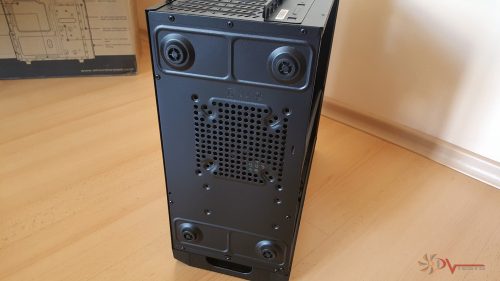
On the bottom portion of PS13 we see the four feet, which unfortunately are made of plastic which makes the case slip on all surfaces except carpets. A fan mount is also located here for even more cooling should you need it.
That covers my exterior examination of the case and now we can proceed with checking out the interior bits.
Silverstone PS13 INTERIOR
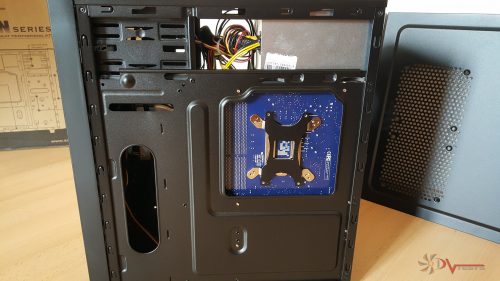
Both thumbnails holding the left side panel weren’t tightened beyond recognition, so removing the panel was easy and it uncovered all the interior goodness. As we see the black paint made its way there also which is a good thing considering the price range. I also checked the sturdiness of the side panel after removing it and I can say it’s okay. At this price point we cannot expect miracles and tank-like materials used (in this case it’s the steel thickness and overall design of the chassis that counts).
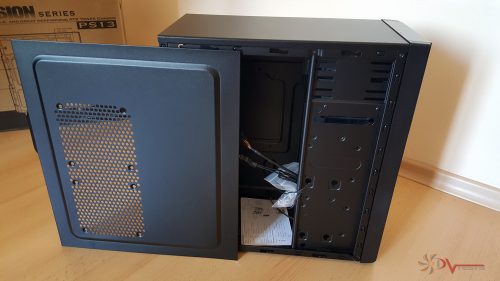
At a first glance of the interior it appears to be a small one, but that’s half of the story as the HDD cage is technically not an HDD cage, but a mounting point for any storage devices and it also serves as a place for the clutter – cables, connectors etc.
PS13’s interior can accommodate ATX (up to 12″ x11″) and Micro-ATX motherboards as well as up to three storage devices in different configurations: there is one external bay located at the front panel, in addition to that there is also place for 3.5″ x 2 on the HDD mounting points or if you have your PC upgraded with an SSD you can do the usual configuration – 3.5″ HDD x 1 and 2.5″SSD x 1. The optical drive bays 5.25″ are 2 and are located above the external drive bay for any Blu Ray players or fan controllers or anything of that sort depending on your needs.
| User manual | Additional accessories |
 |
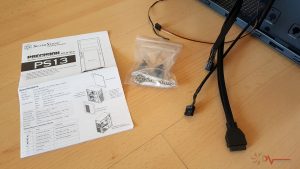 |
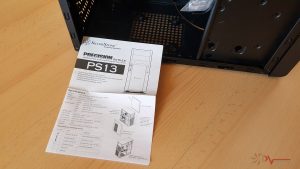
In terms of additional accessories PS13 offers the bare minimum that you’ll need – a small leaflet with instructions, which is enough for most users out there. A small transparent nylon bag containing a nice Silverstone badge that you can stick onto the case anywhere you’d like, screws and standoffs. No zip ties included which is a bit disappointing as considering the size of the case there will be some clutter around and it’s always good to secure those cables with a zip tie.
Another good thing about the budget PS13 case is that it includes all black I/O cables in the face of flat USB 3.0 motherboard connector, HD audio cable and the power/reset, HDD LED whose cable is also nice and flat. The only cable that is not black is the fan cable. I don’t know why they chose not to sleeve it, but yes it can be hidden properly inside the case.
Now that I’ve checked most of the case it is time to disassemble it and have a look around the chassis. It’s here where I have to say that most of the case is riveted and not many parts can be removed. This is to be expected as most budged cases are like that, which is normal and makes things even easier.
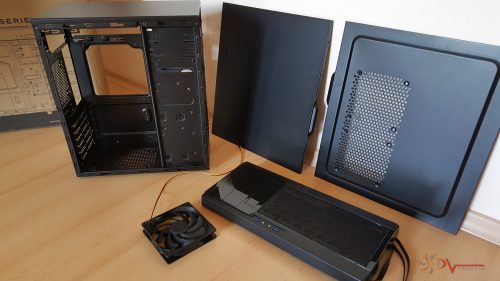
All in all, these are all the parts you can remove from PS13:
[wpsm_list type=”bullet”]
- 1 x left side panel
- 1 x right side panel
- 1 x 120mm fan
- 1 x front panel and I/O cables
[/wpsm_list]
Overall the chassis strength is good considering the size and money invested in its manufacturing. There are a couple of weak points, especially around the PSU area which should be revised and redesigned if this case has a second edition.
Front panel is quite solid, it also has an inbuilt dust filter which serves the purpose of a nice looking big mesh grill. The I/O cables are securely attached to the plastic and PCBs.
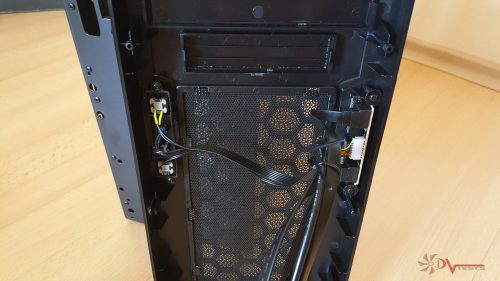
One thing I would have really liked to see is if the front grill was removable for easy cleaning. When dust accumulates you’d have to either remove all of the I/O cables and then remove the front panel for cleaning or you’ll need to unbend and remove the metal grill – it’s too much hassle for a case that should be easy to work with not only when installing a PC but also maintaining it.
Front panel is also the home of 2 x USB 3.0 connectors, HD audio jacks and power/reset buttons. The latter are quite tactile and well placed also.
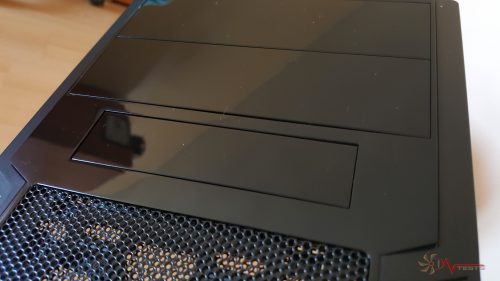
Here is a close up photo of the piano black finish.
Going in more detailed info around the interior bits, Silverstone made sure that this case is fit for many applications and thus they have tried to squeeze as much space as possible from this small fellow.
[wpsm_list type=”bullet”]
- PSU length limitation: 174mm
- CPU height limitation: 162mm (standard version), 159mm (windowed version)
- GPU length limitation: 347mm
- GPU width limitation: 124mm up to 150mm
[/wpsm_list]
On the inside there are no rubber grommets installed, nor many holes for cable management. Also there is no space for cable management whatsoever, but cables and connectors can be hidden if you get creative with the case.
Cooling-wise PS13 comes with one 120mm fan installed out of the box and it has the potential to fit more. It’s a decent quality Silverstone fan, black frame and propeller. The design is typical Silverstone with the curved blade design.
[wpsm_list type=”bullet”]
- Front 120mm fan slot x 2 (included 120mm fan x 1)
- Rear 120mm fan slot x 1
- Side 120mm fan slot x 2 (SST-PS13B only)
- Bottom 120mm fan slot x 1
[/wpsm_list]
A total of 6 fans can be installed inside which is good considering the size of the case. I’m also positive that the cooling capacity will immensely change as many fans in a small sized case means good ventilation.
We’re almost ready to step in the test mode and see what the case has to offer, but first I need to assemble the PC inside.
Silverstone PS13 TESTS
For the testing I will use an Intel based system with Z97 chipset motherboard.
Intel Z97 Test system
- CPU: Intel i5-2320
- At standard frequency 3.000 MHz (Voltage set to Auto when not OC-ing)
- Motherboard: Foxconn
- Video card: nVidia GTX 750 Ti Gigabyte
- Memory: Kingston Transcend 6 GB, 1333 MHz
- Hard drive: Seagate 1 TB, 32 MB cache
- Case: Silversone Precision PS13
- Power supply: Turbo-X 550 Watts
- Cooler: Enermax ETS-N30
- Thermal paste: Noctua NT-H1
The test was conducted in a closed system with:
- 1 x 120mm Silverstone fan, rotating at maximum RPM
- Room temperature of about 24~25 degrees Celsius
And here I want to describe my testing method.
I will install my test rig inside the case and do CPU and VGA stress tests using AIDA64 and Prime95 stability test for about 10 minutes with these settings:
- CPU: Intel i5-2320 – running at stock voltage and frequency.
- nVidia GTX 750 Ti Gigabyte – running at stock voltage and auto speed control of the fans.
Installing the PC in PS13 was a quick and hassle free job. It was also easy to hide all of the cables inside and tidy up the space so the end result was a nice looking, tidy system build.
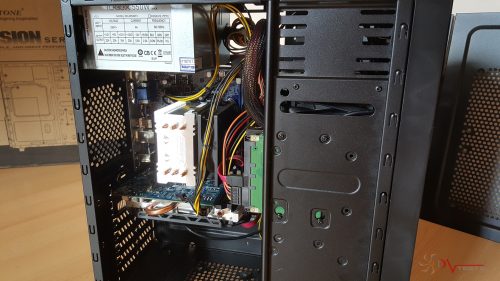
The downside to my PSU was the length of the cables and the 6-pin power connector was only able to reach the GPU in one way, which is ugly as hell, however it’s not the case’s fault here. All in all, the job was easy and a pleasure as well.
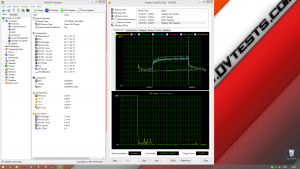
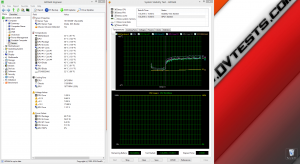
Results from the test I conducted are as follows:
| PS13 at Idle | PS13 at 10 min load |
 |
 |
After I’ve spent several hours disassembling, assembling, reviewing and later testing the case, I believe it is time to express my thoughts on the product.
Silverstone PS13 CONCLUSIONS
1. PS13 performance – For a case with one fan it is doing well in the CPU range of temperatures, given the small cooler used. In addition to that, there are lots of ventilation holes and openings that aid the cooling part. I am sure that by adding one more fan in the air cooling loop would result in even better cooling and performance. Air cooling is what I recommend the case to be used with provided the small amount of space available. If you are persistent enough you”ll be able to squeeze out some room for AIO CPU cooler, but you have to think whether it’s worth the effort and end result.
Build quality is good and Silverstone like with the exception of a couple of things I mentioned in the article. Paint job is on a high level and the overall execution is well worth the buck.
Features-wise I would have liked to see a removable dust filter or one more on the bottom of the case. External HDD location is good and a great feature if you move HDDs often and there is plenty of space for 5.25″ drives.
2. PS13 appearance – Small chassis can be beautiful too and PS13 is no exception! Honestly, from the entire Precision series this is the one I like the most in terms of looks – it’s clean, has a large grill and looks classy with the glossy finish. Windowed version is even prettier!
2. PS13 noise level – One fan from the factory is not noisy enough to make you want to leave the room. There is just a tiny noise from the air movement, but nothing scary. It’s a small, silent case for an entry level system build and it suits this role perfectly. Adding more fans will result in more noise output as there is no sound dampening material available, however it also depends on the fans you add in.
All in all, it’s a good enclosure for those who are making their first steps in PC building or those who want to make a gift to their mom and make a small PC for everyday use.
I believe PS13 deserves the following reward:

Official price (MSRP) for Silverstone PS13: 37.5 euro w/o VAT
Warranty: 24 months
Special thanks to SilverStone for providing us with a test sample.