
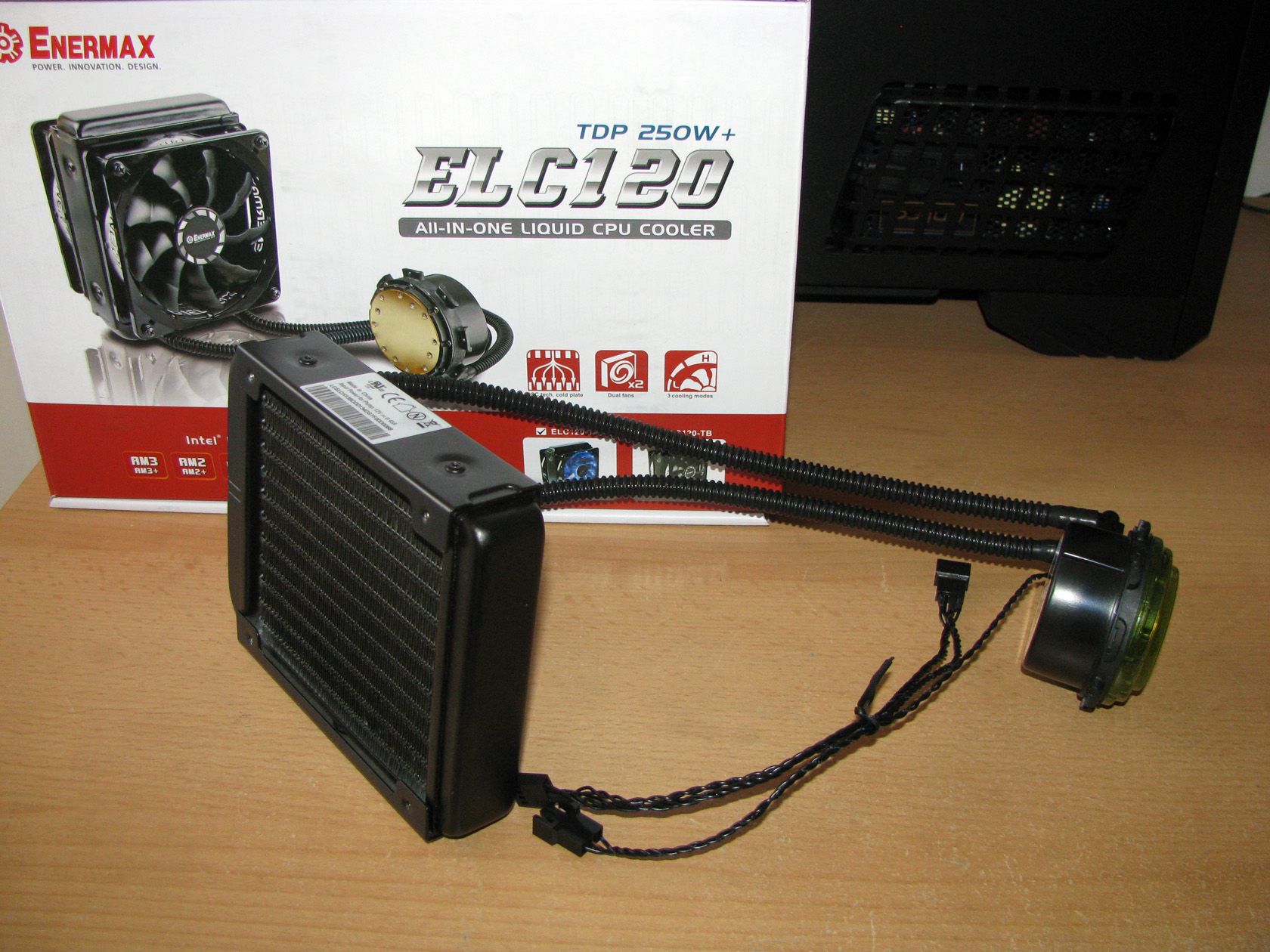
Almost a month ago, the European marketing division of Enermax organised a very interesting event called ENERMAX FANS TEST to provide 3 AIO water cooling test samples to 3 different guys for doing tests and reviews. I took part in this event and after I got chosen to test and review ENERMAX ELC120-TA this is what I received from Enermax:
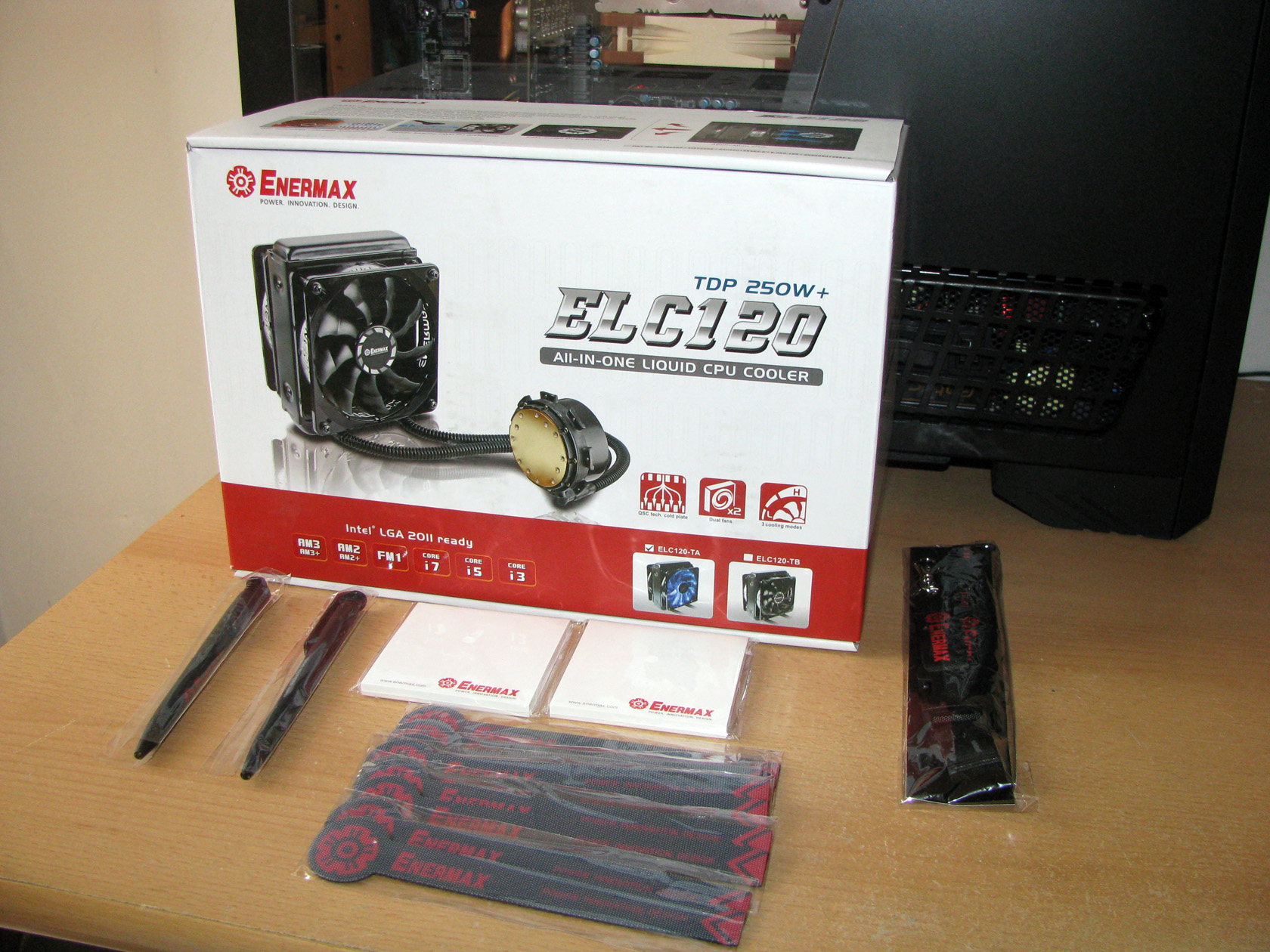
A package holding some very nice and useful advertising materials accompanied by the most important thing – the ENERMAX ELC120-TA AIO water cooling.
| The front panel | The back panel |
 |
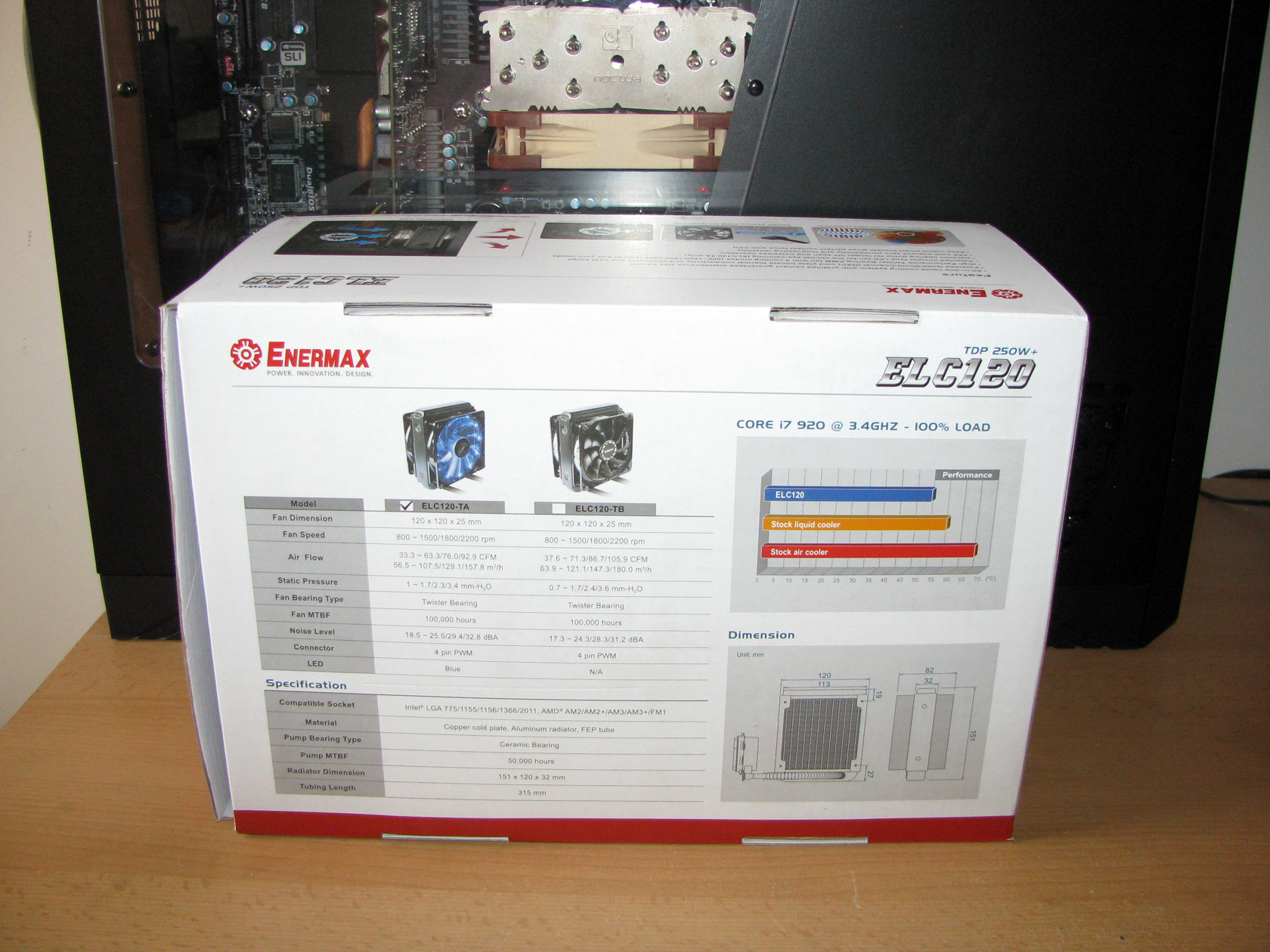 |
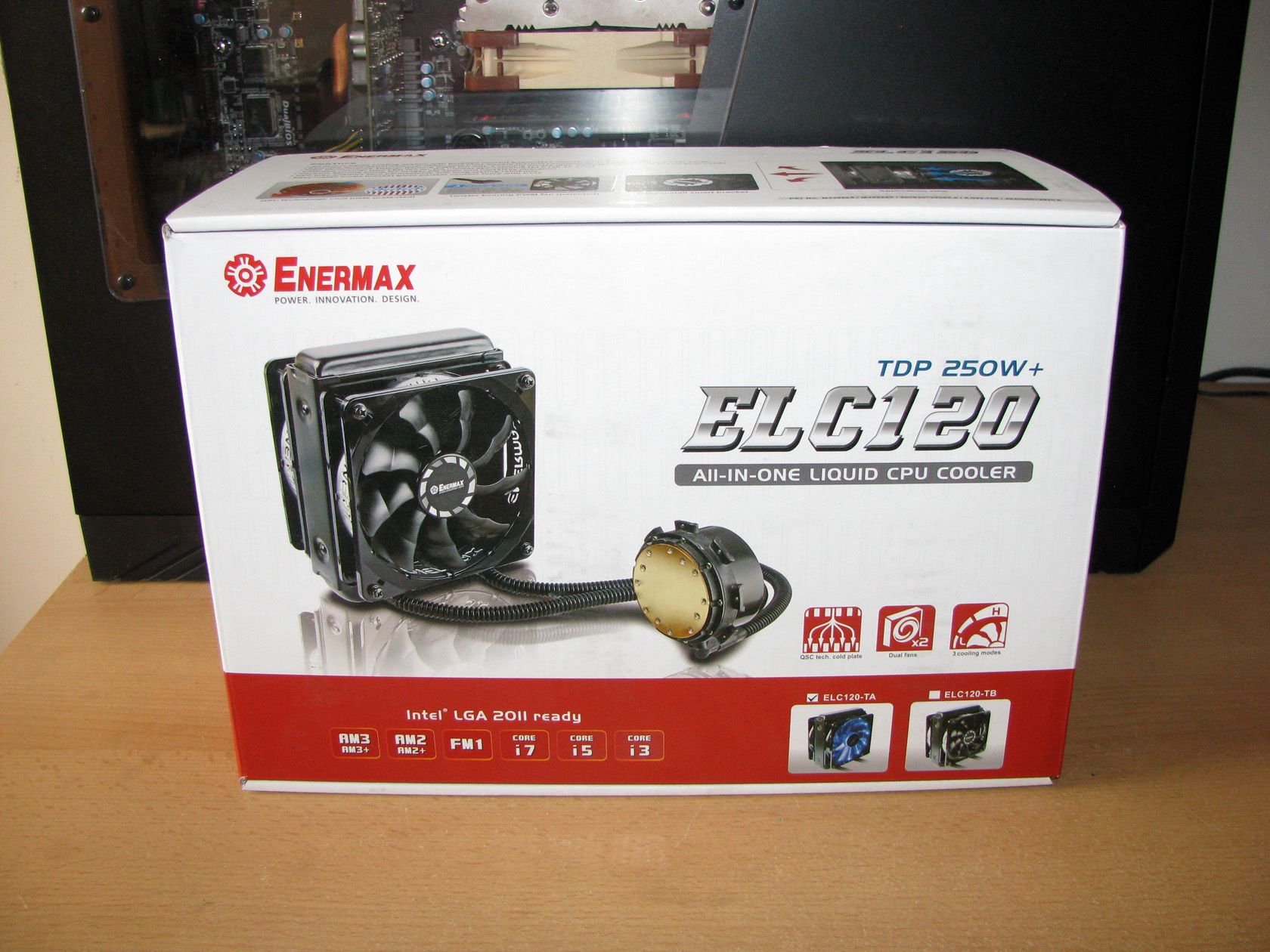
ENERMAX ELC120-TA arrived to me in a pretty big painted in white/red carton box with a huge picture of the AIO cooler with some technical details regarding the product on the front panel, while the full technical specification with a lot of pictures and explanations are on the back panel of the package. Apart from that, on the top panel there is some additional information about the technologies used for the creation of this product, while on the bottom panel there is a list of the additional accessories provided with the AIO. To be honest, the package looks very attractive but I believe it is time to check what’s hidden inside.
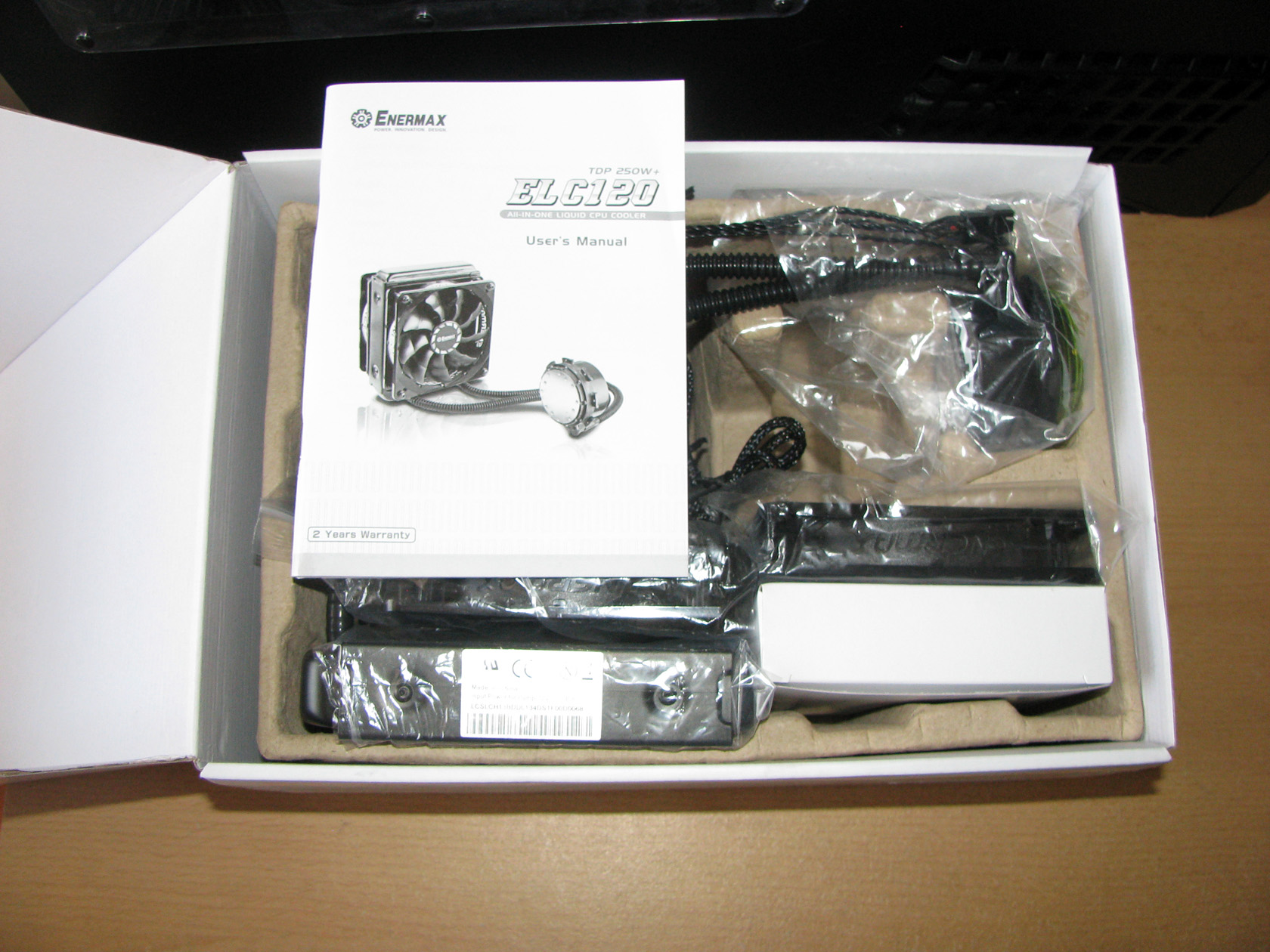
After I opened the outer package, this is what I found inside. Everything related to the cooler was carefully packed in nylon bags and placed in its position in the carton “bed”.
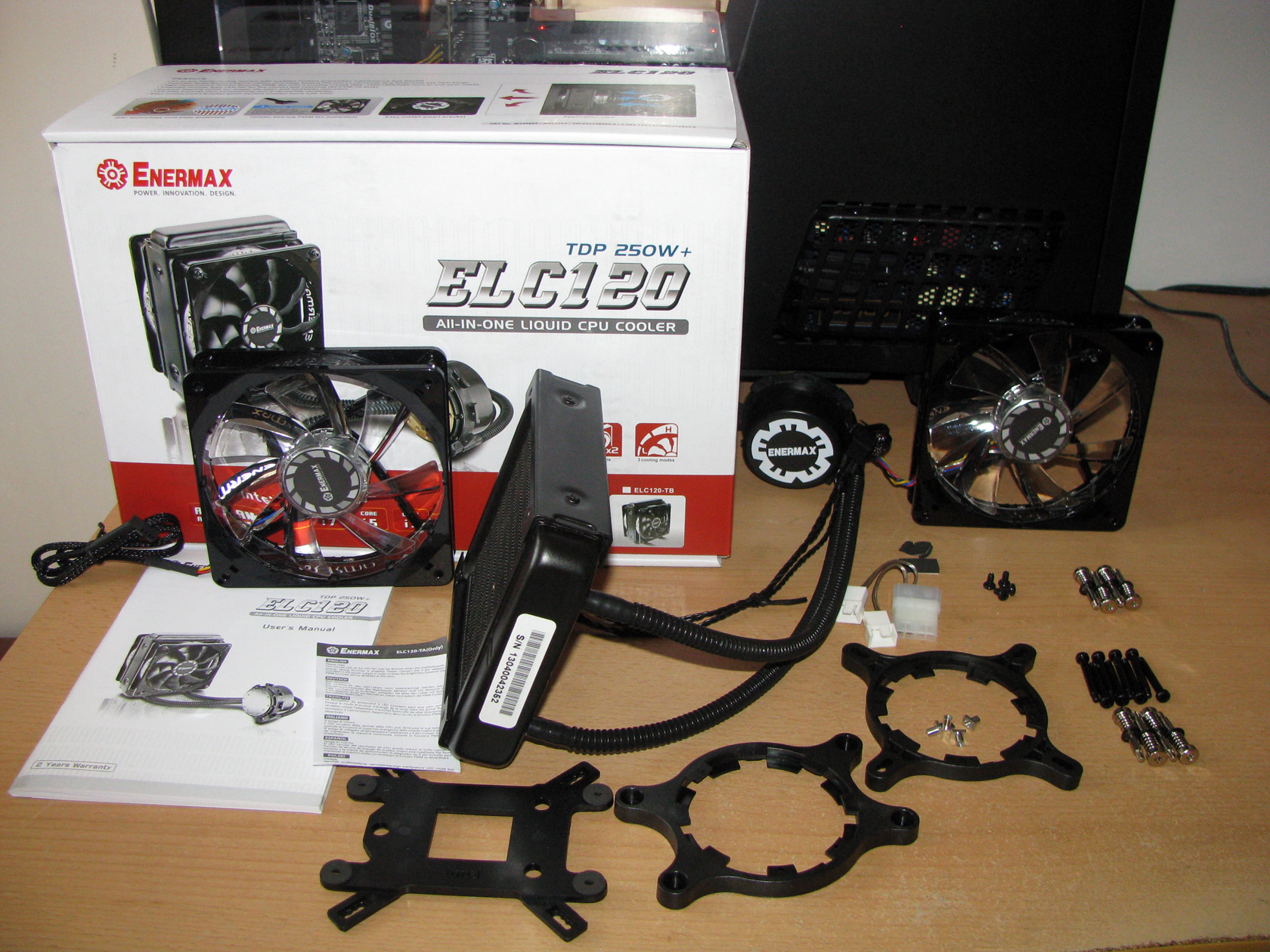
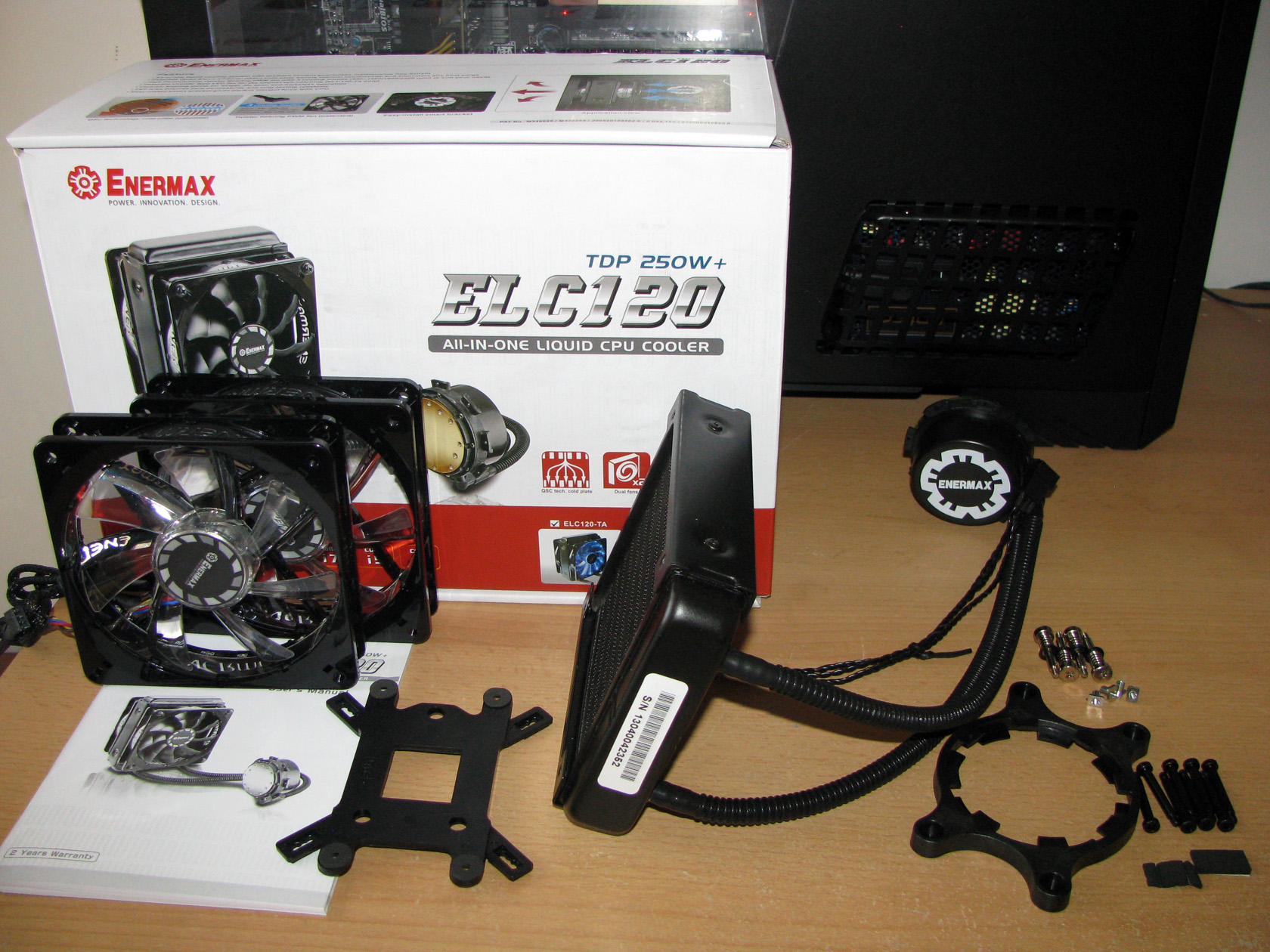
One by one I took all of the parts from their packages and after I arranged them for taking some pictures this is the view I got. All of these parts on the picture above are actually the additional accessories provided with the ENERMAX ELC120-TA:
- Intel installation kit – both of the kits require the same combined painted in black plastic backplate
- AMD mounting kit – both of the kits require the same combined painted in black plastic backplate
- A lot of screws and nuts so both of the kits can be installed
- 4 short and 8 long bolts so the fans can be attached to the radiator or the radiator can be attached to the case if only one fan is installed
- 4 pin molex to 2 x 4 pin fans adapter for powering the fans directly from the power supply
- 2 x high performance Twister Bearing PWM fans with 3 cooling modes (800~1500/800~1800/800~2200 rpm) with blue back-light
- An installation manual
I believe the time has arrived to pay some attention to the AIO water cooling system itself.
After I took the AIO out of package, the first thing to notice was that ENERMAX ELC120-TA offers a pretty standard structure for an all-in-one water cooling system, featuring a slim cooling radiator, a cooling block made of cooling plate together with the pump attached, and a plastic cover with the company logo on top of it, tubes, cooling fans and the mounting kit, which I am going to describe one by one in this article.
Cooling radiator
| The slim radiator design | A 120mm fans compatible |
 |
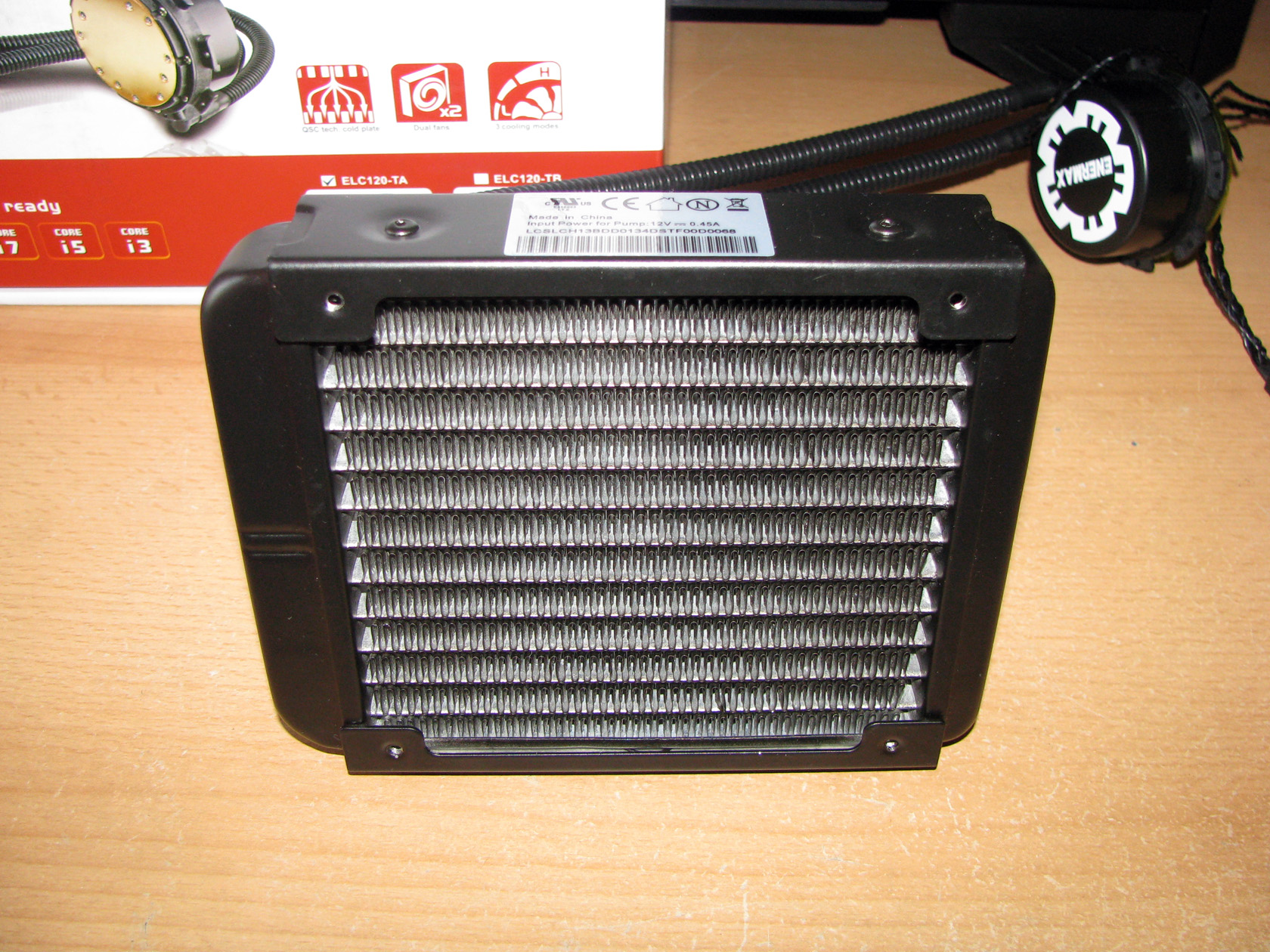 |
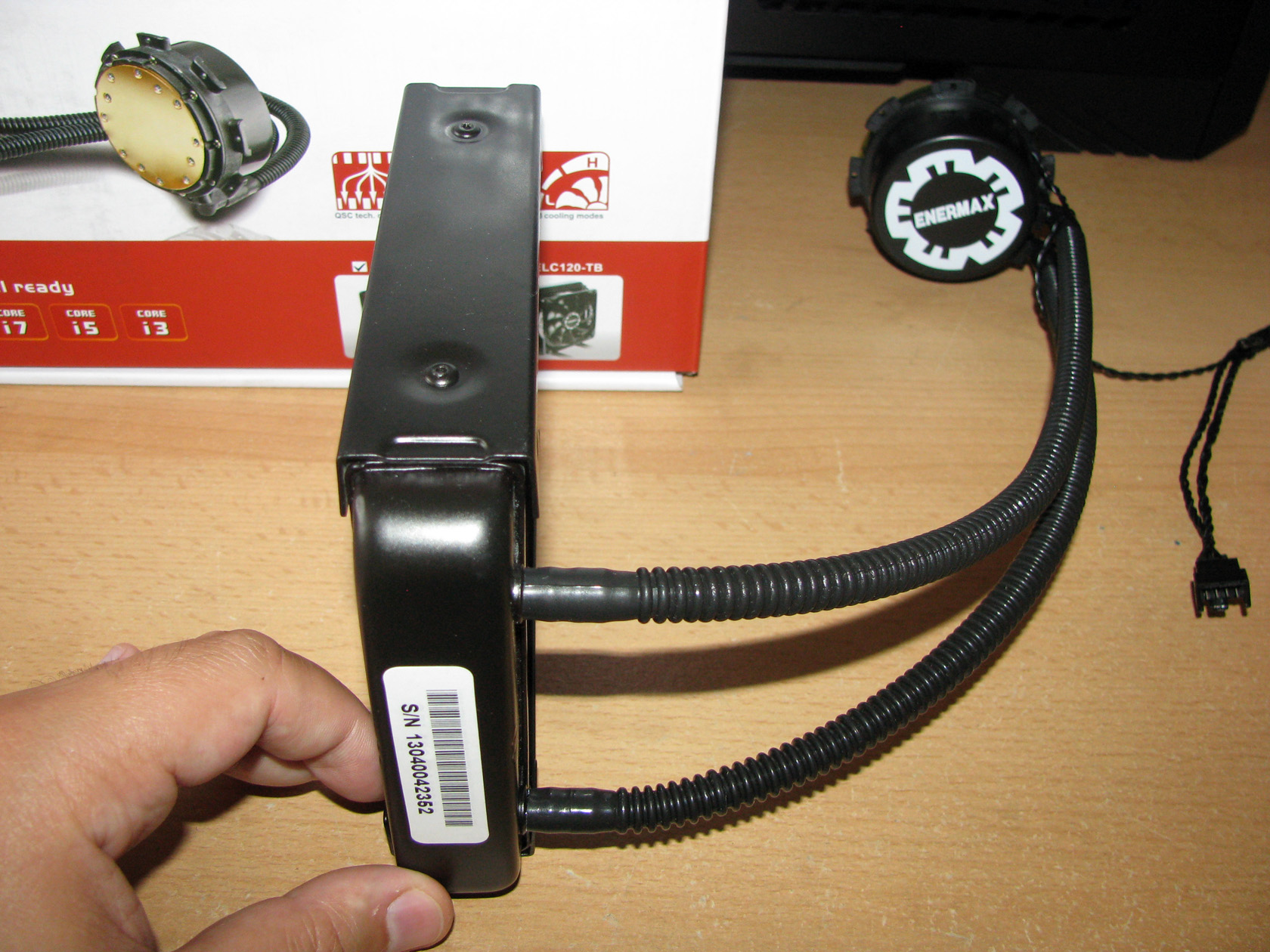
ENERMAX ELC120-TA features a single slim slot radiator with dimensions of 151 x 120 x 32 mm and overall weight without the fans of 495 grams made of aluminum entirely painted in black matte, to be used with up to two 120 x 25 mm fans installed on both sides of the radiator with the 8 long bolts in push-pull setup. The radiator itself can be mounted, using the same bolts for the back fan, on the back or top of every middle or full ATX modern case, which has a 120 mm case fan slot, or it can be used with only 1 fan mounted on the front side with 4 long bolts and the radiator can be attached to the case with the four shorter bolts.
Cooling plate together with the pump and the tubes
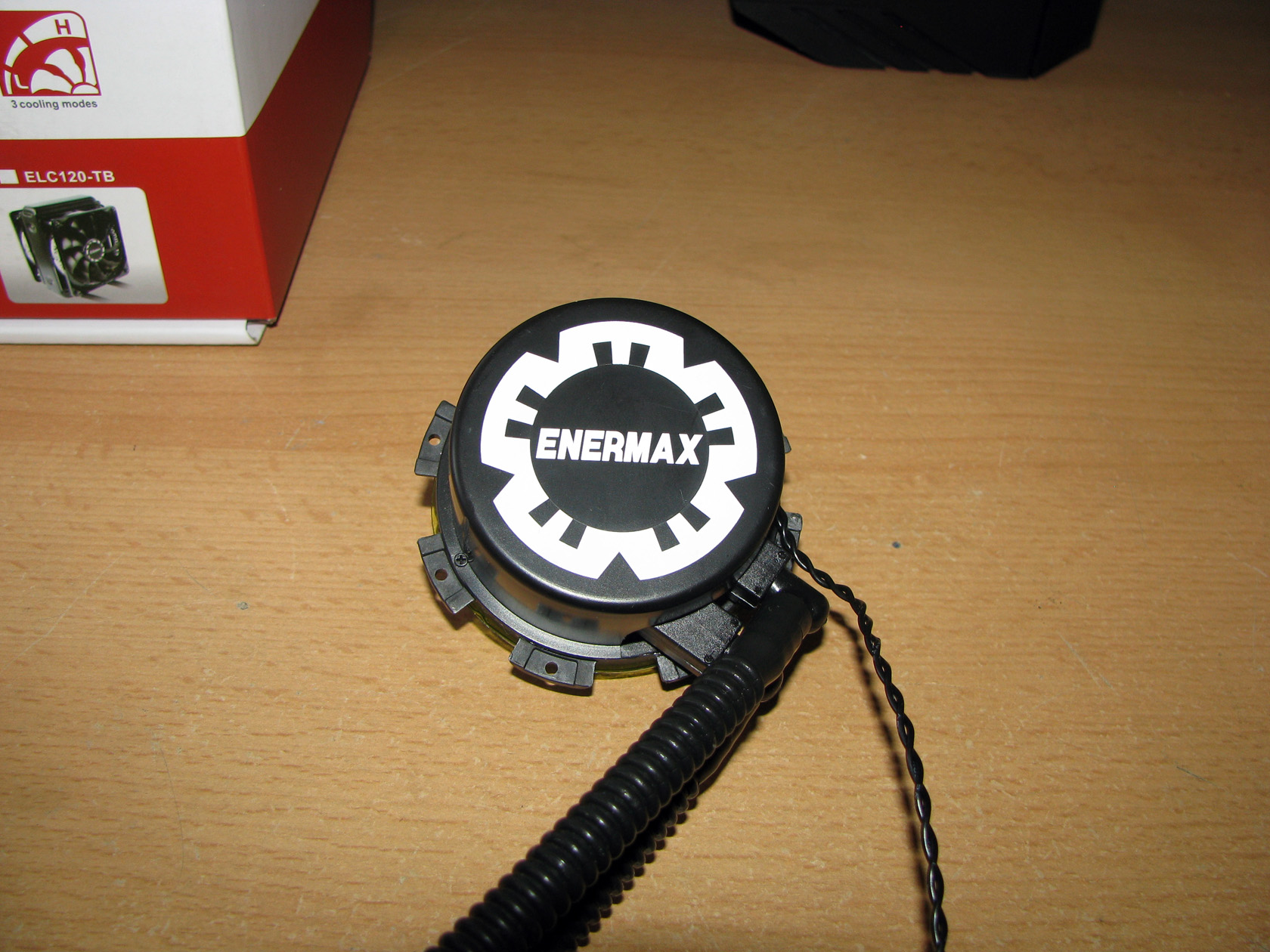
| Enermax logo | Pre-applied thermal compound |
 |
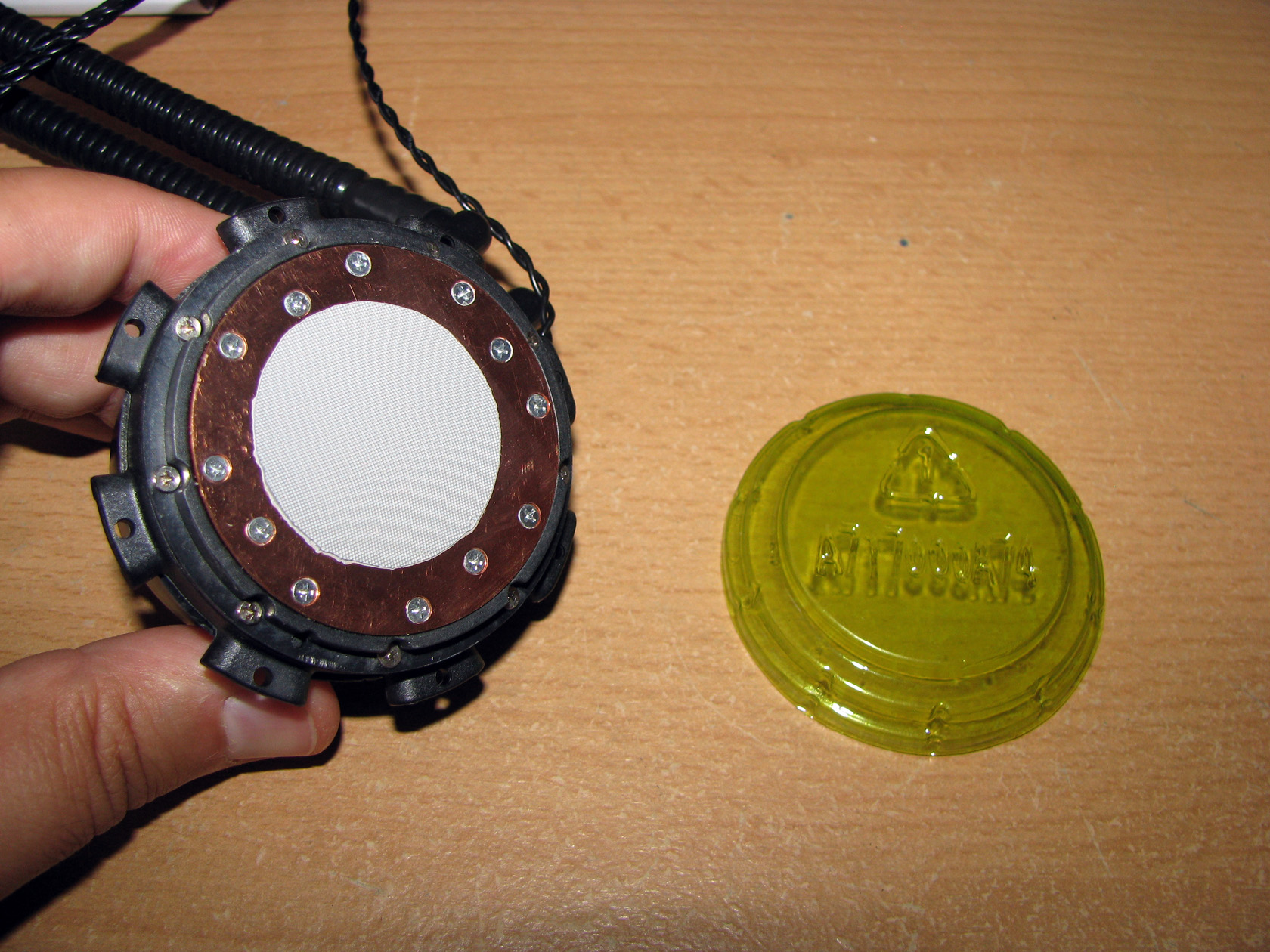 |
ENERMAX ELC120-TA offers a cooling block made of pretty standard parts, featuring a very well-milled entirely made of copper contact plate with the water pump attached, with a ceramic bearing and working at 2200 revolutions per minute. Both of the parts are secured with a lot of bolts for leak-free operation and to improve the overall build quality. The copper contact plate with the water pump attached are covered with a really stylish looking plastic cover painted in black matte with white Enermax logo painted on the top.
Apart from that, the contact plate arrived to me with a pre-applied thermal compound, which to be honest I have no idea what it is and secured by the green cap protecting the surface from scratches.
Of course, the radiator and the cooling block are connected together by two very flexible and ribbed tubes made of FEP material with length of 315 mm and of course painted in black.
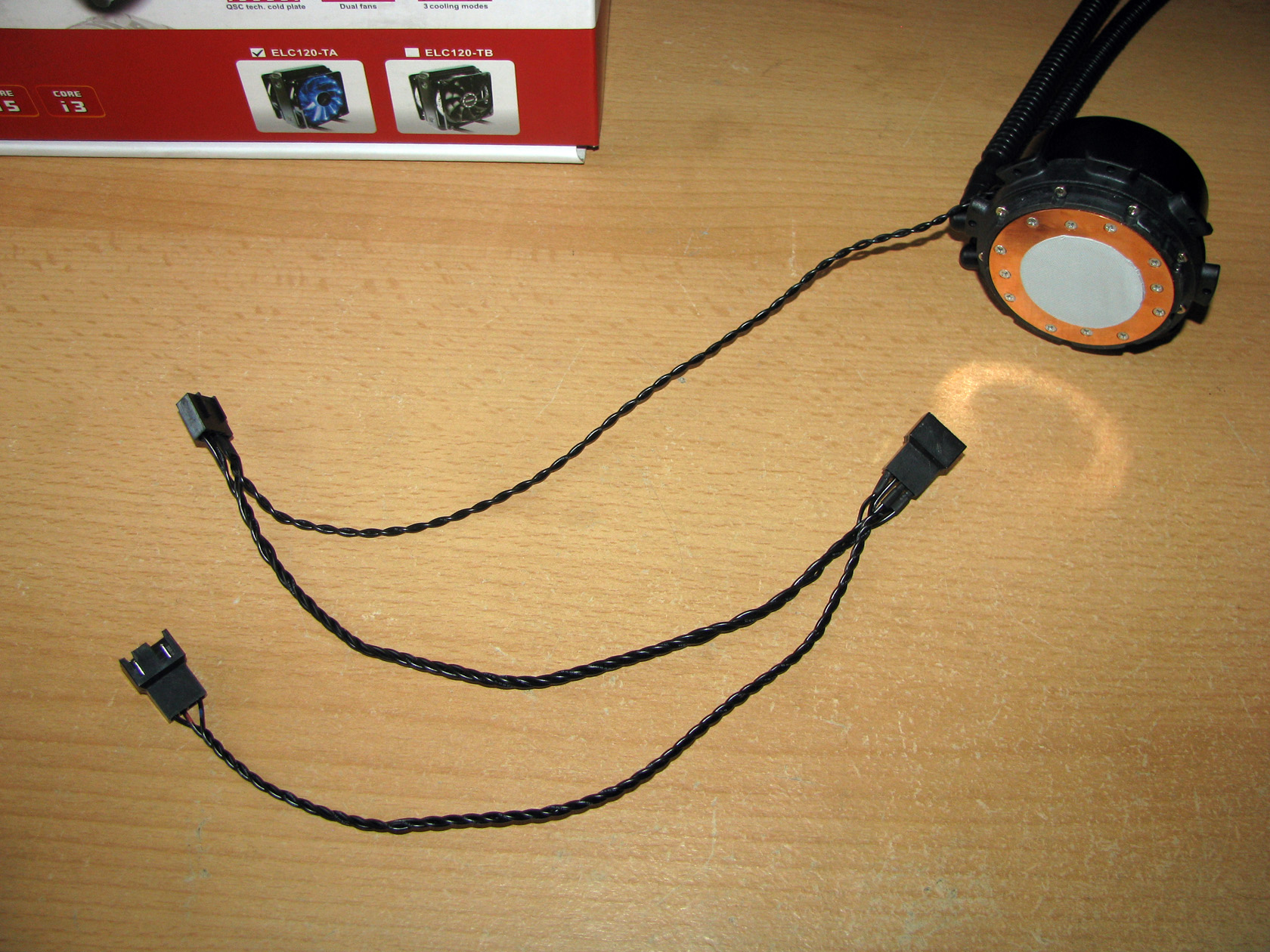
Maybe you’ve already noticed from the pictures above that there is one cable coming out of the cooling block and it is definitely made for powering and regulating the water pump from the motherboard together with the 2 fans directly attached to the CPU fan header. Here I should point out that the cable is a bit thin, so if you have this AIO be careful when installing or removing the fans to avoid breaking any of the wires. All of the connectors on the cable are 4-pin PWM.
And since I’ve mentioned the fans, let’s check out what they have to offer …
Cooling fans
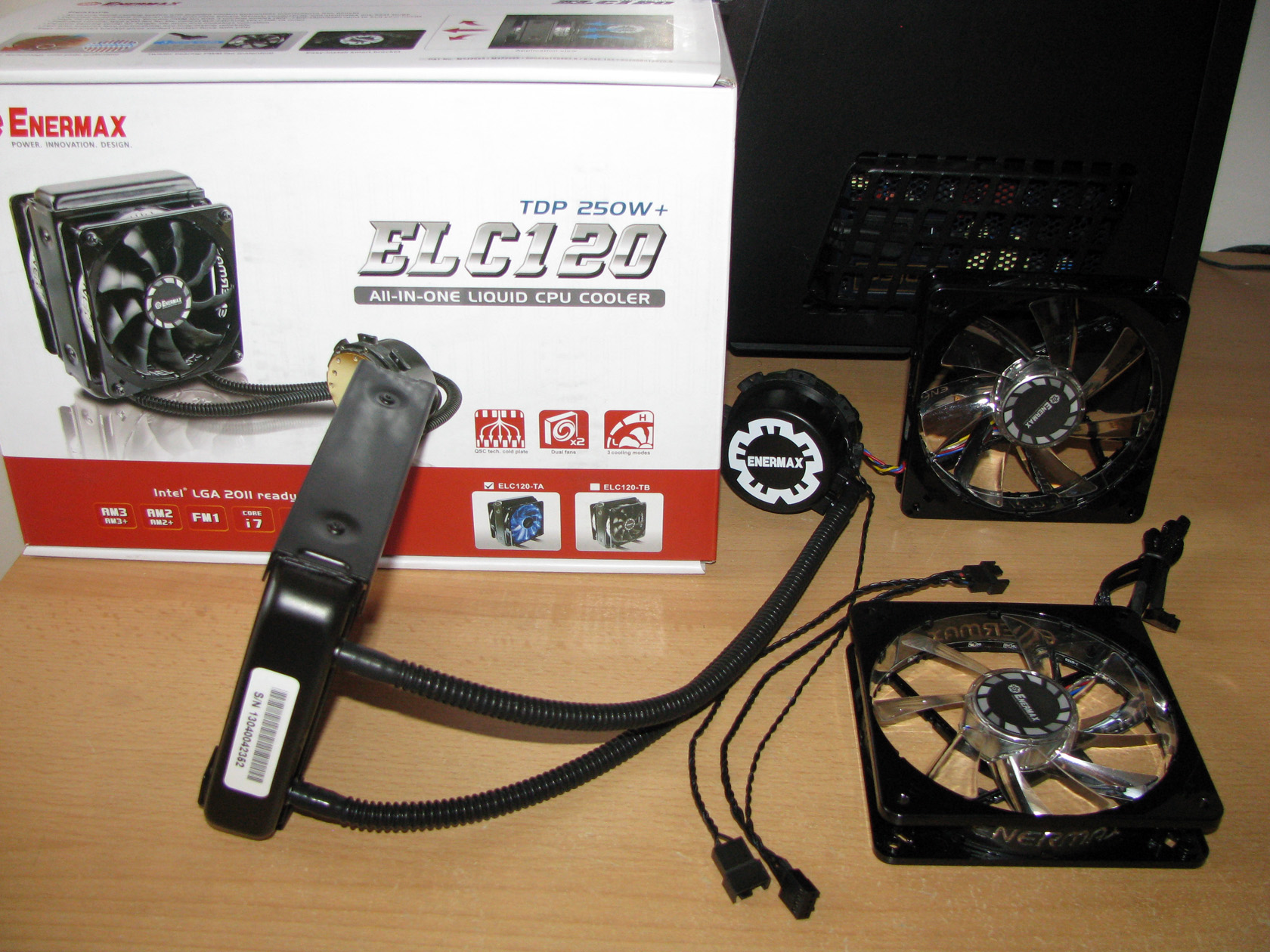
The standard ENERMAX ELC120-TA package offers two 120 x 120 x 25 mm fans featuring the Enermax patented twister bearing made to work with 3 different modes, set by a small switch on the back of the fan:
- Silent mode: the fans rotate at 800 ~ 1500 revolutions per minute range with airflow level range of 56.5 ~ 107.5 m3/h, static pressure level range of 1 ~ 1.7 mm-H2O at noise level range of 18.5 ~ 25.5 dBA.
- Performance mode: the fans rotate at 800 ~ 1800 revolutions per minute range with airflow level range of 56.5 ~ 129.1 m3/h, static pressure level range of 1 ~ 2.3 mm-H2O at noise level range of 18.5 ~ 29.4 dBA.
- Overclock mode: the fans rotate at 800 ~ 2200 revolutions per minute range with airflow level range of 56.5 ~ 157.8 m3/h, static pressure level range of 1 ~ 3.4 mm-H2O at noise level range of 18.5 ~ 32.8 dBA.
The fans are powered and regulated via 4-pin PWM cable and connector sleeved in black.
In fact, I believe I ‘m seeing this model for the first time, so it will be nice to pay some attention to it.
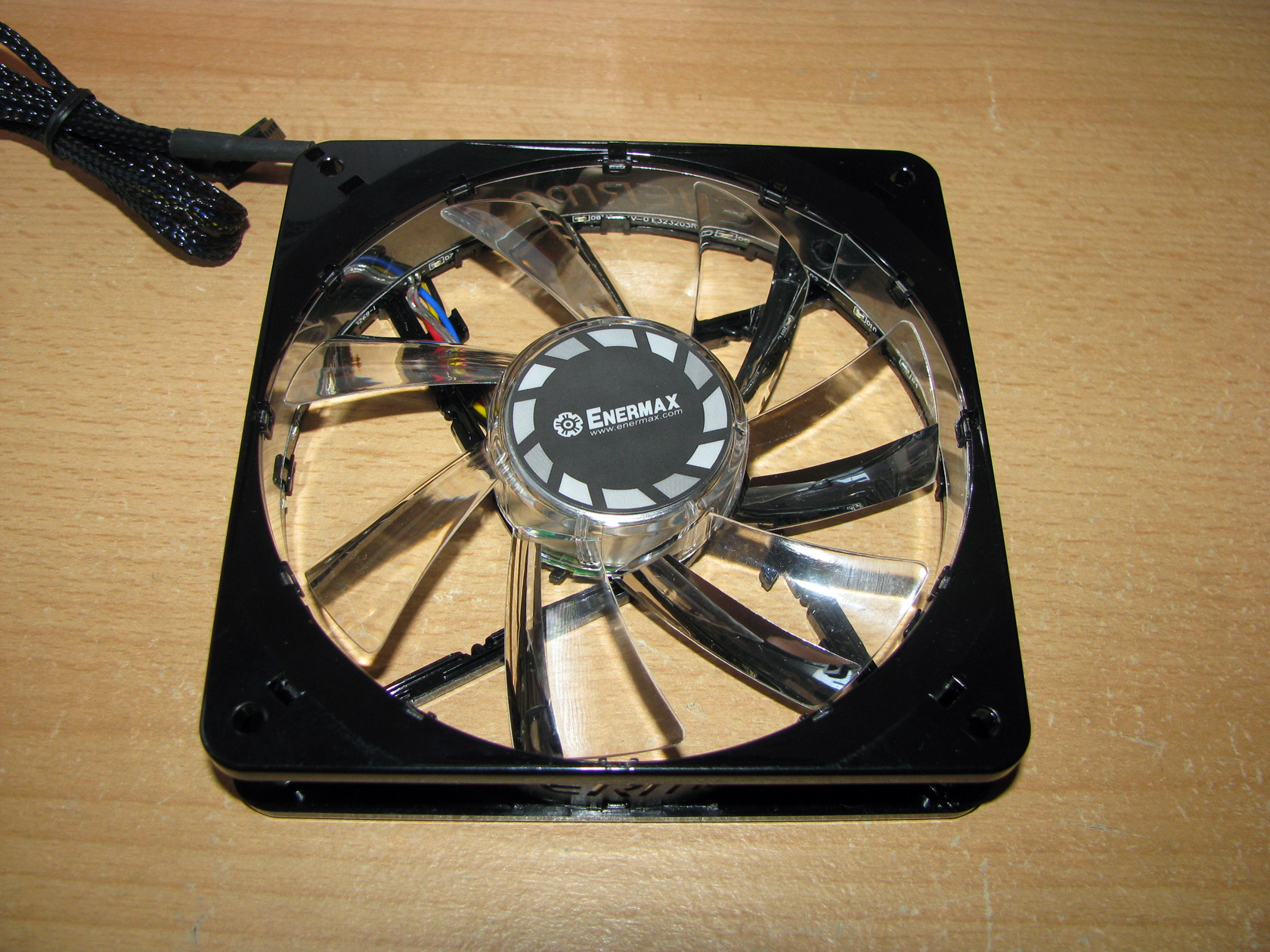
| Seen from the front | Seen from the back |
 |
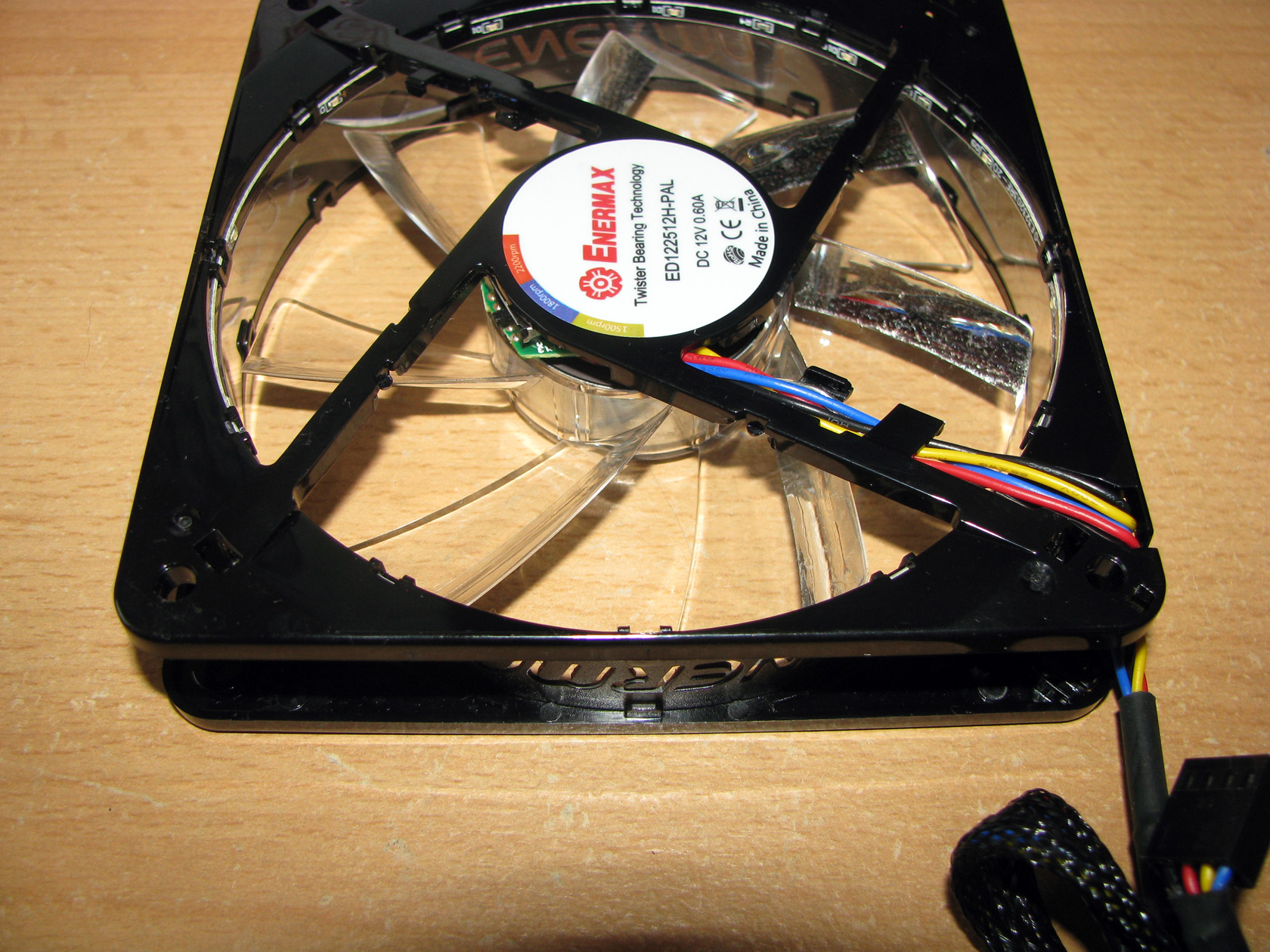 |
The fans offer a pretty standard structure featuring a square painted in black glossy frame with an Enermax logo engraved on all of the frame sides and a propeller with 7 very wide but still not very sharply angled blades. The blades themselves offer two halves – one is completely transparent, while the other half offers a mirror surface made to reflect the blue back-light from the SMD LEDs installed in the inner circle right next to the propeller.
So far so good, but the most important thing about this fan is the tiny switch placed on the back side of the motor, made to set the fan limit. With this switch the fan can be set to work from 800 ~ 1500 revolutions per minute range, 800 ~ 1800 revolutions per minute range and 800 ~ 2200 revolutions per minute range depending on the performance needed.
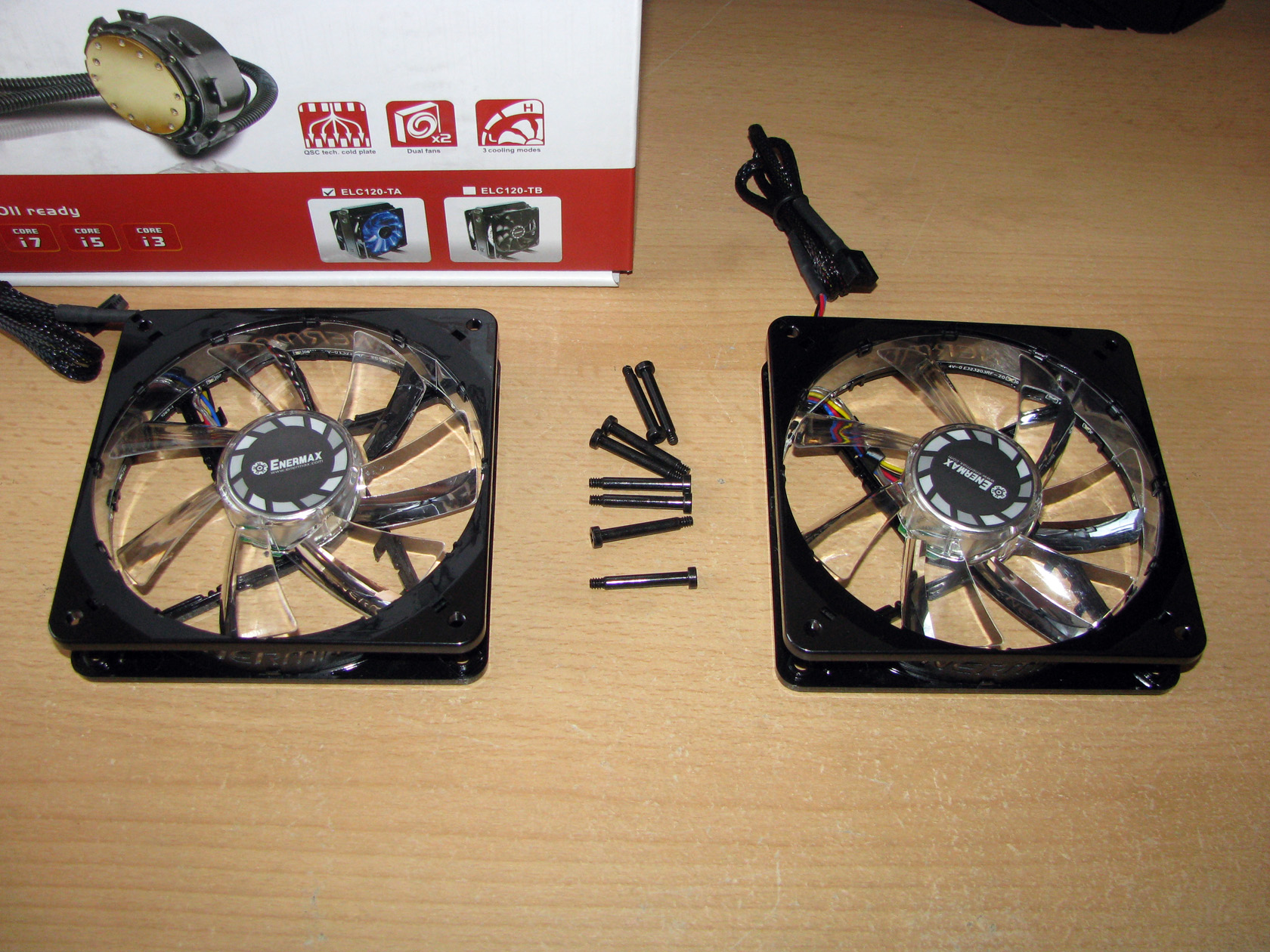
I believe I am done describing the fans, so let’s start assembling the AIO and start preparing for the planned tests. As you can see from the picture above, both fans can be attached to the radiator via the 8 long, painted in black bolts.
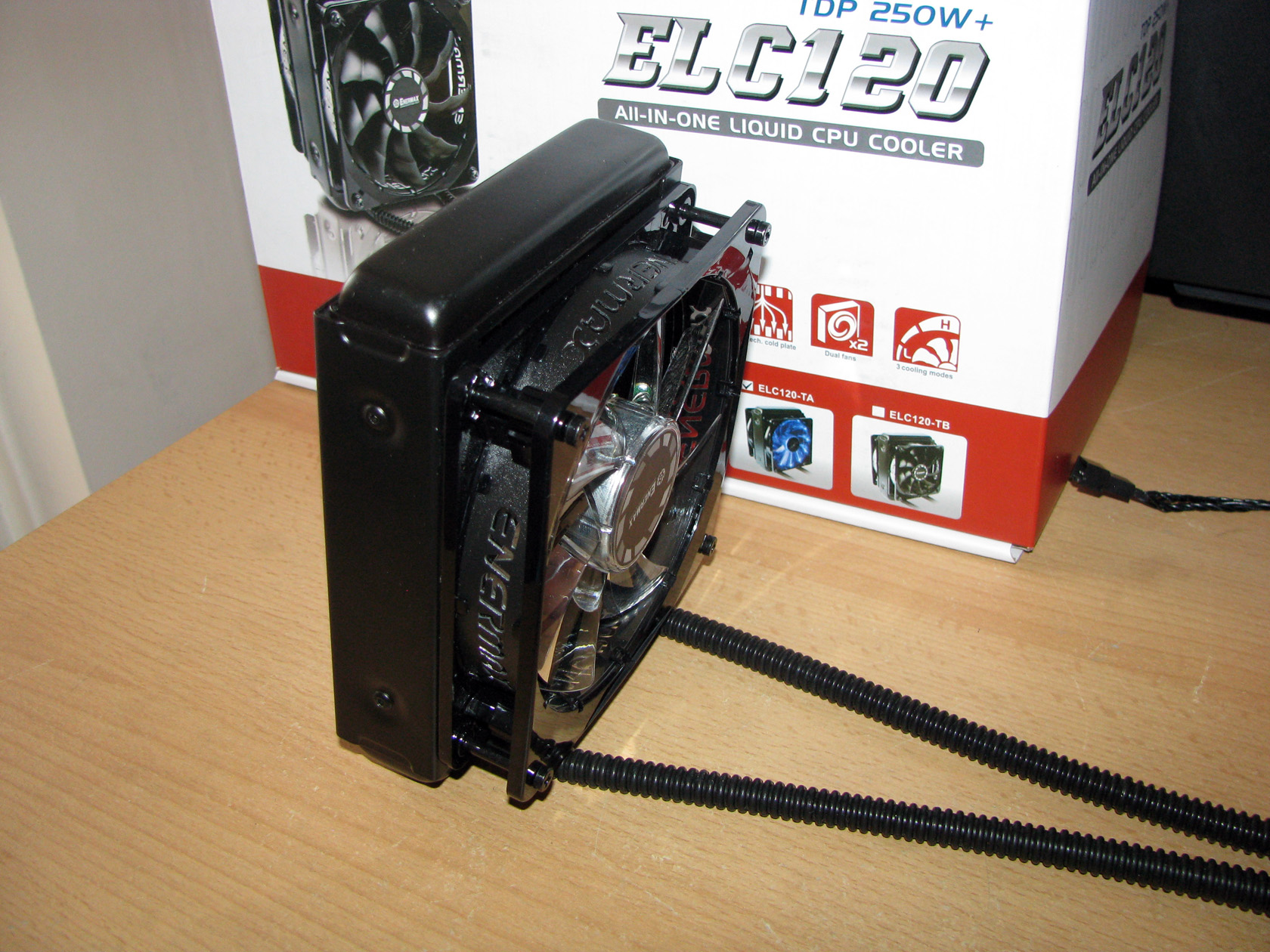
| With one fan installed | With two fans installed |
 |
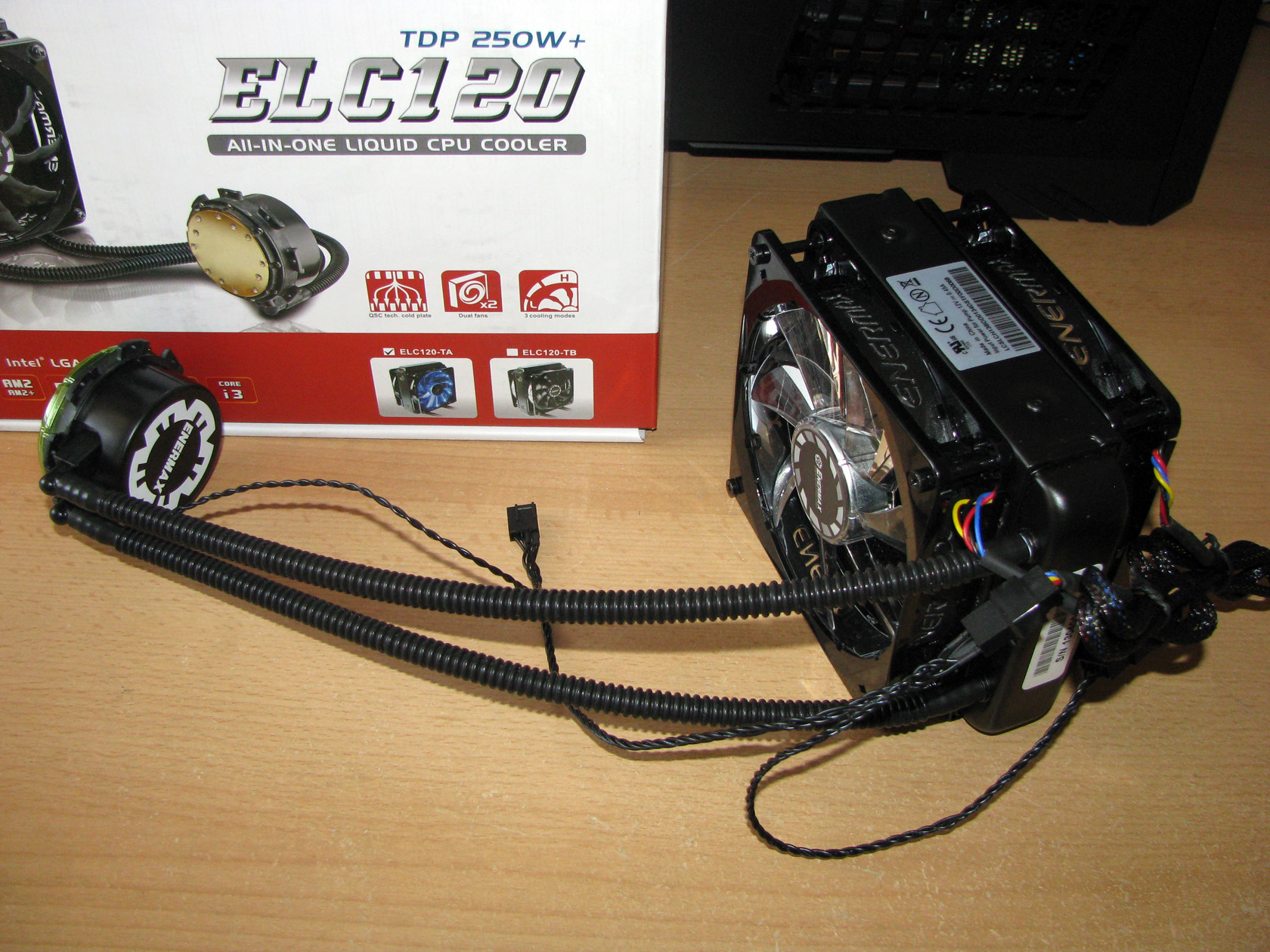 |
After both of the fans are installed on the radiator, the time has arrived for me to install the cooler on the motherboard and later inside the case for doing the tests.
Of course, to do so I have to pick the proper mounting kit and start assembling.
Mounting kit
According to the official technical details ENERMAX ELC120-TA package is supplied with all of the parts needed so this system can work with:
- Intel LGA 775/1150/1155/1156/1366/2011
- AMD AM2/AM2+/AM3/AM3+/FM1/FM2
Of course, for doing the tests on my AMD testing rig I will need all of these parts, so that the AIO can be installed on the motherboard:
Now let’s assemble the mounting kit.
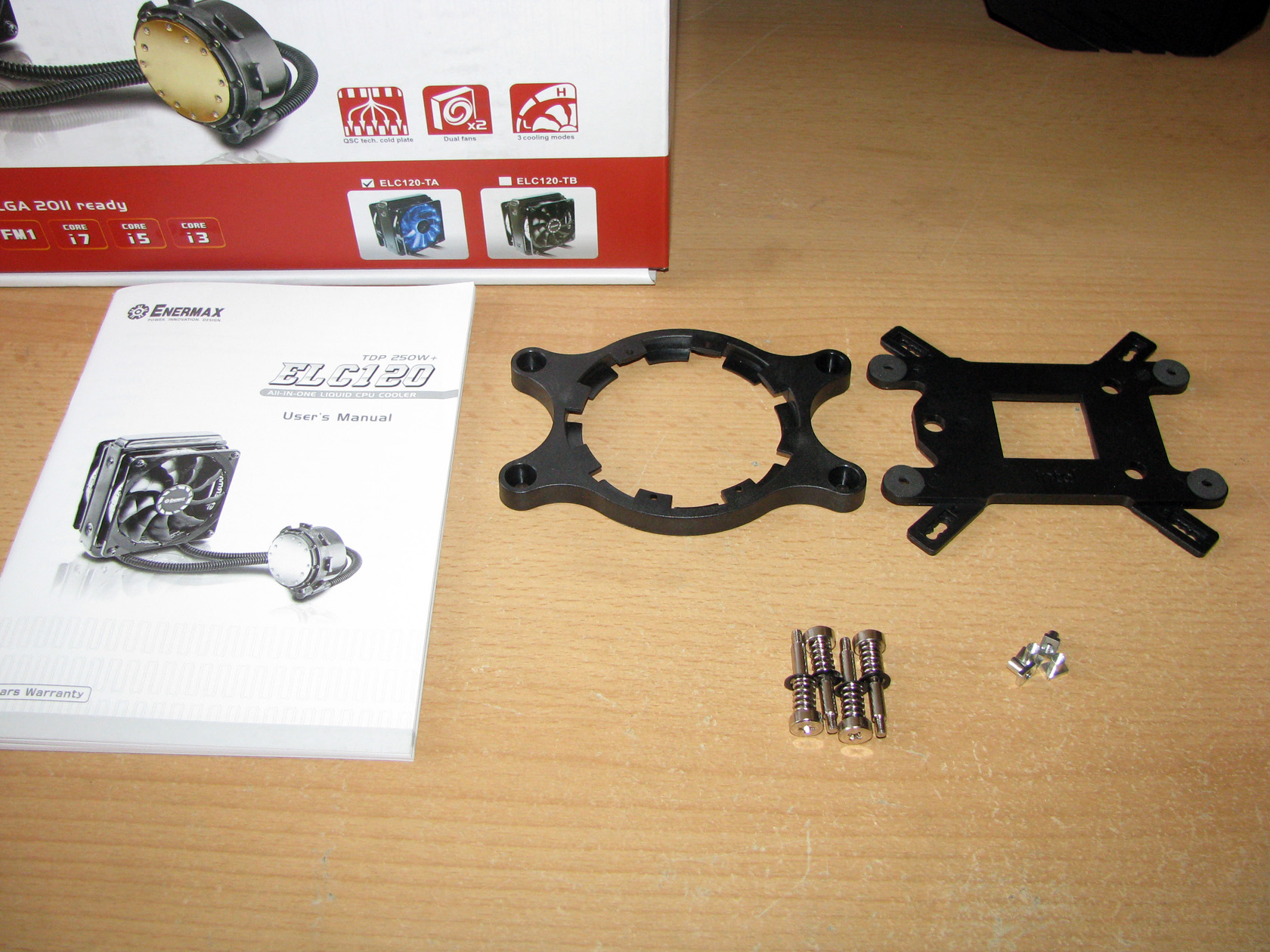
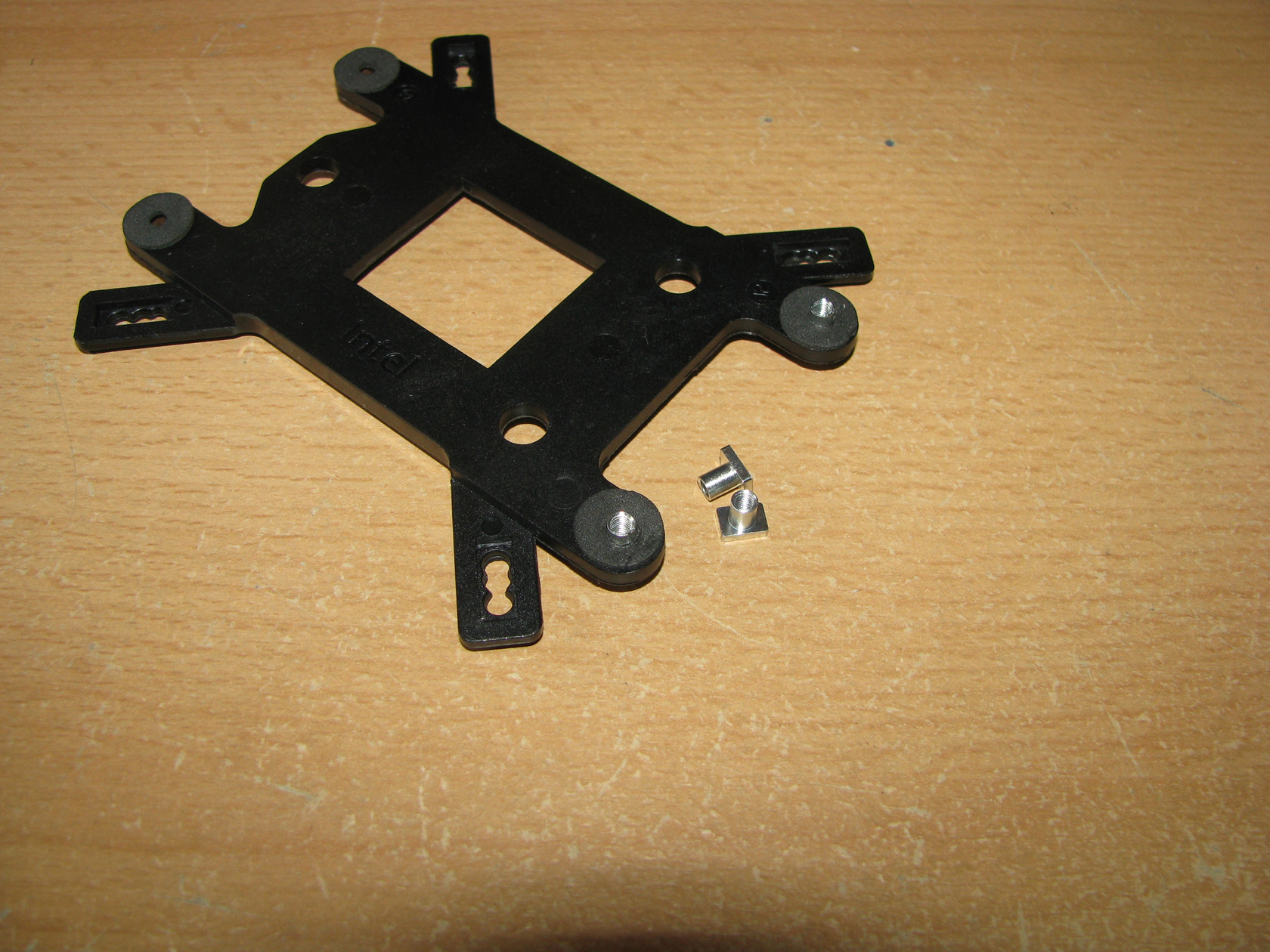
First thing to use is the combined for Intel and AMD plastic backplate in which there are four holes on each corner, which should hold 4 metal nuts like on the picture below.
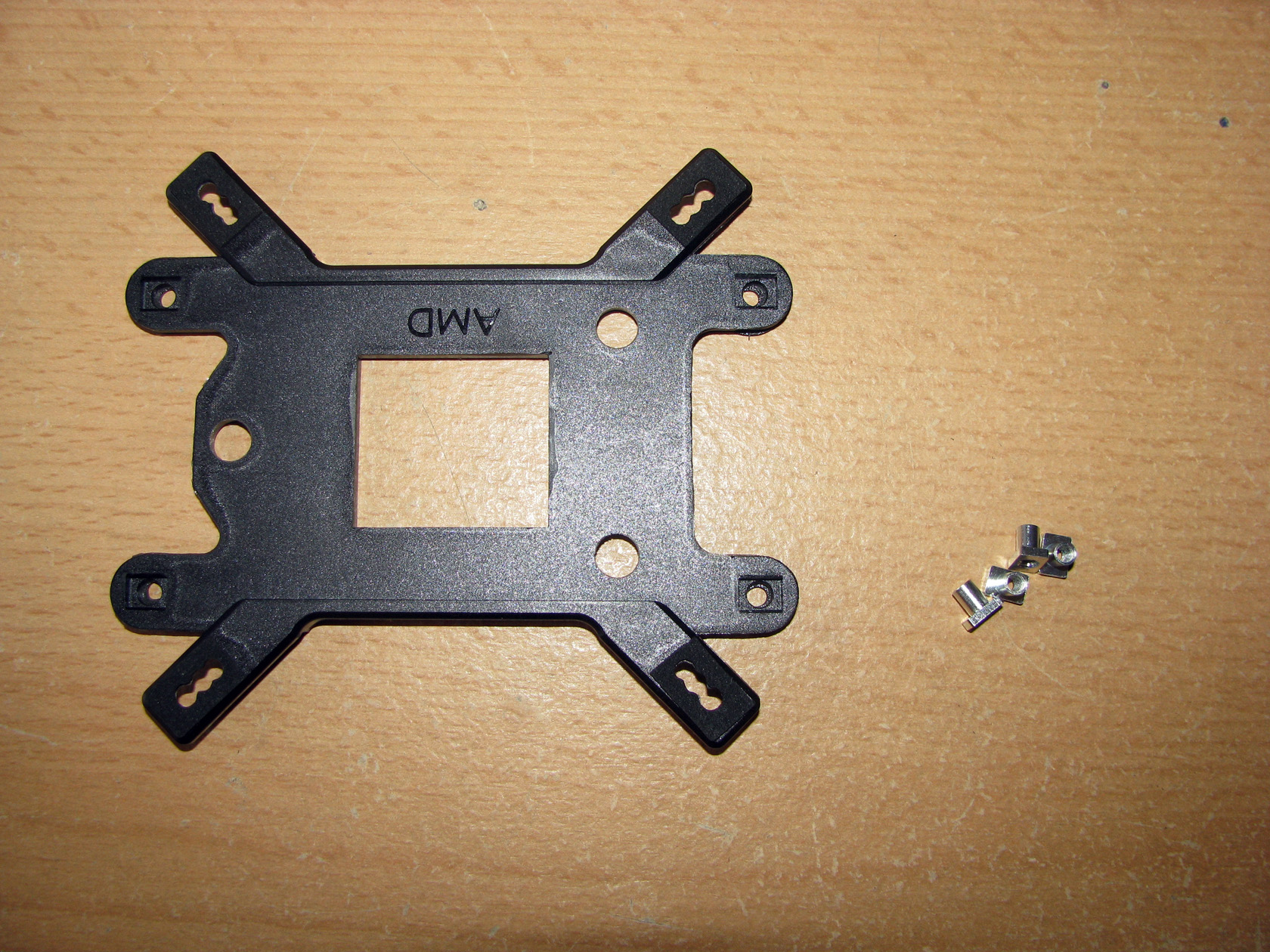
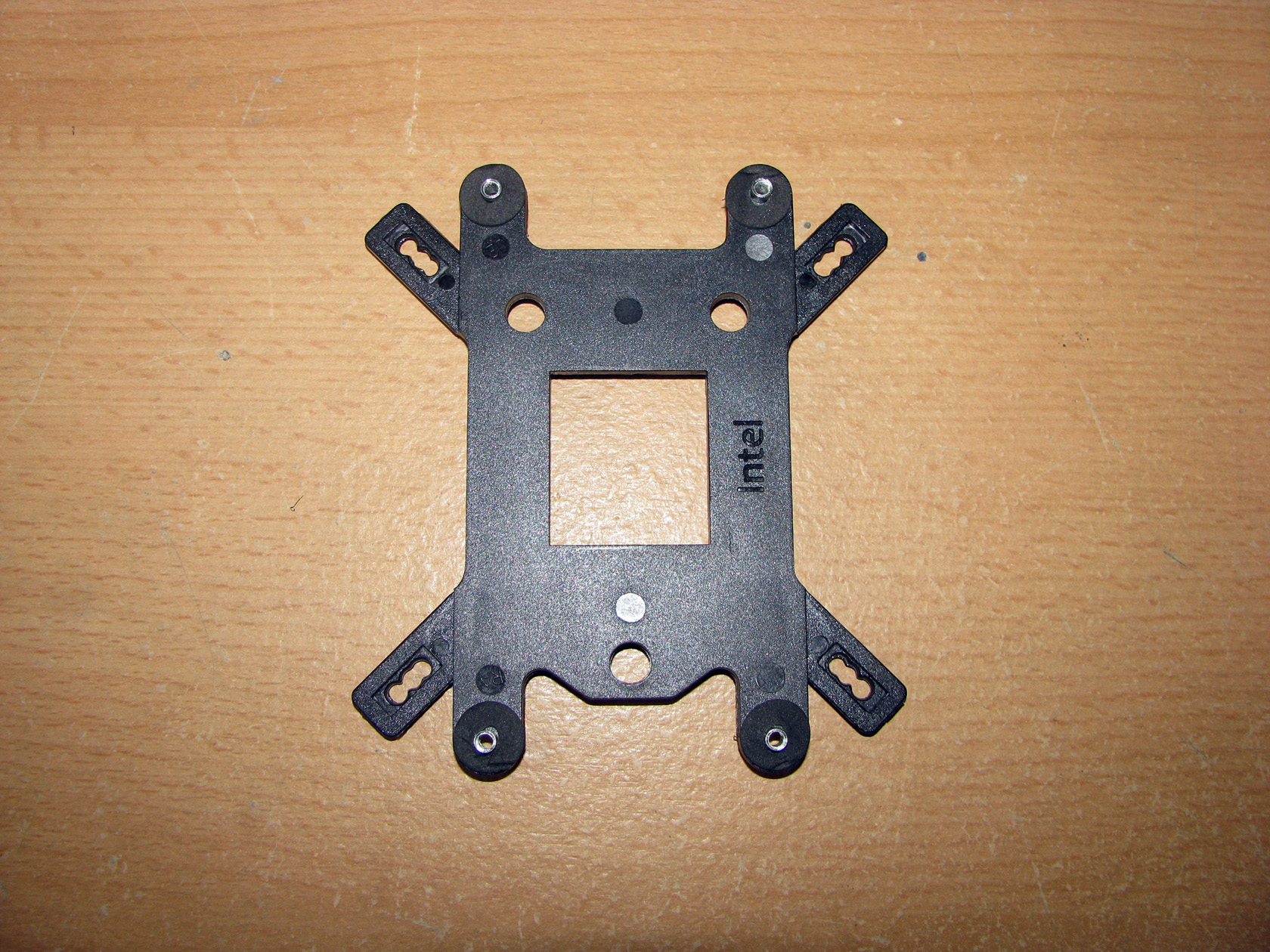
And this is what the metal nuts look like when installed on the backplate:
| Two installed | The backplate ready for use |
 |
 |
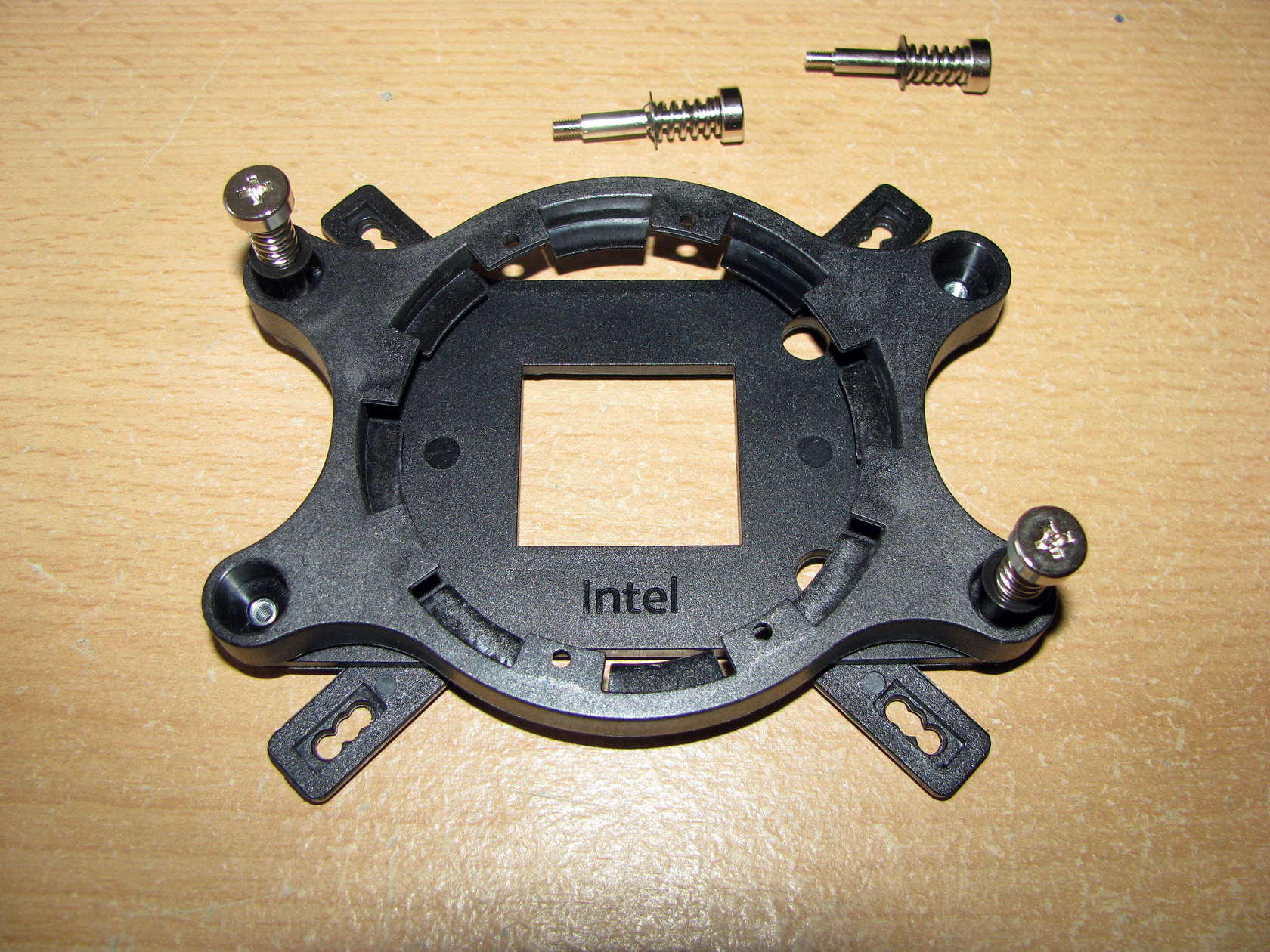
And this is what the full AMD mounting kit looks like when all of the parts are together:
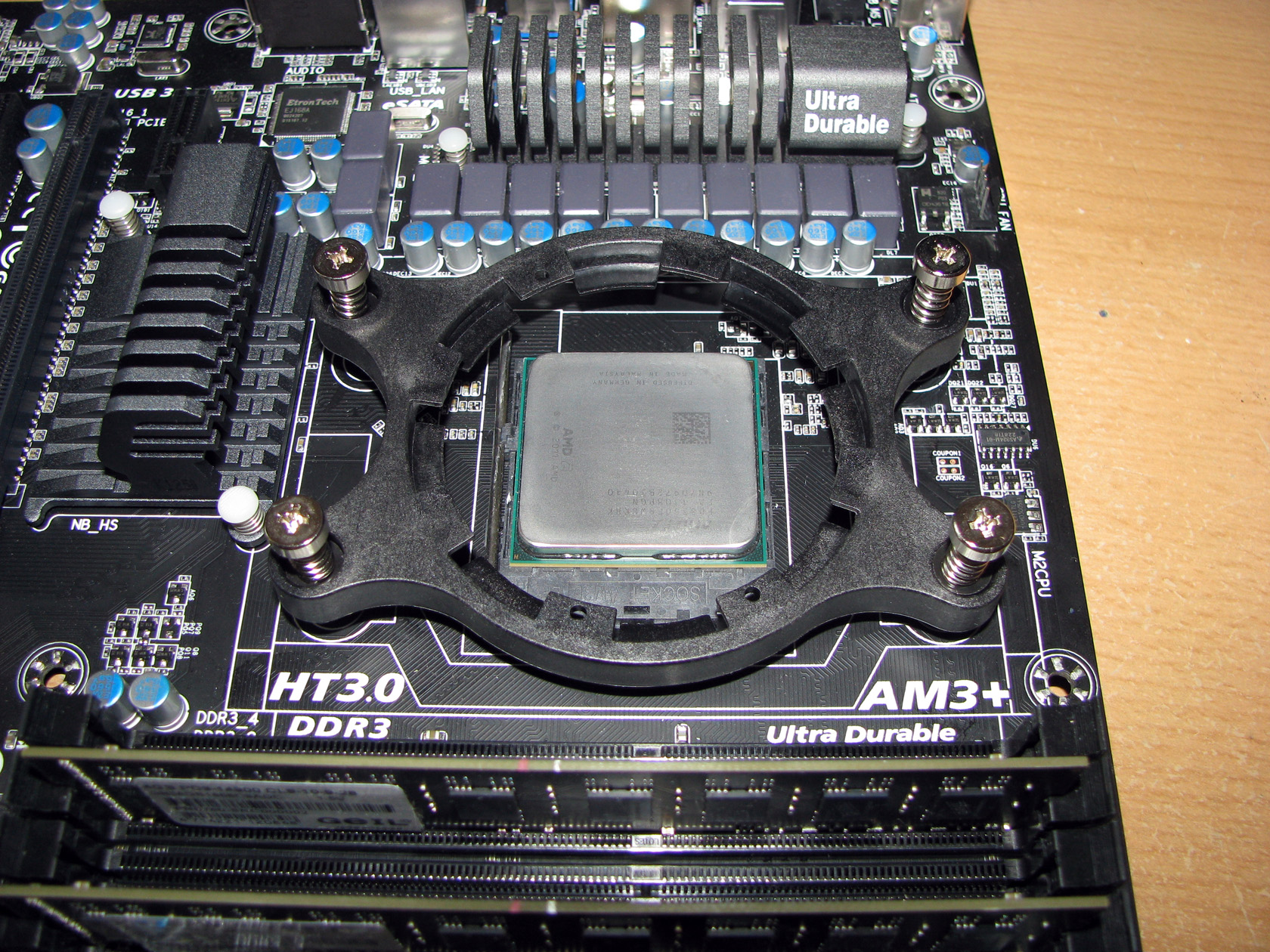
Of course, to do the tests I have to install the mounting kit on the motherboard and this is what it looks like:
After I described the AIO cooling system and all of its parts, I should do some dirty work with installing the cooler inside the case and doing the tests but before I start I want to describe the system I am going to use.
Test rig:
CPU: AMD Vishera FX-8350
- At standard frequency 4.020 MHz (at 1.356V)
- At low overclock frequency of 4.220 MHz at 1.380V)
- At medium overclock frequency of 4.420 MHz (at 1.416V)
- At high overclock frequency of 4.720 GHz (at 1.452V)
Motherboard: GigaByte 990FXA-UD3
Video card: Sapphire 5830 Extreme 1GB DDR5 256bit
Memory: 2 x 4GB Geil Black Dragon 1866 MHz
Hard drive: Kingston SSD SV100S264G
Case: SilverStone Raven RV-03
Power supply: Antec HCP-750W
Cooler: ENERMAX ELC120-TA
Thermal paste: Gelid GC-Supreme
Fan mounted:
For this test and review I am going to use the standard 120mm fans provided with the AIO rotating at the 3 different modes and:
- 2 x SilverStone AP181 – 180mm fans on the bottom panel putting fresh air in and spinning at about 1200 rpm
- 120mm fan behind the motherboard and spinning at about 1000 rpm
- Room temperature of about 23 degrees.
Both of the SilverStone AP181 – 180mm fans were connected together to the chassis 2 connector and were rotating at maximum speed.
Testing procedure:
I will install ENERMAX ELC120-TA on the top panel of the case with the two fans at push-pull setup and do stress tests at:
- Silent mode (fans working at ~1500 revolutions per minute): at standard frequency of 4.020 GHz (at 1.356V), at low overclock frequency of 4.220 GHz (at 1.380V), at medium overclock frequency of 4.420 GHz (at 1.416V) and at high overclock frequency of 4.720 GHz (at 1.452V)
- Performance mode (fans working at ~1800 revolutions per minute): at standard frequency of 4.020 GHz (at 1.356V), at low overclock frequency of 4.220 GHz (at 1.380V), at medium overclock frequency of 4.420 GHz (at 1.416V) and at high overclock frequency of 4.720 GHz (at 1.452V)
- Overclock mode (fans working at ~2200 revolutions per minute): at standard frequency of 4.020 GHz (at 1.356V), at low overclock frequency of 4.220 GHz (at 1.380V), at medium overclock frequency of 4.420 GHz (at 1.416V) and at high overclock frequency of 4.720 GHz (at 1.452V)
Mounting procedure:
This is what the AIO looks like after I installed the radiator with the pull fan on the top of the chassis.
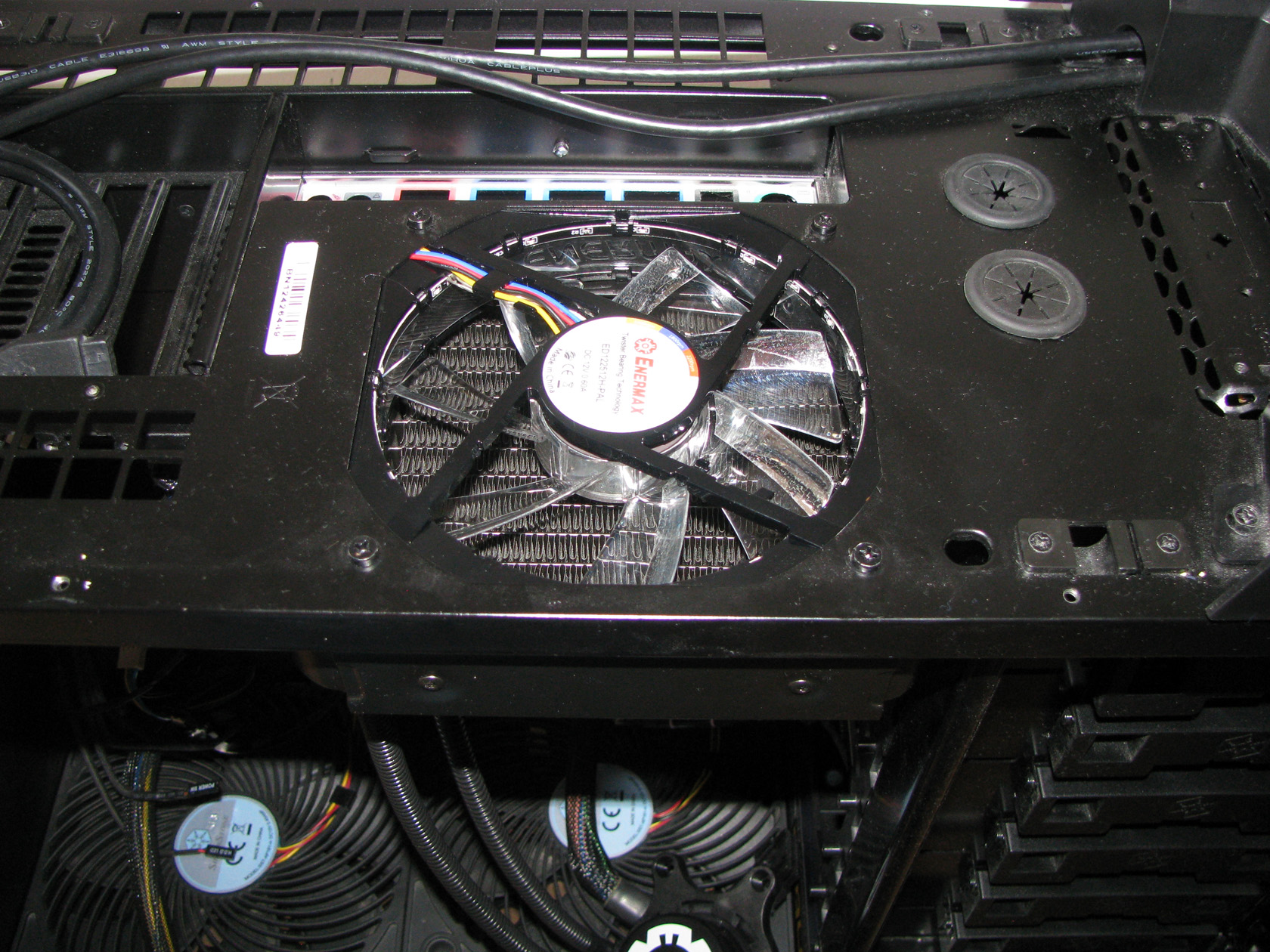
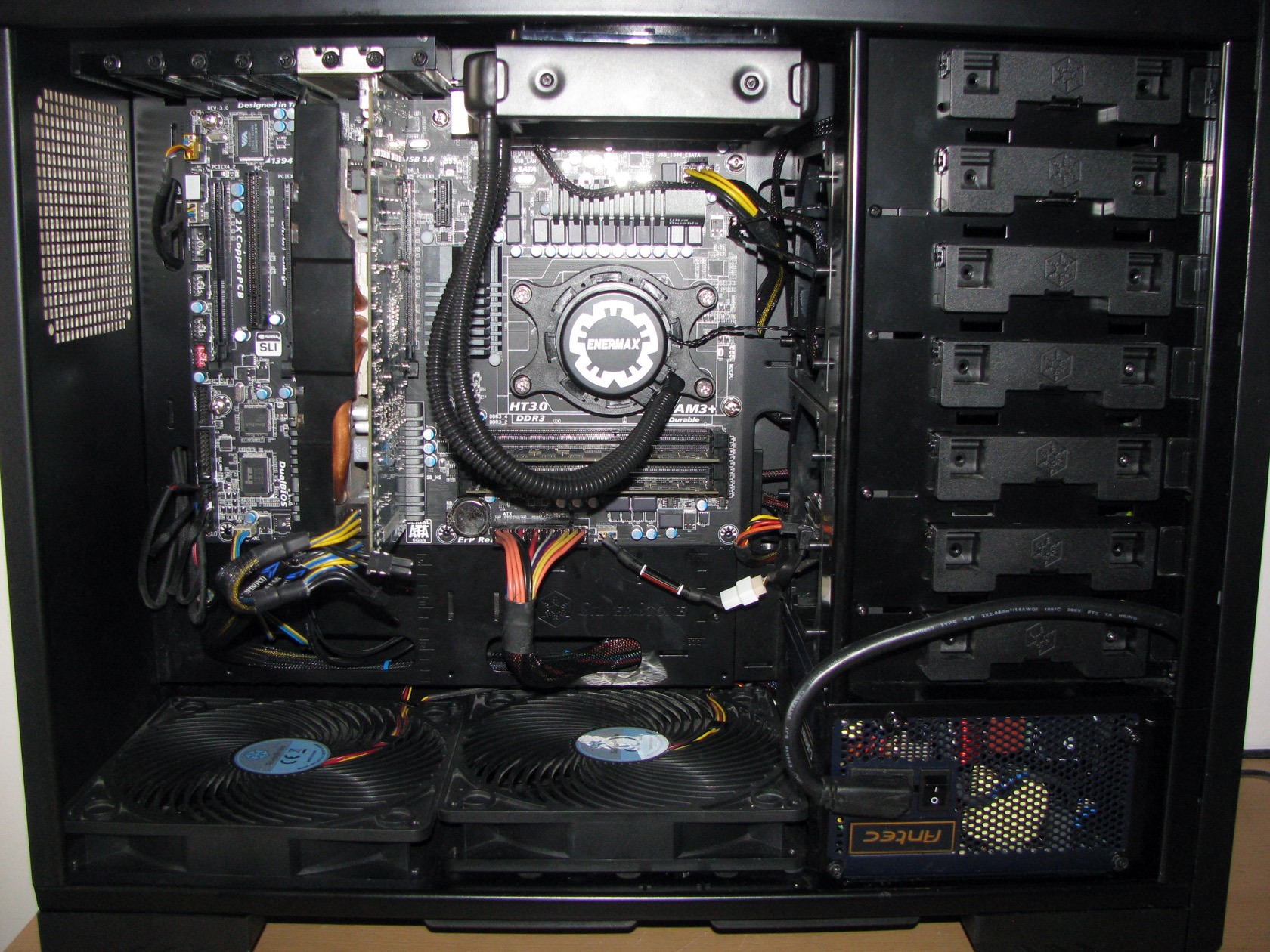
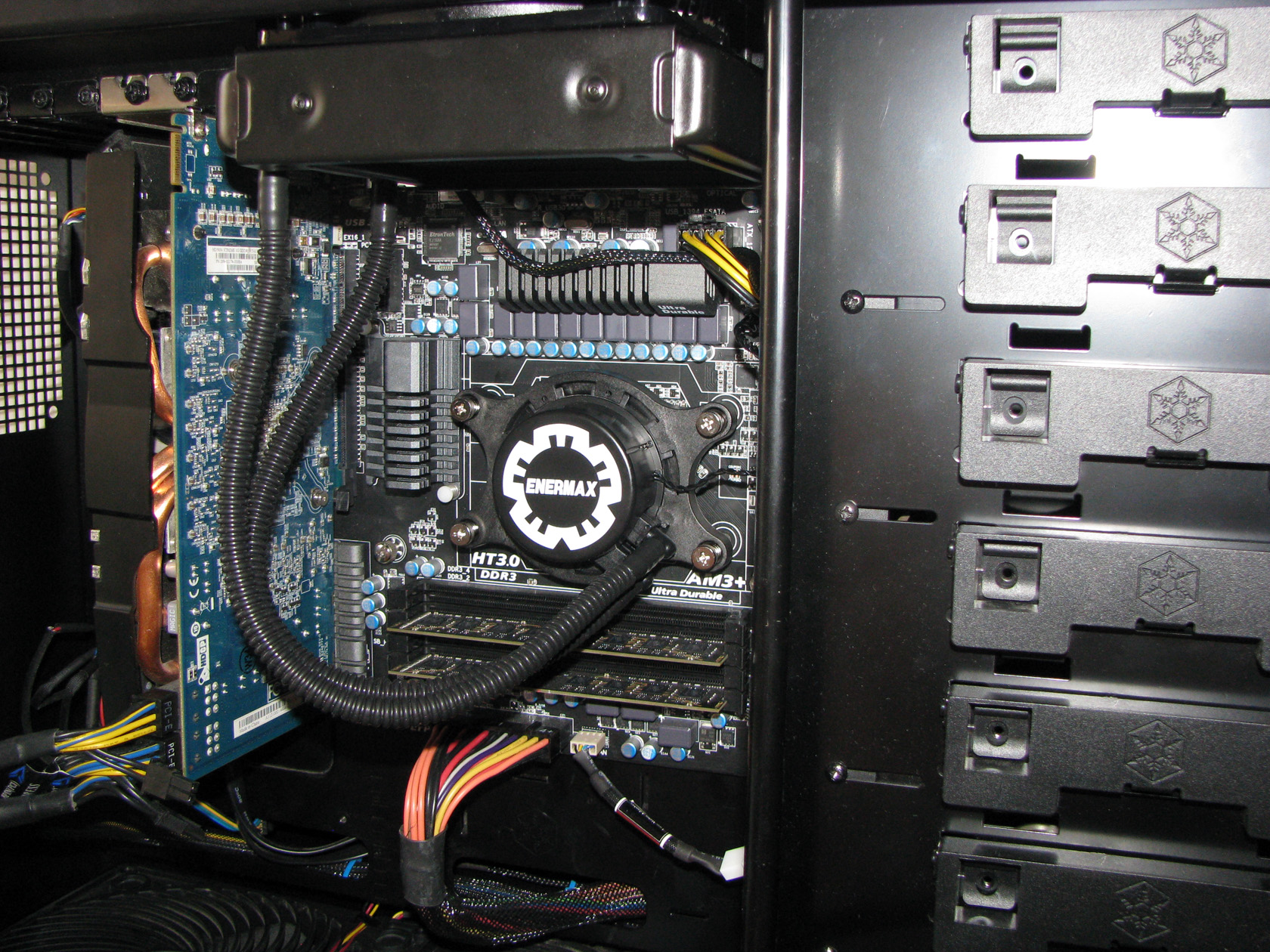
| The setup installed back inside the case | Seen from the side |
 |
 |
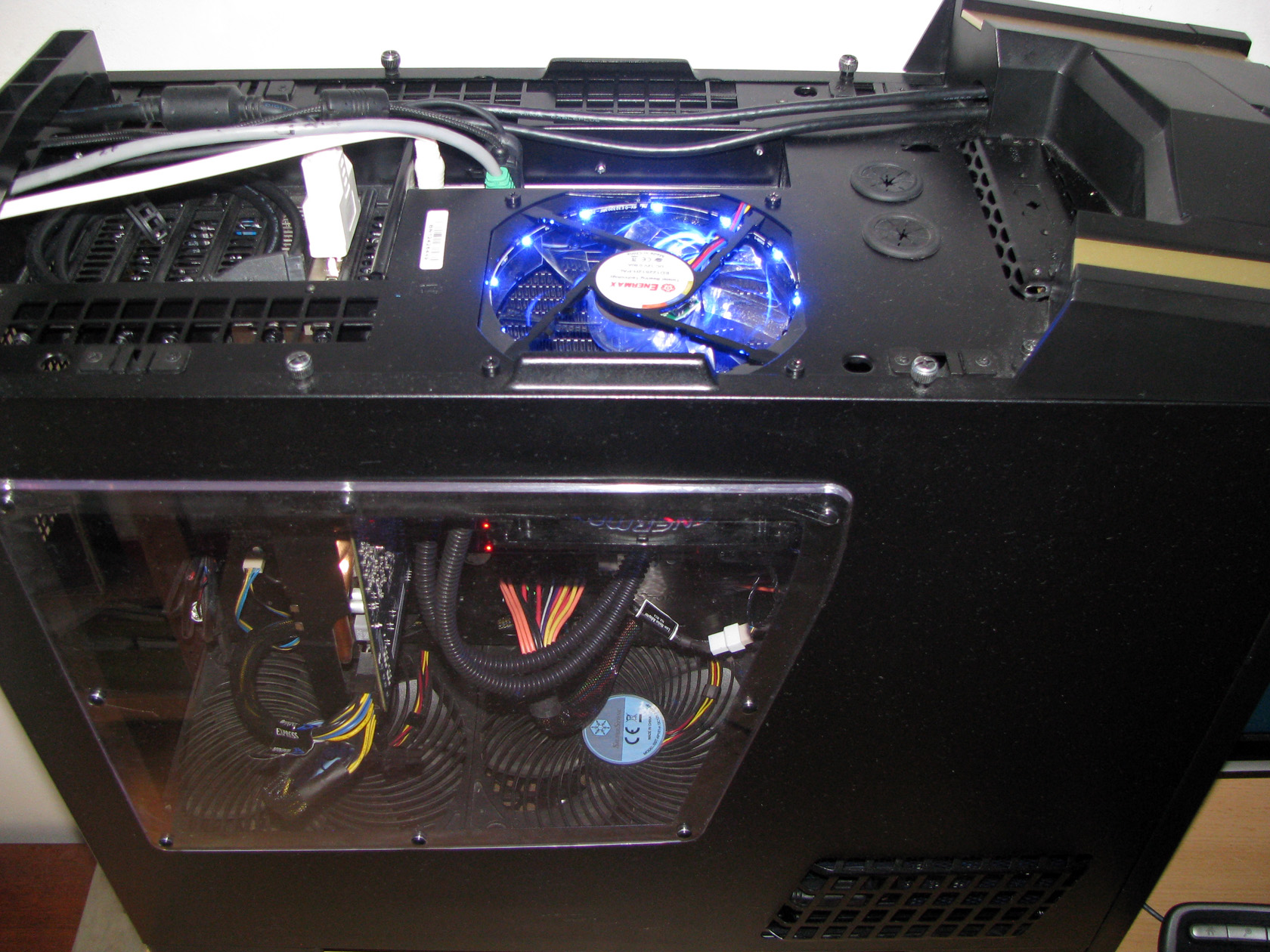
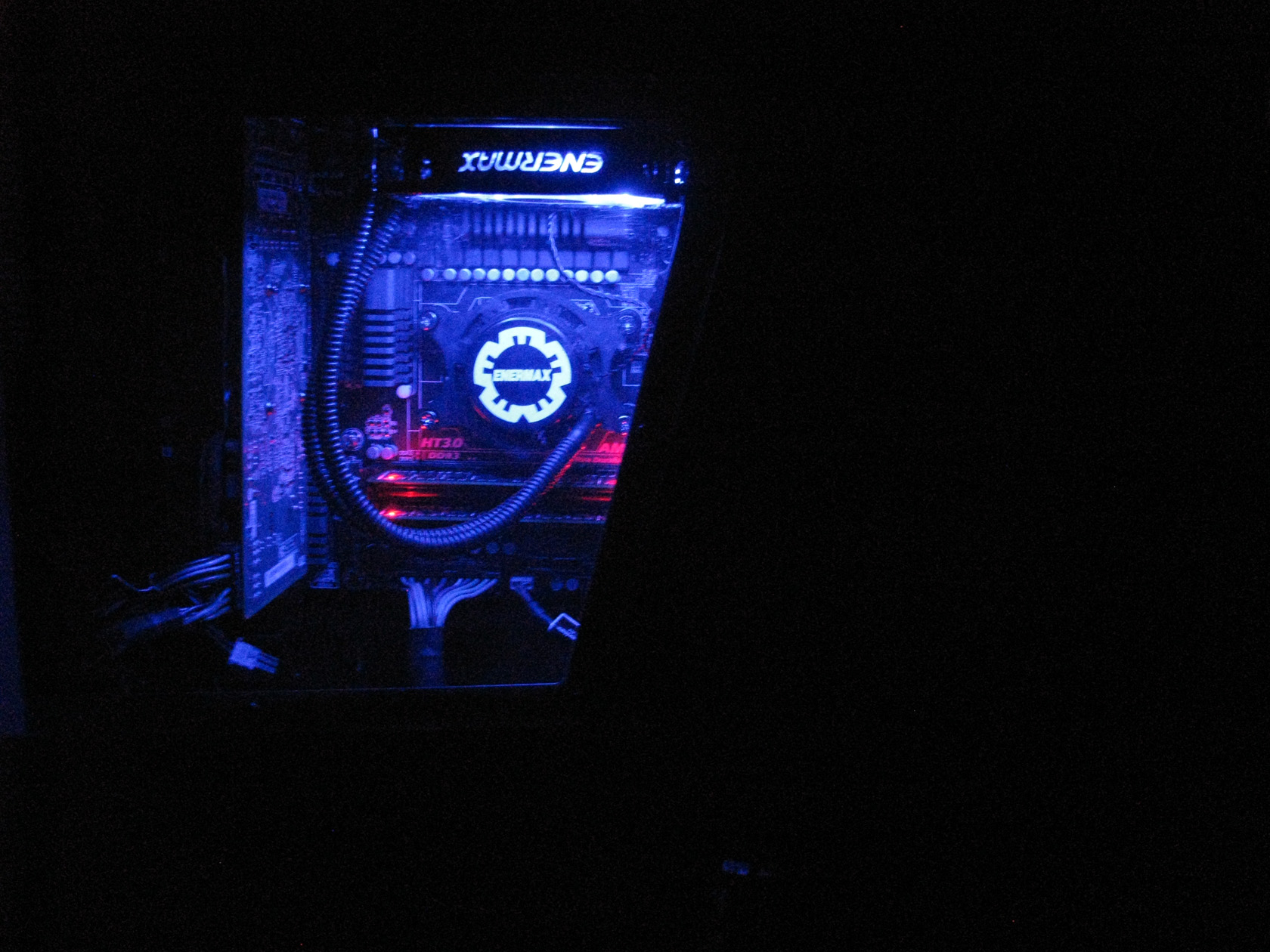
After I installed the hardware back inside the case and powered the system, this is what I got:
| Very nice and bright blue back-light | It is really beautiful in the dark |
 |
 |
After I was done installing the hardware back inside the case, the time for testing has arrived and after I did the tests these are the results:
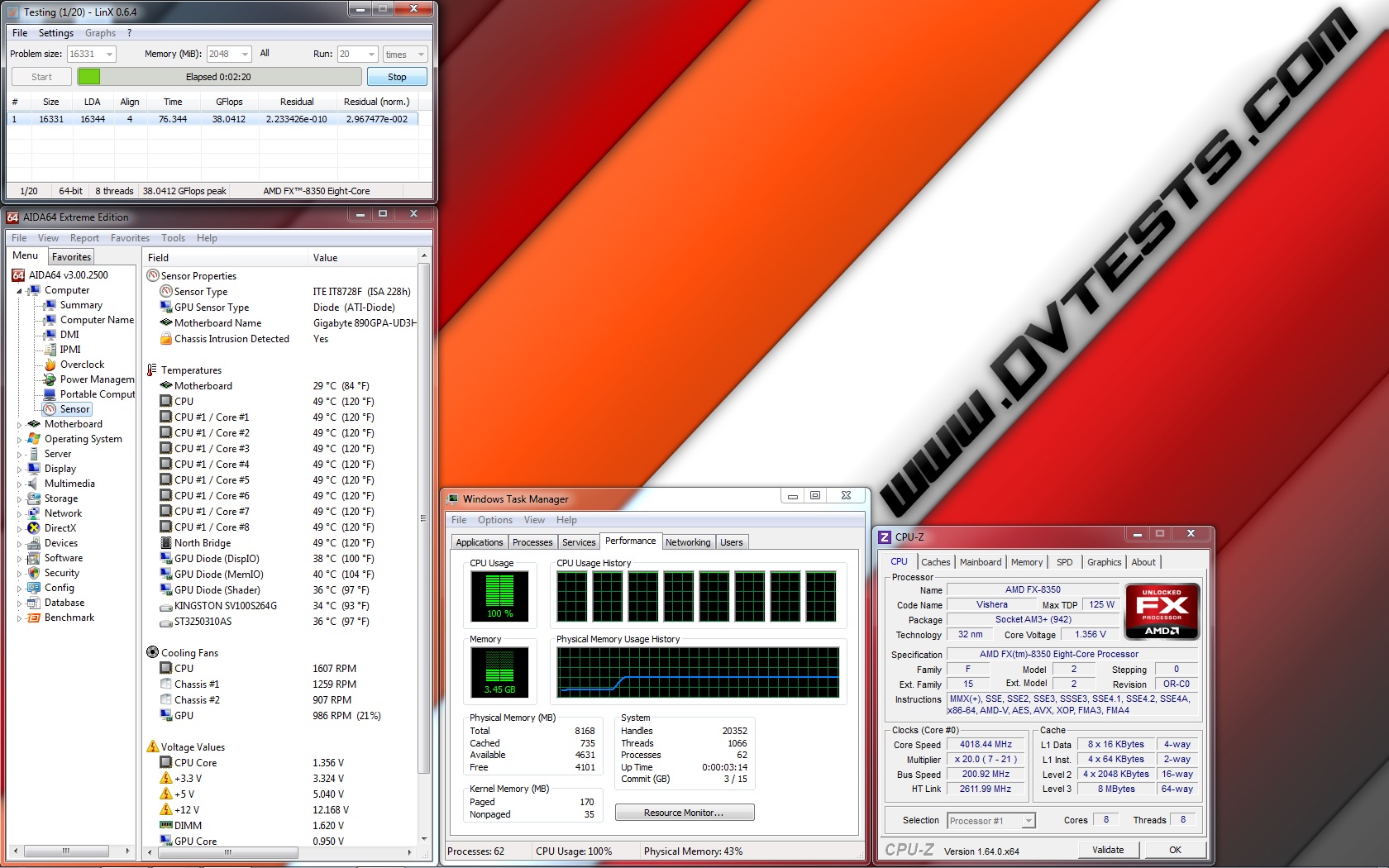
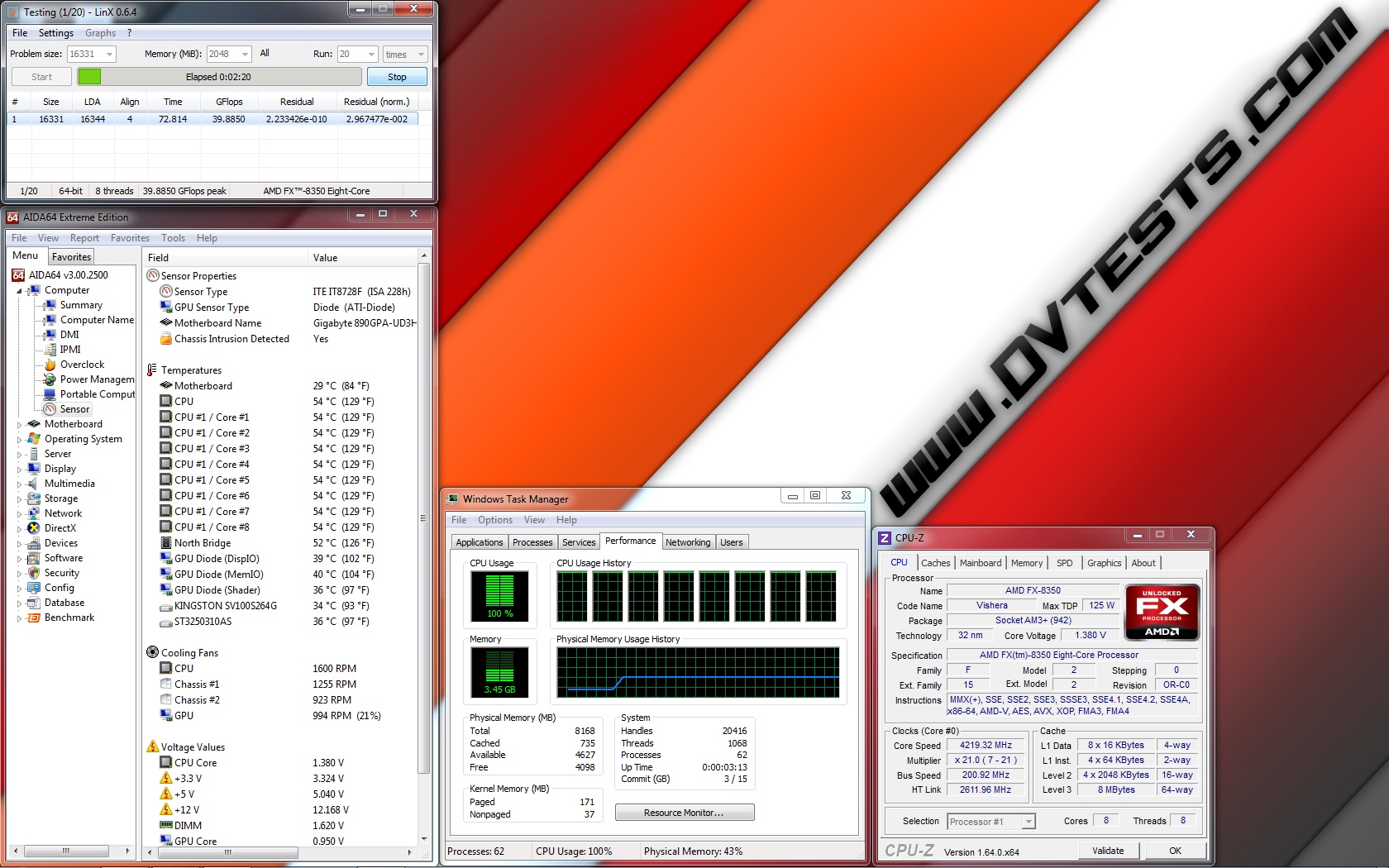
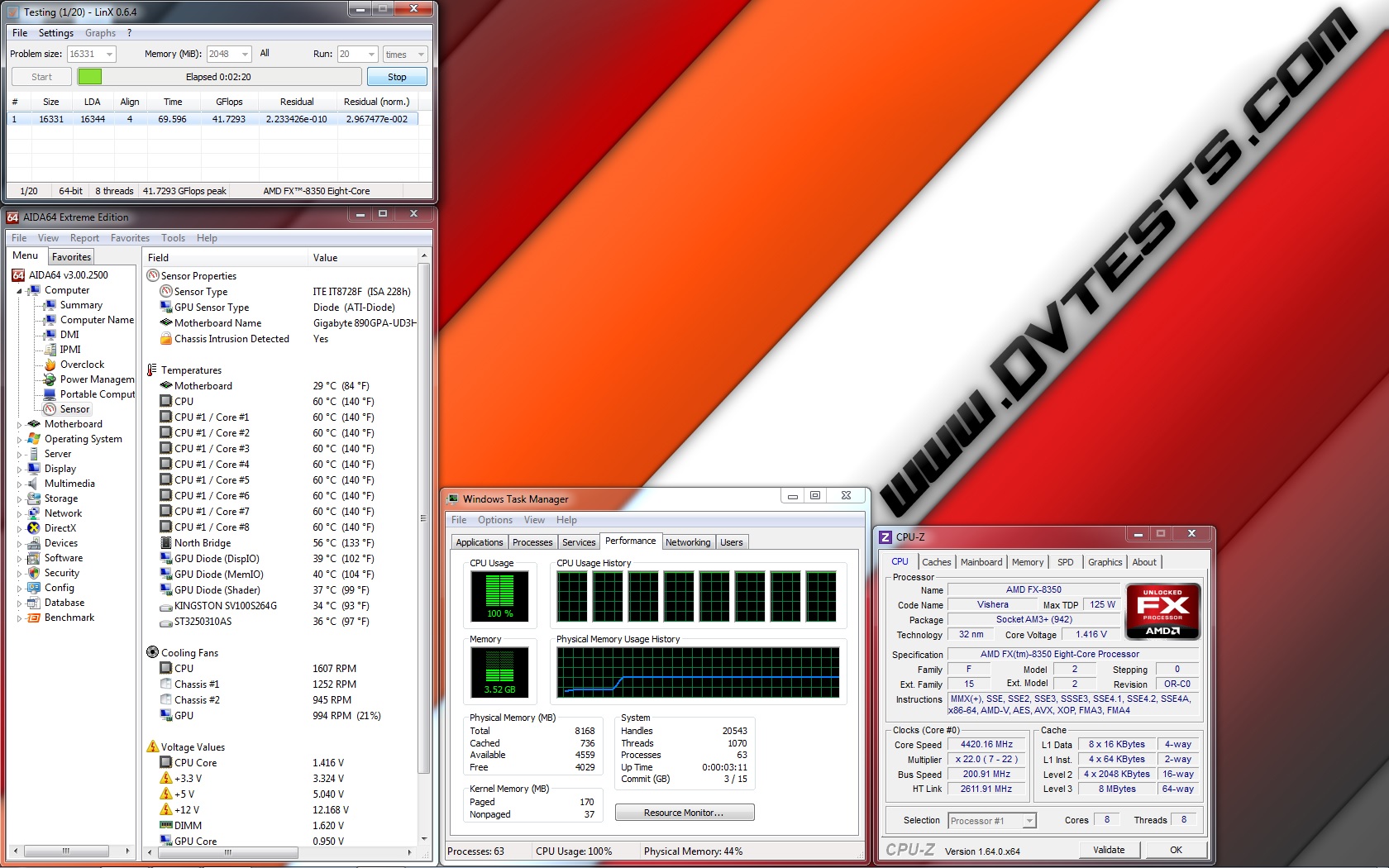
Silent mode: (fans working at ~1500 revolutions per minute): at standard frequency of 4.020 GHz (at 1.356V), at low overclock frequency of 4.220 GHz (at 1.380V), at medium overclock frequency of 4.420 GHz (at 1.416V) and at high overclock frequency of 4.720 GHz (at 1.452V)
| Enermax ELC120-TA 1600RPM @4020MHz 1.356V | Enermax ELC120-TA 1600RPM @4220MHz 1.380V |
 |
 |
| Enermax ELC120-TA 1600RPM @4420MHz 1.416V | Enermax ELC120-TA 1600RPM @4720MHz 1.452V |
 |
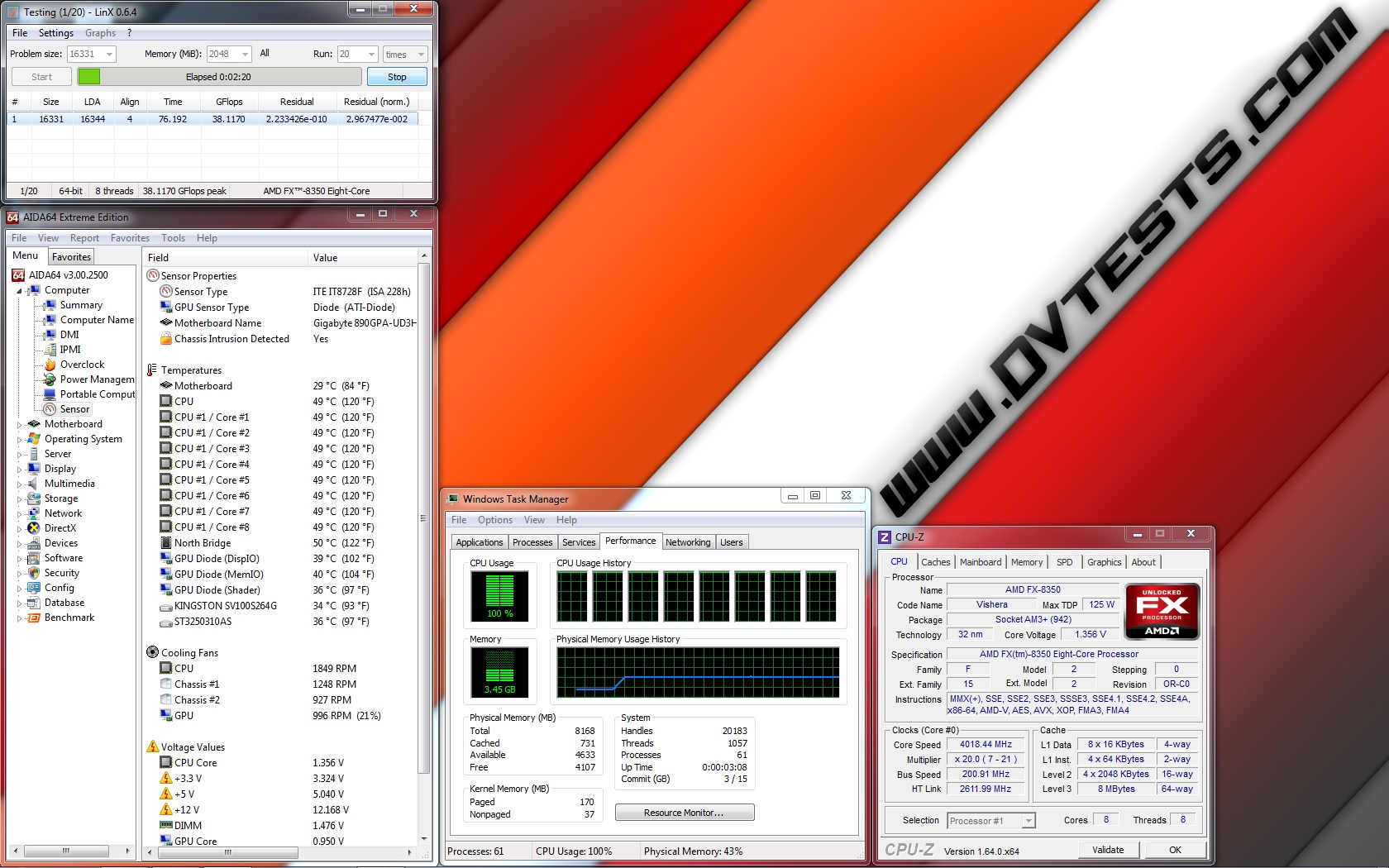
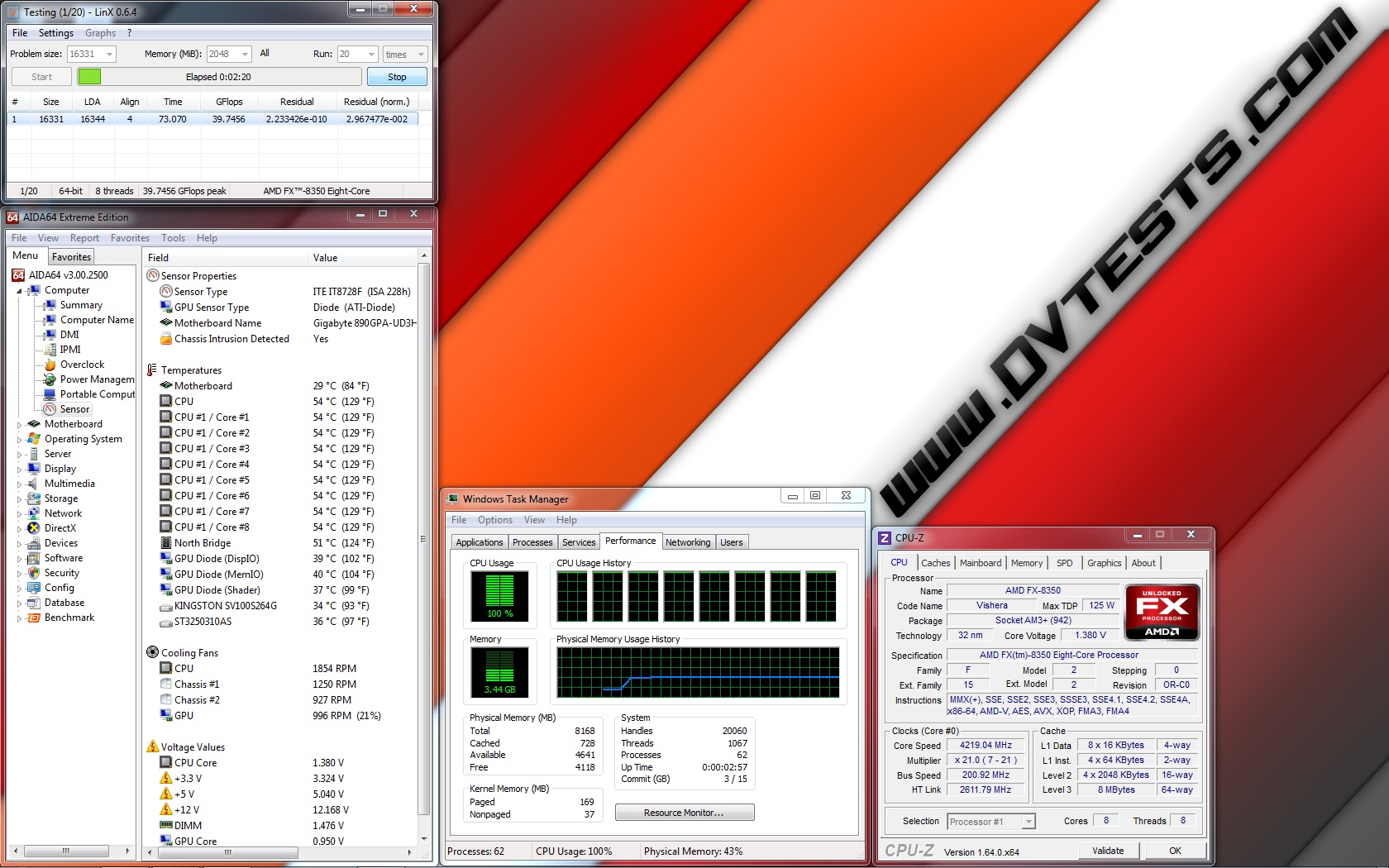
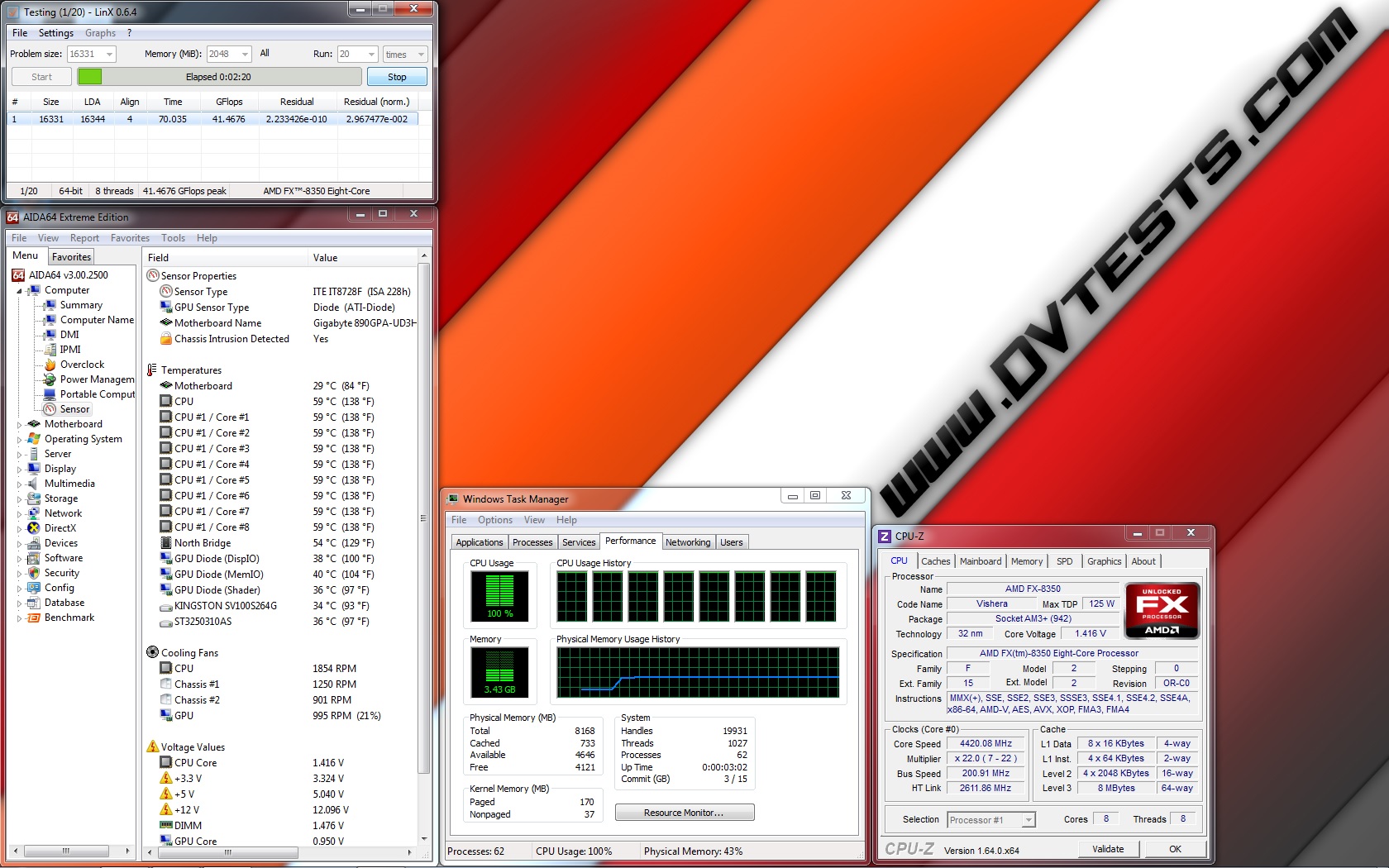
Performance mode: (fans working at ~1800 revolutions per minute): at standard frequency of 4.020 GHz (at 1.356V), at low overclock frequency of 4.220 GHz (at 1.380V), at medium overclock frequency of 4.420 GHz (at 1.416V) and at high overclock frequency of 4.720 GHz (at 1.452V)
| Enermax ELC120-TA 1800RPM @4020MHz 1.356V | Enermax ELC120-TA 1800RPM @4220MHz 1.380V |
 |
 |
| Enermax ELC120-TA 1800RPM @4420MHz 1.416V | Enermax ELC120-TA 1800RPM @4720MHz 1.452V |
 |
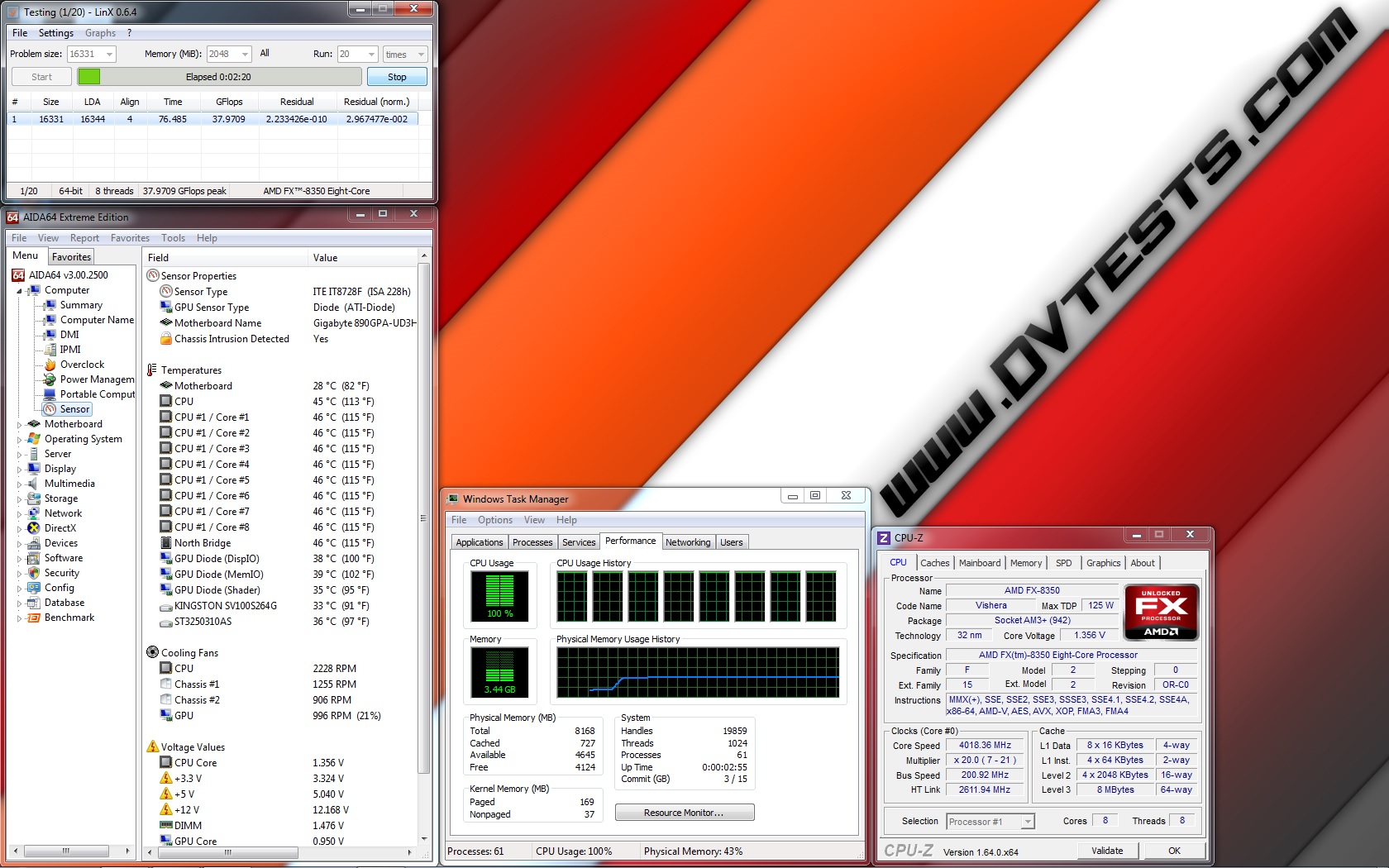
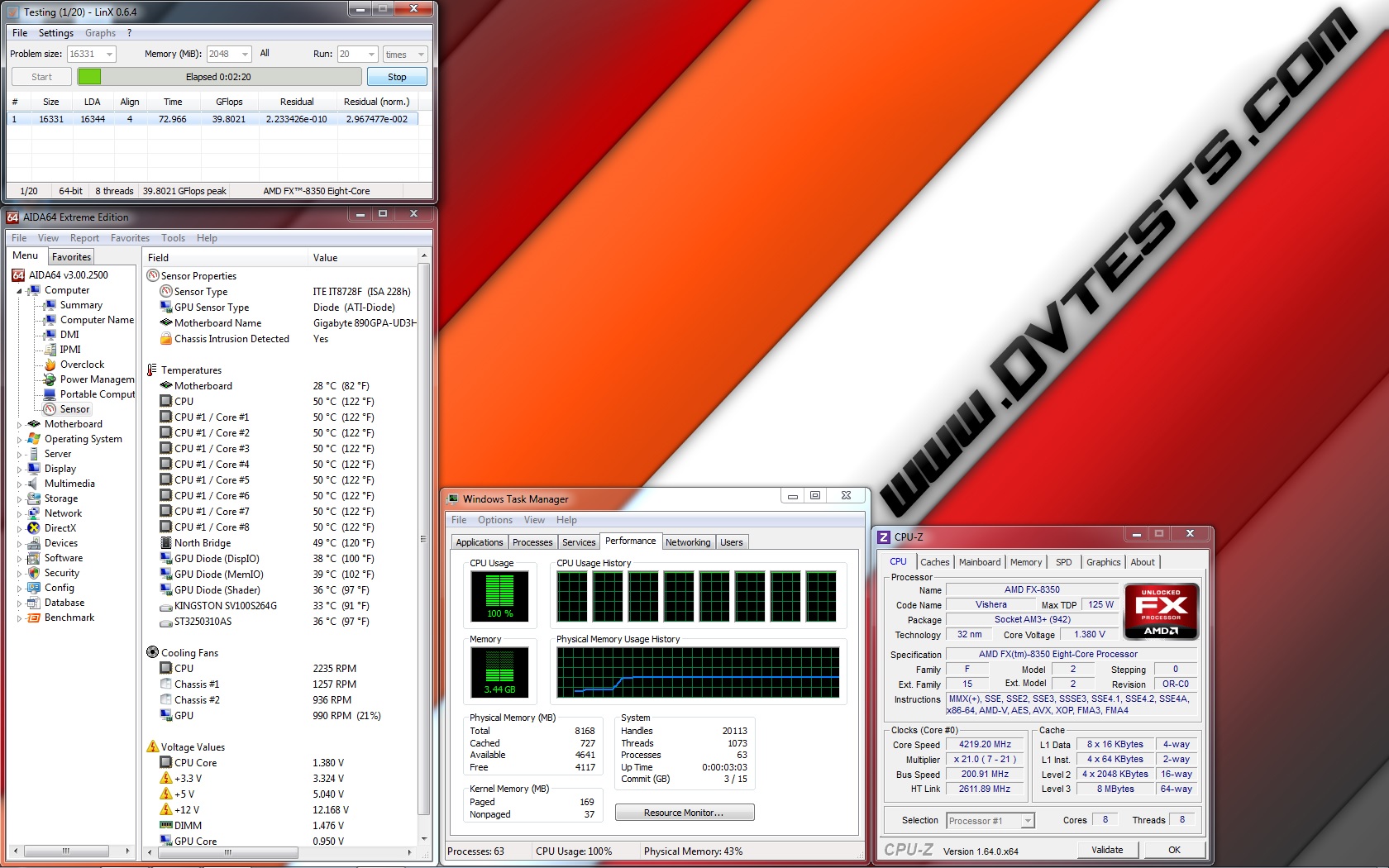
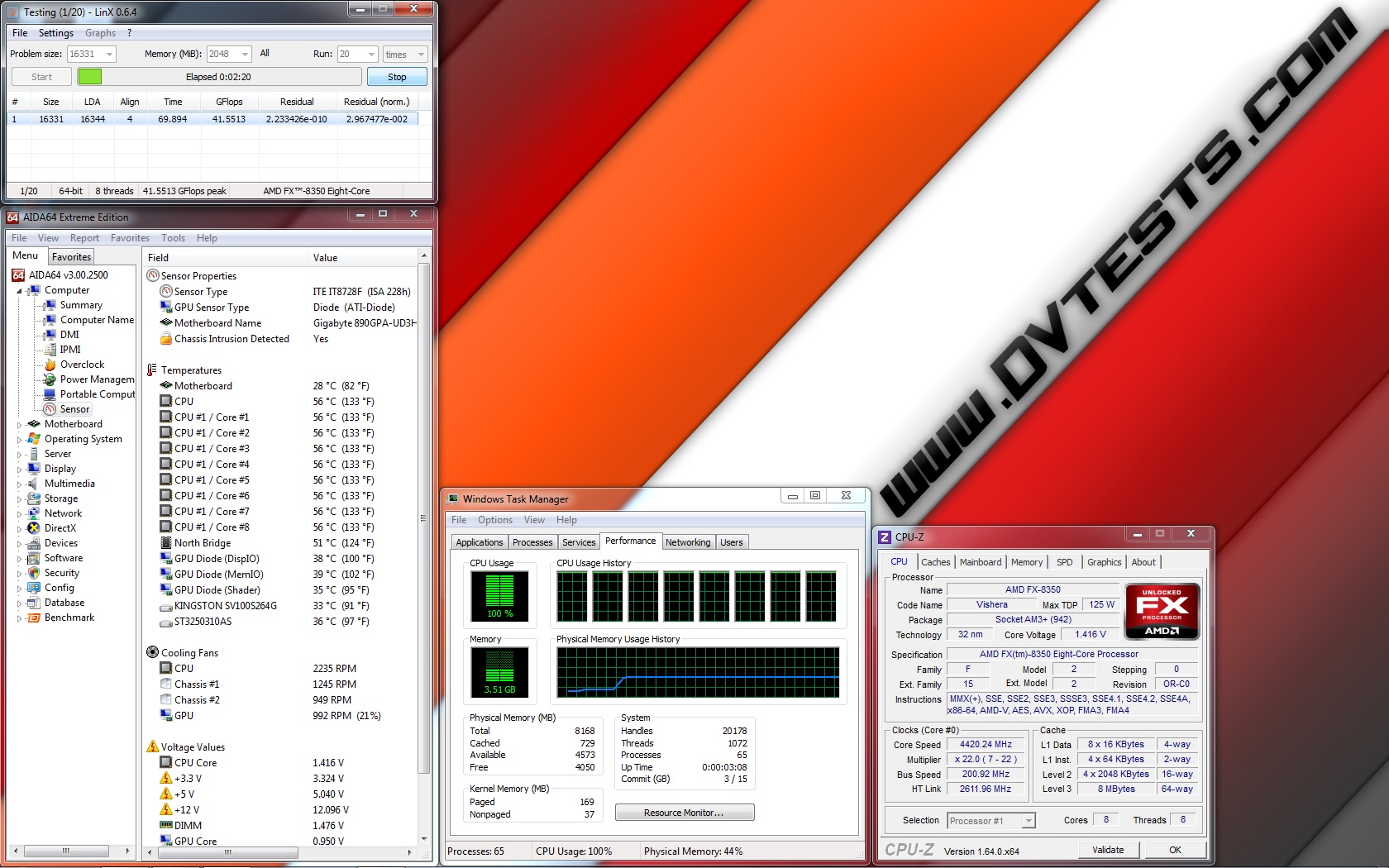
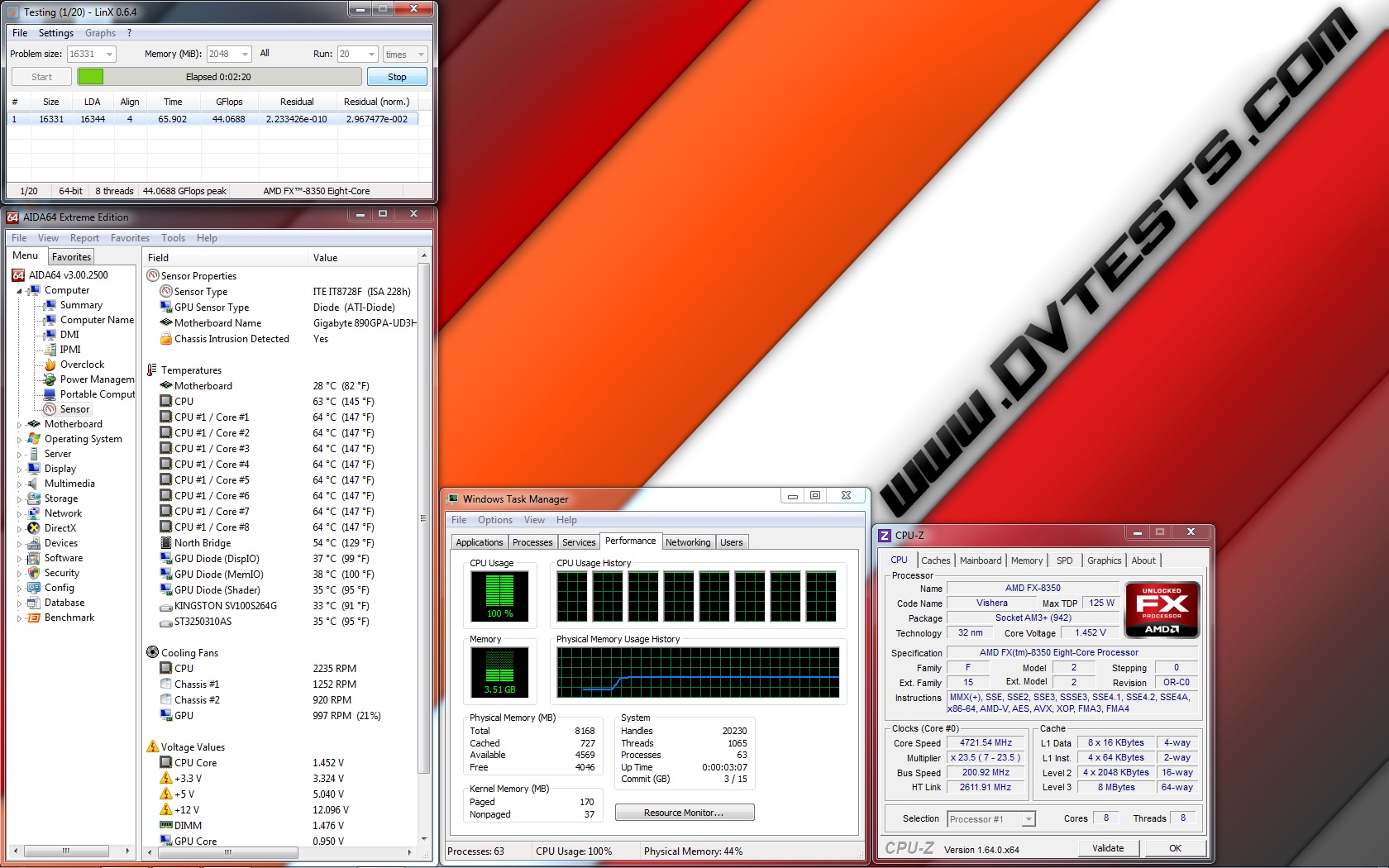
Overclock mode: (fans working at ~2200 revolutions per minute): at standard frequency of 4.020 GHz (at 1.356V), at low overclock frequency of 4.220 GHz (at 1.380V), at medium overclock frequency of 4.420 GHz (at 1.416V) and at high overclock frequency of 4.720 GHz (at 1.452V)
| Enermax ELC120-TA 2200RPM @4020MHz 1.356V | Enermax ELC120-TA 2200RPM @4220MHz 1.380V |
 |
 |
| Enermax ELC120-TA 2200RPM @4420MHz 1.416V | Enermax ELC120-TA 2200RPM @4720MHz 1.452V |
 |
 |
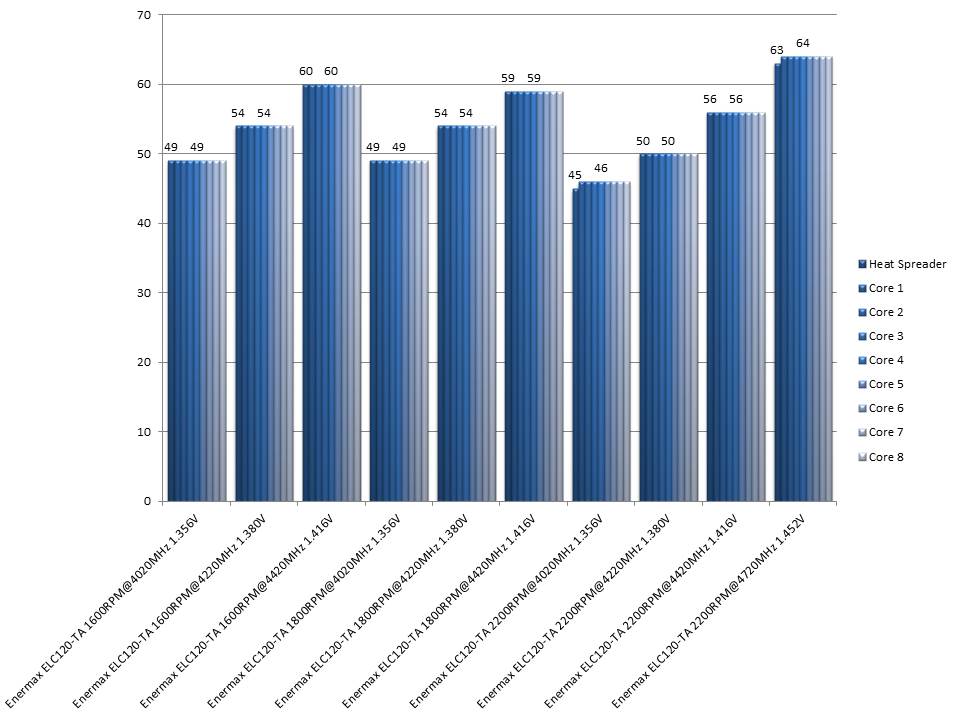
All of the test results have been summed up in the following charts:
And the fans speed measured during the tests:
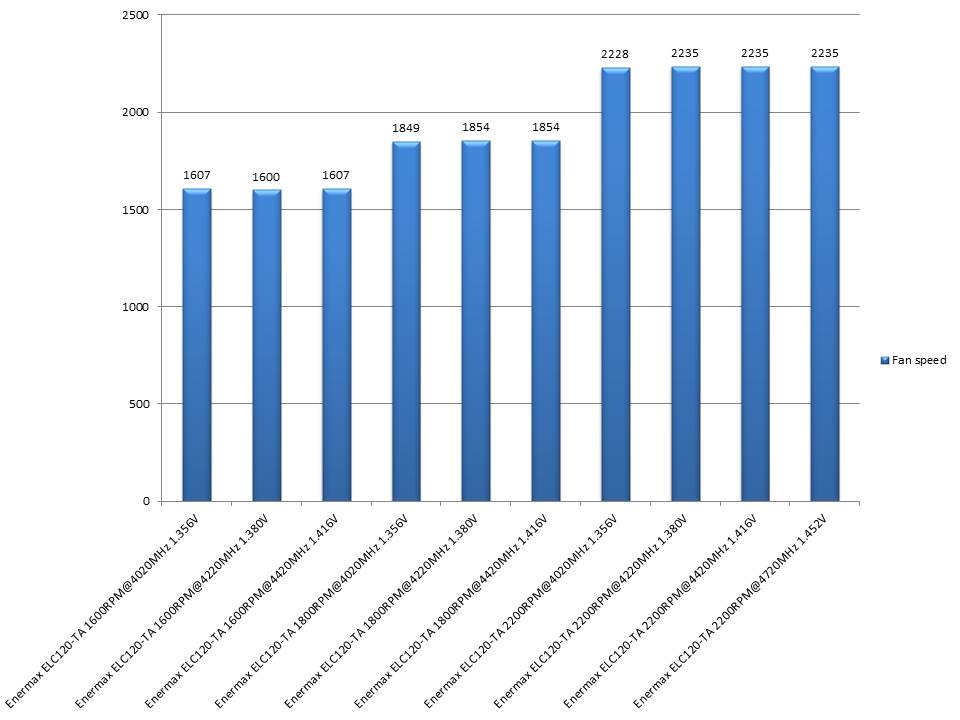
I believe all of the tests are done and before I finish with the article it will be nice to share my thoughts:
1. ENERMAX ELC120-TA performance:
In the last year I’ve already done a few AIO tests and reviews and I had the chance to touch all kinds of models featuring a 25 mm, 32 mm or 50mm radiator design, with one or two fans, even control software but to be honest this model surprised me the most for several reasons.
ENERMAX ELC120-TA offers 3 very well-balanced operating modes made to provide the best possible performance/noise level ratio and to cover the needs of any possible user.
Silent mode with fans limited to rotate at about maximum 1500 revolutions per minute is actually the first mode made to provide best silence/performance balance, where the low noise level is the most important. At this mode ENERMAX ELC120-TA was able to keep my really power hungry processor running nicely and in a stable way at default, low and medium overclocked frequencies, unfortunately it was not able to cool the processor and keep the system running at the high overclocked frequency test, at which the AMD FX-8350 was heating a lot and heating all of the parts around the socket including the VRMs, which eventually were crashing and it was impossible for the AIO to keep the processor working. After all, the radiator is with slim design which lead to several crashes when I attempted to do tests. In fact, during the last test the radiator and the tubes were so hot, that for a second I thought, they could fail.
According to the test results I can recommend this mode to be used to cool processors inside systems where the low noise level is more important than the performance. Anyway, I can’t really say it is completely silent when the fans are rotating at ~1500 revolutions per minute, but when they are set to be PWM controlled they are pretty quiet.
Performance mode with fans limited to rotate at about maximum 1800 revolutions per minute is actually the second mode, which is definitely made to provide the best silence/performance level granting a bit better cooling performance by sacrificing the noise level a bit. At this mode, the AIO showed just a little bit better performance than when working at Silent mode. Unfortunately, it was not able to keep my processor working at maximum overclock frequency, too. I can recommend this mode for the users who require a bit better performance while playing games or doing some performance hungry work. At this mode the fans were a bit noisier when working at maximum speed, but again when they are PWM controlled they are pretty quiet.
Overclocking mode with fans limited to rotate at about maximum 2200 revolutions per minute is actually the third mode, entirely made for performance by completely ignoring the noise level and to satisfy the needs of hardcore gamers or overclocks. At this mode the processor was working in a very stable way at all frequencies and granted me with good results. I can’t really say that the fans were quiet at this mode while rotating at maximum speed but when they are PWM controlled they were pretty quiet.
Overall the AIO handled keeping the processor running at very decent temperatures, which made me think that the AIO modes are rated just perfectly.
After I spent some hours doing the tests and many times installing and deinstalling the fans, I should point out something which I didn’t really like and that is the switch position made to change the fans rotating limit. For the back fan it is just fine but for the front fan, to change the operating mode I had to remove it from the radiator, switch to the revolutions per minute limit which I wanted and install it back. It is not a big deal but still it is not really comfortable.
Anyway, after I finished the tests I set both fans to reach maximum limit of 2200 revolutions per minute if it is needed and set the motherboard to PWM control them and now I rarely see them rotate with speed higher than 1000 – 1200 revolutions per minute.
2. ENERMAX ELC120-TA appearance:
Nothing more to say except… ENERMAX ELC120-TA offers very nice, clean and stylish design combined with very aggressive looking fans featuring a really bright blue LED back-light, which when working inside a black case offers outstanding visual effect and that can be a base for a very good looking personal computer or a modding project in black/blue/white colour scheme. Really lovely…
 |
Official price (MSRP):
ENERMAX ELC120-TA – unknown
Warranty: 24 months
I thank Enermax for the sample!



As a happy owner of this jewel I’m perfectly satisfied. As the author said, it’s very quiet in PWM on my OC’d A8 3870. Just make sure VRMs have a good cooling/airflow in the case. It has a nice blue lights that perfectly matches the light from the Enermax PSU, one on top other on bottom of the case, just beautiful blue glow.
Cheers buddy, keep the good reviews 🙂
Well nice product = nice review. 🙂
Nice review, gratz.